
Introducció
This manual provides detailed instructions for the installation, operation, and maintenance of your NC SWM 9702 Car Radio 1 Din MP5 Player. Please read this manual thoroughly before using the product to ensure proper functionality and safety. Keep this manual for future reference.
Característiques del producte
- 7-Inch HD Retractable Screen: Provides a clear and intuitive display for navigation, video playback, and system controls.
- Sistema operatiu Android: Offers a familiar interface and access to various applications.
- Connectivitat Bluetooth 4.0: Supports hands-free calling and audio streaming for safe driving.
- Funció d'enllaç mirall: Seamlessly projects your smartphone screen (iOS/Android) onto the player's display via USB or WiFi.
- Navegació GPS: Built-in GPS with support for offline maps (Europe) and real-time traffic updates.
- posterior View Entrada de la càmera: Enhances parking safety with automatic display when reversing (camera optional/included with this model).
- Ràdio FM: High-quality radio tuner with a frequency range of 87.5~108MHz.
- USB & AUX Input: Multiple connectivity options for media playback from USB drives and external audio devices.
- Suport al control del volant: Allows integration with your vehicle's steering wheel controls for convenient operation.
- Lossless Audio Support: Compatible with APE/FLAC and other popular audio formats.
- 4-Core CPU: Ensures smooth performance and faster operation.
Què hi ha a la caixa
Verifiqueu que tots els components que s'enumeren a continuació siguin presents al vostre paquet:
- 1 x Android Head Unit (SWM 9702)
- 1 x Antena GPS
- 2 claus de desmuntatge
- 2 x Power Cords (Wiring Harnesses)
- 1 x posterior View Camera (4LED)
- 1 x cable USB

Figure 1: All components included in the NC SWM 9702 package.
Configuració i instal·lació
Es recomana la instal·lació professional d'aquest producte. Assegureu-vos que el vehicle estigui desconnectat abans de començar la instal·lació.
Llista de verificació prèvia a la instal·lació
- Ensure your vehicle's dashboard has a 1-DIN slot.
- Gather necessary tools (screwdrivers, wire strippers, electrical tape, multimeter).
- Identify your vehicle's wiring harness for power, speakers, and accessories.
Connexions de cablejat
Refer to the provided wiring diagram (usually on the unit or in a separate sheet) for precise connections. Below are general guidelines:
- Yellow Wire (B+): Connecteu-lo a una alimentació constant de 12 V.
- Cable vermell (ACC): Connecteu-ho a una alimentació commutada de 12 V (encesa).
- Cable negre (GND): Connecteu-vos a terra del xassís del vehicle.
- Blue Wire (ANT): Connecteu-vos a l'antena elèctrica o ampEncenedor remot del lificador.
- Cables de l’altaveu: Connecteu-los als cables de l'altaveu del vehicle corresponents (per exemple, blanc/blanc-negre per a la part davantera esquerra, gris/gris-negre per a la part davantera dreta, verd/verd-negre per a la part posterior esquerra, lila/lila-negre per a la part posterior dreta).
- Reverse Input Wire: Connect to the vehicle's reverse light signal for automatic camera display.
- Antena GPS: Connect the GPS antenna to the dedicated port on the back of the unit and mount it in a location with a clear view of the sky (e.g., dashboard, A-pillar).
- posterior View Càmera: Connect the camera's video output to the "CAM IN" or "REVERSE VIDEO" input on the unit. Power the camera from the reverse light circuit.
Muntatge de la unitat
- Carefully slide the head unit into the 1-DIN mounting sleeve until it clicks into place.
- Secure the unit using the provided mounting brackets or screws.
- Reassemble the dashboard trim panels.
Instruccions de funcionament
Funcionament bàsic
- Encès/apagat: Press the power button (usually VOL knob) to turn the unit on or off.
- Control de volum: Rotate the VOL knob or use the on-screen controls.
- Screen Retraction: The screen automatically retracts when the unit is turned off or can be manually retracted/extended via a dedicated button.
- Pantalla d'inici: Tap the Home icon to return to the main menu.
Bluetooth Hands-free and Audio
- Go to the Bluetooth menu on the head unit.
- Activa el Bluetooth al teu telèfon mòbil i busca els dispositius disponibles.
- Select "SWM 9702" (or similar name) from the list and pair.
- Once connected, you can make/receive calls and stream audio directly through the car speakers.
Funció d'enllaç mirall
This feature allows you to display your smartphone's screen on the head unit.
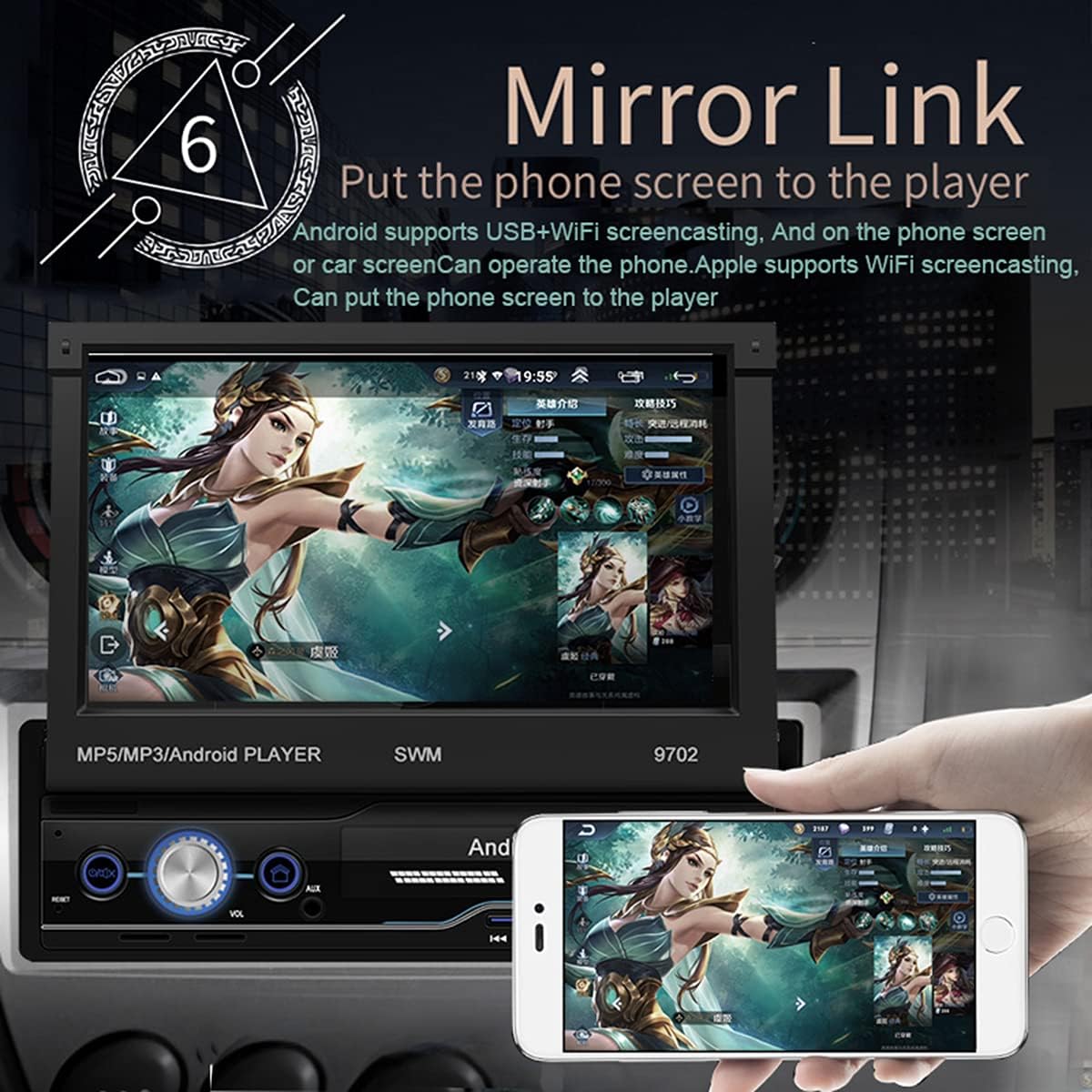
Figure 2: Mirror Link in action, showing a smartphone screen duplicated on the car radio display.
- Per a Android: Connect your phone via USB or WiFi. Follow the on-screen prompts to enable USB debugging or WiFi mirroring. You can control the phone from the car screen.
- For iOS (Apple): Connect via WiFi. The phone screen will be mirrored to the player. Control is typically from the phone itself.
Navegació GPS
The unit comes with pre-installed offline maps for Europe and supports online navigation.

Figure 3: GPS Navigation interface showing map data and route details.
- Tap the "Navigation" or "GPS" icon on the home screen.
- Select your preferred navigation application (e.g., Google Maps, Waze, or the pre-installed offline map).
- Enter your destination and follow the voice and visual prompts.
posterior View Funció de càmera
When properly installed, the unit automatically displays the rear view quan el vehicle es posa en marxa enrere.
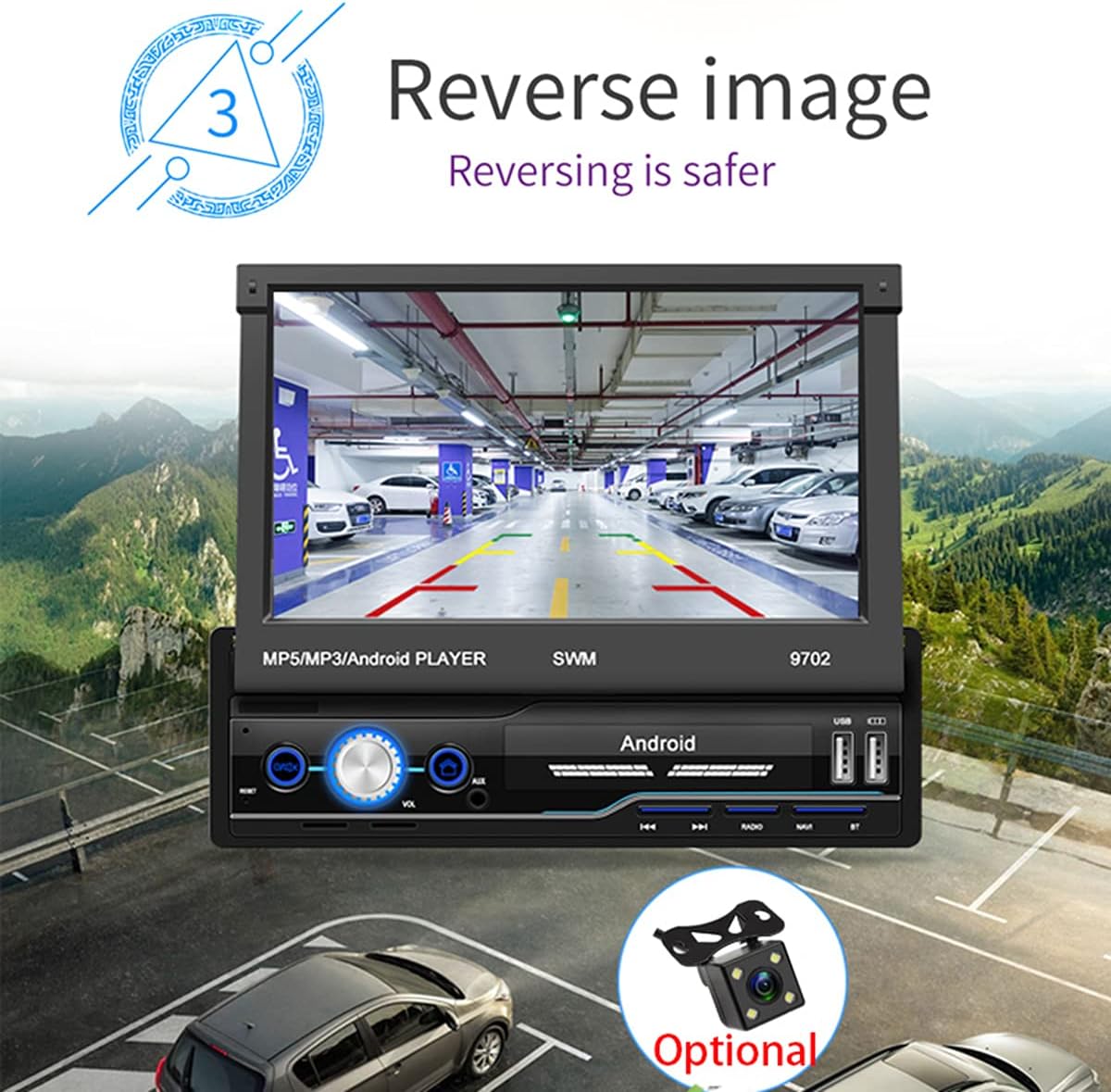
Figura 4: posterior view camera display for safer reversing.
- Assegureu-vos la part posterior view camera is correctly wired to the unit and the vehicle's reverse light circuit.
- When shifting into reverse, the screen will automatically switch to the camera view.
Ràdio FM
- Tap the "Radio" icon on the home screen.
- Use the scan function to automatically search and save available stations.
- Manually tune by frequency or select from saved presets.
USB and AUX Playback
- USB: Insert a USB flash drive into the USB port. The unit will automatically detect and allow you to browse and play audio/video/picture files.
- AUX: Connect an external audio device (e.g., MP3 player) to the AUX input using a 3.5mm audio cable. Select "AUX" as the source.
Aprenentatge del control del volant
If your vehicle has steering wheel controls, you can configure them to operate the head unit.
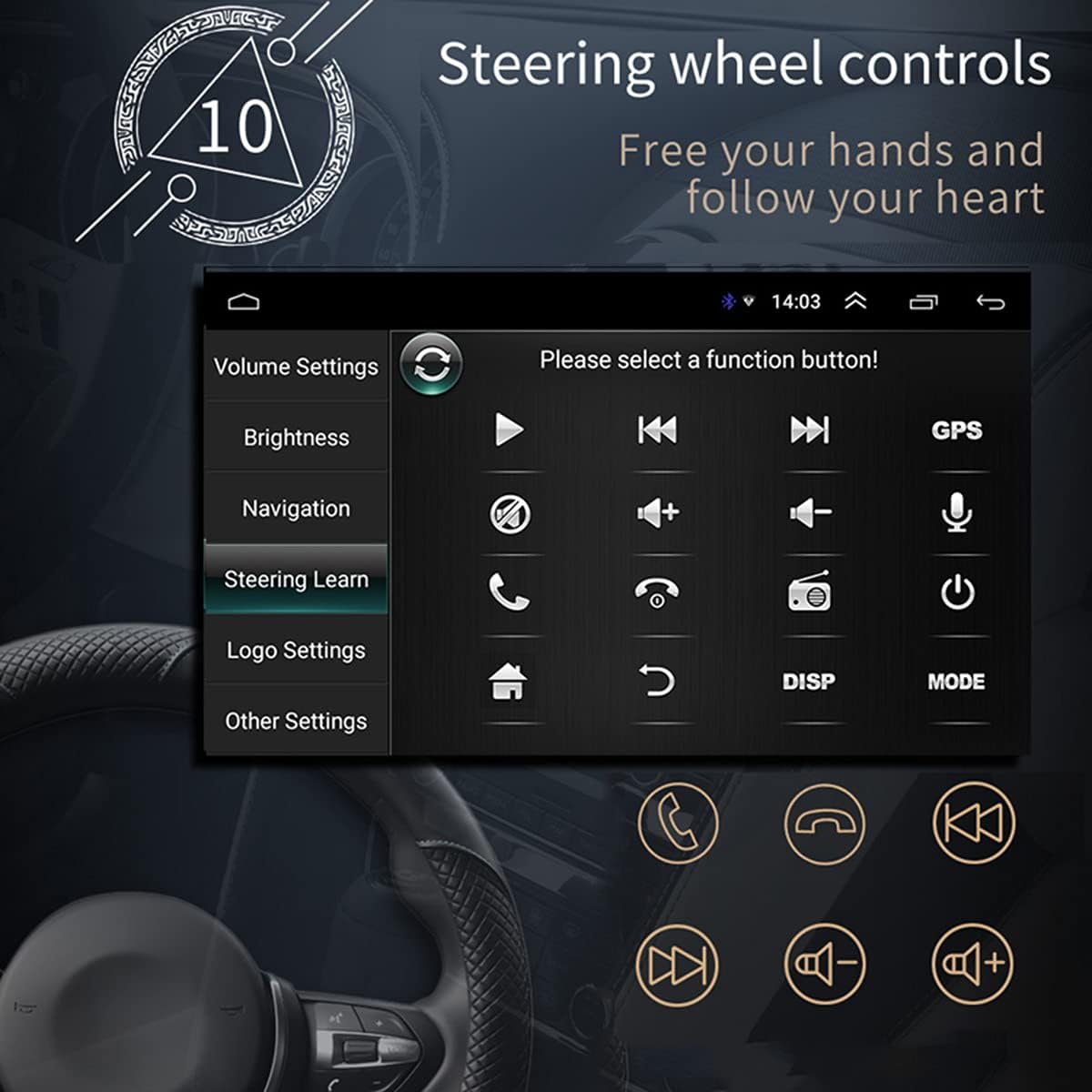
Figura 5: Interfície d'aprenentatge del control del volant.
- Go to "Settings" > "Steering Wheel Learning" or "SWC".
- Follow the on-screen instructions to assign functions to your steering wheel buttons. This typically involves pressing a button on the screen, then pressing the corresponding button on your steering wheel.
Connexió WiFi
Connect the unit to a WiFi hotspot for online features and app downloads.

Figure 6: WiFi connection enables access to online applications.
- Aneu a "Configuració" > "Xarxa i Internet" > "Wi-Fi".
- Activeu el Wi-Fi i seleccioneu la xarxa desitjada de la llista.
- Introduïu la contrasenya si se us demana i connecteu-vos.
APE/FLAC Lossless Audio Playback
The unit supports high-quality audio formats for superior sound experience.

Figure 7: Music player interface demonstrating APE/FLAC support.
- Assegureu-vos el vostre àudio files are in supported formats (MP3, WMA, WAV, APE, FLAC).
- Play them from a USB drive or other connected media.
Manteniment
- Neteja de la pantalla: Feu servir un drap suau i sense borrissol per netejar suaument la pantalla. No utilitzeu productes de neteja abrasius ni dissolvents.
- Neteja general: Mantingueu la unitat neta de pols i deixalles. Feu servir un raspall suau o aire comprimit per a les reixetes de ventilació i els botons.
- Actualitzacions de programari: Reviseu periòdicament el fabricant website or the unit's settings for available software updates to ensure optimal performance and new features.
Resolució de problemes
Si teniu problemes, consulteu els problemes i solucions habituals següents abans de contactar amb el servei d'assistència.
| Problema | Causa possible | Solució |
|---|---|---|
| La unitat no s'encén. | Incorrect wiring (B+ or ACC), blown fuse, vehicle battery issue. | Check power connections (Yellow and Red wires), inspect fuses, ensure vehicle battery is charged. |
| No hi ha so dels altaveus. | Speaker wires incorrectly connected, volume too low, mute enabled, incorrect audio source. | Verify speaker wiring, increase volume, check mute setting, select correct audio source (FM, USB, AUX, BT). |
| GPS signal weak or not found. | GPS antenna improperly installed or obstructed, unit not receiving satellite signals. | Ensure GPS antenna is mounted in a clear location (e.g., dashboard), check antenna connection. |
| Mirror Link not working. | Incorrect USB cable, USB debugging not enabled (Android), incompatible phone. | Use original or high-quality USB cable, enable USB debugging in phone developer options, check compatibility list. |
| posterior view la càmera no mostra el vídeo. | Camera not powered, video input wire disconnected, reverse trigger wire not connected. | Check camera power supply, verify video cable connection, ensure reverse trigger wire is connected to reverse light. |
Especificacions
| Característica | Detall |
|---|---|
| Model | SWM 9702 |
| Voltage | 12 V |
| Sistema | Android |
| Configuració | 1G RAM + 16G Storage |
| Mida de la pantalla | 7 Inches (HD Retractable) |
| Resolució de pantalla | 1024*600 |
| Mida del panell | 188*58 mm |
| Il·luminació del panell | Blau |
| Potència de sortida | 60W |
| Temperatura de treball | -10 ~ 60 graus centígrads |
| Versió Bluetooth | 4.0 |
| Poder AmpXip lificador | TDA7388 |
| Freqüència de ràdio | FM 87.5 ~ 108 MHz |
| Navegació GPS | Support (Built-in offline map: Europe) |
| Wireless WIFI | Suport |
| Internet mòbil | Support (Apple/Android) |
| Interfície USB | 2 rear tail cable plus front |
| RCA Terminal Introduction | 2 audio outputs, 2 audio inputs, 2 video inputs, 1 reversing input, 1 video output |
| Front AUX Audio Input | Sí |
| Funció DVR | Suport |
| Car Logo Replacement | Suport |
| Supported Picture Format | JPG |
| Contrasenya de configuració de fàbrica | 1111 |
Garantia i Suport
For warranty information, technical support, or service inquiries, please refer to the purchase documentation or contact the retailer/manufacturer directly. Keep your proof of purchase for warranty claims.
Manufacturer: N\\C
Date First Available: July 29, 2021