
Introducció
Welcome to the user manual for your KXD 6A 3G Smartphone. This guide provides essential information on setting up, operating, maintaining, and troubleshooting your device. Please read this manual thoroughly to ensure optimal performance and longevity of your smartphone.
Què hi ha a la caixa
Upon opening your KXD 6A package, you should find the following items:
- KXD 6A Smartphone
- Funda de telèfon
- Cable de càrrega (Micro USB)
- Adaptador d'alimentació
- Eina expulsora de SIM
- Guia ràpida
Video: Unboxing the KXD 6A Smartphone. This video demonstrates the contents of the KXD 6A package and the initial unboxing process.
Producte acabatview
The KXD 6A is a 3G smartphone featuring a 5.5-inch full-screen display, dual SIM capability, and an Android 8.1 Go Edition operating system. It is designed for essential communication and entertainment needs.
Característiques principals:
- Visualització: 5.5-inch Full-Screen Display (480 x 800 resolution)
- Processador: Quad-Core 1.3GHz (SC9832E)
- Memòria: 1GB RAM, 8GB ROM (expandable up to 64GB via SD card)
- Càmeres: 8MP Main Camera, 2MP Sub-Camera (rear), 5MP Front Camera
- Bateria: 2500 mAh de ions de liti
- Sistema operatiu: Android 8.1 Oreo (edició Go)
- Connectivitat: 3G Network, Wi-Fi, Bluetooth, FM Radio, GPS
- Seguretat: Reconeixement facial
- SIM: Suport Dual SIM

Imatge: Part posterior view of the KXD 6A smartphone in blue, highlighting its textured back cover and dual camera module.

Imatge: Més deview of the KXD 6A smartphone, showcasing its 5.5-inch full screen, 8MP+2MP back camera, Quad-Core 1.3GHz processor, Android 8.1 Go edition, 8GB+1GB memory, 2500mAh battery, 3G network, Face Unlock, 5MP front camera, Dual SIM, Video Player, and GPS capabilities.
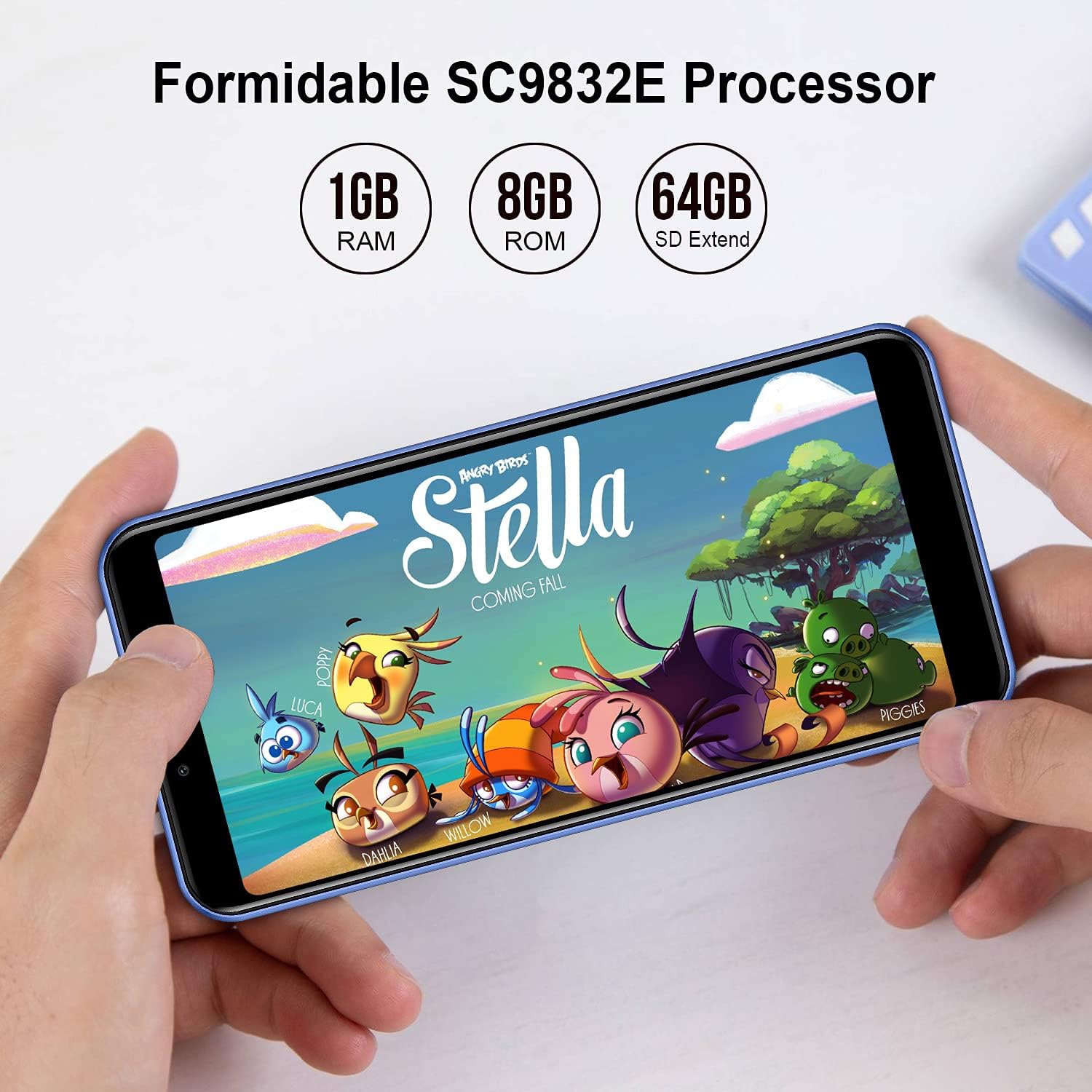
Image: The KXD 6A smartphone screen displaying "Formidable SC9832E Processor" along with "1GB RAM", "8GB ROM", and "64GB SD Extend" specifications.

Image: The KXD 6A smartphone screen displaying various application icons, with text indicating "1GB RAM + 8GB ROM 64GB Expandable" and "8GB Basic Storage Is Large Enough To Meet Your Daily Requirement For Phone Call, Message, Photos, Facebook, Music, Etc."
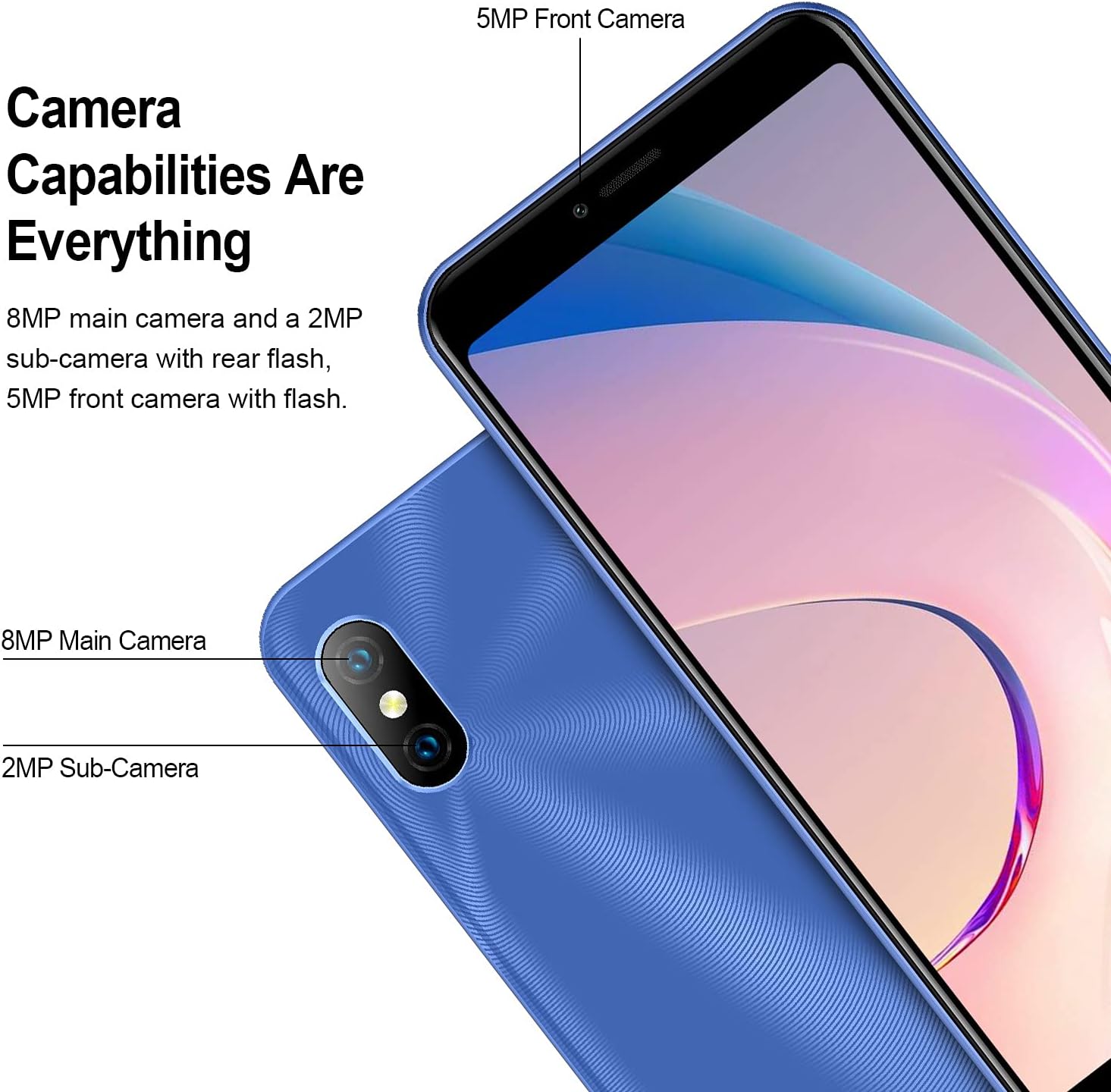
Image: Close-up of the KXD 6A smartphone's camera area, detailing "Camera Capabilities Are Everything" with "8MP main camera and a 2MP sub-camera with rear flash, 5MP front camera with flash."

Image: The KXD 6A smartphone screen displaying "2500mAh Battery" with text stating "The KXD 6A is equipped with a large capacity battery of 2500mAh to support all day using."
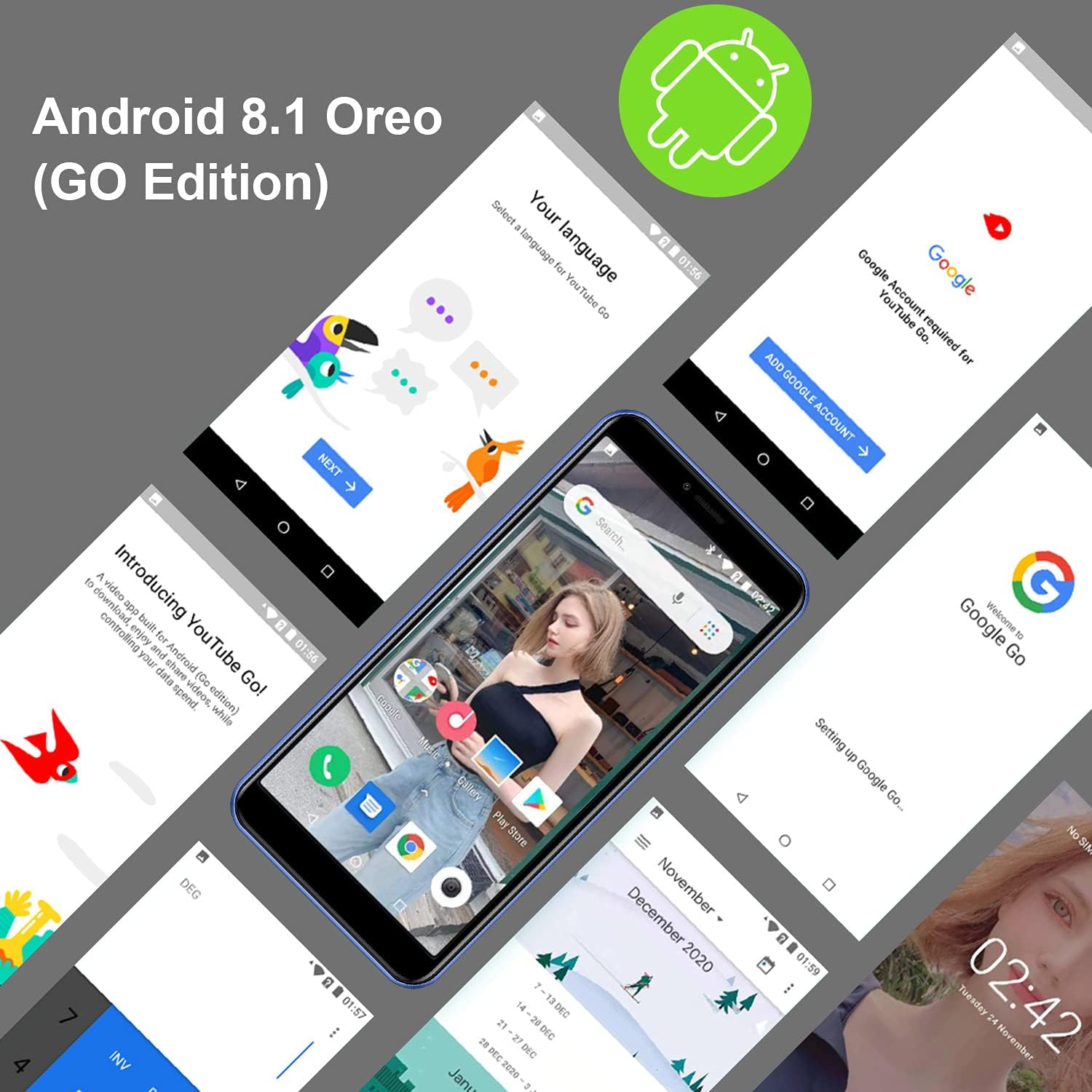
Imatge: Múltiple views of the KXD 6A smartphone screens showing the Android 8.1 Oreo (Go Edition) interface, including language selection, Google account setup, and the home screen with various apps.
Configuració
1. Instal·lació de la targeta SIM i SD
- Localitza la safata de la targeta SIM al lateral del telèfon.
- Introduïu l'eina d'expulsió de la SIM proporcionada al forat petit que hi ha al costat de la safata i premeu suaument fins que la safata surti.
- Place your Nano-SIM card(s) and/or microSD card into the designated slots on the tray. Ensure the gold contacts are facing down and the cards are correctly oriented.
- Empenyeu amb cura la safata cap al telèfon fins que encaixi al seu lloc.
2. Carregant la bateria
- Connect the Micro USB end of the charging cable to the phone's charging port.
- Connect the USB-A end of the cable to the power adapter.
- Connecteu l'adaptador de corrent a una presa de corrent.
- Allow the phone to charge completely before initial use. The battery indicator on the screen will show charging status.
3. Engegada i configuració inicial
- Press and hold the Power button (usually on the right side) until the KXD logo appears on the screen.
- Follow the on-screen prompts to select your language, connect to Wi-Fi, set up your Google account, and configure other basic settings.
- You can set up Face Recognition during this process or later in the settings menu.
Funcionament del teu telèfon
Navegació bàsica
- Pantalla d'inici: Swipe left or right to access different home screens with app shortcuts and widgets.
- Calaix d'aplicacions: Feu lliscar cap amunt des de la part inferior de la pantalla fins a view totes les aplicacions instal·lades.
- Notificacions i configuració ràpida: Feu lliscar el dit cap avall des de la part superior de la pantalla fins a view notifications and quick access toggles like Wi-Fi, Bluetooth, and flashlight.
- Aplicacions recents: Tap the square icon (or swipe up and hold from the bottom if using gesture navigation) to see recently used applications.
Fer trucades i enviar missatges
- Trucades: Toqueu la icona Telèfon, introduïu el número i toqueu el botó de trucada.
- Missatges: Toca la icona Missatges, inicia una conversa nova, introdueix el número del destinatari o selecciona'l dels contactes i escriu el missatge.
Ús de la càmera
The KXD 6A features an 8MP main rear camera, a 2MP sub-camera, and a 5MP front camera for photos and videos.
- Obre l'aplicació Càmera des de la pantalla d'inici o des del calaix d'aplicacions.
- Toqueu el botó de l'obturador per fer una foto.
- Toqueu la icona de vídeo per canviar al mode de gravació de vídeo.
- Toqueu la icona del canvi de càmera per alternar entre la càmera frontal i la posterior.
Video: Demonstration of KXD 6A smartphone features, including camera usage and general interface navigation.
Reconeixement facial
- Per configurar el reconeixement facial, aneu a Settings > Security & location > Face Unlock.
- Seguiu les instruccions a la pantalla per registrar la vostra cara.
- Once set up, you can unlock your phone by looking at the front camera.
Manteniment
- Neteja: Feu servir un drap suau i sense borrissol per netejar la pantalla i la carcassa del telèfon. Eviteu productes químics agressius.
- Cura de la bateria: To prolong battery life, avoid extreme temperatures and do not leave the phone charging for extended periods after it's full.
- Actualitzacions de programari: Comproveu i instal·leu regularment si hi ha actualitzacions de programari per garantir un rendiment i una seguretat òptims. Aneu a Settings > System > About phone > System update.
- Gestió d'emmagatzematge: Netegeu periòdicament els innecessaris files and apps to free up storage space. You can use the Files Go app (part of Android Go Edition) for this.
- Protecció: Use the provided phone case to protect your device from drops and scratches.
Resolució de problemes
| Problema | Possible solució |
|---|---|
| El telèfon no s'encén | Assegureu-vos que la bateria estigui carregada. Connecteu el telèfon al carregador i espereu uns minuts abans d'intentar engegar-lo de nou. |
| Senyal de xarxa pobre | Check if your SIM card is correctly inserted. Move to an area with better network coverage. Restart the phone. |
| Les aplicacions es bloquegen o es bloquegen | Close background apps. Clear the cache of the problematic app (Settings > Apps & notifications > App info > [App Name] > Storage & cache > Clear cache). Restart the phone. |
| La bateria s'esgota ràpidament | Reduce screen brightness. Close unused apps. Turn off Wi-Fi, Bluetooth, and GPS when not in use. Check battery usage in Settings to identify power-hungry apps. |
| No es pot connectar a la Wi-Fi | Assegureu-vos que el Wi-Fi estigui activat. Reinicieu el router i el telèfon. Oblideu-vos de la xarxa i torneu a connectar-vos. |
| La pantalla tàctil no respon | Restart the phone by holding the power button. If unresponsive, force restart by holding power button for 10-15 seconds. |
Especificacions
| Característica | Detall |
|---|---|
| Marca | KXD |
| Model | 6A |
| Mida de la pantalla | 5.5 polzades |
| Resolució | 480 x 800 |
| Capacitat d'emmagatzematge de memòria | 8 GB ROM (expandable up to 64GB) |
| RAM | 1 GB |
| Operador sense fil | AT&T (US Version) |
| Tecnologia de xarxa sense fil | Wi-Fi, 3G |
| Nombre de ranures per a targetes SIM | Doble SIM |
| Tipus de connector | 3.5mm Jack, Micro USB |
| Factor de forma | Smartphone |
| Capacitat de la bateria | 2500 milionsamp Hours (Lithium-Ion) |
| Funció de seguretat biomètrica | Reconeixement facial |
| Nivell de resistència a l'aigua | No resistent a l'aigua |
| Càmera posterior | 8MP Main, 2MP Sub-Camera |
| Càmera frontal | 5MP |
| Dimensions de l'article | 5.83 x 2.8 x 0.35 polzades |
Garantia i Suport
For warranty information and technical support, please refer to the official KXD website or contact their customer service directly. The Quick Guide included in your package may also contain specific warranty details.
Fabricant: KXD
Durada mitjana de la bateria: 2 anys