
Tuitager 9S
Tuitager Bluetooth Headphones User Manual
Model: 9S
1. Introducció
Thank you for choosing Tuitager Bluetooth Headphones. These over-ear headphones are designed to provide a high-fidelity audio experience with deep bass and clear treble, featuring long battery life, multiple EQ modes, and versatile connectivity options. Please read this manual carefully before use to ensure proper operation and maintenance.

Image 1.1: Tuitager Bluetooth Headphones (Black)
2. Informació de seguretat
- No exposeu els auriculars a temperatures extremes, humitat ni substàncies corrosives.
- Eviteu deixar caure els auriculars ni sotmetre'ls a impactes forts.
- No desmunteu ni modifiqueu els auriculars. Això anul·larà la garantia.
- Netegeu els auriculars amb un drap suau i sec. No utilitzeu netejadors líquids.
- Escoltar durant molt de temps a nivells de volum alts pot causar danys auditius. Ajusteu el volum a un nivell segur.
3. Configuració
3.1 Càrrega dels auriculars
Before first use, fully charge the headphones. Connect the provided USB-C charging cable to the Type-C charging port on the headphones and the other end to a compatible USB power source (e.g., computer USB port, wall adapter). The LED indicator will show charging status.
- Temps de càrrega: Aproximadament 2 hores per a una càrrega completa.
- Battery Life: Up to 60 hours of playtime on a single charge.
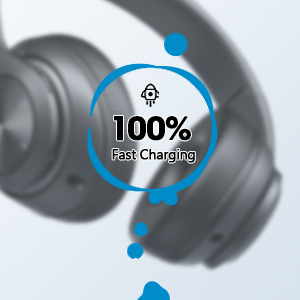
Image 3.1: Fast Charging Capability
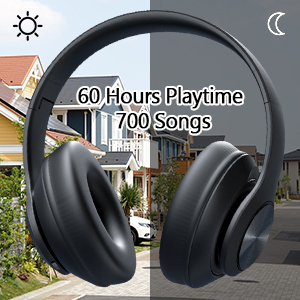
Image 3.2: Extended Playtime and Wired Option
3.2 Vinculació Bluetooth
- Assegureu-vos que els auriculars estiguin completament carregats.
- Press and hold the Power On/Off button until the LED indicator flashes, indicating pairing mode.
- Al dispositiu (telèfon intel·ligent, tauleta, ordinador portàtil), activeu el Bluetooth i cerqueu els dispositius disponibles.
- Select "Tuitager 9S" (or similar name) from the list of devices.
- Un cop connectat, l'indicador LED deixarà de parpellejar i es mantindrà de color blau continu.
Els auriculars intentaran tornar a connectar-se automàticament amb l'últim dispositiu emparellat quan s'engeguin.
3.3 Wired Connection (3.5mm Aux)
For a wired connection, use the included 3.5mm audio cable. Plug one end into the 3.5mm Aux plug-in port on the headphones and the other end into your audio device's 3.5mm jack. The headphones will automatically switch to wired mode when the cable is connected.
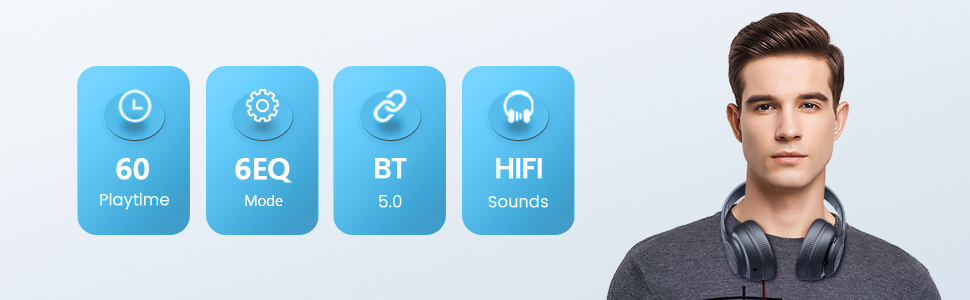
Image 3.3: Wide Compatibility and Usage (Wired & TF Card)
3.4 TF Card Usage
The headphones support TF (Micro SD) cards up to 32GB for direct music playback. Insert the TF card into the TF Card slot on the headphones. The headphones will automatically switch to TF card mode and begin playing audio files.
Note: TF card is not included.
4. Instruccions de funcionament
4.1 Funcions dels botons

Image 4.1: Easy Operation Button Layout
| Botó/Port | Funció |
|---|---|
| Encès/Apagat | Press and hold to power on/off. Short press to play/pause (in Bluetooth mode). |
| Reproduir / Pausar / Respondre / Penjar | Short press to play/pause music or answer/end calls. Long press to reject calls. |
| Seguiment / baixada de volum anterior | Premeu curt per anar a la pista anterior. Premeu llargament per baixar el volum. |
| Pista següent/Pujada de volum | Premeu curt per a la següent pista. Premeu llargament per augmentar el volum. |
| Botó EQ | Short press to cycle through 6 EQ modes (Bass/Jazz/Voice/Rock/Pop/Classic). |
| Botó de mode (M) | Short press to switch between Bluetooth Mode and FM Mode. |
| 3.5mm Aux Plug-in Port | Per a connexió d'àudio amb cable. |
| Port de càrrega tipus C. | Per carregar els auriculars. |
| Ranura per a targetes TF | For direct music playback from a TF (Micro SD) card. |
4.2 modes d'equalització
The headphones feature 6 distinct EQ modes to optimize your listening experience:
- Baix: Enhanced low frequencies for powerful beats.
- Jazz: So equilibrat professionalfile suitable for jazz music.
- Veu: Clearer vocals, ideal for podcasts or audiobooks.
- Roca: Dynamic sound for rock music.
- Pop: Vibrant and energetic sound for pop music.
- Clàssic: Rich and detailed sound for classical music.
Press the EQ button to cycle through these modes.
4.3 Fer trucades
With the built-in microphone, you can make and receive calls when connected via Bluetooth:
- Respondre/Finalitzar la trucada: Premeu breument el botó Reproduir/Pausa.
- Rebutja la trucada: Premeu llargament el botó Reproduir/Pausa.
5. Manteniment
- Mantingueu els auriculars nets netejant-los amb un drap suau i sec.
- Guardeu els auriculars en un lloc fresc i sec, allunyat de la llum solar directa i de temperatures extremes.
- When not in use, fold the headphones for compact storage and to protect them from damage.

Image 5.1: Ergonomic and Foldable Design for Comfort and Portability
6. Solució De Problemes
| Problema | Solució |
|---|---|
| Els auriculars no s'encenen. | Ensure the headphones are fully charged. Press and hold the Power button for a few seconds. |
| No es pot emparellar amb el dispositiu. | Ensure headphones are in pairing mode (flashing LED). Turn off and on Bluetooth on your device. Move headphones closer to the device. Clear previous Bluetooth connections on your device. |
| Sense so. | Check volume levels on both headphones and connected device. Ensure headphones are properly paired or the 3.5mm cable is fully inserted. Try a different audio source. |
| Mala qualitat de so. | Ensure there are no obstructions between headphones and device (in Bluetooth mode). Try a different EQ mode. Check audio source quality. |
| Connexió intermitent. | Move closer to the connected device. Avoid environments with strong Wi-Fi or other wireless interference. Ensure headphones are fully charged. |
7. Especificacions
- Nom del model: 9S
- Tecnologia de connectivitat: Amb cable, sense fil (Bluetooth)
- Tecnologia de comunicació sense fils: Bluetooth 5.3
- Rang Bluetooth: Fins a 32 peus (10 metres)
- Mida del controlador d'àudio: 40 mil·límetres
- Durada de la bateria: Fins a 60 hores
- Temps de càrrega: Aproximadament 2 hores
- Presa per a auriculars: 3.5 mm Jack
- Material: Plàstic
- Pes de l'article: 10.2 unces (aproximadament 289 grams)
- Tipus de control: Volume Control, Button
- Components inclosos: Headphones, USB Charging Cable, 3.5mm Audio Cable, User Manual
8. Garantia i Suport
Tuitager products come with a standard manufacturer's warranty. For detailed warranty information, please refer to the warranty card included in your product packaging or visit the official Tuitager weblloc.
If you encounter any issues or have questions regarding your Tuitager Bluetooth Headphones, please contact our customer support team:
- Assistència en línia: Visit the Tuitager Store on Amazon: Tuitagbotiga
- Guia de l'usuari (PDF): Una versió digital de la guia d'usuari està disponible aquí: Descarregar PDF
Ask a question about this manual
Ask about setup, troubleshooting, compatibility, parts, safety, or missing instructions. Manuals+ will review the question and use this page’s manual context to help answer it.