
1. Introducció
Welcome to the Kinstone KST103SD-L 10.3-inch Android Tablet user manual. This guide provides essential information for setting up, operating, and maintaining your new tablet. The Kinstone KST103SD-L is designed for versatile use, featuring a vibrant 10.3-inch IPS display, a powerful Octa-core processor, and extensive connectivity options including cellular and Wi-Fi.
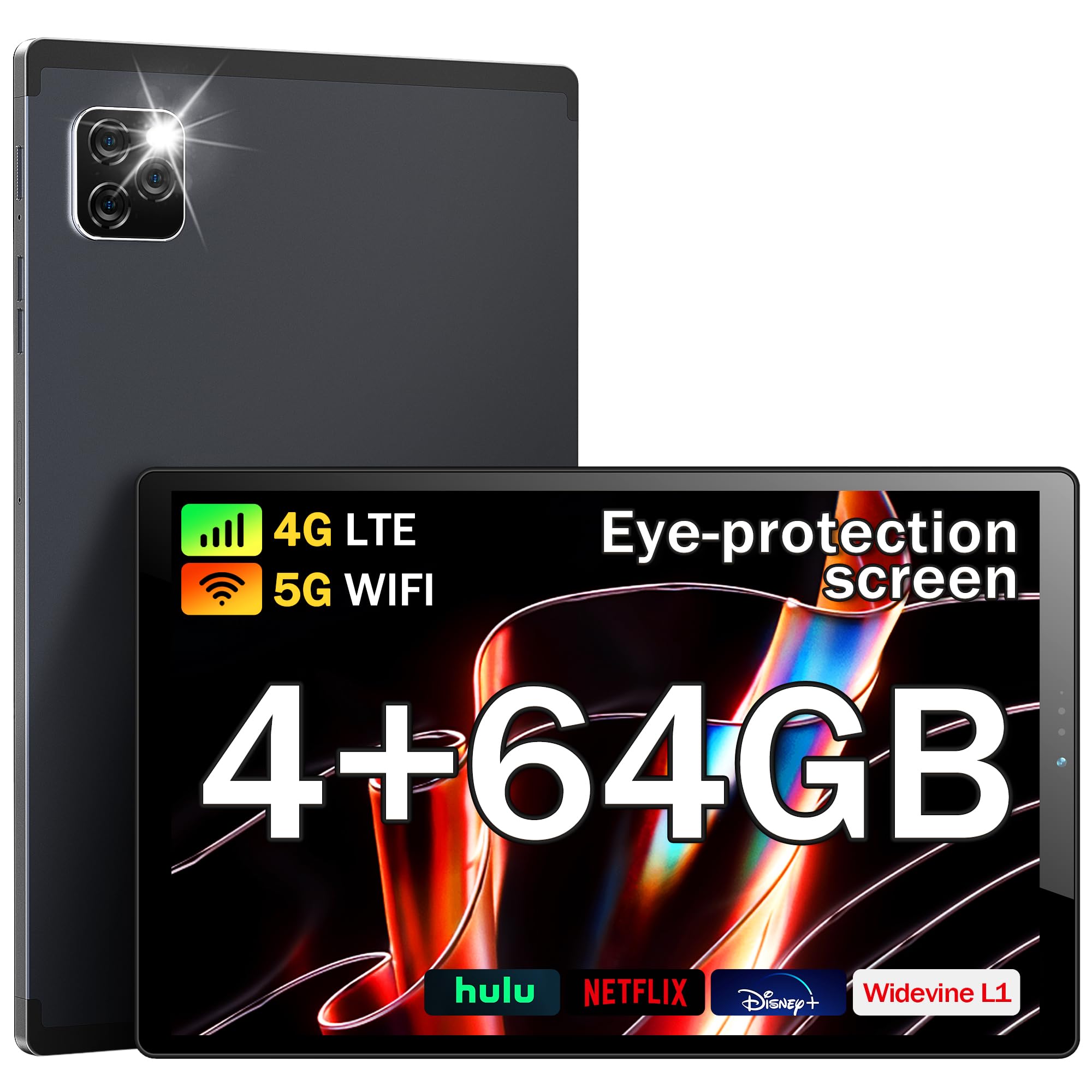
Figura 1: Frontal view of the Kinstone KST103SD-L Android Tablet.
2. Què hi ha a la caixa
Upon opening your Kinstone KST103SD-L tablet package, you should find the following items:
- Kinstone KST103SD-L 10.3-inch Android Tablet
- Cable de càrrega USB-C
- Adaptador d'alimentació
- Stylus
- Manual d'usuari (aquest document)
The tablet is securely packaged with protective sleeves and foam inserts to ensure safe delivery. The power adapter and charging cable are located in a separate compartment within the box.
Video 1: Unboxing the Kinstone Android Tablet, showing package contents and initial setup.
3. Producte acabatview
Familiarize yourself with the physical components of your Kinstone KST103SD-L tablet:

Figure 2: Technical diagram illustrating ports and buttons.
- Càmera frontal: Càmera de 5MP per a videotrucades i selfies.
- Càmera posterior: 13MP camera with LED flash for high-quality photos and videos.
- Botons de volum: Ajusta el volum de l'àudio.
- Botó d'encesa: Premeu i manteniu premut per encendre/apagar o reiniciar. Premeu breument per activar/desactivar el son.
- Ranura per a targetes SIM/TF: Insert a SIM card for cellular connectivity and a TF (MicroSD) card for expandable storage.
- Port USB tipus C: Per a càrrega i transferència de dades.
- Auriculars Jack: 3.5mm port for audio output.
- Ponents: Altaveus integrats per a la sortida d'àudio.
- Botó de restabliment: A small pinhole button located between the Power and Volume+ buttons for system reset (use a thin pin).

Figura 3: Esquena view of the Kinstone KST103SD-L Android Tablet, showing the camera module.
4. Configuració
4.1 Càrrega inicial
Your tablet may arrive with a partial charge. For optimal performance, fully charge the device before first use. Connect the provided USB-C cable to the tablet's USB-C port and the power adapter, then plug the adapter into a wall outlet. The charging indicator will show the charging status.
4.2 Encès/Apagat
To power on the tablet, press and hold the Power Button until the Kinstone logo appears. To power off, press and hold the Power Button, then select 'Power off' from the options. A short press of the Power Button will put the tablet to sleep or wake it up.
4.3 Protector de pantalla
The tablet comes with a protective film on the screen. For the best visual experience, gently peel off this film before use.

Figure 4: Gently remove the protective screen film.
5. Operating System (Android 11)
The Kinstone KST103SD-L runs on the Android 11 operating system, offering enhanced performance and user experience. It provides full access to Google services, including the Google Play Store for downloading applications.

Figure 5: Android 11 home screen with various applications.
5.1 Navegació bàsica
- Pantalla d'inici: Llisca cap a l'esquerra o la dreta per accedir a les diferents pantalles d'inici.
- Calaix d'aplicacions: Feu lliscar cap amunt des de la part inferior de la pantalla fins a view totes les aplicacions instal·lades.
- Notificacions i configuració ràpida: Llisca cap avall des de la part superior de la pantalla per accedir a les notificacions i als ajustos ràpids.
- Multitasca: Toca la icona quadrada (o mantén premuda la fletxa cap amunt des de la part inferior) per view aplicacions utilitzades recentment.
- Assistent de Google: Access Google Assistant by saying "Hey Google" or by tapping the Assistant icon.
6. Característiques clau
The Kinstone KST103SD-L tablet is equipped with a range of features designed to enhance your digital experience:
Vídeo 2: Acabatview of Kinstone KIS Pad S10 features including display, processor, and camera.
6.1 Pantalla
Experience vivid visuals on the 10.3-inch IPS Eye Protection Display with a Full HD resolution of 1920 x 1200 pixels. This display offers a wider and clearer view, designed to reduce eye strain during extended use.

Figure 6: Comparison of display quality, highlighting the 1920x1200 FHD IPS display.
Processador 6.2
Powered by a 1.8GHz Octa-core Unisoc T610 processor, the tablet delivers fast and efficient performance for gaming, streaming, and multitasking.

Figure 7: Illustration of the high-performance Octa-core processor.
6.3 Memory & Storage
The tablet comes with 4GB of RAM and 64GB of built-in storage. Storage can be expanded up to 1TB using a MicroSD card (not included).
6.4 Bateria
Equipped with a 7500mAh mega battery, the tablet offers up to 10 hours of streaming content on a single charge, ensuring long-lasting use for various activities.

Figure 8: Visual representation of the 7500mAh battery and its usage times.
6.5 Càmeres
Capture moments with the 13MP rear camera (with LED flash) and take clear video calls and selfies with the 5MP front camera.

Figure 9: Details on camera specifications and connectivity options.
6.6 Connectivitat
Stay connected with 4G LTE cellular support, dual-band Wi-Fi (2.4G/5G), Bluetooth 5.0, and GPS for accurate positioning, even without Wi-Fi.
6.7 Característiques especials
- Protecció ocular: The screen effectively reduces blue light inhalation.
- Control parental: User function limits content and time for children.
- Metal Shell: Features a high-quality metal shell for durability and a premium feel.
- Stylus & Case: Includes a stylus for precise input and a sleek case for protection and portability.

Figure 10: Features including wireless projection, Bluetooth, eye protection, and parental control.
7. Escenaris d'ús
The Kinstone KST103SD-L tablet is versatile for various applications:
7.1 Jocs
Enjoy a smooth gaming experience thanks to the Octa-core processor and ample RAM. The large display provides an immersive view for your favorite games.
Video 3: Demonstrating gaming performance on the Kinstone Android Tablet.
7.2 Streaming & Entertainment
Watch movies, TV shows, and videos in Full HD quality. The tablet's long-lasting battery ensures uninterrupted entertainment.
Video 4: Demonstrating video streaming on the Kinstone Android Tablet.
7.3 Productivity & Navigation
Utilize the tablet for work or study by connecting a Bluetooth keyboard (sold separately) and using the included stylus. The built-in GPS functionality allows for reliable navigation, even without Wi-Fi.

Figure 11: Kinstone tablet used with an external keyboard for productivity.
8. Manteniment
- Neteja: Feu servir un drap suau i sense borrissol per netejar la pantalla i la carcassa. Eviteu productes químics agressius.
- Cura de la bateria: Per allargar la durada de la bateria, eviteu les temperatures extremes i no deixeu que la bateria s'esgoti completament amb freqüència.
- Actualitzacions de programari: Comproveu i instal·leu regularment si hi ha actualitzacions del sistema per garantir un rendiment i una seguretat òptims.
- Gestió d'emmagatzematge: Netegeu periòdicament els innecessaris files and apps to maintain sufficient storage space and tablet speed.
9. Solució De Problemes
La tauleta 9.1 no s'encén
Ensure the tablet is sufficiently charged. Connect it to the charger and wait a few minutes before attempting to power it on again. If the issue persists, try performing a hard reset by pressing and holding the power button for 10-15 seconds.
9.2 Rendiment lent
If your tablet is running slow, try the following:
- Tanca les aplicacions de fons innecessàries.
- Esborra les dades de la memòria cau de les aplicacions que s'utilitzen amb freqüència.
- Allibera espai d'emmagatzematge eliminant els elements antics files o desinstal·lant aplicacions no utilitzades.
- Reinicieu la tauleta.
9.3 Connectivity Issues (Wi-Fi/Cellular)
If you experience issues with Wi-Fi or cellular connectivity:
- Activa i desactiva el Wi-Fi o les dades mòbils.
- Reinicieu el vostre encaminador (per a la Wi-Fi).
- Ensure your SIM card is correctly inserted and activated (for cellular).
- Check network settings for any restrictions.
9.4 Reset Button Location
The reset button is a small pinhole located between the Power and Volume+ buttons. Do not confuse it with the microphone hole, which is near the USB-C connector. Using a thin pin, gently press the reset button to perform a system reset if necessary.
10. Especificacions
| Característica | Especificació |
|---|---|
| Nom del model | KST103SD-L |
| Sistema operatiu | Android 11 |
| Mida de la pantalla | 10.3 polzades |
| Resolució de visualització | 1920 x 1200 píxels (FHD IPS) |
| Processador | Unisoc T610 Octa-core (1.8 GHz) |
| RAM | 4 GB |
| Emmagatzematge intern | 64 GB |
| Emmagatzematge ampliable | Fins a 1 TB (MicroSD) |
| Capacitat de la bateria | 7500 mAh (polímer de liti) |
| Durada de la bateria (mitjana) | 10 hores |
| Càmera posterior | 13 MP |
| Càmera frontal | 5 MP |
| Connectivitat | 4G LTE, Wi-Fi (802.11ac), Bluetooth 5.0, GPS |
| Ports | USB Type-C, 3.5 mm Headphone Jack |
| Dimensions (L x W x Thickness) | 24.2L x 15.2A x 0.9P centímetres |
| Pes de l'article | 0.46 quilos |
| Accessoris inclosos | Sleek Case, Stylus |
11. Garantia i assistència
The Kinstone KST103SD-L tablet comes with a 3-Year Limited Warranty. For any questions or support needs, please contact Kinstone customer service. They aim to reply within 6 hours.
Informació de contacte del fabricant:
Xinjianxing Technology Industrial Park Fengxin Road 5th Floor, Building A2 Shenzhen Guangdong
TEL: 13823168064
Kinstone is committed to providing professional and timely after-sales service, ensuring customer satisfaction.