
1. Introducció
This manual provides essential instructions for the safe and efficient operation, maintenance, and troubleshooting of your BONSEN S3101-W 8-Sheet Cross-Cut Paper Shredder. Please read this manual thoroughly before using the shredder and retain it for future reference.

Image 1.1: The BONSEN S3101-W 8-Sheet Cross-Cut Paper Shredder.
2. Instruccions de seguretat importants
Per reduir el risc d'incendi, descàrrega elèctrica o lesions, seguiu sempre les precaucions de seguretat bàsiques quan utilitzeu aquest aparell.
- Mantenir fora de l'abast dels nens i mascotes.
- Do not insert fingers, loose clothing, hair, or ties into the paper entry slot.
- No ruixeu cap producte inflamable ni lubricant a la trituradora.
- Do not shred metal objects, wet paper, or adhesive materials.
- Desendolleu la trituradora abans de moure, netejar o buidar el contenidor d'escombraries.
- No feu funcionar la trituradora si el cable d'alimentació està danyat.
- The shredder head must be correctly seated on the waste bin for operation.
3. Producte acabatview i Components
Familiarize yourself with the parts of your shredder:
- Shredder Head (with paper entry slot, control switch, and indicator lights)
- Waste Bin (4-gallon capacity with transparent window)
- Cable d'alimentació

Image 3.1: The 4-gallon waste bin with a transparent window, showing shredded paper.
4. Instruccions de configuració
- Desembalar: Traieu amb cura tots els components de l'embalatge.
- Posició: Col·loqueu la trituradora sobre una superfície plana i estable.
- Muntar: Ensure the shredder head is securely seated on top of the waste bin. The shredder will only operate when the head is correctly positioned.
- Connectar l'alimentació: Connecteu el cable d'alimentació a una presa de corrent estàndard.
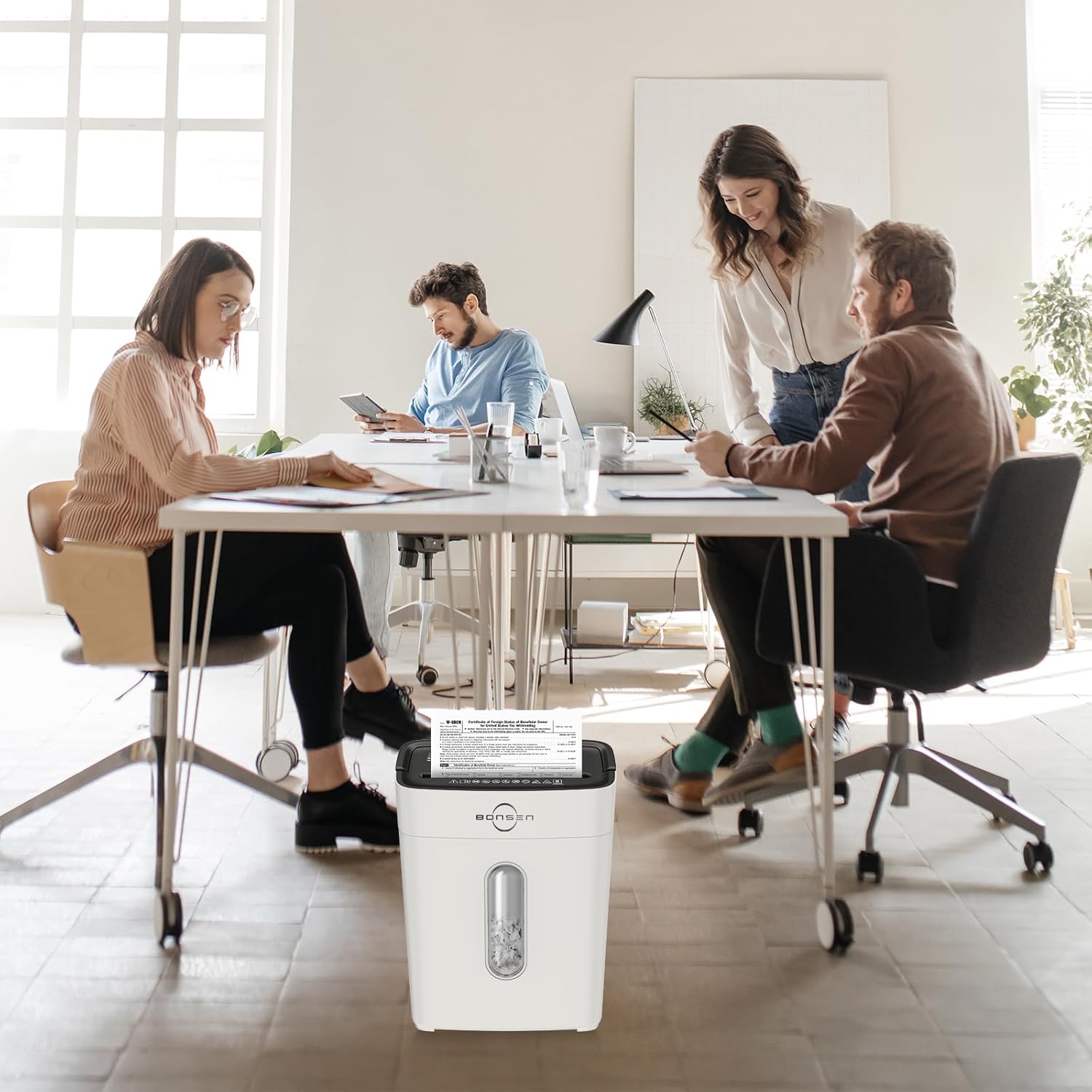
Image 4.1: The shredder head must be correctly placed on the basket for operation, ensuring safety.
5. Instruccions de funcionament
5.1 Control Switch Settings
- AVANÇ (Endavant): Manual shredding mode.
- AUTOMÀTIC (automàtic): Shredder starts automatically when paper is inserted.
- DESACTIVAT: Apaga la trituradora.
- REV (Marxa enrere): Inverteix el mecanisme de trituració per eliminar els embussos.
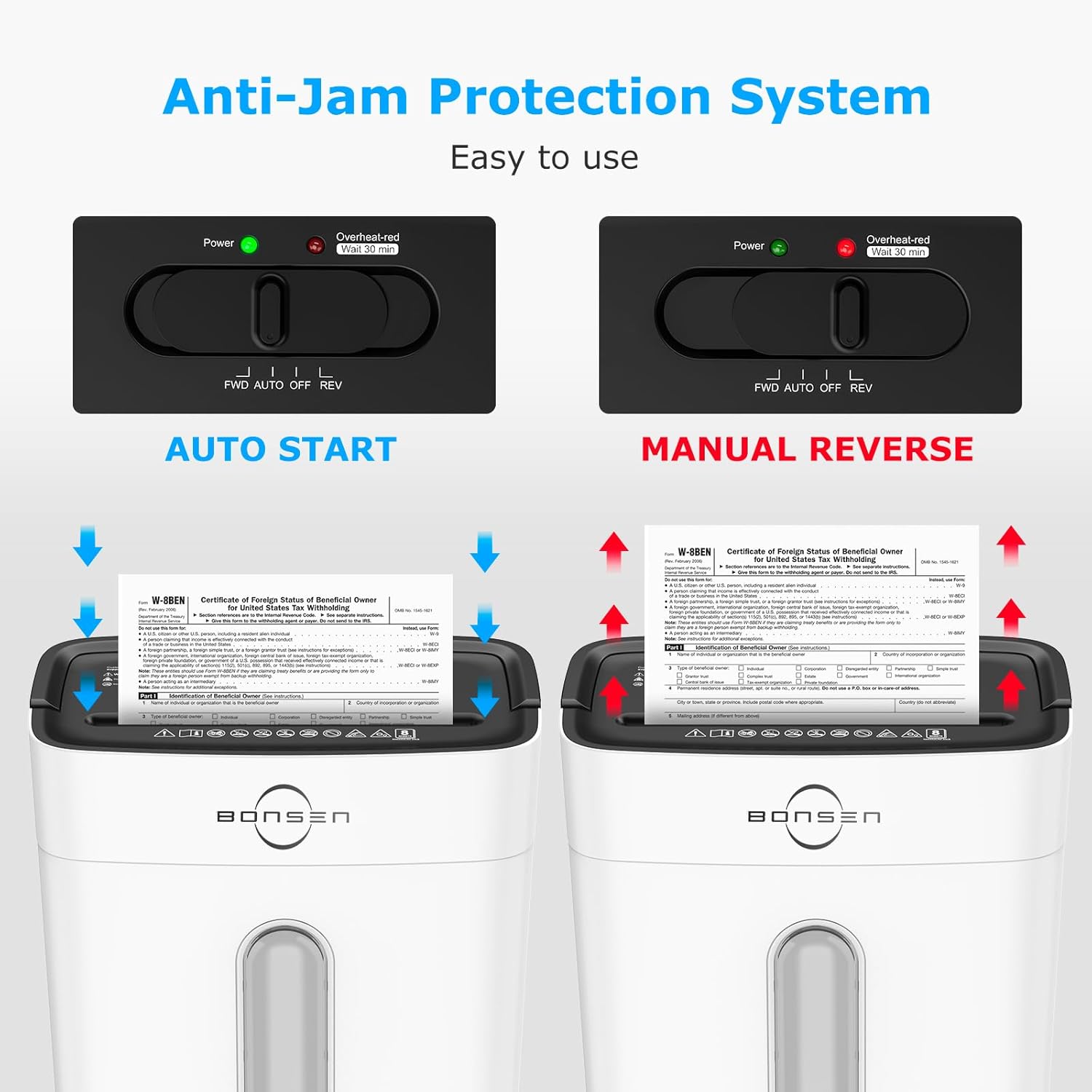
Image 5.1: The control switch with FWD, AUTO, OFF, and REV settings, and indicator lights.
5.2 Trituració de documents
- Poseu l'interruptor de control a AUTO. The green "Power" indicator light will illuminate.
- Insert up to 8 sheets of paper (A4 size, 70g/m²) into the paper entry slot. The shredder will automatically start and stop once shredding is complete.
- Per a les targetes de crèdit, introduïu-ne una a la ranura designada.
- The shredder can also handle staples and small paper clips.

Image 5.2: Demonstrates the 8-sheet shredding capacity and 5-minute continuous running time.
Nota: The maximum continuous running time is 5 minutes. After this, the shredder will automatically shut off to prevent overheating. Allow it to cool down for at least 30 minutes before resuming operation. The "Overheat-red" indicator will be solid red during this cool-down period.
6. Manteniment
6.1 Buidatge de la paperera
- When the transparent window indicates the bin is full, unplug the shredder.
- Aixequeu amb cura el capçal de la trituradora del contenidor d'escombraries.
- Desfeu-vos del material triturat.
- Replace the shredder head securely onto the waste bin.
Important: Empty the waste bin regularly to prevent paper jams and ensure optimal performance.
6.2 Neteja
- Desendolleu sempre la trituradora abans de netejar-la.
- Netegeu l'exterior de la trituradora amb un drap suau i sec. No utilitzeu productes de neteja abrasius ni dissolvents.
- Occasionally, apply shredder oil to the cutting blades to maintain performance and extend the life of the shredder. Follow the instructions provided with the shredder oil.
7. Solució De Problemes
| Problema | Causa possible | Solució |
|---|---|---|
| La trituradora no funciona. |
|
|
| Emballament de paper. |
|
|
| La trituradora s'atura durant el funcionament. |
|
|

Image 7.1: Indicator lights for Standby (Blue On), Overload (Red Flashing), and Overheat (Red Always On).
8. Especificacions
| Característica | Detall |
|---|---|
| Model | S3101-W |
| Tipus de trituració | Tall de creu |
| Nivell de seguretat | P-4 |
| Mida de trituració | 13/64'' x 45/64'' (5 x 18 mm) |
| Capacitat del full | 8 sheets (A4, 70g/m²) |
| Velocitat de trituració | 5.24 peus/min |
| Temps d'execució contínua | 5 minuts |
| Temps de refredament | 30 minuts |
| Capacitat de la paperera | 4 galons (15 litres) |
| Nivell de soroll | 70 dB |
| Dimensions (L x A x A) | 12.09" x 7.44" x 15.4" (30.7 x 18.9 x 39.1 cm) |
| Pes | 7.9 lliures (3.58 kg) |
| Trituradors | Paper, Credit Cards, Staples, Small Paper Clips |

Image 8.1: Dimensions of the BONSEN S3101-W shredder.

Image 8.2: Illustration of the P-4 security level cross-cut shred size (5mm x 18mm).
9. Garantia i Suport
For warranty information or technical support, please refer to the warranty card included with your product or visit the official BONSEN website. You may also contact BONSEN customer service directly for assistance.
BONSEN Customer Service: Please refer to your product packaging or the official BONSEN weblloc web per obtenir la informació de contacte més actualitzada.