
Introducció
This manual provides detailed instructions for the HXSJ L300 104-Key Wired Mechanical Gaming Keyboard. Please read this manual thoroughly before using the product to ensure proper operation and to maximize your user experience.
The HXSJ L300 keyboard is designed to offer responsive operational capabilities and an immersive gaming experience. Its sensitive, tactile keys provide good resistance, aiding in precise typing. The keyboard features multiple lighting effects and durable keycaps made with double-shot injection molding technology to prevent fading and wear. It is compatible with various operating systems, including Win Me/2000/XP/7/8/10/Vista.
Contingut del paquet
- 1 x HXSJ L300 Mechanical Gaming Keyboard
- 1 x Manual d'usuari
Especificacions
| Característica | Detall |
|---|---|
| Marca | Goshyda (HXSJ) |
| Model | L300 |
| Material | ABS |
| Color | Negre |
| Quantitat clau | 104 claus |
| Tipus de canvi | Clicky Mechanical Switches |
| Interfície | Cable USB |
| Longitud del cable | Aprox. 168 cm (66 polzades) |
| Vida útil de la clau | 50 milions de pulsacions de tecles |
| Efecte de contrallum | Color Backlight (RGB) |
| Sistemes compatibles | Win Me/2000/XP/7/8/10/Vista |
| Tecnologia de connectivitat | USB |
| Dispositius compatibles | PC, ordinador portàtil |

Imatge: De dalt a baix view of the HXSJ L300 mechanical keyboard, showcasing its full 104-key layout, black keycaps, and the attached USB cable with its connector.
Configuració
- Descomprimir el teclat: Carefully remove the HXSJ L300 keyboard from its packaging.
- Connexió a l'ordinador: Localitza un port USB disponible al teu PC o portàtil. Insereix el connector USB del cable del teclat al port USB.
- Instal·lació del controlador (automàtica): The keyboard is plug-and-play. Your operating system (Windows Me/2000/XP/7/8/10/Vista) should automatically detect and install the necessary drivers. No manual driver installation is typically required.
- Verificació de la funcionalitat: Once connected, the keyboard's backlight should illuminate. Test typing and key responsiveness to ensure proper function.

Image: The HXSJ L300 mechanical keyboard in use, connected to a laptop. The keyboard's RGB backlighting is visible, and a mouse and pen are also on the wooden desk, illustrating a typical setup.
Instruccions de funcionament
Multimedia Key Combinations (FN Key Functions)
The HXSJ L300 keyboard features a Function (FN) key that, when combined with specific F-keys, provides quick access to multimedia and system controls. Press and hold the FN key, then press the desired F-key.
- FN + F1: Open Computer / My Computer
- FN + F2: Cerca
- FN + F3: Obriu la calculadora
- FN + F4: Open CD Player / Media Player
- FN + F5: Pista anterior
- FN + F6: Pista següent
- FN + F7: Reproduir/Pausa
- FN + F8: CD Stop
- FN + F9: Silencia l'àudio
- FN + F10: Baixa el volum
- FN + F11: Puja el volum
- FN + F12: Bloqueja totes les claus
- WIN + L: Lock Windows and Applications
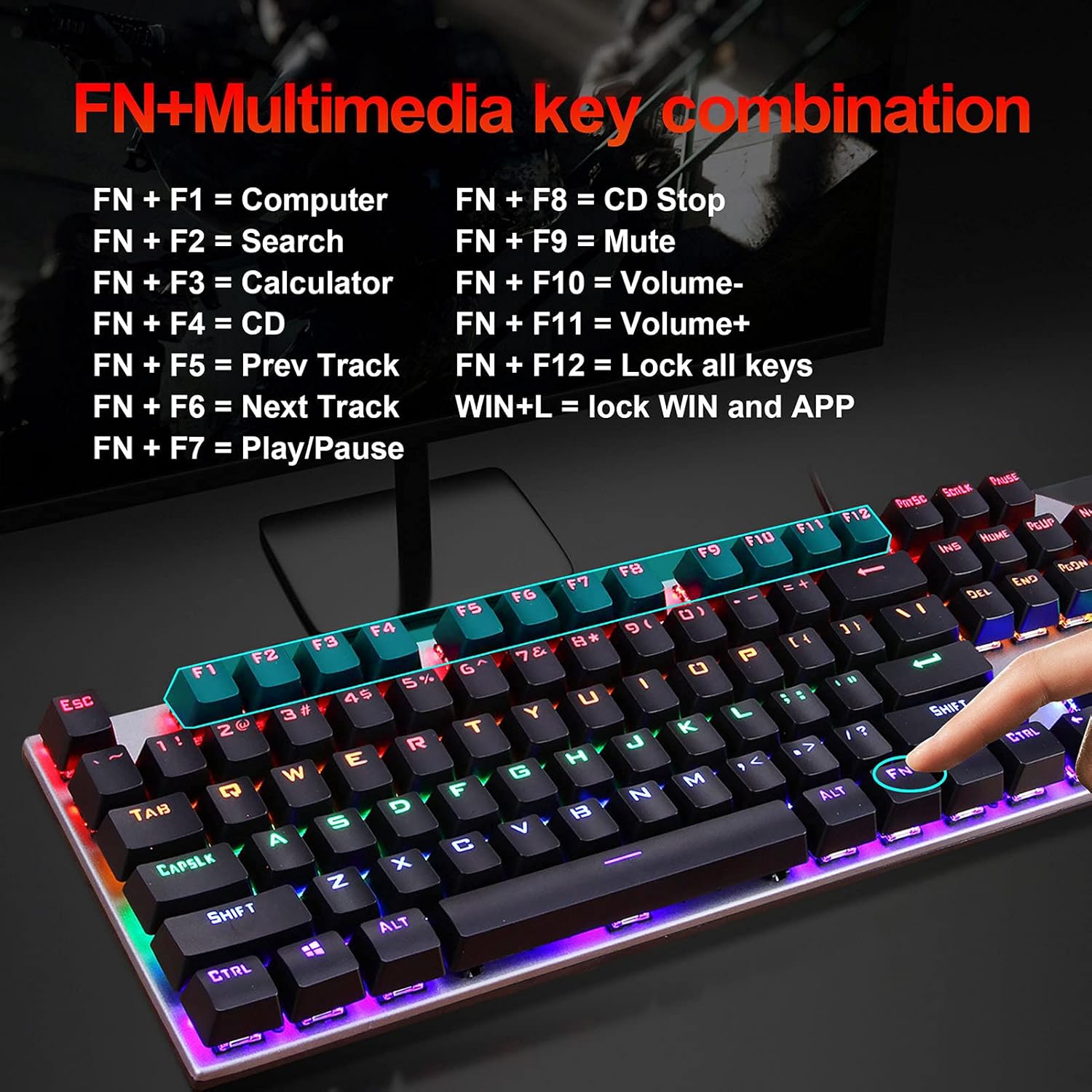
Image: A visual guide to the FN+Multimedia key combinations available on the HXSJ L300 keyboard, detailing functions like opening applications, media control, and volume adjustment.
Control de la llum de fons
The keyboard features various RGB backlight effects. You can adjust these effects using specific key combinations:
- FN + INS: Cycle through different backlight modes/effects.
- FN + "↑" (Up Arrow): Increase backlight brightness (6 levels).
- FN + "↓" (Down Arrow): Decrease backlight brightness (6 levels).
- FN + "←" (Left Arrow): Decrease backlight effect speed (5 levels).
- FN + "→" (Right Arrow): Increase backlight effect speed (5 levels).

Image: A visual representation of the RGB backlight control functions, showing how to adjust brightness and speed of lighting effects using FN key combinations.

Image: The HXSJ L300 mechanical keyboard illuminated with vibrant RGB backlighting, showcasing its aesthetic appeal and customizable lighting options.
Manteniment
- Neteja: Use a soft, dry cloth to wipe the surface of the keyboard. For deeper cleaning, you may use a can of compressed air to remove dust and debris from between the keycaps. Avoid using liquid cleaners directly on the keyboard.
- Eliminació de la tapa de les tecles (opcional): If necessary, keycaps can be carefully removed for thorough cleaning of the switches. Use a keycap puller tool (not included) to avoid damage. Reinstall keycaps by aligning them with the switch stem and pressing down gently.
- Emmagatzematge: When not in use for extended periods, store the keyboard in a dry, dust-free environment.
- Eviteu líquids: Do not expose the keyboard to liquids, as this can cause damage to the internal components.

Imatge: Una imatge detallada view of the HXSJ L300 keyboard's keycaps and mechanical switches. This image illustrates the two-color injection molding process for durable key legends and the structure of the mechanical switches, which have a lifespan of 50 million keystrokes.

Image: An exploded diagram of a mechanical keyboard switch, detailing its various components such as the stem, spring, and housing. This illustrates the "automated shaft exchange real machinery" aspect of the keyboard's design, contributing to its 50 million keystroke lifespan.
Resolució de problemes
- El teclat no respon:
- Assegureu-vos que el cable USB estigui ben connectat tant al teclat com al port USB de l'ordinador.
- Prova de connectar el teclat a un port USB diferent de l'ordinador.
- Reinicieu l'ordinador.
- Prova el teclat en un altre ordinador per determinar si el problema és del teclat o de l'ordinador.
- La retroiluminació no funciona o és incorrecta:
- Check if the backlight is turned off or set to the lowest brightness. Use FN + "↑" per augmentar la brillantor.
- Canvieu pels modes de retroiluminació mitjançant FN + INS to see if it resolves the issue.
- Claus que no es registren o escrivien dues vegades:
- Clean the affected key(s) using compressed air to remove any debris that might be obstructing the switch.
- If comfortable, carefully remove the keycap and inspect the switch for any visible damage or obstruction.
- Les tecles multimèdia no funcionen:
- Assegureu-vos que esteu prement el botó FN simultàniament amb la tecla F desitjada.
- Some multimedia functions may require specific software or drivers on your operating system. Ensure your system is up to date.
Garantia i Suport
Information regarding specific warranty terms and customer support for the HXSJ L300 keyboard is not provided in the product details. For warranty claims or technical assistance, please refer to the retailer where the product was purchased or contact the manufacturer directly if contact information is available on the product packaging or official weblloc.
Ergonomics and Keycap Design
The HXSJ L300 keyboard features a floating high and low keycap layout designed for ergonomics, aiming to fit fingers comfortably and provide a pleasant typing experience.
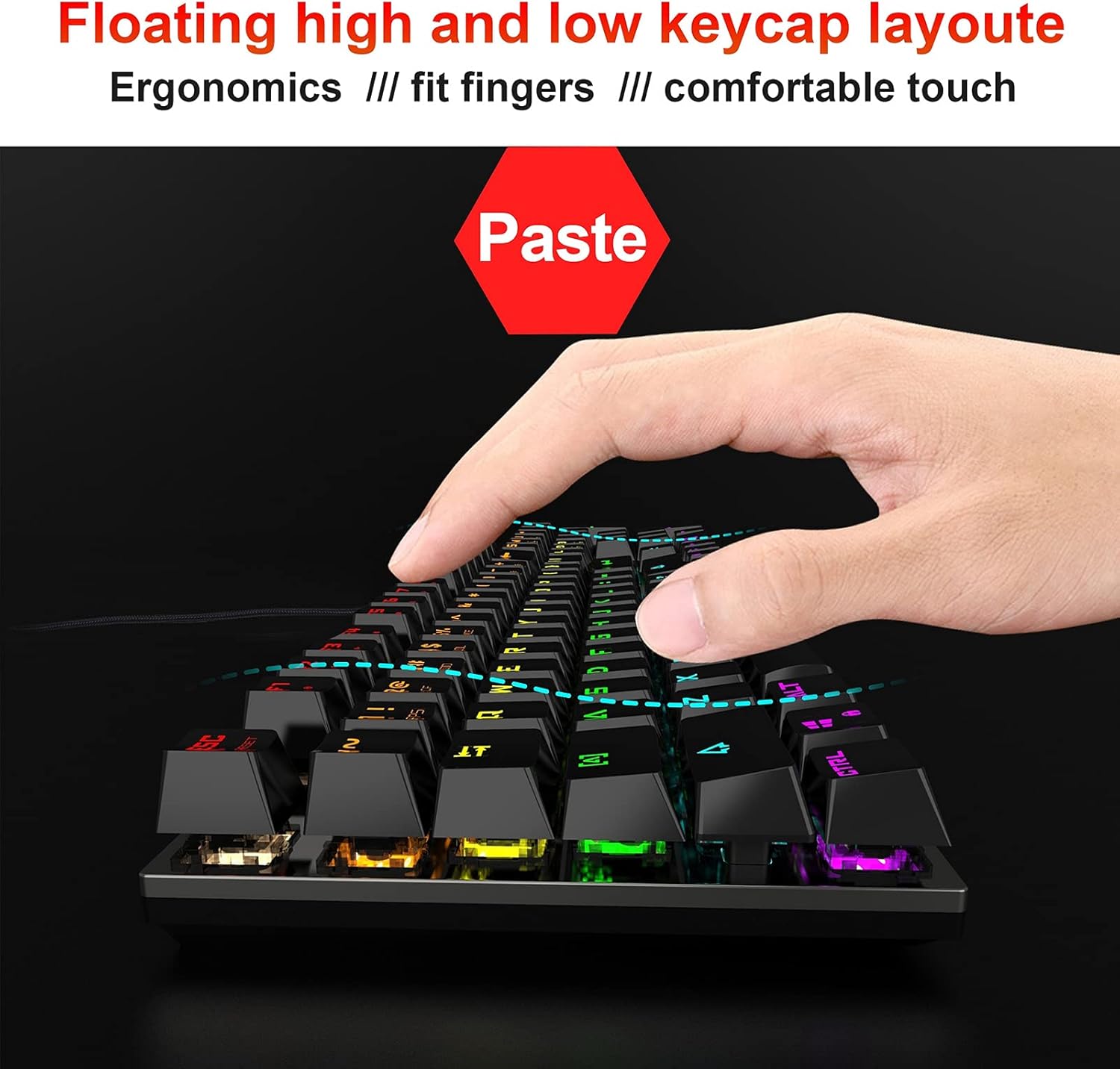
Image: A hand positioned over the HXSJ L300 keyboard, demonstrating the ergonomic "floating high and low keycap layout" which is designed to provide a comfortable and natural typing or gaming posture.