
FLEXISPOT EC5W
FLEXISPOT E6 Essential Bamboo Electric Height Adjustable Standing Desk User Manual
Model: EC5W
1. Introducció
Thank you for choosing the FLEXISPOT E6 Essential Bamboo Electric Height Adjustable Standing Desk. This manual provides comprehensive instructions for the assembly, operation, maintenance, and troubleshooting of your new desk. Please read this manual carefully before use to ensure proper function and safety.
The FLEXISPOT E6 desk is designed to enhance your workspace with its dual-motor height adjustment system and durable bamboo desktop. Its ergonomic design allows for seamless transitions between sitting and standing positions, promoting a healthier work routine.

FLEXISPOT E6 Essential Electric Standing Desk with bamboo top and white frame.
2. Informació de seguretat
- Assegureu-vos que l'escriptori estigui col·locat en una superfície plana.
- No supereu la capacitat màxima de pes de 220 lliures (100 kg).
- Mantingueu els nens i les mascotes allunyats de l'escriptori durant el funcionament per evitar lesions.
- Ensure all cables are properly managed and not pinched during height adjustments.
- Avoid contact with liquids. Do not operate the desk with wet hands.
- Feu servir només l'adaptador de corrent i els components proporcionats.
- Reviseu regularment tots els cargols i connexions per assegurar-vos que estiguin ben fixats.
- In case of malfunction, disconnect power immediately and contact customer support.
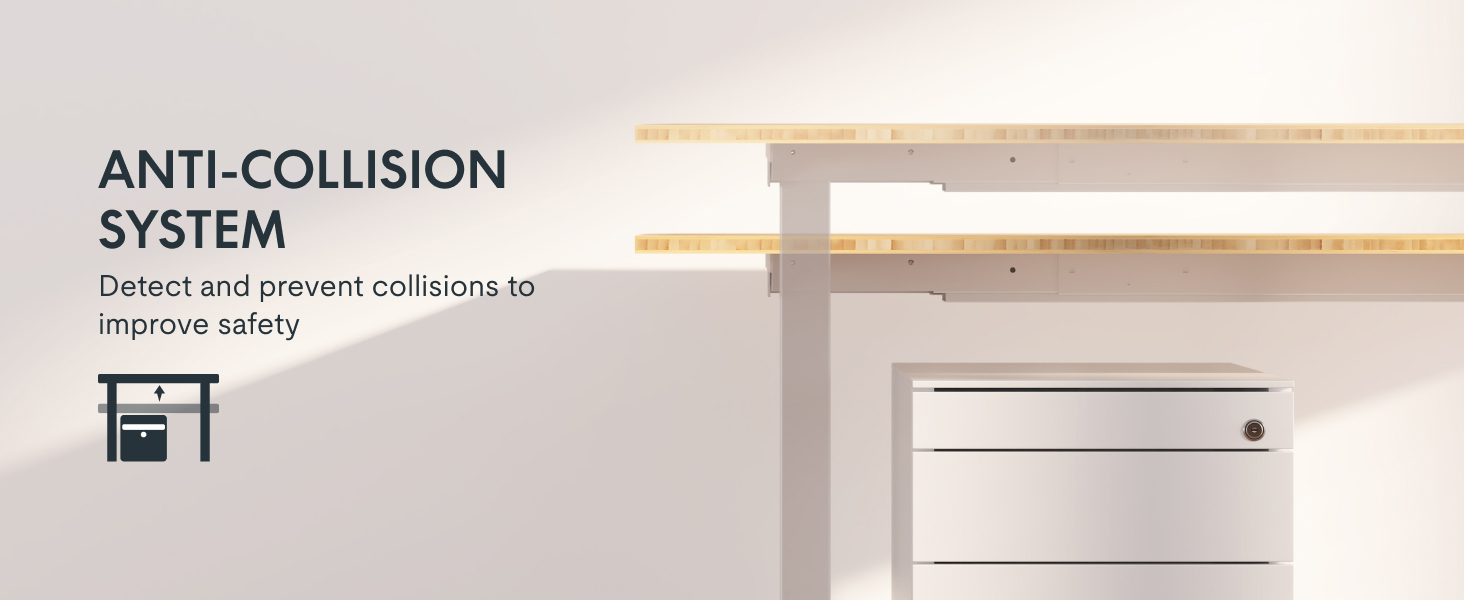
Important: The desk features an anti-collision system. However, always ensure the path of movement is clear to prevent damage or injury.

The anti-collision system helps prevent damage by detecting obstructions during movement.
3. Contingut del paquet
Verify that all components are present before beginning assembly. If any parts are missing or damaged, please contact FLEXISPOT customer support.
- Bamboo Desktop (55x28 inch)
- Desk Frame (White)
- Control Panel / Keypad
- Adaptador d'alimentació i cables
- Installation Tools and Hardware (screws, Allen wrench)
Note: The desktop and desk frame may ship in separate packages and arrive on different days.

Desk components may arrive in separate packages.
4. Instruccions de muntatge
Assembly is required for this product. It is recommended for one person to assemble the desk. Please follow the detailed instructions provided in the separate assembly guide included with your package. A Phillips-head screwdriver may be required in addition to the included tools.
General Assembly Steps (Refer to separate guide for details):
- Desembaleu tots els components i verifiqueu-los amb la llista de contingut del paquet.
- Munteu el marc de l'escriptori segons els diagrames proporcionats.
- Attach the desktop to the assembled frame. Ensure proper alignment.
- Install the control panel and connect all necessary cables (motor cables, power cable).
- Perform initial setup and calibration as per the control panel instructions.
The desk frame features a strong steel structure for stability.
5. Instruccions de funcionament
Control Panel (Intelligent Keypad)
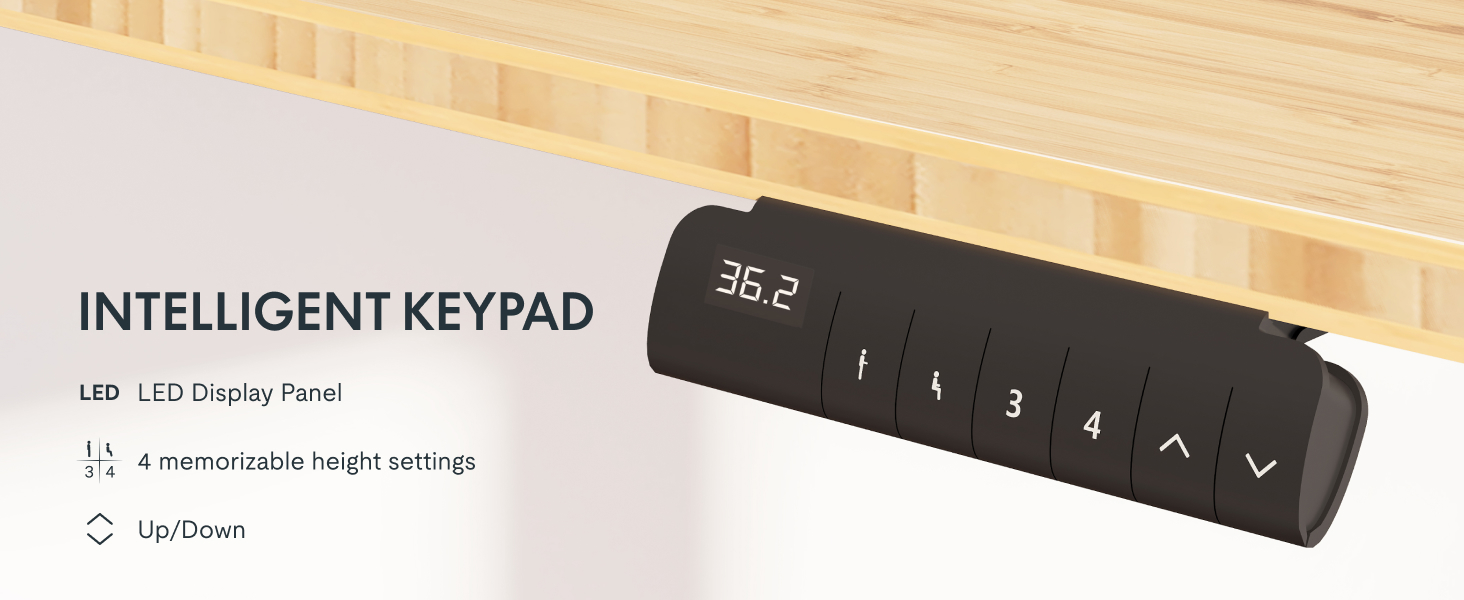
Your FLEXISPOT E6 desk is equipped with an intelligent keypad for easy height adjustment and memory settings.

Intelligent Keypad with LED Display, Memory Settings, and Up/Down Controls.
- Panell de pantalla LED: Mostra l'alçada actual de l'escriptori en polzades.
- Botons amunt/avall (▲ / ▼): Premeu i manteniu premut per ajustar l'alçada de l'escriptori cap amunt o cap avall. Deixeu anar el botó per aturar-vos a l'alçada desitjada.
- Configuració de memòria (1, 2, 3, 4): The keypad allows you to save up to four preferred height settings.
Configuració de preajustos de memòria:
- Ajusteu l'escriptori a l'alçada desitjada amb els botons Amunt/Avall.
- Press the 'M' button (or similar memory set button, if present, otherwise proceed to step 3).
- Immediately press one of the number buttons (1, 2, 3, or 4) until you hear a beep or see the display flash, indicating the height is saved.
Ús de preajustos de memòria:
Simplement premeu el botó numèric corresponent (1, 2, 3 o 4) per moure automàticament l'escriptori a l'alçada desada.

The desk offers a wide height adjustment range from 23.6 inches to 49.2 inches.
6. Manteniment
- Neteja: Wipe the bamboo desktop with a soft, damp cloth. Avoid harsh chemicals or abrasive cleaners. For the frame, use a dry or slightly damp tela.
- Gestió de cables: Periodically check and organize cables to prevent tangling or damage during height adjustments.
- Elements de fixació: Ensure all screws and bolts remain tight. Retighten if necessary.
- Cura del motor: The dual motors are designed for long-term use. Avoid overloading the desk or operating it continuously for extended periods without rest.

The desk features a durable, FSC Certified bamboo desktop.
7. Solució De Problemes
If you encounter issues with your FLEXISPOT E6 desk, refer to the common problems and solutions below. If the problem persists, contact customer support.
| Problema | Causa possible | Solució |
|---|---|---|
| L'escriptori no es mou | Power cable disconnected, motor cables loose, overload, or system error. | Check all cable connections. Reduce weight on the desk. Perform a reset (see below). |
| Uneven movement or shaking | Loose connections, uneven weight distribution, or damaged leg. | Ensure all screws are tightened. Distribute weight evenly. Contact support if a leg is damaged. |
| Es mostra el codi d'error | Mal funcionament específic del sistema. | Refer to the detailed troubleshooting section in your separate assembly guide for specific error codes. Often, a reset can resolve minor errors. |
Reset Procedure (General):
To reset the desk system, typically you would press and hold the 'Down' button until the desk reaches its lowest position, then release and press the 'Down' button again for several seconds until the display shows 'RST' or '000' and the desk moves slightly, indicating a successful reset. Refer to your specific assembly guide for exact reset instructions.
8. Especificacions
| Característica | Detall |
|---|---|
| Marca | FLEXISPOT |
| Número de model | EC5W |
| Dimensions de l'escriptori | 55.1"D x 27.5"W (55x28 inch) |
| Interval d'ajust d'altura | 23.6" a 48.8" |
| Capacitat màxima de pes | 220 lliures (100 kg) |
| Tipus de motor | Motor dual |
| Nivell de soroll | Menys de 45 dB |
| Material d'escriptori | Bamboo (FSC Certified) |
| Material del marc | Metal (White Finish) |
| Components inclosos | Installation Tools and Wire |
| Pes de l'article | Approximately 100 Pounds (total) |
The desk supports a load capacity of up to 220 lbs.
9. Garantia i Suport
Informació de la garantia:
The FLEXISPOT E6 Essential Bamboo Electric Height Adjustable Standing Desk comes with a limited warranty:
- 5 any de garantia: Covers the desk frame and motor.
- 2 any de garantia: Covers the control panel, switch, electronics, and other mechanisms.
Please retain your proof of purchase for warranty claims. The warranty covers manufacturing defects under normal use conditions.
Atenció al client:
For any questions, assistance with assembly, troubleshooting, or warranty claims, please contact FLEXISPOT customer support. Refer to the contact information provided with your purchase or visit the official FLEXISPOT weblloc per obtenir detalls de suport.
Ask a question about this manual
Ask about setup, troubleshooting, compatibility, parts, safety, or missing instructions. Manuals+ will review the question and use this page’s manual context to help answer it.