
1. Introducció i finalview
This manual provides essential instructions for the safe and efficient operation, setup, and maintenance of your Royal 91004F AF2013 200-Sheet Microcut Heavy-Duty Auto-Feed Shredder. This device is designed for secure disposal of sensitive documents, credit cards, and other materials, reducing them to tiny microcut particles.
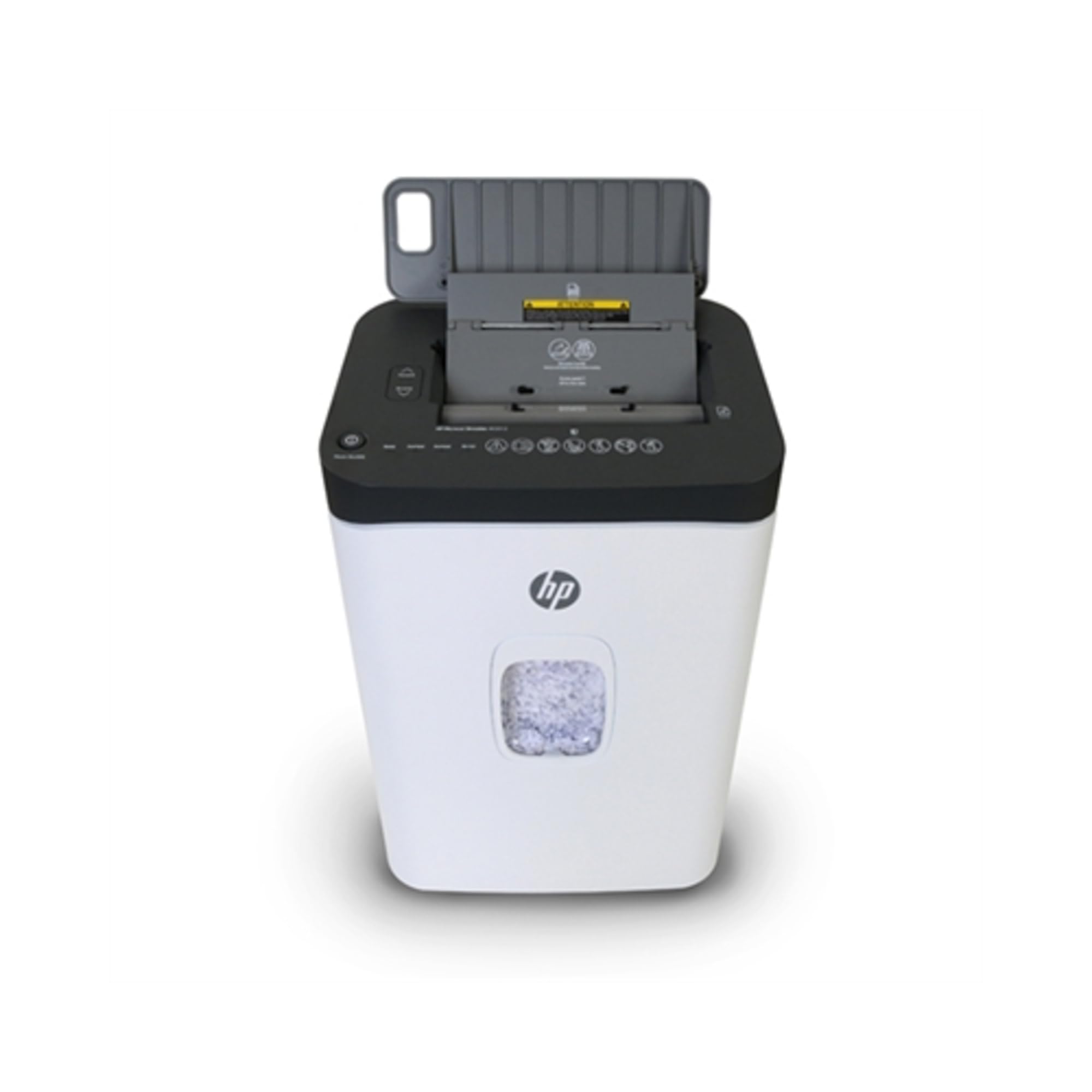
Image of the Royal 91004F AF2013 shredder, showing its compact design and waste bin.
2. Instruccions de seguretat
Please read and understand all safety instructions before operating the shredder to prevent injury or damage.
- Keep hands, hair, and loose clothing away from the paper entry slot to avoid injury.
- Unplug the shredder from the power outlet when not in use, before cleaning, or when moving.
- Do not allow children or pets near the shredder. This is not a toy.
- Do not shred metal objects, large paper clips, or adhesive labels as this can damage the cutting blades.
- Eviteu la sobrecàrrega the shredder beyond its specified sheet capacity to prevent jams and motor strain.
- Operate the shredder on a flat, stable surface to ensure proper ventilation and stability.
- Do not spray aerosols or flammable products into or near the shredder.
3. Característiques del producte
The Royal 91004F AF2013 shredder is equipped with advanced features for efficient and secure document destruction:
- 200-Sheet Auto-Feeder: Allows for hands-free shredding of large stacks of paper.
- 13-Sheet Manual Capacity: For shredding smaller batches or thicker documents.
- Microcut Shred Size: Reduces paper to 4.3 mm x 12 mm particles for enhanced security.
- Accepts Credit Cards and Staples: Capable of shredding expired credit cards and documents with staples.
- 60-Minute Continuous Run Time: Designed for extended shredding sessions.
- 7.4-Gallon Pullout Waste Bin: Large capacity bin for less frequent emptying.
- LED Message Center: Displays status indicators for Ready, Bin-Full, Overheat, and Overload.
- Rodes: For easy mobility and placement.
4. Configuració
- Desembaleu la trituradora: Traieu amb cura tots els materials d'embalatge de la trituradora i els seus components.
- Posicioneu la trituradora: Place the shredder on a flat, stable surface near a standard electrical outlet. Ensure there is adequate space around the unit for ventilation.
- Instal·leu el contenidor d'escombraries: Ensure the 7.4-gallon pullout waste bin is correctly inserted into the shredder cabinet. The shredder will not operate if the bin is not properly seated.
- Connectar l'alimentació: Connecteu el cable d'alimentació a una presa de terra de 120 V CA.
- Encès: Locate the main power switch (usually on the back or side) and turn it to the 'ON' position. The LED message center should indicate 'Ready'.
5. Instruccions de funcionament
5.1. Funcionament d'alimentació automàtica
- Ensure the shredder is powered on and the 'Ready' indicator is lit.
- Obriu la safata d'alimentació automàtica.
- Stack up to 200 sheets of paper neatly into the auto-feed tray. Ensure pages are flat and free of wrinkles or folds.
- Close the auto-feed tray. The shredder will automatically begin feeding and shredding the documents.
- Monitor the LED message center for status updates.
5.2. Operació d'alimentació manual
- Ensure the shredder is powered on and the 'Ready' indicator is lit.
- Insert up to 13 sheets of paper into the manual feed slot. The shredder will detect the paper and begin shredding.
- For shredding credit cards, insert one card at a time into the designated credit card slot (if separate, otherwise use the manual feed slot).
- Remove your hand once the shredder grips the material.
5.3. Indicadors LED
- A punt: Indicates the shredder is powered on and ready for operation.
- Bin-Full: Illuminates when the waste bin is full and needs to be emptied. The shredder will stop operating until the bin is emptied and reinserted.
- Sobrecalentament: Indicates the motor has exceeded its operating temperature. The shredder will automatically shut off. Allow it to cool down for at least 30-60 minutes before resuming operation.
- Sobrecàrrega: Illuminates if too much paper is inserted, causing a jam. Refer to the Troubleshooting section for jam clearance.
6. Manteniment
6.1. Buidar el contenidor d'escombraries
When the 'Bin-Full' indicator lights up, the waste bin needs to be emptied.
- Apagueu i desendolleu la trituradora.
- Carefully pull out the 7.4-gallon waste bin.
- Empty the shredded material into a suitable receptacle.
- Feu lliscar el contenidor de residus de nou a la trituradora fins que quedi ben fixat.
- Plug in and turn on the shredder to resume operation.
6.2. Lubricar la trituradora
Regular oiling is crucial for maintaining the performance and longevity of your microcut shredder. It helps lubricate the cutting blades and prevents paper dust buildup.
- Apply shredder oil (specifically designed for paper shredders) across the paper entry slot.
- Feu funcionar la trituradora en sentit invers durant uns segons per distribuir l'oli.
- Repeat this process after every 30 minutes of continuous shredding or at least twice a month with regular use.
6.3. Neteja
To clean the exterior of the shredder, unplug the unit and wipe it with a soft, dry cloth. Do not use abrasive cleaners or solvents.
7. Solució De Problemes
Si teniu problemes amb la trituradora, consulteu els següents problemes i solucions habituals:
| Problema | Causa possible | Solució |
|---|---|---|
| La trituradora no s'encén. | Not plugged in; Power switch off; Waste bin not properly inserted. | Check power cord connection; Ensure power switch is ON; Reinsert waste bin securely. |
| Emballament de paper. | Overloaded with too much paper; Staples or foreign objects. | Switch to reverse mode to clear the jam. If unsuccessful, unplug, carefully remove paper, then plug in and try again. Reduce sheet count. |
| Shredder stops during operation and 'Overheat' indicator is on. | Continuous use exceeding duty cycle. | Desendolleu la trituradora i deixeu-la refredar durant almenys 30-60 minuts. |
| 'Bin-Full' indicator is on, but bin is not full. | Sensor obstruït o brut. | Unplug the shredder and clean the bin-full sensor (usually located near the top of the bin opening) with a soft cloth. |
8. Especificacions
Detailed technical specifications for the Royal 91004F AF2013 Shredder:
- Número de model: 91004F
- Marca: Reial
- Tipus de tall: Micro Cut (4.3 mm x 12 mm)
- Capacitat d'alimentació automàtica: 200 fulls
- Capacitat d'alimentació manual: 13 fulls
- Capacitat de la paperera: 7.4 galons
- Temps d'execució contínua: 60 minuts
- Font d'alimentació: Elèctric amb cable
- Mode de funcionament: Automàtic
- Usos recomanats: Shredding Credit Cards, Shredding Paper, Shredding Staples
- Color: Blanc
- Característiques especials: Rodes
- Fabricant: ROYAL CONSUMER PRODUCTS
- UPC: 022447910049
9. Garantia i Suport
This Royal 91004F AF2013 Shredder comes with a Garantia limitada d'1 any des de la data de compra. Aquesta garantia cobreix els defectes de materials i de mà d'obra en ús normal.
For warranty claims, technical support, or further assistance, please refer to the contact information provided with your product packaging or visit the official Royal Consumer Products weblloc web per obtenir informació sobre el servei d'atenció al client.