
1. Introducció
This manual provides essential instructions for setting up, operating, and maintaining your EBAKIN H99 Kids Smart Watch. Please read this guide thoroughly to ensure proper use and to maximize the device's features. The EBAKIN H99 is designed as a fitness tracker for children, offering features such as heart rate monitoring, sleep tracking, multiple sports modes, and IP68 waterproofing.
2. Configuració
2.1 Càrrega del dispositiu
Before first use, fully charge the smart watch. Connect the provided charging cable to the watch's charging port and a standard USB power adapter (not included). A full charge typically takes approximately 2 hours. The battery icon on the watch screen will indicate charging status.
2.2 Baixant l'aplicació
To access all features and synchronize data, download the "H Band" application from your smartphone's app store (available for Android 4.4 & higher, and iOS 9.0 & higher).
2.3 Emparellament amb el telèfon intel·ligent
- Assegureu-vos que el Bluetooth estigui habilitat al vostre telèfon intel·ligent.
- Open the "H Band" app and follow the on-screen instructions to create an account or log in.
- Navegueu a la secció d'emparellament de dispositius dins de l'aplicació.
- Select the EBAKIN H99 from the list of available devices. The watch will vibrate upon successful connection.
Once paired, the watch will automatically synchronize time and date with your phone.
3. Instruccions de funcionament
3.1 Navegació bàsica
The EBAKIN H99 features a touch-sensitive screen for navigation. Swipe left/right or up/down to browse different functions and tap to select. The side button typically serves as a back or home button.
3.2 Monitor de ritme cardíac
The watch automatically monitors heart rate in real-time for 24 hours. If the heart rate exceeds a predefined threshold, the watch will vibrate to alert the user. Detailed heart rate data can be viewed in the "H Band" app.
Image: The watch screen showing a heart rate graph and a reading of 90 BPM. The graph indicates varying heart rate levels over time.
3.3 Monitor de son
The smart watch tracks sleep patterns, including deep sleep, light sleep, and wake-up times. This data helps in understanding sleep quality and developing a consistent sleep schedule. Sleep data is accessible through the "H Band" app.

Image: A child sleeping, with an overlay of the watch screen showing sleep duration, categorized into deep sleep and light sleep.
3.4 Activity Tracker & Sports Modes
The watch automatically tracks daily activities such as steps taken, calories burned, and distance covered. It supports 19 different sports modes, including outdoor activities like cycling, running, and walking, as well as indoor activities like stationary bike, elliptical, and swimming. For outdoor activities, the watch can connect to your phone's GPS for more accurate tracking.

Image: A child smiling and wearing the smart watch, with icons representing 19 different sports modes displayed around them.
3.5 Customized Wallpaper
Personalize your watch face by choosing from a variety of pre-installed dials or by uploading your favorite photos through the "H Band" app. This allows for a unique and customized display.
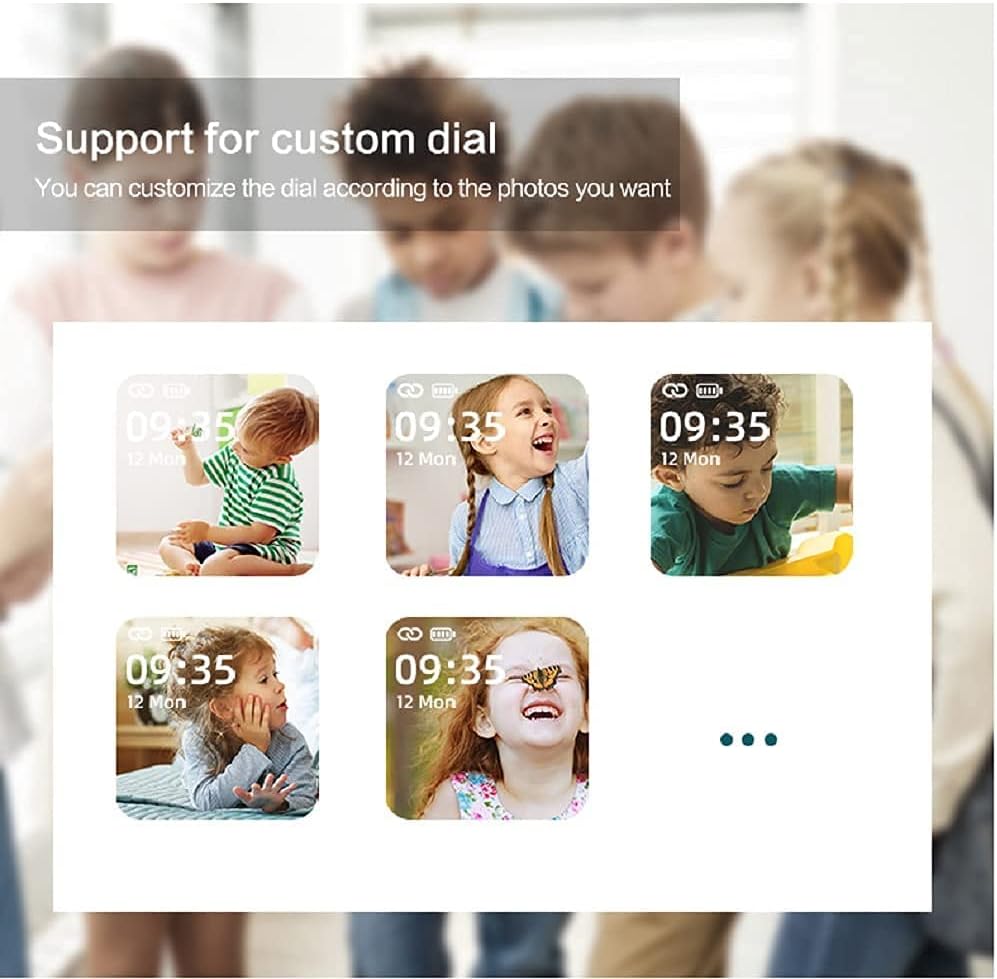
Image: Multiple watch screens showing different children's faces as customized wallpapers, demonstrating the custom dial feature.
3.6 Control remot de la càmera
When connected to your smartphone, the watch can act as a remote shutter for your phone's camera. Simply shake your wrist to capture photos, making it convenient for group shots or selfies.
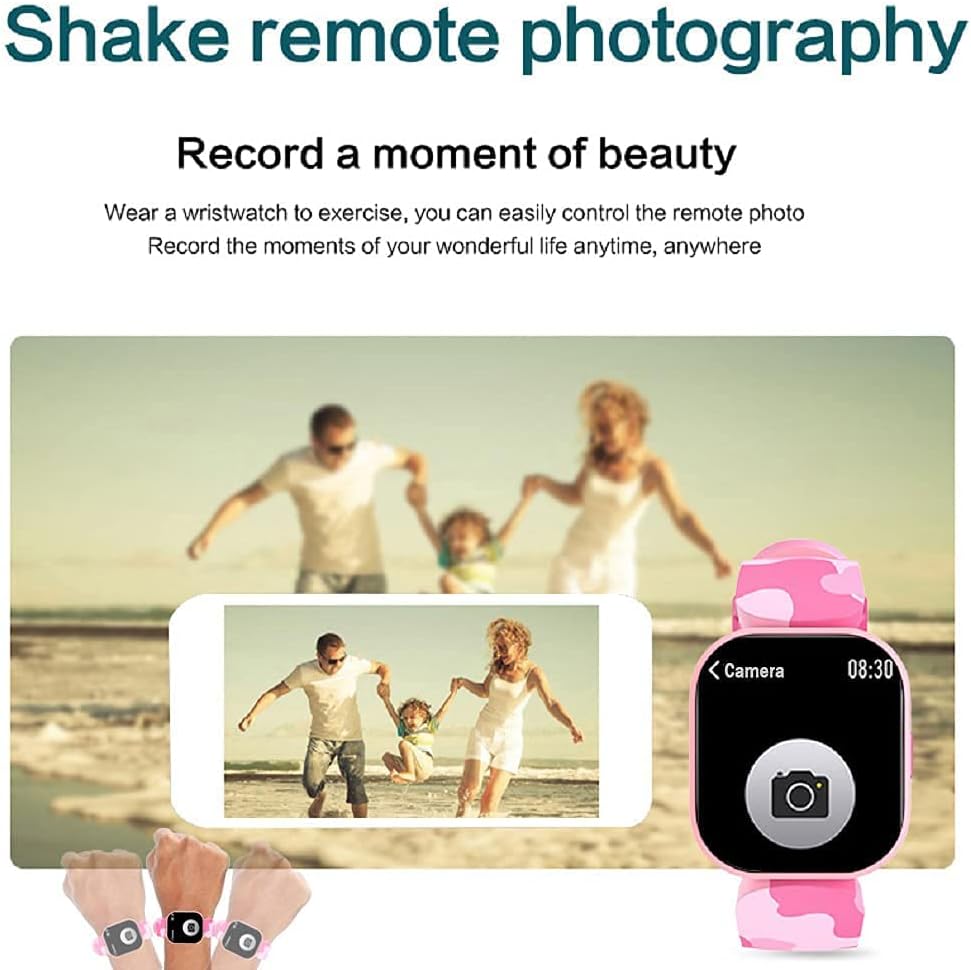
Image: A family posing for a photo, with hands wearing the smart watch shown controlling a smartphone camera remotely.
3.7 Altres funcions
The EBAKIN H99 includes several additional useful functions:
- Alerta de trucada: T'avisa de les trucades entrants.
- Notificació de missatge: Displays incoming SMS and app messages.
- Recordatori sedentari: Et demana que et moguis després de períodes d'inactivitat.
- Despertador: Configura alarmes directament des del rellotge o l'aplicació.
- Control de música: Controla la reproducció de música al teu telèfon intel·ligent connectat.
- Cronòmetre: A built-in stopwatch for timing activities.
- Control de brillantor: Ajusta la brillantor de la pantalla per a una òptima viewing.
- APP Movement Track: View your activity routes in the app when connected to phone GPS.
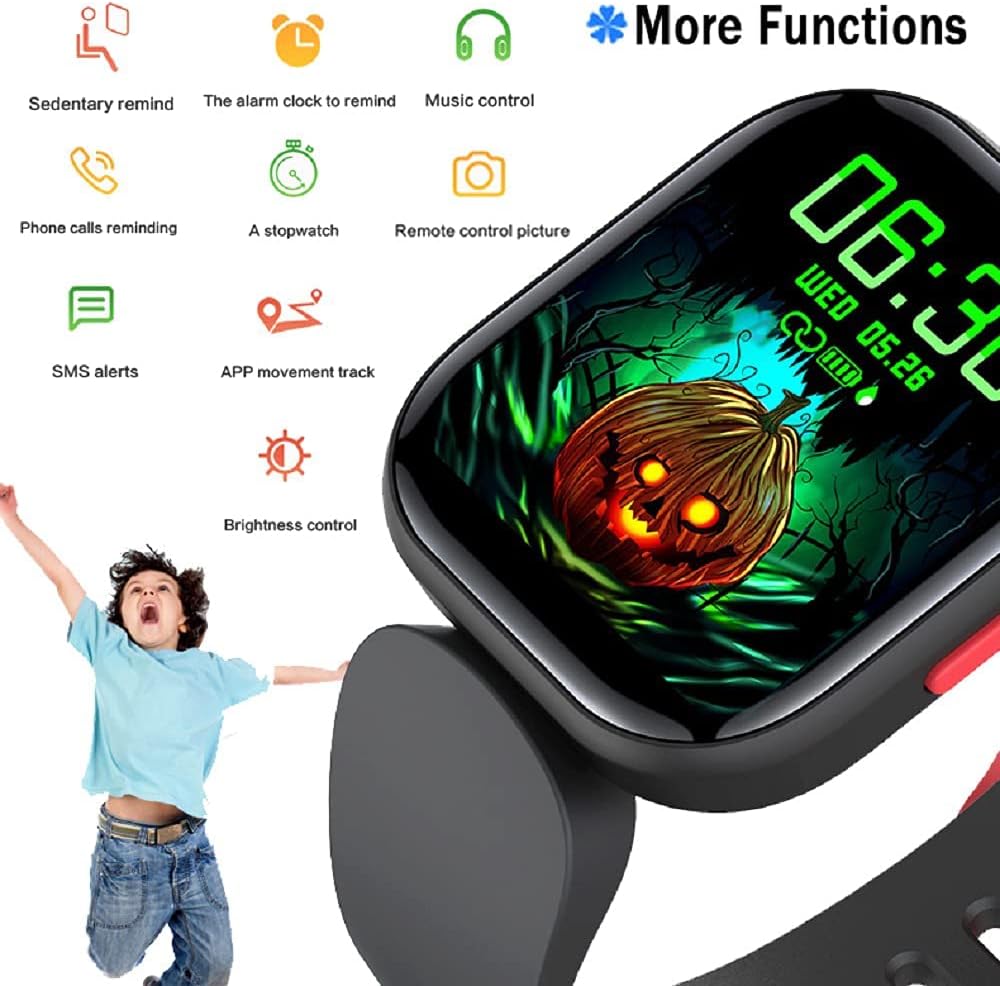
Image: The watch screen showing a Halloween-themed background with icons representing various functions such as sedentary reminder, alarm, music control, and more.
4. Manteniment
Classificació d'impermeabilitat 4.1 (IP68)
The EBAKIN H99 smart watch has an IP68 waterproof rating, meaning it is resistant to dust and can withstand immersion in water up to 1.5 meters for 30 minutes. It is suitable for activities like washing hands, showering (cold water), and swimming. However, it is not recommended for hot water activities, diving, or prolonged submersion.
4.2 Neteja i cura
- Wipe the watch screen and band regularly with a soft, dry cloth.
- Si cal, utilitzeu una mica damp cloth with mild soap for cleaning, then dry thoroughly.
- Avoid using harsh chemicals or abrasive materials, as these can damage the device.
4.3 Emmagatzematge
Guardeu el rellotge en un lloc fresc i sec, allunyat de la llum solar directa i de temperatures extremes quan no l'utilitzeu durant períodes prolongats.
5. Solució De Problemes
5.1 El rellotge no s'encén
- Assegura't que el rellotge estigui completament carregat. Connecta'l al carregador durant almenys 30 minuts.
- Press and hold the side button for 5-10 seconds to attempt a forced restart.
5.2 No es pot emparellar amb el telèfon
- Assegura't que el Bluetooth estigui activat al telèfon i que el rellotge estigui dins del seu abast.
- Reinicia tant el telèfon com el rellotge.
- Ensure the "H Band" app is updated to the latest version.
- Si ja s'havia emparellat, prova de desemparellar el dispositiu des de la configuració de Bluetooth del telèfon i després torna-lo a emparellar a través de l'aplicació.
5.3 Lectures inexactes (freqüència cardíaca, passos)
- Ensure the watch is worn snugly on the wrist, not too loose or too tight.
- Netegeu el sensor de la part posterior del rellotge.
- For heart rate, remain still during measurement for best accuracy.
5.4 Notificacions que no apareixen
- Check that notification permissions are enabled for the "H Band" app in your phone's settings.
- Assegureu-vos que el rellotge estigui connectat al telèfon mitjançant Bluetooth.
- Verify that notification alerts are enabled within the "H Band" app settings.
6. Especificacions
| Característica | Especificació |
|---|---|
| Nom del model | H99 |
| Marca | EBAKIN |
| Mida de la pantalla | 0.96 polzades |
| Resolució | 240 x 240 |
| Nivell de resistència a l'aigua | IP68 (Waterproof up to 1.5 meters) |
| Tecnologia de connectivitat | Bluetooth, GPS (via phone) |
| Compatibilitat de sistemes operatius | Android 4.4 & higher, iOS 9.0 & higher |
| Característiques especials | Heart Rate Monitor, Sleep Monitor, Pedometer, 19 Sports Modes, Remote Camera, Message/Call Notifications |
| Tipus de material de la banda | Silicona |
| Case Material Type | Plàstic |
| Públic objectiu | Unisex-Kids |
7. Informació de la garantia
The EBAKIN H99 Kids Smart Watch typically comes with a standard manufacturer's warranty. Please refer to the product packaging or the official EBAKIN website for specific warranty terms and conditions, including coverage duration and claim procedures. Keep your proof of purchase for warranty validation.
8. Suport
For technical assistance, troubleshooting not covered in this manual, or general inquiries about your EBAKIN H99 Kids Smart Watch, please contact EBAKIN customer support. Contact information can usually be found on the product packaging, the official EBAKIN website, or through the "H Band" app's support section.