
FLEXISPOT EN2
FLEXISPOT EN2 Electric Standing Desk User Manual
Model: EN2
Introducció
Thank you for choosing the FLEXISPOT EN2 Electric Standing Desk. This manual provides essential information for the safe assembly, operation, and maintenance of your new desk. Please read it thoroughly before use to ensure proper functionality and to maximize the lifespan of your product.

Image: The FLEXISPOT EN2 Electric Standing Desk, showcasing its white desktop, black frame, integrated power strip, and cable management system.
Informació de seguretat
- Capacitat de pes: Do not exceed the maximum weight recommendation of 176 pounds (80 kg) on the desktop. Exceeding this limit can cause damage to the desk and potential injury.
- Muntatge: Ensure all components are securely fastened according to the assembly instructions.
- Potència: Use only the provided power adapter. Keep power cords away from heat sources and sharp edges.
- Moviment: Keep hands, feet, and objects clear of the moving parts (legs, frame) during height adjustment to prevent pinching or damage.
- Medi ambient: Do not expose the desk to excessive moisture or extreme temperatures.
- Nens i animals de companyia: Mantingueu els nens i les mascotes allunyats de l'escriptori durant el funcionament.
Contingut del paquet
Your FLEXISPOT EN2 Standing Desk will arrive in two separate packages, which may be shipped and delivered at different times. Please ensure you have received both packages before beginning assembly.

Image: Illustration showing two distinct packages for the desktop and desk frame, highlighting that they may arrive separately.
Verify that all components listed in the packing list (included in one of the packages) are present and undamaged. If any parts are missing or damaged, please contact customer support.
Assemblea
Assembly of the FLEXISPOT EN2 desk is designed to be straightforward. An electric drill may be required for certain steps, which is not included in the package. Follow the detailed instructions provided in the separate assembly guide for step-by-step installation.
Consideracions clau del muntatge:
- Desktop Orientation: Ensure the desktop is oriented correctly before attaching the frame.
- Gestió de cables: Properly route all cables to prevent interference with the desk's movement.
- Instal·lació de regletes: The removable power strip can be clipped to the back or side of the desk.
Instruccions de funcionament
The FLEXISPOT EN2 desk features a user-friendly digital control panel for height adjustment and memory presets.

Image: The multi-function digital control panel, showing the LED display, up/down arrows, and four memory preset buttons.
Ajust d'alçada:
- Utilitza el Amunt (▲) i Avall (▼) arrow buttons to smoothly adjust the desk height. The motorized system operates quietly (less than 50 dB) and adjusts from 28.1 inches (71.4 cm) to 45.7 inches (116.1 cm).
- The current height is displayed on the digital LED screen.
Preajustos de memòria:
The 6-button digital controller features 4 programmable memory presets to save your preferred sitting and standing heights.
- Ajusteu l'escriptori a l'alçada desitjada amb els botons Amunt/Avall.
- Press one of the memory preset buttons (1, 2, 3, or 4) until the display flashes or a beep is heard, indicating the height has been saved.
- To recall a saved height, simply press the corresponding memory preset button. The desk will automatically move to the stored position.
Power Outlet and USB Ports:
The integrated power strip provides convenient access to power for your devices.
- The power strip includes 3 AC outlets (125V/12A) and 2 USB charging ports (5V/2A).
- Plug your electronic devices directly into the outlets or USB ports for charging.
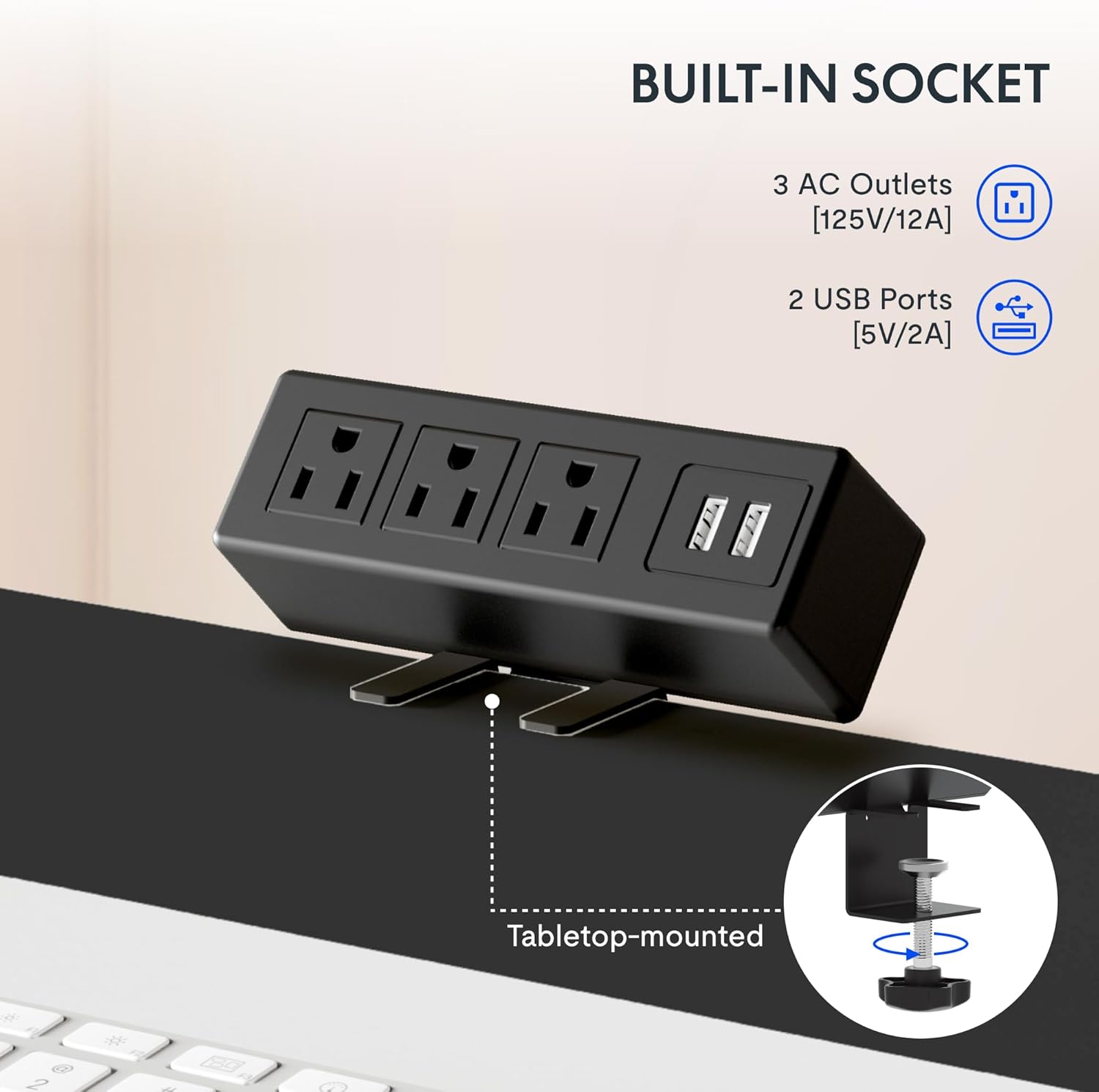
Imatge: Una imatge detallada view of the built-in power strip, showing its three AC outlets and two USB charging ports, designed for tabletop mounting.
Característiques
AmpEscriptori de peça sencera:
The desk features a single, whole-piece 1-inch (2.54 cm) thick eco-friendly desktop, providing a seamless and spacious work surface. This design offers enhanced stability compared to multi-piece desktops.
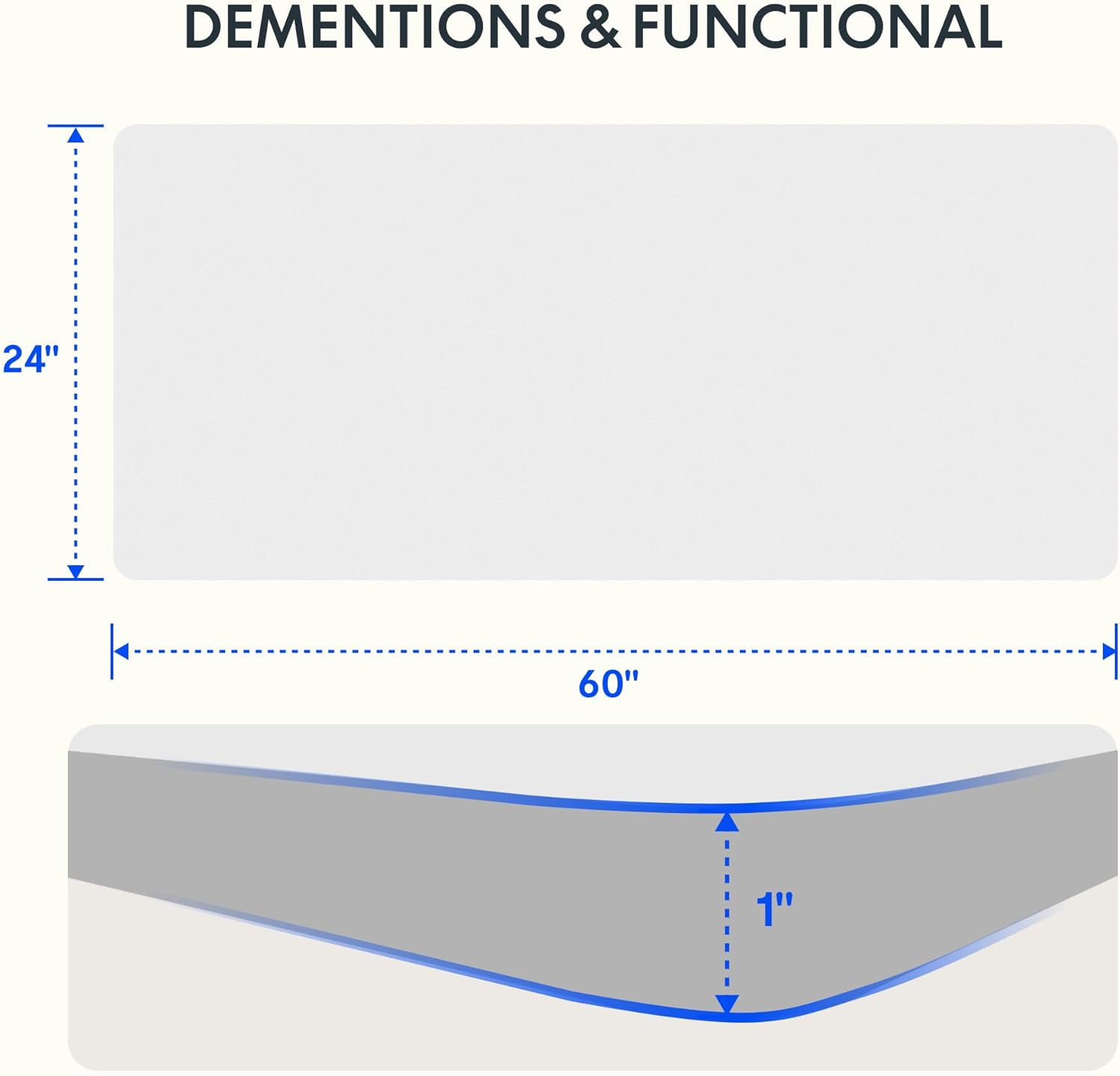
Image: A diagram illustrating the 60-inch width and 24-inch depth of the desktop, along with a cross-section showing its 1-inch thickness.

Image: A visual comparison demonstrating the superior stability of a smooth, single-piece desktop over an uneven two-piece desktop.
Construcció duradora:
The desk frame is constructed from industrial-grade steel, ensuring durability and stability. It is rigorously tested to support up to 176 pounds (80 kg) safely.
Gestió de cables:
The desk includes features to help manage cables, contributing to a tidy and organized workspace.
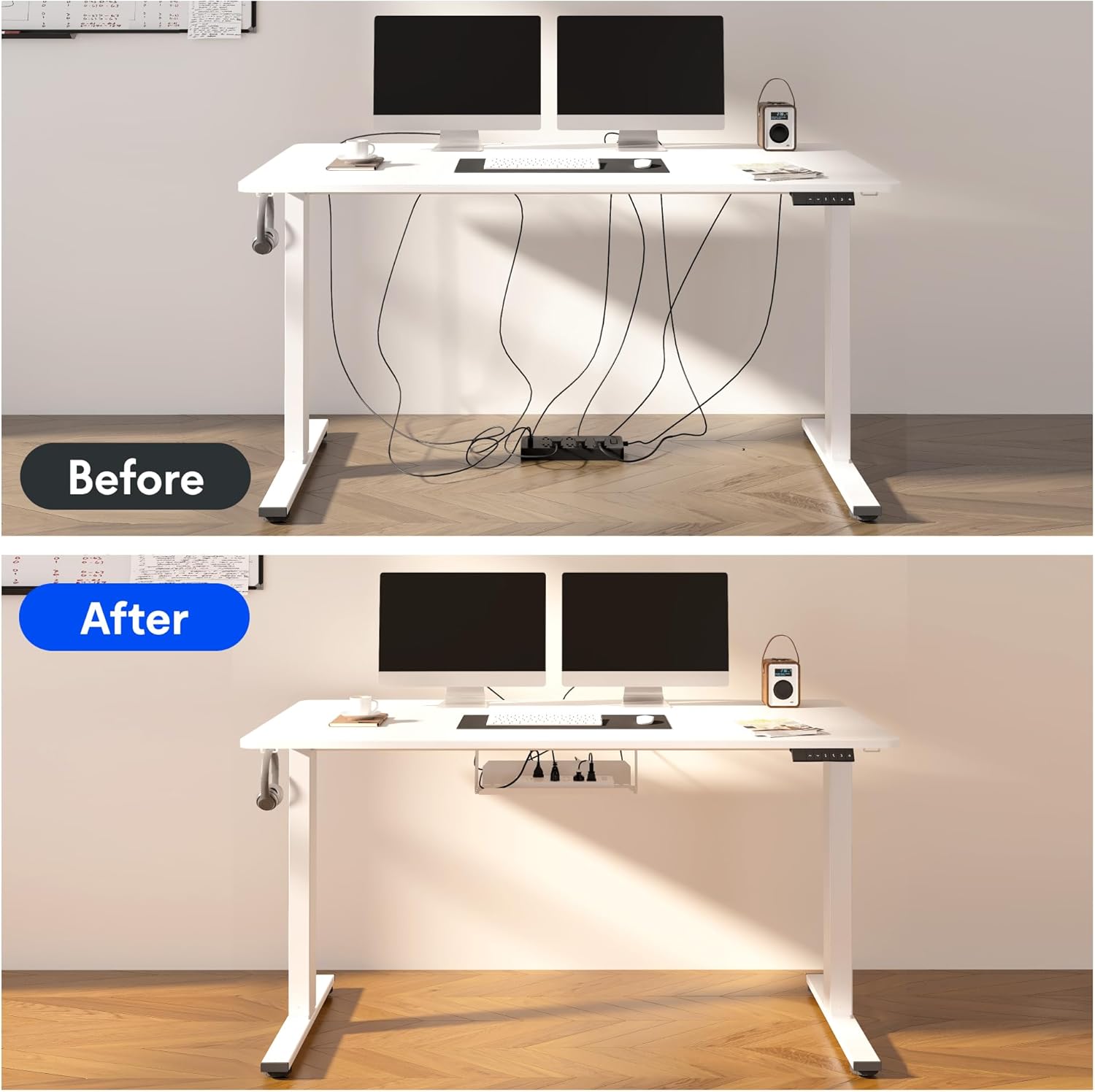
Image: A before-and-after comparison illustrating how the included cable management device transforms a cluttered workspace into an organized one.
Smart Anti-Collision System:
The desk is equipped with a smart anti-collision system that detects obstacles during height adjustment and stops movement to prevent damage or injury.

Image: Visual representations of the smart anti-collision system, adjustable foot pads for stability, cable ties for organization, and convenient storage hooks.
Característiques addicionals:
- Coixinets de peu ajustables: For stability on uneven floors.
- Storage Hooks: Convenient hooks for headphones or bags.
Manteniment
- Neteja: Netegeu l'escriptori i el marc amb un drap suauamp drap. Eviteu productes químics agressius o netejadors abrasius.
- Inspecció del cable: Periodically check all cables for wear or damage. Replace if necessary.
- Comprovació de fixació: Ensure all screws and bolts remain tight. Retighten if any looseness is detected.
- Cura del motor: The motor is maintenance-free. Avoid disassembling the motor or control box.
Resolució de problemes
If you encounter any issues with your FLEXISPOT EN2 desk, please refer to the following common troubleshooting tips. For more complex problems, contact customer support.
- L'escriptori no es mou:
- Comproveu si el cable d'alimentació està ben connectat tant a l'escriptori com a la presa de corrent.
- Ensure there are no obstructions preventing movement.
- Moviment desigual:
- Verify that the desk is assembled correctly and all fasteners are tight.
- Ensure the desk is on a level surface. Adjust the foot pads if necessary.
- Soroll durant el funcionament:
- A slight hum is normal during movement. If the noise is excessive, check for loose components.
- Els valors predefinits de memòria no funcionen:
- Ensure you followed the saving procedure correctly (adjust to height, then press and hold the memory button).
- Try resetting the desk (refer to the full assembly guide for specific reset procedures if available).
Especificacions
| Marca | FLEXISPOT |
| Nom del model | EN2 |
| Dimensions del producte | 152.4 cm d'amplada x 60.96 cm de profunditat x 71.12 cm d'alçada |
| Gruix de l'escriptori | 1 polzades (2.54 cm) |
| Altura mínima | 28.1 polzades (71.4 cm) |
| Altura màxima | 45.7 polzades (116.1 cm) |
| Recomanació de pes màxim | 176 lliures (80 kg) |
| Material base | Acer d'aliatge |
| Tipus de material superior | Fusta |
| Mecanisme d'elevació | Elèctric |
| Power Strip Outlets | 3 preses de corrent altern (125V/12A) |
| Regleta d'endolls Ports USB | 2 ports USB (5V/2A) |
| Muntatge obligatori | Sí |

Image: A comprehensive diagram detailing the dimensions of the desk's table, the adjustable height range of its legs, the power strip's specifications, and the size of the cable manager.
Garantia i suport
FLEXISPOT provides comprehensive warranty coverage for your peace of mind:
- 5 any de garantia: Covers the desk frame, motors, and other mechanical devices.
- 2 any de garantia: Covers the electric desk controller, switches, and other electronic components.
For warranty claims, technical support, or any inquiries regarding your FLEXISPOT EN2 desk, please contact FLEXISPOT customer service through their official weblloc web o la informació de contacte proporcionada amb la compra.
Ask a question about this manual
Ask about setup, troubleshooting, compatibility, parts, safety, or missing instructions. Manuals+ will review the question and use this page’s manual context to help answer it.