
Introducció
The havit GK58B is a USB plug-and-play gaming microphone designed for clear voice communication. It features omnidirectional sound pickup, a flexible gooseneck, a stable base, and unique RGB lighting effects. This manual provides instructions for setup, operation, maintenance, and troubleshooting to ensure optimal performance.
Característiques
- Connexió USB i reproducció: Simple connection without driver installation.
- Recollida omnidireccional: Captures sound from all directions for clear communication.
- Col de cisne flexible: Adjustable microphone position for optimal voice capture.
- Base estable: Ensures the microphone remains securely in place.
- Il·luminació RGB: Integrated lighting for an enhanced aesthetic.
Contingut del paquet
The havit GK58B package includes:
- 1 x havit GK58B USB Gaming Microphone
- 1 x Manual d'usuari (aquest document)

Imatge: Frontal view of the havit GK58B USB Gaming Microphone retail packaging.

Imatge: Enrere view of the havit GK58B USB Gaming Microphone retail packaging, showing product specifications.
Configuració
- Desempaquetar el micròfon: Carefully remove the havit GK58B microphone from its packaging.
- Posició del micròfon: Place the microphone on a stable, flat surface. Adjust the flexible gooseneck to position the microphone head optimally for your voice, typically 15-30 cm (6-12 inches) from your mouth.
- Connexió a l'ordinador: Plug the USB connector of the microphone cable into an available USB port on your computer.
- Instal·lació del controlador: The microphone is plug-and-play and does not require additional driver installation. Your operating system should automatically detect and configure the device.
- Selecciona com a dispositiu predeterminat:
- Windows: Vés a Configuració de so > Tauler de control de so > Gravació tab. Select "havit GK58B" or similar as your default recording device.
- macOS: Vés a Preferències del sistema > So > Entrada tab. Select "havit GK58B" or similar as your input device.
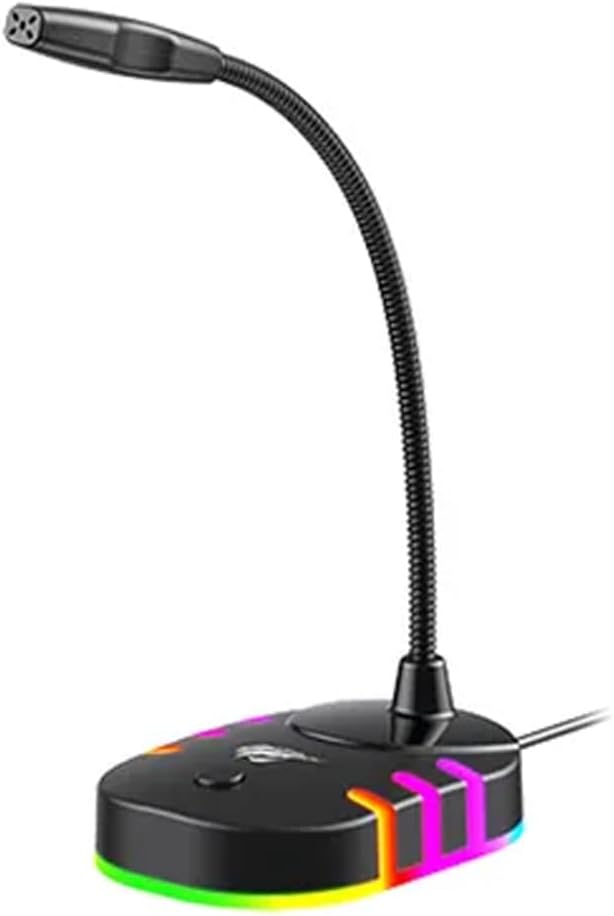
Imatge: Anvers view of the havit GK58B USB Gaming Microphone, showing the gooseneck and base with RGB lighting.
Instruccions de funcionament
- Microphone Activation: Once connected and selected as the default input device, the microphone is ready for use. The RGB lighting on the base will illuminate, indicating it is powered on.
- Ajust de volum: Microphone input volume can be adjusted through your computer's sound settings or within the specific application you are using (e.g., game chat, communication software).
- Recollida omnidireccional: The GK58B features an omnidirectional polar pattern, meaning it picks up sound equally from all directions. This is suitable for capturing ambient sound or multiple speakers around the microphone. For best voice clarity, speak directly towards the microphone head.
- Control d'il·luminació RGB: The microphone base features RGB lighting. While specific controls are not detailed, typically these lights cycle automatically or can be toggled via a button on the base if present. Refer to the product's physical buttons for any lighting control options.
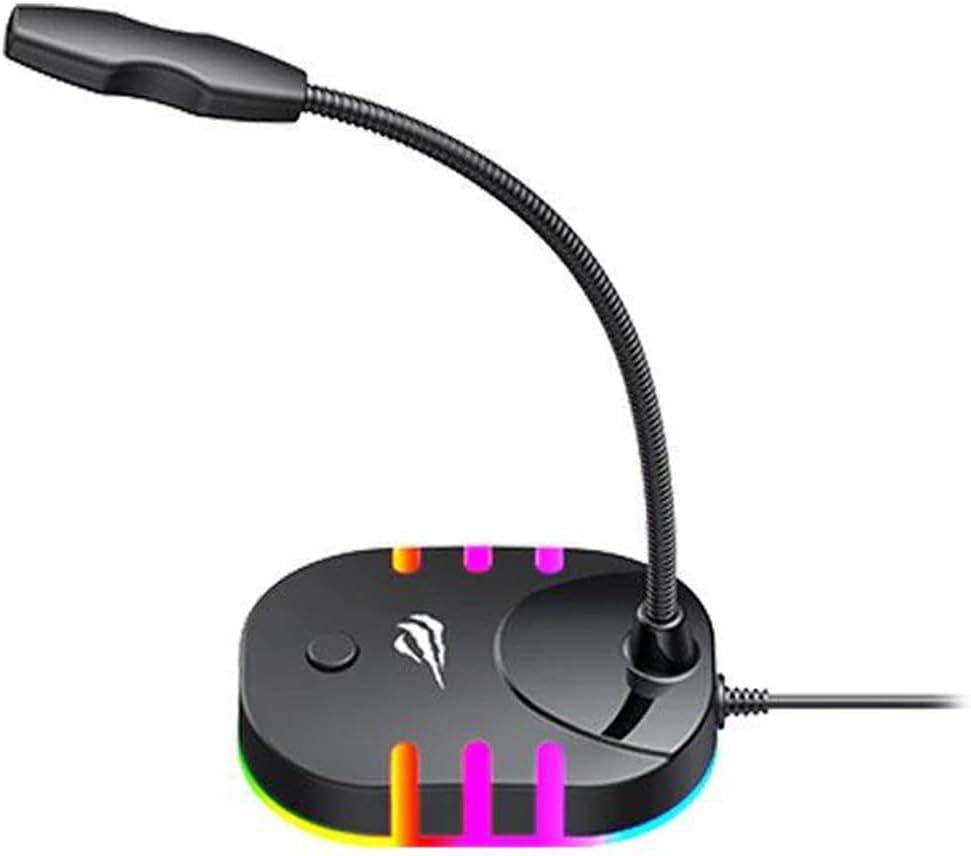
Image: Back-side view of the havit GK58B USB Gaming Microphone, showing the USB cable connection point and the base with RGB lighting.
Manteniment
- Neteja: Use a soft, dry cloth to wipe the microphone and its base. Avoid using liquid cleaners or abrasive materials, as these can damage the device.
- Emmagatzematge: When not in use, store the microphone in a clean, dry environment away from direct sunlight and extreme temperatures.
- Cura del cable: No doblegueu ni doblegueu excessivament el cable USB. Agafeu sempre l'endoll, no el cable, quan el desconnecteu.
Resolució de problemes
| Problema | Causa possible | Solució |
|---|---|---|
| Microphone not detected / No sound input |
|
|
| Baix volum del micròfon |
|
|
| La il·luminació RGB no funciona |
|
|
Especificacions
| Nom del model | GK58B |
| Tecnologia de connectivitat | USB |
| Tipus de connector | USB tipus A |
| Patró polar | Omnidireccional |
| Sensibilitat | -36 ± 3dB |
| Impedància | 2.2kΩ |
| Resposta de freqüència | 30 Hz - 16 kHz |
| Longitud del cable | 1.5 m |
| Vol. Operatiutage | 5.0 V |
| Corrent de funcionament | 90 mA |
| Mides del micròfon | φ6 * 5 mm |
| Dimensions del producte | 7.5 x 13 x 11 cm |
| Pes de l'article | 2 g |
| Dispositius compatibles | Ordinador portàtil, ordinador personal |
| Característica especial | Stand, RGB Lighting |
Garantia i Suport
For warranty information and technical support, please refer to the official havit weblloc web o poseu-vos en contacte amb el vostre distribuïdor local. Conserveu el rebut de compra per a reclamacions de garantia.
Fabricant: Havit