
1. Introducció
This manual provides essential instructions for the safe and efficient operation of your Core Innovations 150" LCD Home Theater Mini Projector. Please read this manual thoroughly before using the product and retain it for future reference.
2. Producte acabatview
Característiques clau
- Adjustable screen size from 32 inches to 150 inches.
- Altaveus integrats per a la sortida d'àudio.
- Powerful LED bulb for rich and dynamic image details.
- Focus adjustment and keystone correction for clear and aligned projection.
- Multiple connectivity options: VGA, 2 HDMI inputs, USB input, Micro SD card slot, 3.5mm headphone jack, AV IN.
- Compatible with various devices including phones, gaming consoles, DVD players, USB drives, TV sticks, and external speakers.
Projector Components and Connections
Familiarize yourself with the various ports and controls on your projector.

Imatge: Part posterior view of the projector highlighting its various input and output ports.
- Auriculars Jack: For connecting external headphones or audio systems.
- Entrada AV: For connecting devices using an AV cable.
- Ranura per a targetes Micro SD: Per reproduir contingut multimèdia directament des d'una targeta Micro SD.
- HDMI Inputs 1 & 2: For connecting devices via HDMI cables.
- Port USB: For connecting USB drives (up to 1000GB).
- DC IN: Power input for the projector.

Image: Visual representation of the bright LED projection quality, comparing it to a less vibrant display.
3. Configuració
Col·locació
Position the projector on a stable, flat surface. Ensure there is adequate ventilation around the unit. The projection distance will determine the screen size. You can adjust the screen size from 32 inches to 150 inches.

Image: Visual guide demonstrating the adjustable screen sizes from 32 to 150 inches.
Connexió d'alimentació
- Connecteu l'adaptador d'alimentació al port DC IN del projector.
- Connecteu l'adaptador d'alimentació a una presa de corrent estàndard.
Dispositius de connexió
The projector supports various input sources. Choose the appropriate cable for your device and connect it to the corresponding port on the projector.
- HDMI: Connect gaming consoles, TV sticks, laptops, or DVD players using an HDMI cable to one of the two HDMI input ports.
- USB: Inseriu una unitat flaix USB al port USB per reproduir contingut multimèdia files.
- Micro SD: Insert a Micro SD card into the Micro SD card slot to play media files.
- DE: Use the included AV cable to connect older devices like DVD players.
- VGA: Connect a computer or laptop using a VGA cable.
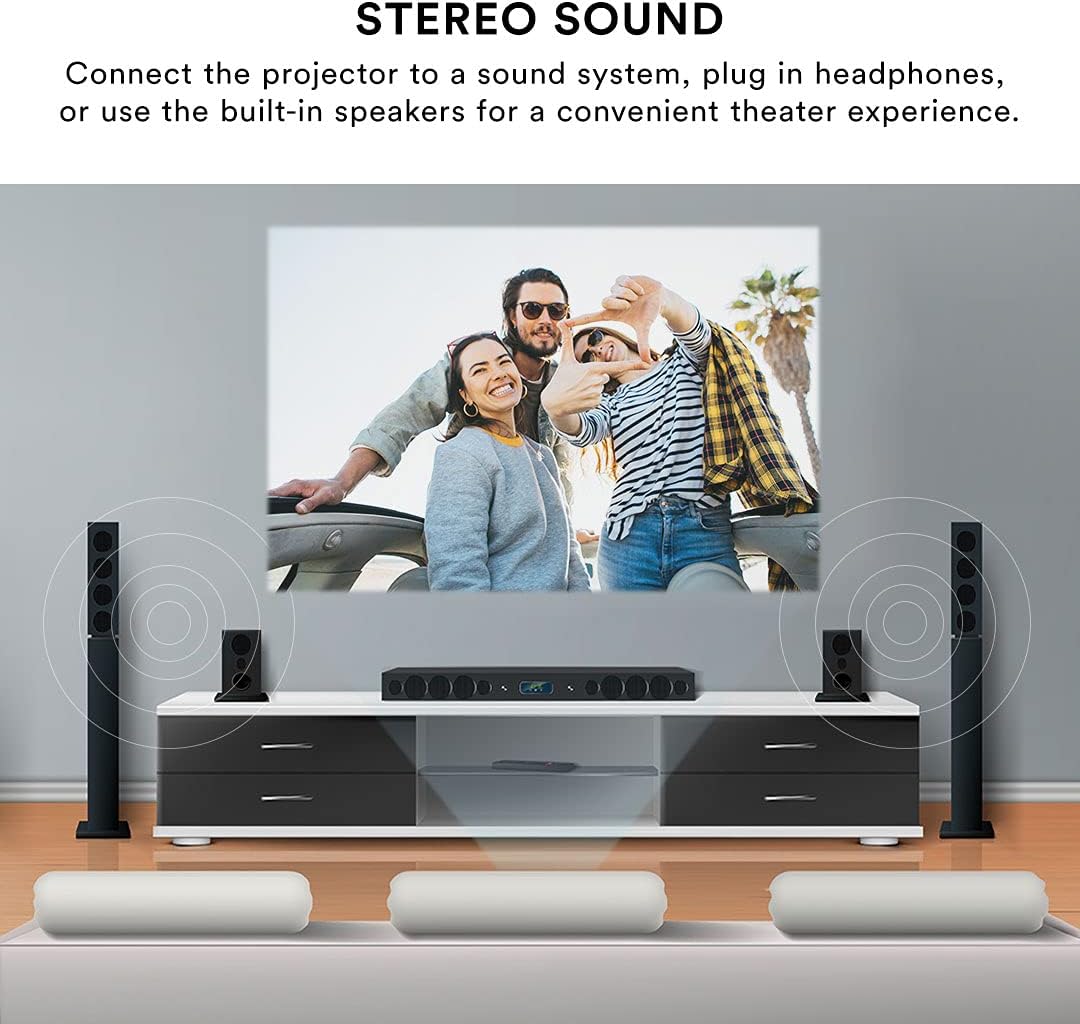
Image: A visual guide to the types of devices compatible with the projector, including gaming consoles, smartphones, and storage devices.
Ajust d'enfocament i Keystone
After powering on and selecting an input, adjust the image for clarity and shape.
- Ajust del focus: Rotate the focus knob on the projector lens until the image appears sharp and clear.
- Correcció Keystone: If the projected image appears trapezoidal (wider at the top or bottom), use the keystone correction dial to adjust the image geometry until it is rectangular.

Image: Demonstrates how to use focus adjustment for clarity and keystone correction to fix image distortion.
4. Instruccions de funcionament
Encès/Apagat
- Per encendre: Press the power button on the projector or the remote control. The indicator light will illuminate.
- Per apagar: Press the power button again. Allow the projector to cool down before unplugging it.
Selecció de la font
After connecting your device, select the correct input source using the 'Source' button on the projector or the remote control. Navigate through the options (HDMI1, HDMI2, AV, USB, Micro SD, VGA) and select your desired input.
Sortida d'àudio
The projector features built-in speakers for convenient audio. For an enhanced audio experience, you can connect external speakers or headphones.
- Altaveus integrats: Audio will play automatically through the projector's internal speakers.
- Altaveus/auriculars externs: Connect your external audio device to the 3.5mm headphone jack on the projector. This will typically disable the built-in speakers.

Image: Demonstrates connecting the projector to an external sound system for an enhanced audio experience.
Control remot
Use the included remote control to power on/off, select input sources, adjust volume, and navigate menus from a distance.
5. Manteniment
Atenció General
- Mantingueu el projector en un entorn net i sense pols.
- Eviteu exposar el projector a temperatures o humitat extremes.
- No bloquegeu les obertures de ventilació, ja que això pot provocar un sobreescalfament.
Neteja de lents
Feu servir un drap suau i sense borrissol dissenyat específicament per a lents òptiques per netejar suaument la lent del projector. No utilitzeu productes de neteja abrasius ni dissolvents.
6. Solució De Problemes
Si teniu problemes amb el projector, consulteu els problemes i solucions més comuns següents:
| Problema | Causa possible | Solució |
|---|---|---|
| No hi ha imatge a la pantalla | Font d'entrada incorrecta seleccionada; connexió del cable fluixa; dispositiu no encès. | Verify the input source matches your connected device. Check all cable connections. Ensure the source device is powered on. |
| La imatge és borrosa | Enfocament no ajustat; projector massa a prop/lluny de la pantalla. | Adjust the focus knob until the image is clear. Ensure the projector is within the recommended projection distance. |
| La imatge està distorsionada (trapezoïdal) | Projector no perpendicular a la pantalla. | Adjust the keystone correction dial to square the image. Reposition the projector if necessary. |
| Sense so | Volume too low; incorrect audio output selected; external speakers not connected properly. | Increase the volume. Check if external speakers or headphones are connected and functioning. Ensure the source device's volume is also up. |
| Projector fan is noisy | Normal operation; ventilation blocked; fan wearing down. | Ensure ventilation openings are clear. If noise is excessive or unusual, contact customer support. |
7. Especificacions
| Característica | Detall |
|---|---|
| Número de model | CJR600WH |
| Resolució de visualització | 1280 x 720 |
| Dimensions del producte (L x A x A) | 8.1 x 6.1 x 3.4 polzades |
| Pes de l'article | 2 lliures |
| Tecnologia de connectivitat | USB, HDMI, AV, Micro SD, VGA |
| Característiques especials | Headphone Jack, Portable, Built-in Speakers, Keystone Correction |
| Usos recomanats | Gaming, Home Theater, Presentations |
| Fabricant | DP Audio Video |

Image: Physical dimensions of the projector.
8. Garantia i Suport
For warranty information or technical support, please contact the manufacturer, DP Audio Video, or your retailer. Keep your purchase receipt as proof of purchase.