
1. Introducció
Thank you for choosing the Earbay BT782G-JL Bluetooth Headset. This manual provides detailed instructions for setting up, operating, maintaining, and troubleshooting your new wireless headset. Designed for clear communication and comfort, this headset features Bluetooth 5.0 technology, dual device connectivity, and a noise-cancelling microphone, making it ideal for various applications including online meetings, calls, and multimedia consumption.

Figure 1: Earbay BT782G-JL Bluetooth Headset
2. Contingut del paquet
Si us plau, verifiqueu que tots els elements siguin presents al vostre paquet:
- Earbay BT782G-JL Bluetooth Headset
- Cable de càrrega USB
- Manual d'usuari (aquest document)
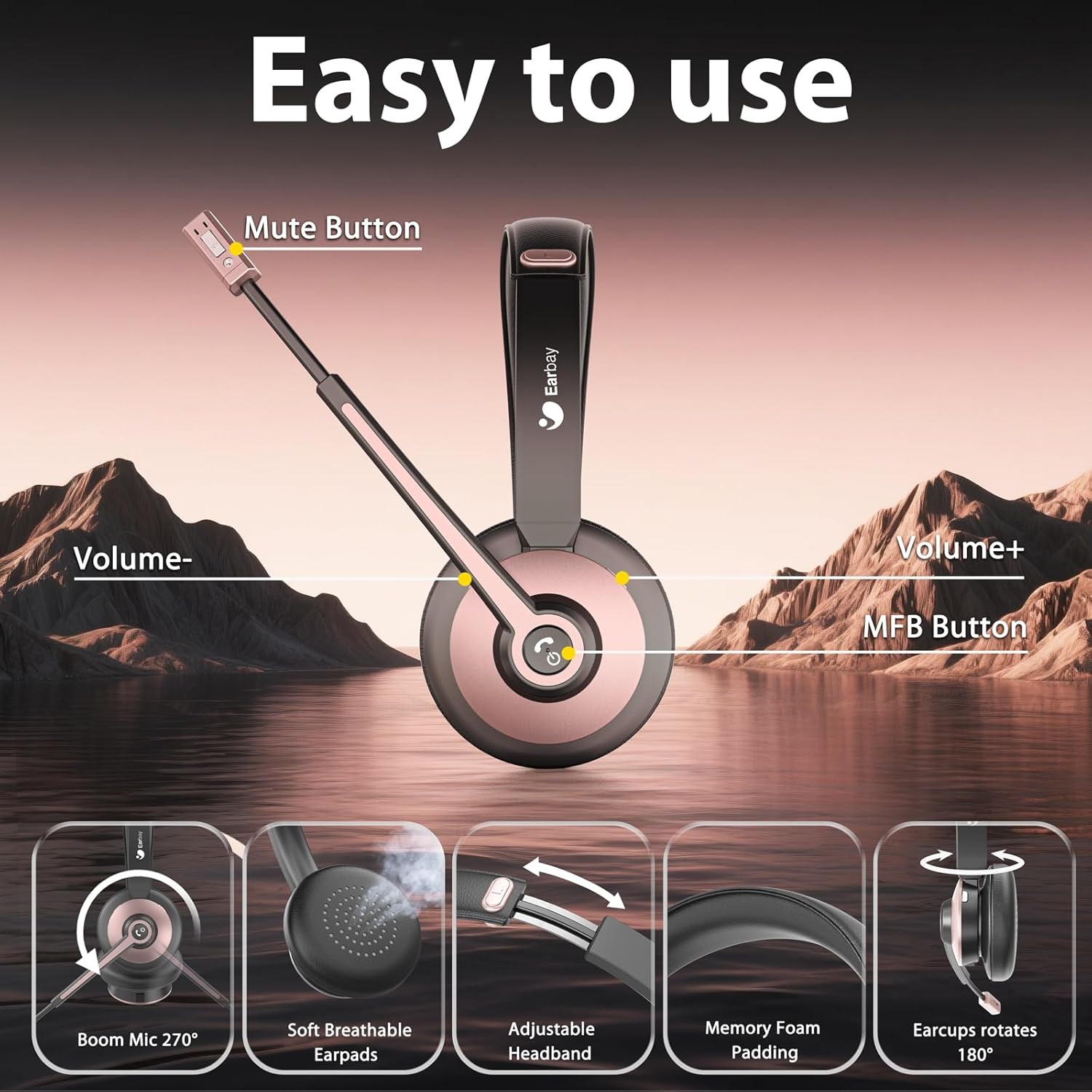
Figura 2: Contingut del paquet
3. Configuració
3.1 Càrrega dels auriculars
Before initial use, fully charge the headset. Connect the provided USB charging cable to the headset's charging port and a compatible USB power source. A full charge takes approximately 2 hours and provides up to 26 hours of talk time or over 200 hours of standby time.

Figura 3: Durada de la bateria i informació de càrrega
3.2 Vinculació Bluetooth
The Earbay BT782G-JL headset utilizes Bluetooth 5.0 for stable and efficient wireless connection. It supports dual connection, allowing you to pair with two devices simultaneously.
- Assegureu-vos que els auriculars estan apagats.
- Press and hold the Multi-Function Button (MFB) until the LED indicator flashes blue and red alternately, indicating pairing mode.
- Al dispositiu (telèfon intel·ligent, tauleta, ordinador portàtil), activeu el Bluetooth i cerqueu els dispositius disponibles.
- Select "BT782G-JL" from the list of found devices.
- Un cop connectat, l'indicador LED parpellejarà blau lentament.
To connect a second device, disable Bluetooth on the first device temporarily, put the headset back into pairing mode, and connect to the second device. Then re-enable Bluetooth on the first device; the headset should automatically reconnect to both.

Figure 4: Dual Bluetooth Connection
3.3 Connecting to PC/Meeting Applications
For optimal performance with PC and meeting applications (e.g., Zoom, Microsoft Teams, Skype), follow these steps:

Figure 5: PC and Meeting Application Connection Guide
Nota: If connection issues arise, ensure your computer's Bluetooth drivers are updated or consider using a Bluetooth adapter.
4. Instruccions de funcionament
4.1 Headset Controls and Microphone
The headset features intuitive controls located on the earcup and a 270° rotatable boom microphone with noise-cancelling capabilities. Adjust the microphone position for optimal voice pickup, ensuring it is close to your mouth.
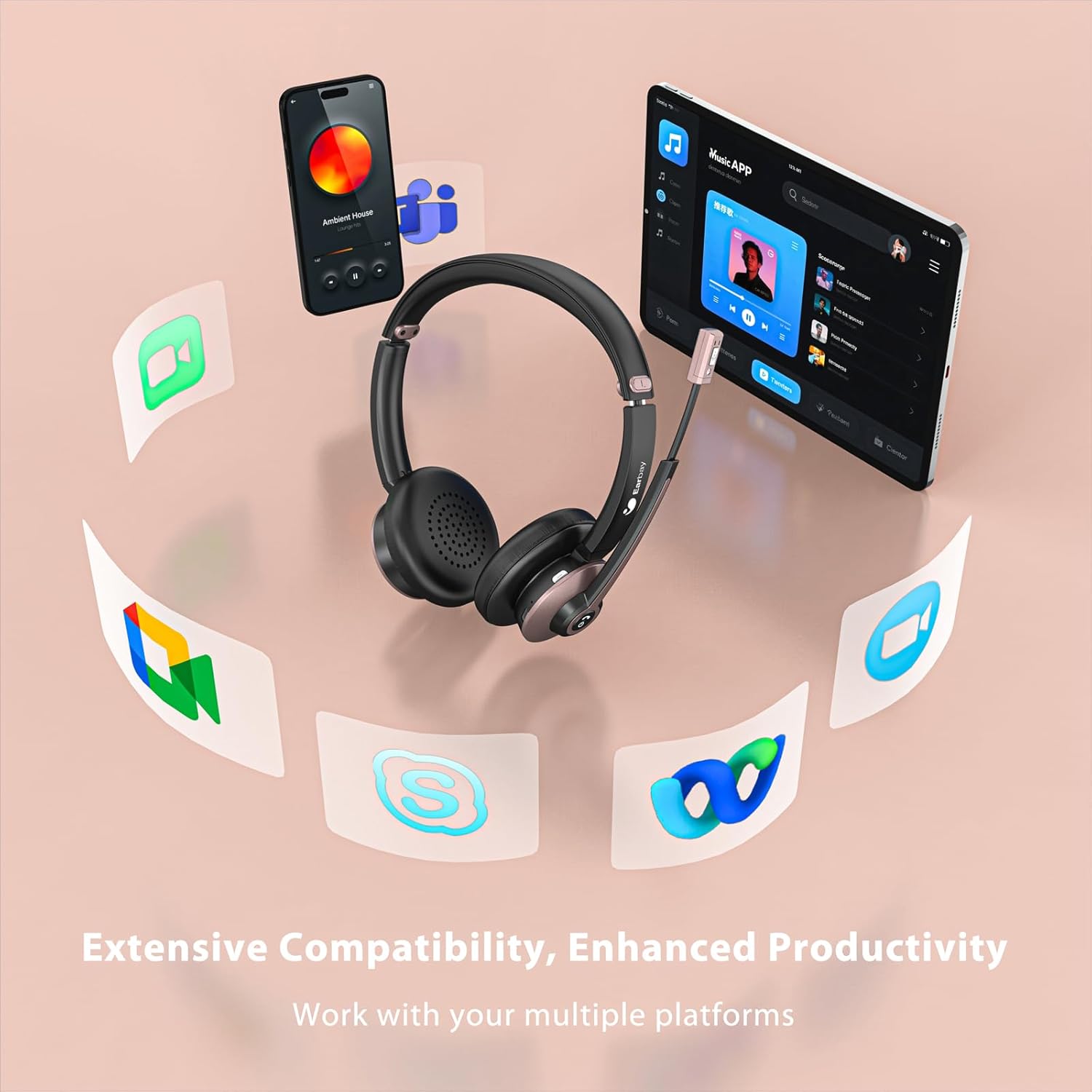
Figure 6: Headset Control Layout and Microphone Features
- Botó multifunció (MFB):
- Press and hold for Power On/Off.
- Short press for Play/Pause audio.
- Premeu breument per respondre/finalitzar trucades.
- Long press to Reject calls.
- Double press to activate Voice Assistant (Siri, Google Assistant).
- Volum + botó: Premeu curt per augmentar el volum. Premeu llargament per passar a la següent pista.
- Volum - Botó: Premeu curt per baixar el volum. Premeu llargament per anar a la pista anterior.
- Botó de silenci: Located on the microphone boom. Press to mute/unmute the microphone during a call.

Figure 7: Microphone Mute Function in Use
4.2 Comoditat i ajust
The headset is designed for all-day comfort with soft, breathable earpads and an adjustable headband. Adjust the headband to fit your head comfortably, ensuring the earpads sit gently over your ears.

Figure 8: Comfort Features
5. Manteniment
Proper care and maintenance will extend the lifespan of your Earbay BT782G-JL headset.
- Neteja: Use a soft, dry cloth to clean the headset. For earpads, a slightly damp cloth can be used, but ensure no moisture enters the speaker grilles. Avoid harsh chemicals or abrasive materials.
- Emmagatzematge: Quan no els utilitzeu, guardeu els auriculars en un lloc fresc i sec, allunyats de la llum solar directa i de temperatures extremes.
- Cura de la bateria: Per mantenir la bateria en bon estat, eviteu descarregar completament els auriculars amb freqüència. Carregueu-los regularment, fins i tot si no els feu servir constantment.
- Resistència a l'aigua: Aquests auriculars no són resistents a l'aigua. Eviteu l'exposició a líquids.
6. Solució De Problemes
Si teniu problemes amb els auriculars, consulteu les solucions habituals següents:
| Problema | Causa possible | Solució |
|---|---|---|
| Els auriculars no s'encén. | Bateria baixa. | Carregueu els auriculars durant almenys 30 minuts. |
| No es pot emparellar amb un dispositiu. | Headset not in pairing mode; device Bluetooth off; out of range. | Ensure headset is in pairing mode (flashing blue/red). Turn on device Bluetooth. Move headset closer to device. |
| No hi ha àudio o hi ha mala qualitat d'àudio. | Volume too low; incorrect audio output selected; interference. | Increase headset and device volume. Check device's audio settings to ensure "BT782G-JL" is selected as output. Move away from other wireless devices. |
| El micròfon no funciona o no és clar. | Microphone muted; incorrect input device selected; microphone position. | Press the mute button to unmute. Check device's audio settings to ensure "BT782G-JL" is selected as input. Adjust microphone boom closer to your mouth. |
| Els auriculars es desconnecten sovint. | Fora de l'abast; interferències; bateria baixa. | Stay within 15 meters (49 feet) of the connected device. Avoid strong Wi-Fi signals or other Bluetooth devices. Charge the headset. |
7. Especificacions
| Característica | Detall |
|---|---|
| Nom del model | BT782G-JL |
| Tecnologia de connectivitat | Bluetooth |
| Versió Bluetooth | 5.0 |
| Interval Bluetooth | 15 metres (49 peus) |
| Durada de la bateria (temps de conversa) | Fins a 26 hores |
| Temps de càrrega | Aproximadament 2 hores |
| Temps d'espera | Més de 200 hores |
| Tipus de controlador d'àudio | Dynamic Driver (40mm NdFeB) |
| Interval de freqüència | 20-20000 Hz |
| Impedància | 32 ohms |
| Micròfon | 270° Rotatable Boom Mic with Noise Cancelling |
| Tipus de control | Physical Buttons (Volume, MFB, Mute) |
| Col·locació de l'orella | A l'orella |
| Material | Aluminum, Faux Leather, Plastic, Stainless Steel |
| Pes de l'article | 120 grams (4.2 unces) |
| Dimensions del producte | 7 x 6 x 2 polzades |
| Nivell de resistència a l'aigua | No resistent a l'aigua |
| UPC | 726193602615 |

Figure 9: High Fidelity Audio Driver
8. Garantia i Suport
Earbay guarantees a 24-MONTH Warranty for this product. For any inquiries, technical assistance, or warranty claims, please refer to the contact information provided in your product packaging or visit the official Earbay support website. Our 24/7 online service team is available to assist you.
