
Dascert Q38[NEW]
Manual d'usuari dels auriculars Bluetooth sense fil Dascert Q38
Model: Q38[NEW]
1. Introducció
Thank you for choosing the Dascert Q38 Wireless Bluetooth Earbuds. These earbuds are designed to provide a comfortable and immersive audio experience, perfect for sports and daily use. Featuring Bluetooth 5.1 technology, IP7 waterproofing, and a long-lasting battery, the Q38 earbuds offer stable connectivity and high-fidelity stereo sound.
Si us plau, llegiu atentament aquest manual abans d'utilitzar el producte per garantir-ne el funcionament correcte i maximitzar-ne la vida útil.
2. Contingut del paquet
Assegureu-vos que tots els elements siguin presents al paquet:
- Dascert Q38 Wireless Earbuds (Left and Right)
- Estoig de càrrega
- Cable de càrrega USB-C
- Manual d'usuari
- Earhooks (pre-installed or included separately)
- Múltiples mides de taps per a les orelles (S, M, L)

3. Producte acabatview
The Dascert Q38 earbuds are designed for comfort and performance, especially during physical activity. Key features include secure earhooks, IP7 waterproofing, and intuitive touch controls.
3.1 Components dels auriculars

- Ganxo per a l'orella: Provides a secure and comfortable fit, ideal for sports.
- Àrea de control tàctil: Per gestionar la reproducció, les trucades i l'assistent de veu.
- Indicador LED: Shows charging status and connection status.
- Contactes de càrrega: Es connecta amb la caixa de càrrega per obtenir energia.
- Micròfon: Per a trucades i ordres de veu.
3.2 Components de la caixa de càrrega
- Pantalla LED digital: Shows the charging case battery percentage (1%-100%).
- Earbud Charging Indicators: LED bars for Left (L) and Right (R) earbuds, flashing when charging and turning off when fully charged.
- Port de càrrega USB-C: For fast charging the case.

4. Configuració
4.1 Càrrec inicial
Abans del primer ús, carregueu completament els auriculars i l'estoig de càrrega.
- Col·loqueu els dos auriculars a la caixa de càrrega.
- Connect the USB-C charging cable to the charging port on the case and plug the other end into a USB power adapter (not included) or a computer's USB port.
- The LED display on the case will show the battery percentage, and the earbud indicators will flash during charging.
- Charging takes approximately 1 hour for earbuds and 1.5 hours for the case.

4.2 Pairing with a Device (One-Step Pairing)
The earbuds feature one-step pairing for convenience.
- Obre l'estoig de càrrega. Els auriculars s'encendran automàticament i entraran en mode d'emparellament.
- Al telèfon intel·ligent o al dispositiu amb Bluetooth, aneu a la configuració de Bluetooth.
- Cerca "Q38" in the list of available devices and select it to connect.
- Un cop connectat, un missatge de veu confirmarà l'emparellament correcte.

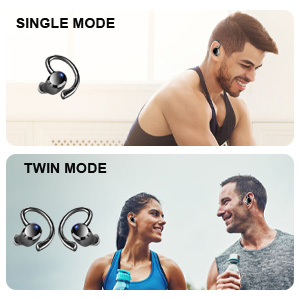
You can use either earbud independently (single mode) or both together (twin mode).
4.3 Choosing the Right Eartips
Selecting the correct eartip size is crucial for optimal sound quality and comfort. A proper seal enhances bass and noise isolation.
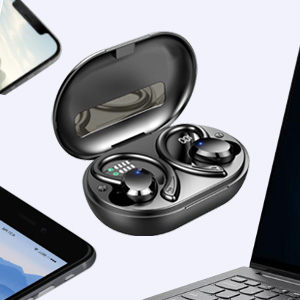
- Try each size (S, M, L) to find the one that fits snugly and comfortably in your ear canal.
- The earbud should feel secure and create a good seal without causing discomfort.
5. Instruccions de funcionament
5.1 Encès/Apagat
- Encès: Open the charging case, or long press the touch control area on either earbud for 4 seconds if disconnected.
- Apagar: Place the earbuds back into the charging case and close the lid. Alternatively, long press the touch control area on either earbud for 4 seconds if disconnected.
5.2 Controls tàctils
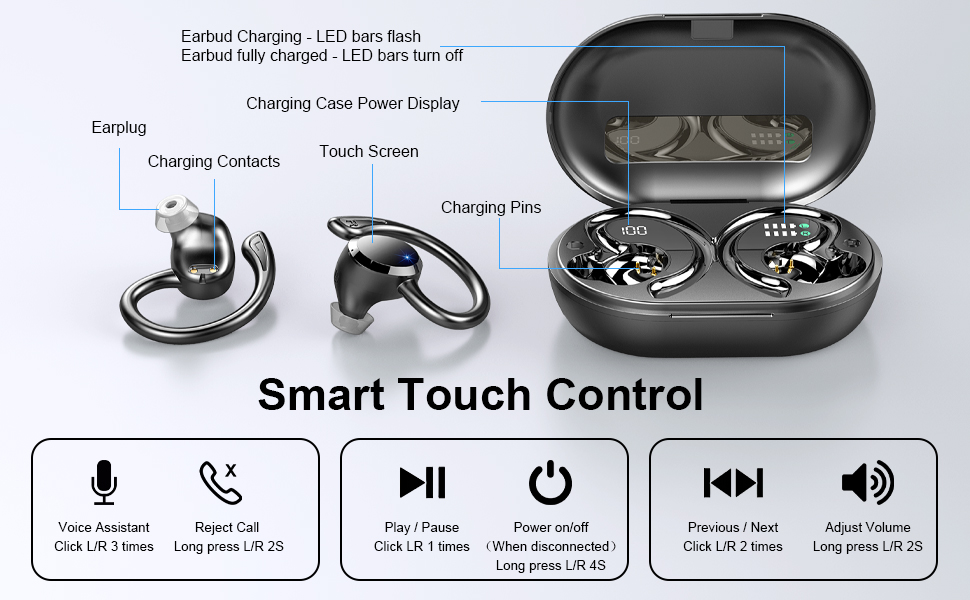
The Dascert Q38 earbuds feature multi-function touch panels for easy control.
| Funció | Acció |
|---|---|
| Reproduir/Pausa | Click L or R once |
| Següent Cançó | Click R twice |
| Cançó anterior | Click L twice |
| Puja el volum | Premeu R durant 2 segons |
| Baixa el volum | Long press L for 2 seconds |
| Respondre/penjar la trucada | Click L or R once |
| Rebutja la trucada | Long press L or R for 2 seconds |
| Activa l'assistent de veu (Siri/Assistent de Google) | Click L or R three times |
5.3 Com posar-se els auriculars
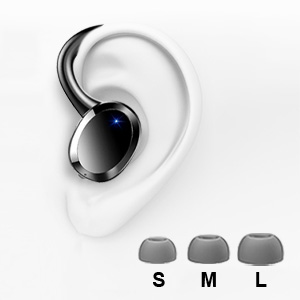
The ergonomic design with earhooks ensures a secure and comfortable fit.
- Identifica els auriculars esquerre (E) i dret (R).
- Introduïu suaument l'auricular al canal auditiu.
- Adjust the earhook over your ear until it feels secure and comfortable.

6. Manteniment i cura
- Neteja: Regularly clean the earbuds, especially the eartips and charging contacts, with a soft, dry cloth. For stubborn dirt, a slightly damp cloth or alcohol wipe can be used, ensuring no liquid enters the earbud openings.
- Emmagatzematge: Quan no els utilitzeu, guardeu els auriculars a la seva funda de càrrega per protegir-los i mantenir-los carregats.
- Resistència a l'aigua: The earbuds are IP7 waterproof, meaning they can withstand sweat, rain, and splashes. However, they are not designed for swimming or submersion for extended periods. Ensure earbuds are dry before placing them back in the charging case.
- Eviteu temperatures extremes: Do not expose the earbuds or charging case to extreme heat or cold, as this can damage the battery and internal components.

7. Solució De Problemes
If you encounter issues with your Dascert Q38 earbuds, please refer to the following common problems and solutions:
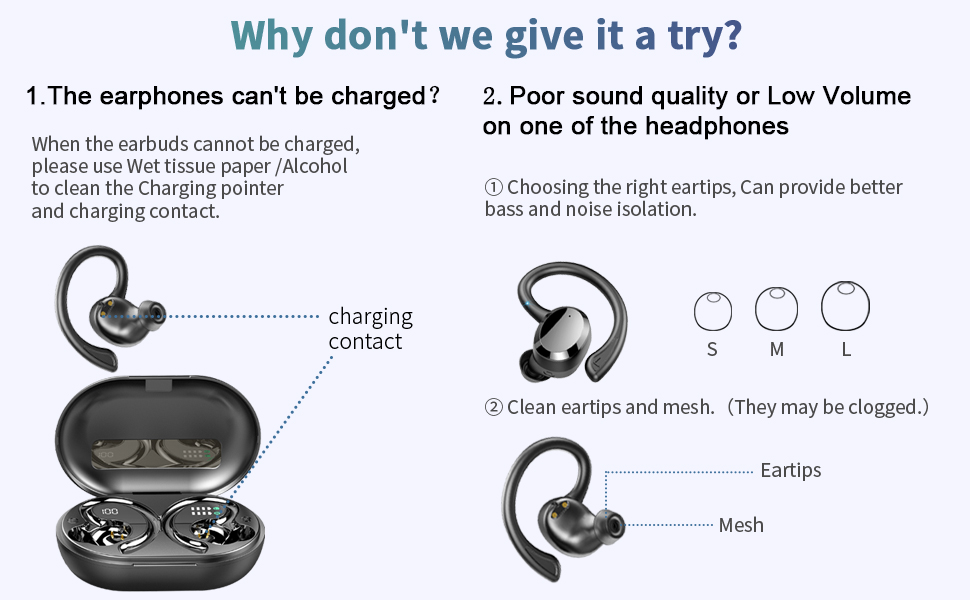
| Problema | Solució |
|---|---|
| Els auriculars no es carreguen |
|
| Mala qualitat de so o baix volum |
|
| Els auriculars no s'emparellan ni es connecten |
|
| Només funciona un auricular |
|
8. Especificacions
| Característica | Detall |
|---|---|
| Nom del model | Q38[NEW] |
| Tecnologia de connectivitat | Sense fil (Bluetooth 5.1) |
| Nivell de resistència a l'aigua | Impermeable IP7 |
| Temps de joc (auriculars) | 5-6 hores (una sola càrrega) |
| Temps de reproducció total (amb estoig de càrrega) | Fins a 48 hores |
| Temps de càrrega (auriculars) | Aprox. 1 hora |
| Temps de càrrega (cas) | Aprox. 1.5 hores |
| Port de càrrega | USB-C |
| Tipus de control | Tàctil, control per veu |
| Col·locació de l'orella | Intraauricular amb ganxos per a les orelles |
| Control de soroll | Cancel·lació activa del soroll |
| Interval de freqüència | 20 Hz - 20,000 Hz |
| Pes de l'article | 2.54 unces |
| Dimensions del producte | 3.64 x 2.47 x 1.12 polzades |
9. Garantia i Suport
Dascert products come with a standard manufacturer's warranty. For detailed warranty information, please refer to the warranty card included in your package or visit the official Dascert weblloc.
If you require technical support or have any questions regarding your Dascert Q38 Wireless Bluetooth Earbuds, please contact our customer service team:
- Correu electrònic: No proporcionat
- Telèfon: No proporcionat
- Assistència en línia: Visita el Dascert Store on Amazon per a preguntes freqüents i recursos addicionals.
Please have your model number (Q38[NEW]) and purchase date ready when contacting support.
10. Informació de seguretat
- Do not disassemble or attempt to repair the earbuds or charging case.
- Mantenir allunyat de nens i animals de companyia.
- Eviteu l'exposició prolongada a nivells de volum elevats per evitar danys auditius.
- No utilitzeu els auriculars en situacions on la impossibilitat d'escoltar els sons ambientals pugui ser perillosa (per exemple, conduir, anar en bicicleta o caminar pel trànsit).
- Eliminar el producte de manera responsable segons la normativa local.
Ask a question about this manual
Ask about setup, troubleshooting, compatibility, parts, safety, or missing instructions. Manuals+ will review the question and use this page’s manual context to help answer it.