
G-TiDE Klap T1
Manual d'usuari de la tauleta infantil G-TiDE Klap T1
Model: Klap T1 | Brand: G-TiDE
1. Guia de configuració
This section provides instructions for the initial setup of your G-TiDE Klap T1 Kids Tablet.
1.1. Desembalatge i càrrega inicial
Upon unboxing, ensure all components are present: the G-TiDE Klap T1 tablet, a kid-proof case, a screen protector, and the charging cable with adapter. It is recommended to fully charge the tablet before first use.
- Connect the provided USB-C charging cable to the tablet's charging port.
- Connecteu l'adaptador a una presa de corrent.
- Allow the tablet to charge until the battery indicator shows full.

Figure 1: G-TiDE Klap T1 Tablet with its protective blue case.
1.2. Engegada i configuració inicial
To power on the tablet, press and hold the power button located on the side. Follow the on-screen prompts for initial configuration.
- Selecció d'idioma: Trieu el vostre idioma preferit.
- Connexió Wi-Fi: Seleccioneu la vostra xarxa Wi-Fi i introduïu la contrasenya per connectar-vos a Internet.
- Inici de sessió al compte de Google: Sign in with an existing Google account or create a new one. This is necessary for downloading apps from Google Play.
- Data i hora: Set the correct date and time, or allow the device to set it automatically via network.
- Wallpaper Selection: Customize your tablet's appearance by choosing a wallpaper.

Figure 2: Tablet interface displaying setup options and key features.
2. Instruccions de funcionament
This section covers the basic operation of your G-TiDE Klap T1 Kids Tablet.
2.1. Navegació bàsica
- Pantalla d'inici: The main screen where you can access installed applications.
- Calaix d'aplicacions: Feu lliscar el dit cap amunt des de la pantalla d'inici a view totes les aplicacions instal·lades.
- Panell de notificacions: Llisca cap avall des de la part superior de la pantalla per accedir a les notificacions i a la configuració ràpida.
- Back, Home, and Recent Apps: Use the navigation buttons at the bottom of the screen for these functions.
2.2. Using the Klap App (Pre-installed)
The Klap app is pre-installed and designed to provide a safe and engaging environment for children. It includes various categories such as Shows, Learning, Music, and Stories.
- Tap the "Klap" icon on the home screen to launch the application.
- Navigate through different content categories using the tabs at the top.
- Select content by tapping on its icon.

Figure 3: The Klap app interface, offering diverse content for children.
2.3. Controls parentals
The Klap app features robust parental controls to manage your child's usage. Access these settings via the parental control icon within the Klap app, usually requiring a password.
- Límits de temps: Estableix límits de temps diaris per a l'ús de la tauleta.
- Filtret de contingut: Control access to specific apps or content categories.
- Bloqueig per a nens: Lock the tablet to prevent unauthorized access.
- Multiple Accounts: Crea un professional separatfiles for each child with customized settings.

Figure 4: Parental control interface for managing tablet usage.
2.4. Funcionalitat de la càmera
The tablet is equipped with a 5MP front camera and an 8MP rear camera. Tap the "Camera" icon to open the camera application.
- Canvia entre la càmera frontal i la posterior amb la icona de commutació de la càmera.
- Tap the shutter button to take photos or start/stop video recording.

Figure 5: Demonstrating the tablet's dual camera capabilities.
3. Manteniment
Un manteniment adequat garanteix la longevitat i el rendiment òptim de la teva tauleta.
3.1. Neteja
- Feu servir un drap suau i sense borrissol per netejar la pantalla i el cos de la tauleta.
- Per a taques persistents, lleugerament dampRenta el drap amb aigua o una solució netejadora de pantalles. Evita productes químics agressius.
- Assegureu-vos que la tauleta estigui apagada i desendollada abans de netejar-la.
3.2. Atenció al cas
The durable EVA kid-proof case protects the tablet from drops and bumps. Regularly inspect the case for any damage and clean it as needed with mild soap and water.
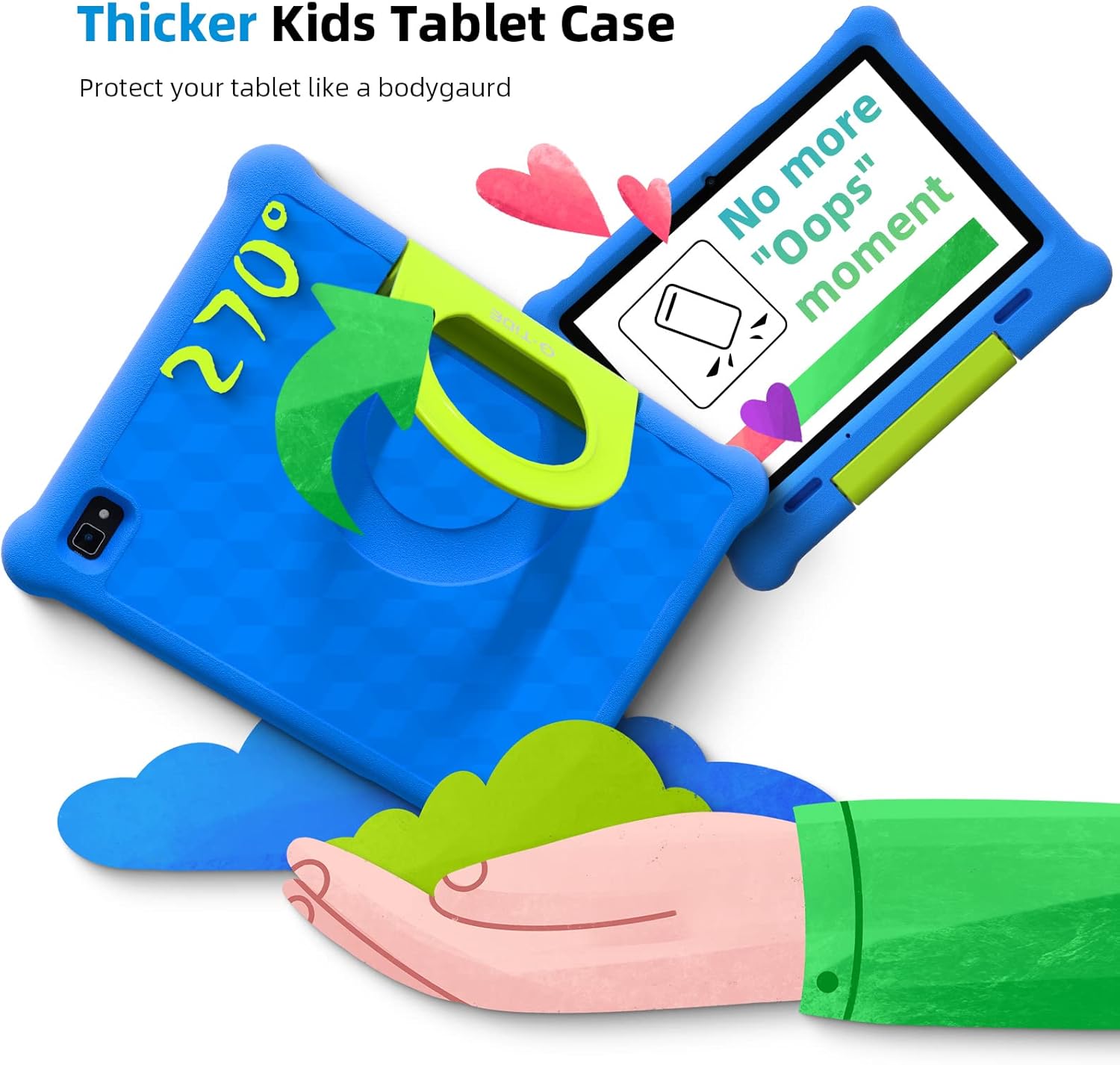
Figure 6: The tablet's protective case with adjustable stand.
3.3. Gestió de la bateria
The tablet features a 6000mAh battery providing up to 12 hours of average use. To maximize battery life:
- Eviteu temperatures extremes.
- No deixeu la tauleta carregant-se durant períodes prolongats després que estigui plena.
- Reduce screen brightness when not needed.
- Tanca les aplicacions que no s'utilitzen i que s'executen en segon pla.

Figure 7: Battery life illustration with different usage scenarios.
4. Solució De Problemes
This section addresses common issues you might encounter with your G-TiDE Klap T1 tablet.
4.1. Tablet is Slow or Unresponsive
- Restart the Tablet: Press and hold the power button, then select "Restart."
- Tanca les aplicacions en segon pla: Close any applications not currently in use.
- Esborra la memòria cau: Go to Settings > Apps & notifications > See all apps, then select an app and choose Storage & cache > Clear cache.
- Alliberar emmagatzematge: Elimineu-les innecessàries files, photos, or uninstall unused apps. The tablet has 32GB ROM, expandable up to 128GB with a TF Card.
4.2. Problemes de connexió Wi-Fi
- Comprovació de l'encaminador: Assegureu-vos que el vostre encaminador Wi-Fi estigui activat i funcioni correctament.
- Reconnect to Network: Go to Settings > Network & internet > Wi-Fi, then forget the network and reconnect.
- Restart Tablet and Router: Power off both the tablet and your Wi-Fi router, then turn them back on.
4.3. Screen Not Responding
- Força el reinici: Press and hold the power button for about 10-15 seconds until the tablet restarts.
- Comproveu si hi ha danys: Inspect the screen for any physical damage.
5. Especificacions
| Característica | Especificació |
|---|---|
| Marca | G-TiDE |
| Nom del model | Klap T1 |
| Mida de la pantalla | 10.1 polzades |
| Resolució de pantalla | 1280 x 800 |
| Processador | 1.6 GHz Quad-Core Rockchip |
| RAM | 2 GB |
| Emmagatzematge intern | 32 GB |
| Emmagatzematge ampliable | Up to 128 GB (TF Card) |
| Sistema operatiu | Android 11 |
| Resolució de la càmera posterior | 8 MP |
| Resolució de la càmera frontal | 5 MP |
| Durada de la bateria (mitjana) | 12 hores |
| Tipus sense fil | 802.11n |
| Pes de l'article | 2.29 lliures |
| Dimensions del producte | 9.65 x 6.3 x 0.39 polzades |
| Color | Blau |

Figure 8: Key specifications including storage and battery.
6. Garantia i Suport
For detailed warranty information and customer support, please refer to the official G-TiDE website or the documentation included with your product. You can also find a User Guide (PDF) and User Manual (PDF) available for download.
- Guia d'usuari oficial (PDF): Descarrega la Guia d'usuari
- Manual d'usuari oficial (PDF): Descarrega el manual d'usuari
- Visit the G-TiDE Store: G-TiDE Amazon Store
Ask a question about this manual
Ask about setup, troubleshooting, compatibility, parts, safety, or missing instructions. Manuals+ will review the question and use this page’s manual context to help answer it.