
1. Introducció
The Arturia MiniFuse 1 is a compact USB audio interface designed to facilitate high-quality audio recording and production. This manual provides essential information for setting up, operating, maintaining, and troubleshooting your MiniFuse 1 device. It is suitable for various applications including recording vocals, instruments, podcasting, and music production.
2. Producte acabatview i Components
The MiniFuse 1 is built with robust and reliable materials, engineered for durability and consistent performance. It features a sleek design suitable for any studio or portable setup.

Figura 2.1: Davant view of the Arturia MiniFuse 1, showcasing its input, gain control, 48V phantom power button, monitor level, direct monitor button, and headphone output.

Figura 2.2: Labeled front view of the MiniFuse 1, highlighting the Combo XLR - 1/4" jack input, Instrument level switch, 48V phantom power switch, and Monitor mix control.
Característiques principals:
- So d'alta qualitat: Best-in-class audio specifications for sharp sound quality in recordings.
- Connectivitat versàtil: 1 combo Mic/Inst/Line XLR input with 48V phantom power, 2 1/4" TRS balanced line outputs, 1 headphone output with volume control, and 1 USB Type A hub (250mA).
- Integració MIDI: 5-pin MIDI input and output connections for syncing with MIDI gear.
- Loopback Feature: Easily capture voiceovers alongside in-app or in-game audio.
- Construcció duradora: Engineered with robust materials and subjected to over 200 reliability tests.
3. Instruccions de configuració
Follow these steps to set up your Arturia MiniFuse 1 audio interface.
3.1 Connexió a l'ordinador
The MiniFuse 1 connects to your computer via a USB-C cable. Ensure your computer has a compatible USB port (USB-C or USB-A with an appropriate adapter).
- Connect one end of the provided USB-C cable to the USB-C port on the back of your MiniFuse 1.
- Connecteu l'altre extrem del cable USB-C a un port USB disponible de l'ordinador.
- The device is bus-powered, meaning it draws power directly from your computer via the USB connection.
3.2 Instal·lació del programari
The MiniFuse 1 comes bundled with creative software. To access and install this software:
- Visita l'Arturia oficial website and register your MiniFuse 1 using its serial number.
- Seguiu les instruccions del website to download and install the included software bundle (e.g., Ableton Live Lite, Analog Lab Intro, Native Instruments GUITAR RIG 6 LE, Arturia FX, Auto-Tune Unlimited, Splice Creator Plan).
- Install any necessary drivers for your operating system (Windows or macOS) as prompted by the installation process.
Vídeo 3.1: Official Arturia video demonstrating how to connect your studio equipment to the MiniFuse audio interface, including computer and other devices.
4. Instruccions de funcionament
Understand the various controls and connections on your MiniFuse 1 for optimal performance.
4.1 Controls del panell frontal
- Input (Combo XLR/1/4" Jack): Connect microphones (XLR) or instruments/line-level sources (1/4" jack).
- Pom de guany: Adjusts the input level for the connected microphone or instrument. Monitor the LED indicators to avoid clipping (red light).
- Instrument Level Switch: Engages high-impedance mode for direct instrument connection (e.g., electric guitar).
- Interruptor d'alimentació phantom de 48V: Activates 48V phantom power for condenser microphones. Only enable if your microphone requires it.
- Monitor Level Knob: Controla el volum general de sortida dels monitors d'estudi.
- Direct Monitor Button: Enables direct monitoring, allowing you to hear your input signal directly through headphones with minimal latency. Disable when mixing or listening to computer playback to avoid double monitoring.
- Headphone Output & Volume Knob: Connect headphones and adjust their independent volume level.
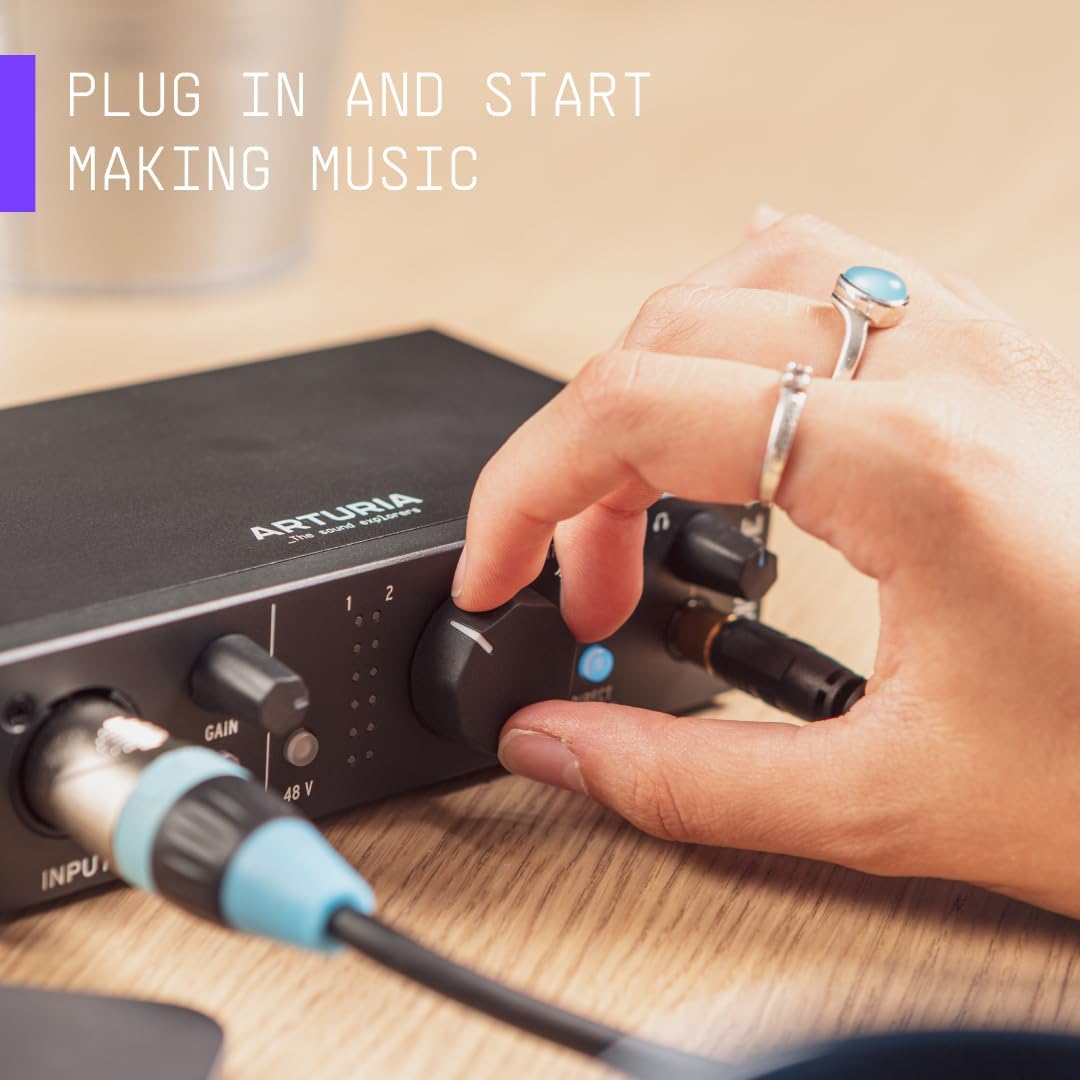
Figura 4.1: A hand adjusting the main monitor knob on the Arturia MiniFuse 1, illustrating the ease of use for controlling output levels.
4.2 Connexions del panell posterior
- Port USB-C: Main connection to your computer for data and power.
- Entrada/sortida MIDI: 5-pin DIN connectors for connecting MIDI keyboards, controllers, and other MIDI-compatible devices.
- Main Outputs (1/4" TRS): Balanced outputs for connecting to studio monitors or other audio playback systems.
- USB Type A Hub: Provides additional USB connectivity for other devices.
Vídeo 4.1: Official Arturia video demonstrating the process of recording a guitar using the MiniFuse audio interface.
Vídeo 4.2: Official Arturia video demonstrating the process of recording vocals using the MiniFuse audio interface.
Vídeo 4.3: Official Arturia video demonstrating how to produce a track using the MiniFuse audio interface and associated software.
5. Manteniment
Proper maintenance ensures the longevity and optimal performance of your MiniFuse 1.
- Neteja: Feu servir un drap suau i sec per netejar l'exterior del dispositiu. Eviteu productes de neteja o dissolvents abrasius.
- Emmagatzematge: Store the MiniFuse 1 in a cool, dry place away from direct sunlight, extreme temperatures, and humidity when not in use.
- Manipulació: Handle the device with care to prevent physical damage to knobs, ports, and the casing.
6. Solució De Problemes
If you encounter issues with your MiniFuse 1, try the following troubleshooting steps:
- Sense energia: Ensure the USB-C cable is securely connected to both the interface and your computer. Verify your computer's USB port is functioning correctly.
- Sense entrada d'àudio: Check that your microphone or instrument is properly connected to the input. Adjust the gain knob to an appropriate level. For condenser microphones, ensure 48V phantom power is enabled. Verify that the correct input is selected in your recording software.
- Sense sortida d'àudio: Check connections to your studio monitors or headphones. Adjust the Monitor Level and Headphone Volume knobs. Ensure the correct output device (MiniFuse 1) is selected in your computer's sound settings and recording software.
- Problemes de latència: If experiencing delay, ensure Direct Monitor is enabled during recording. In your recording software, adjust the buffer size settings to a lower value (this may increase CPU load).
- El programari no reconeix el dispositiu: Reinstall the latest drivers from the Arturia website. Restart your computer and the MiniFuse 1.
7. Especificacions
| Especificació | Valor |
|---|---|
| Pes de l'article | 11.8 unces |
| Dimensions del producte | 5.98 x 4.02 x 1.65 polzades |
| Número de model de l'article | 800101 |
| Nom del color | Negre |
| Dispositius compatibles | Ordinador portàtil, ordinador personal |
| Tipus de connector | USB tipus C |
| Interfície del maquinari | USB |
| Programari compatible | Ableton Live Lite, Analog Lab Intro, Native Instruments GUITAR RIG 6 LE, Arturia FX, Auto-Tune Unlimited, and other compatible software |
| Mida | MiniFuse 1 |
| Sistema operatiu | Windows, macOS |
| Tecnologia de connectivitat | USB |
| Nombre de canals | 1 |
8. Garantia i Suport
The Arturia MiniFuse 1 comes with an extensive 5 any de garantia, reflecting its high build quality and durability. This warranty covers defects in materials and workmanship under normal use.
Per obtenir assistència:
- Visita l'Arturia oficial website for product registration, software downloads, and access to the latest user manuals and support resources.
- Contact Arturia customer support directly for technical assistance or warranty claims.