
Introducció
This manual provides detailed instructions for the setup, operation, and maintenance of your TAOPON Smart Watch. Please read this manual thoroughly before using the device to ensure proper functionality and to maximize your user experience. This smart watch is designed to assist with fitness tracking, health monitoring, and smart notifications.

Image: The TAOPON Smart Watch featuring a circular display, silver mesh band, and an additional black silicone band.
Configuració
1. Contingut del paquet
- TAOPON Smart Watch (with pre-installed silver mesh band)
- Black Silicone Band
- Cable de càrrega
- Manual d'usuari
2. Càrrega del dispositiu
Before first use, fully charge your smart watch. Connect the charging cable to the charging port on the back of the watch and to a standard USB power adapter (not included). A full charge typically takes approximately 2 hours. The watch has a 210mAh battery, providing up to 7 days of typical use and 30 days of standby time.
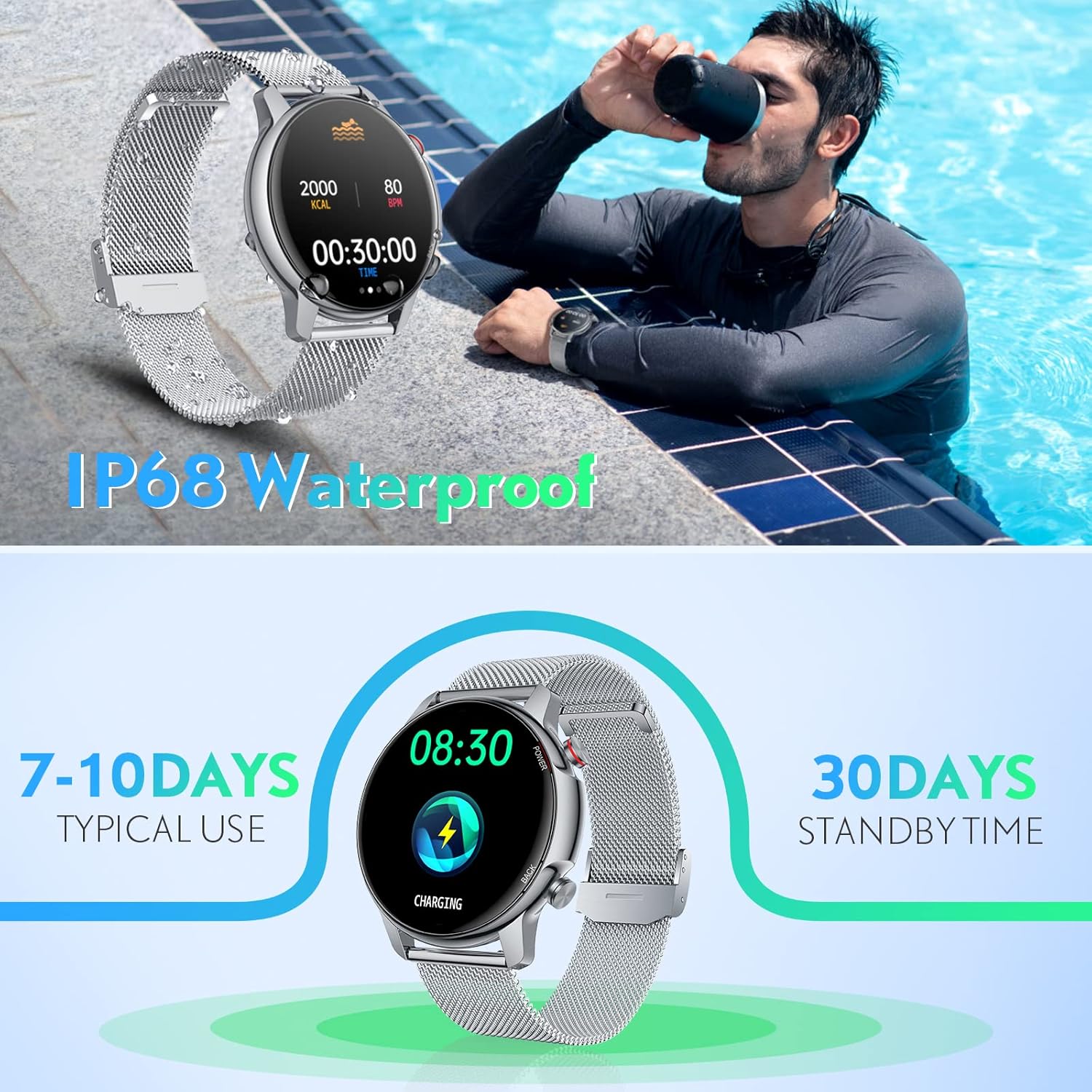
Image: The smart watch screen showing a charging icon, indicating battery status and typical usage duration.
3. Instal·lació i emparellament de l'aplicació
- Download the 'Da Fit' application from your smartphone's app store (compatible with iOS 9.0+ and Android 6.0+).
- Assegureu-vos que el Bluetooth estigui habilitat al vostre telèfon intel·ligent.
- Open the 'Da Fit' app, register or log in, and follow the on-screen instructions to add your device.
- Select your TAOPON Smart Watch from the list of available devices. The watch uses Bluetooth 5.0 for a stable connection up to 10 meters.
4. Ajust de la corretja
The included steel mesh strap can be easily adjusted without tools. The black silicone strap can be interchanged for different scenarios. Ensure the watch is worn snugly but comfortably on your wrist for accurate sensor readings.

Image: The smart watch showcasing multiple customizable dial options and the two included strap styles: silver mesh and black silicone.
Instruccions de funcionament
1. Navegació bàsica
- Pantalla tàctil: Swipe left/right, up/down to navigate menus and functions. Tap to select.
- Botó lateral: Press to return to the previous screen or wake the display.
2. Customizing Dials
The watch offers a variety of pre-installed dial options. Through the 'Da Fit' app, you can access a dial market with approximately 80 additional options and even customize dials using your own photos.
3. Notificacions
Once paired with your smartphone via the 'Da Fit' app, the watch can receive notifications for calls, SMS messages, and various social media applications (e.g., Facebook, Twitter, WhatsApp, Line, Instagram). You can also reject calls directly from the watch.

Image: The smart watch displaying an incoming message notification, alongside a smartphone showing its notification center with various app alerts.
4. Eines addicionals
The smart watch includes several convenient features:
- Pronòstic del temps: View condicions meteorològiques actuals i previsions.
- Control de música: Controla la reproducció de música al teu telèfon intel·ligent connectat.
- Càmera remota: Feu servir el rellotge com a disparador remot per a la càmera del telèfon.
- Cronòmetre i temporitzador: Per a activitats de cronometratge.
- Despertador: Configura alarmes directament des del rellotge o l'aplicació.
- Ajust de brillantor: Ajusta la brillantor de la pantalla per a una òptima viewing.
- Mode teatre: Reduces screen brightness and disables vibrations for discreet use.
- Jocs: Simple built-in games.

Image: The smart watch displaying weather information, alongside an illustration of various sports modes and a person engaged in exercise.
Vigilància de la salut
The TAOPON Smart Watch provides several health monitoring features to help you track your well-being.
- Monitor de freqüència cardíaca: Tracks your heart rate throughout the day, providing data analysis to help you understand trends and adjust your lifestyle.
- Monitor de pressió arterial: Provides estimates of blood pressure. Nota: Aquesta funció només té finalitats de referència i no s'ha d'utilitzar per a diagnòstics mèdics.
- Monitor de son: Automatically tracks your sleep patterns, including deep sleep, light sleep, and awake times. You can review your sleep data in the 'Da Fit' app.
- Exercicis de respiració: Guided breathing exercises to help with relaxation.

Image: The smart watch illustrating its health monitoring capabilities, including heart rate, blood pressure, pedometer, and detailed sleep tracking (deep, light, wake up).
Seguiment de la forma física
The smart watch is equipped with an accurate fitness tracker to monitor your physical activity.
- 8 modes esportius: Supports tracking for walking, running, cycling, skipping rope, badminton, basketball, football, and swimming.
- Activity Metrics: Tracks calorie consumption, steps taken, distance covered, and active minutes during exercise.
- Connectivitat GPS: Connects to your mobile phone's GPS to record your movement track during outdoor activities.
Manteniment
1. Resistència a l'aigua
The TAOPON Smart Watch has an IP68 waterproof rating, meaning it is effective against splashes and can be worn during hand washing or in the rain. Do not use it in hot water, saunas, or steam rooms, as this can compromise the water resistance.
2. Neteja
Netegeu el rellotge i les corretges regularment amb un drap suau i sec. Si cal, utilitzeu un drap lleugerament sec.amp drap i després eixugueu-lo bé. Eviteu productes químics agressius o materials abrasius.
3. Cura de la bateria
Per allargar la durada de la bateria, eviteu descarregar completament el rellotge amb freqüència. Carregueu-lo quan el nivell de bateria sigui baix. Guardeu el rellotge en un lloc fresc i sec quan no l'utilitzeu durant períodes prolongats.
Resolució de problemes
- El rellotge no s'encén: Assegura't que el rellotge estigui completament carregat. Connecta'l al carregador durant almenys 30 minuts.
- No s'ha pogut emparellar amb el telèfon:
- Assegureu-vos que el Bluetooth estigui habilitat al vostre telèfon.
- Make sure the watch is within Bluetooth range (8-10 meters).
- Reinicia tant el telèfon com el rellotge.
- Try unpairing and re-pairing the device through the 'Da Fit' app.
- Notificacions que no apareixen:
- Check notification permissions for the 'Da Fit' app in your phone's settings.
- Assegureu-vos que el rellotge estigui connectat a l'aplicació.
- Verify that 'Theater Mode' is not active on the watch.
- Dades de salut/forma física inexactes: Assegureu-vos que el rellotge estigui ben ajustat al canell. Netegeu els sensors de la part posterior del rellotge.
Especificacions
| Model | JMUS02-C18sls |
| Mida de la pantalla | 1.32 inches (Circular, Full-Touch) |
| Resolució | 360*360 píxels |
| Connectivitat | Bluetooth 5.0 |
| Capacitat de la bateria | 210 mAh |
| Temps d'ús típic | Fins a 7 dies |
| Temps d'espera | Fins a 30 dies |
| Resistència a l'aigua | IP68 |
| Compatibilitat | iOS 9.0 i posteriors, Android 6.0 i posteriors |
| App | 'Da Fit' |
| Característiques especials | Heart Rate Monitor, Blood Pressure Monitor, Sleep Monitor, Fitness Tracker, GPS (via phone), Notifications, Music Control, Remote Camera, Weather, Multiple Sports Modes |
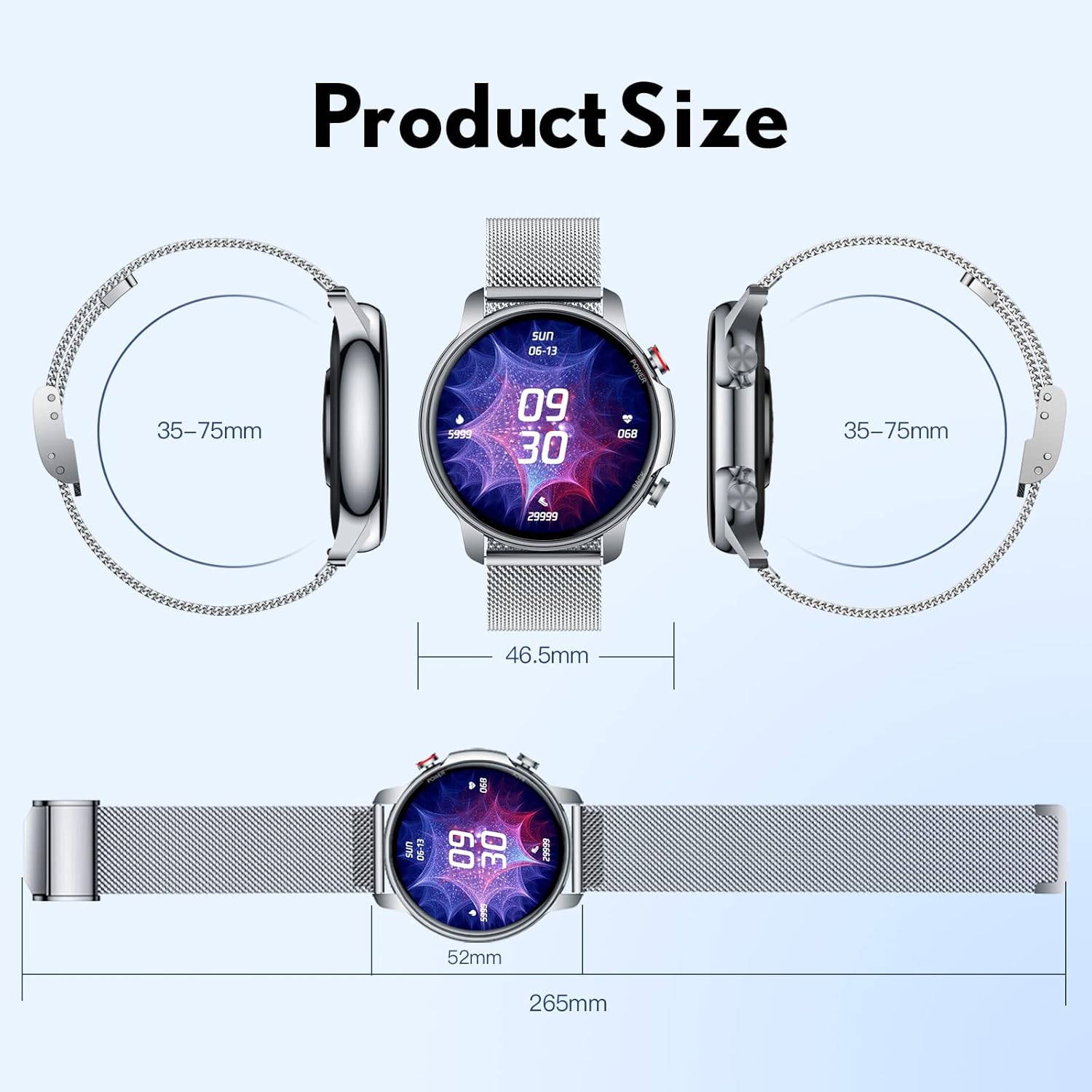
Image: A diagram illustrating the physical dimensions of the TAOPON Smart Watch, including screen diameter and strap length.
Garantia i Suport
For warranty information and customer support, please refer to the documentation provided with your purchase or contact TAOPON customer service directly through their official website. Ensure you have your product model number (JMUS02-C18sls) and proof of purchase available when seeking support.