
Introducció
The Hubble Nursery Pal Link Premium is a smart video baby monitor designed to provide comprehensive monitoring of your child. It combines a dedicated 5-inch parent unit with smart features accessible via the HubbleClub app, ensuring you stay connected and informed.
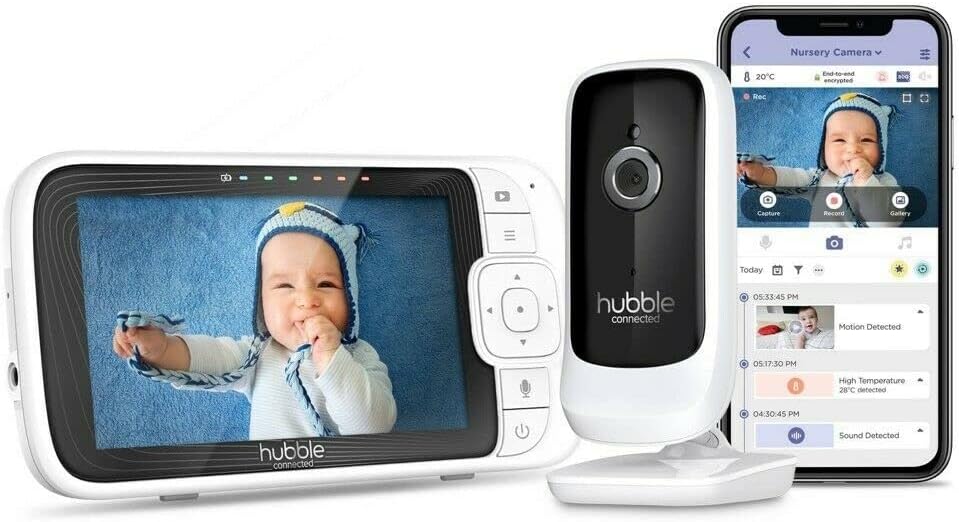
Image: The complete Hubble Nursery Pal Link Premium system, showing the parent unit, camera, and a smartphone displaying the HubbleClub app interface.
Configuració
1. Desembalatge i components
Assegureu-vos que tots els components estiguin presents:
- Parent Unit (5-inch display)
- Baby Camera Unit
- Power Adapters (for both units)
- Guia d'inici ràpid
2. Encès
Connect the power adapter to the Baby Camera Unit and plug it into a power outlet. Connect the power adapter to the Parent Unit and plug it into a power outlet. The Parent Unit has a built-in 3000mAh battery for portable use.
3. Pairing Camera and Monitor
The units are typically pre-paired. If not, follow the on-screen instructions on the Parent Unit to pair the camera. Ensure both units are within range.

Image: A close-up of the 5-inch parent unit screen, showing a clear view d'un nadó en un bressol.
4. App Installation & Setup (HubbleClub)
Download the HubbleClub app from your device's app store. Create an account and follow the in-app instructions to connect your monitor. This enables remote access and additional smart features.
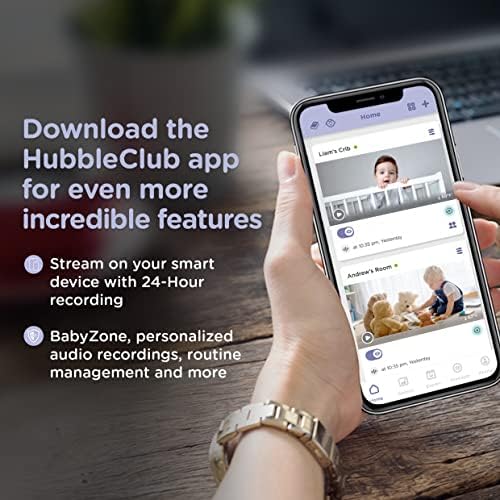
Image: A smartphone screen showing the HubbleClub app, highlighting features like live streaming, 24-hour recording, and BabyZone.
Instruccions de funcionament
1. Parent Unit Functions
- Pantalla: The 5-inch diagonal color screen provides a live video feed.
- Botons: Navigate menus and control camera functions using the directional pad and menu buttons.
- Xerrada bidireccional: Premeu i manteniu premut el botó del micròfon de la unitat parental per parlar amb el vostre nadó a través de la càmera.
- Volum: Adjust the audio volume of the parent unit to hear your baby clearly.
- Brillantor: Ajusta la brillantor de la pantalla per a una òptima viewen diferents condicions d'il·luminació.
2. Funcions de la càmera
- Digital Pan, Tilt, and Zoom: Use the parent unit controls or the HubbleClub app to digitally adjust the camera's view.
- Visió nocturna: The camera automatically switches to infrared night vision in low light, providing a clear black and white image.
- Sensor de temperatura: Monitors the room temperature and displays it on the parent unit and app.
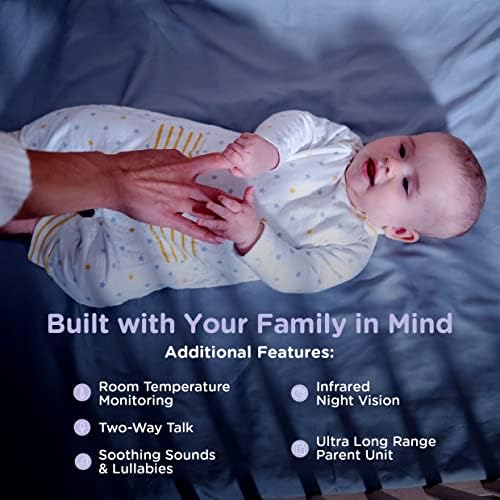
Image: Visual representation of key features including room temperature monitoring, two-way talk, soothing sounds, infrared night vision, and the long range of the parent unit.
3. HubbleClub App Features
The HubbleClub app enhances your monitoring experience with advanced functionalities:
- Live Streaming & 24-Hour Recording: Access a live video feed and review foo gravattage from your smart device via Wi-Fi.
- BabyZone: Set virtual boundaries to receive alerts if your baby moves out of a designated area.
- Seguiment de creixement: Log and track your baby's sleep, feeding, diaper changes, and growth milestones.
- Parenting Tips & Articles: Access expert advice on sleep, nutrition, and development.
- Motion, Sound, and Temperature Alerts: Receive notifications on your smart device for detected activity or temperature changes.
- Preloaded Lullabies & Audiobooks: Play soothing sounds directly from the app to help your baby sleep.
- Personal Audio Recordings: Record your own voice or songs to play for your baby.
- Programació intel·ligent: Customize when you receive motion detection notifications.
- No molestis: Manage notifications to avoid interruptions during specific times.
Video: An official product video demonstrating the features of the Hubble Nursery Pal Link Premium, including two-way talk, night vision, soothing sounds, and the HubbleClub app functionalities like growth tracking and alerts.
4. Range and Connectivity
The monitor offers a 1,000-ft range for reliable monitoring within your home. Wi-Fi connectivity allows remote access and extended features through the HubbleClub app.
Manteniment
1. Neteja
Wipe both the Parent Unit and Baby Camera Unit with a soft, dry cloth. Do not use abrasive cleaners or solvents.
2. Cura de la bateria
To prolong battery life, avoid extreme temperatures and fully discharge and recharge the Parent Unit battery periodically.
Resolució de problemes
| Problema | Causa possible | Solució |
|---|---|---|
| No signal/Poor image | Out of range, interference, low battery. | Move units closer, reduce interference (e.g., other electronics), charge Parent Unit. |
| No sound/Poor sound | Volume too low, microphone muted. | Increase volume, check microphone settings. |
| Problemes de connectivitat de l'aplicació | Weak Wi-Fi, incorrect login, app outdated. | Check Wi-Fi signal, re-enter login details, update app. |
Especificacions
| Característica | Detall |
|---|---|
| Número de model | HCSNPLP-1 |
| Mida de la pantalla | Pantalla en color de 5 polzades en diagonal |
| Resolució de vídeo | 1080p |
| Connectivitat | Sense fil, Wi-Fi |
| Interval | Fins a 1,000 peus (línia de visió) |
| Capacitat de la bateria (unitat principal) | 3000 mAh |
| Característiques especials | Night Vision, Motion Sensor, Two-Way Talk, Room Temperature Monitoring, Preloaded Lullabies, HubbleClub App Integration |
| Font d'alimentació | Funciona amb bateria |
| Ús interior/exterior | Interior |
| Pes de l'article | 1.5 lliures |
Garantia i suport
For warranty information and technical support, please refer to the official Hubble Connected weblloc web o poseu-vos en contacte amb el servei d'atenció al client. Conserveu el comprovant de compra per a qualsevol reclamació de garantia.