
Introducció
This manual provides detailed instructions for the setup, operation, and maintenance of your Blue Tiger Storm Gray Premium Trucker Bluetooth Headset. Please read this manual thoroughly to ensure optimal performance and longevity of your device.
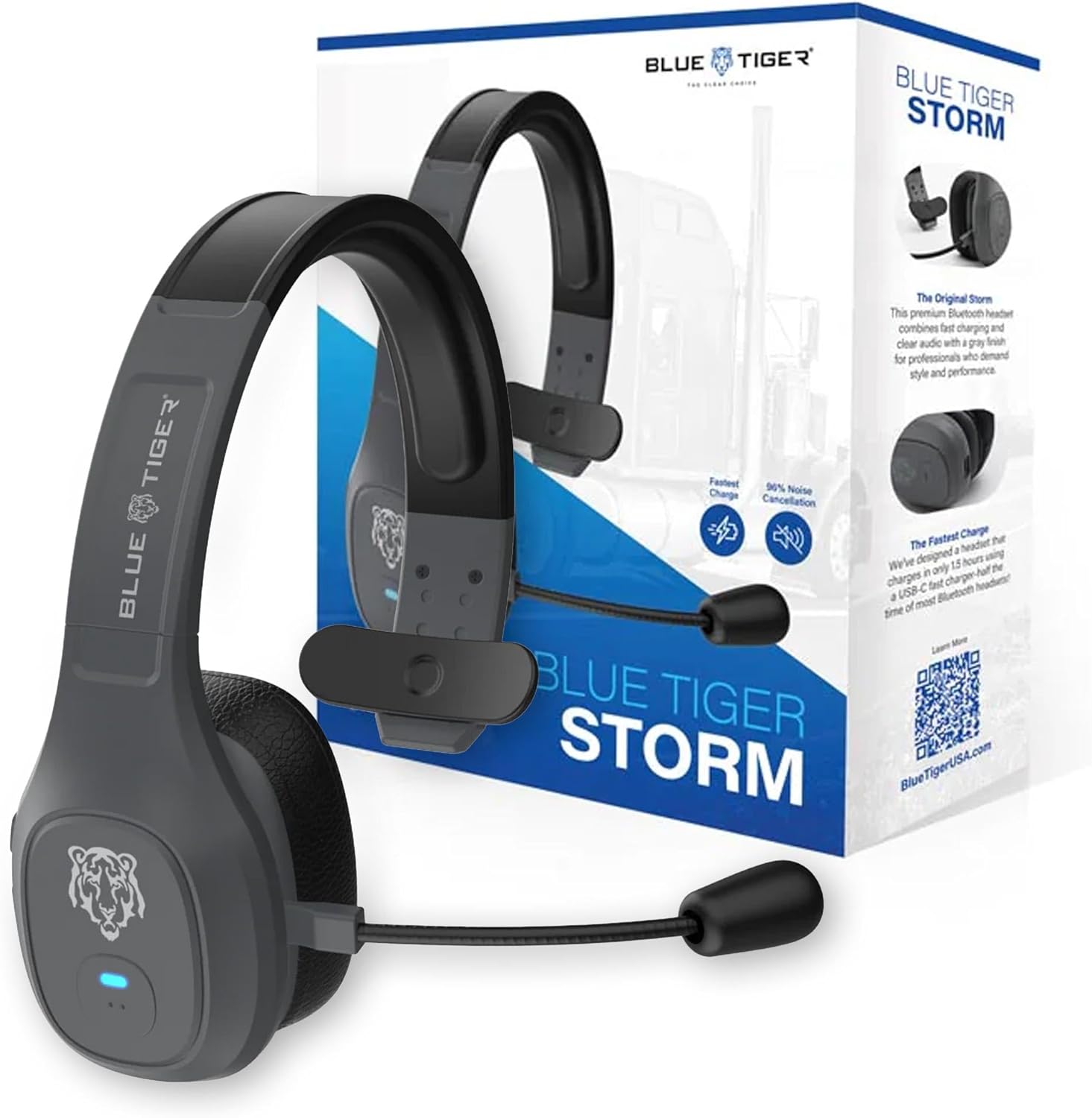
Image: Blue Tiger Storm Gray Premium Trucker Bluetooth Headset with its packaging.
Contingut del paquet
Verifiqueu que tots els elements siguin presents al vostre paquet:
- Premium Storm Headset
- Attached Protein Leather Ear Cushion
- Cable de càrrega USB-C
- D/C Vehicle Adapter
- Bonus Mic Cover
- Guia d'inici ràpid
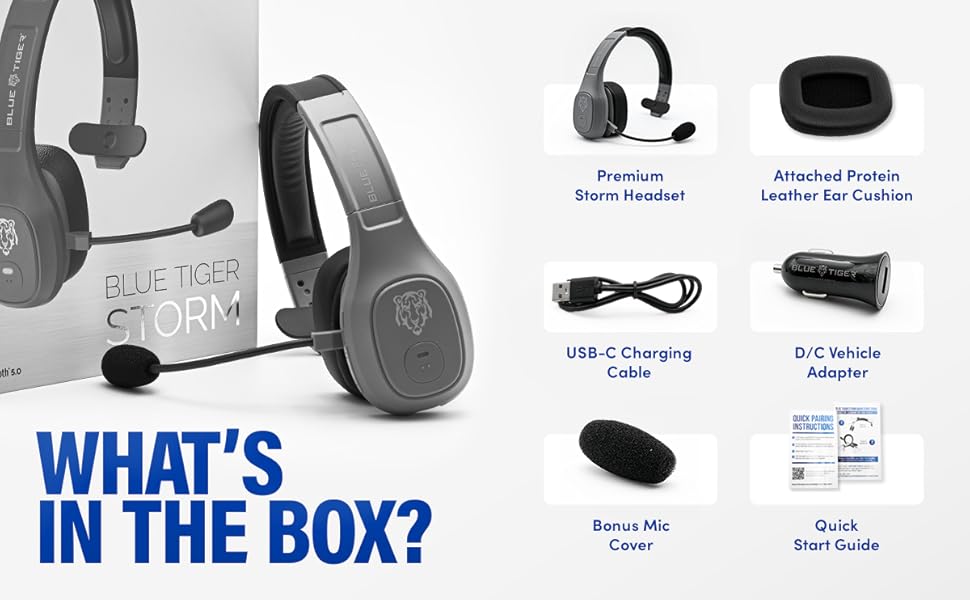
Image: Contents of the Blue Tiger Storm headset package.
Producte acabatview
Components i controls
Familiarize yourself with the various parts and controls of your headset:
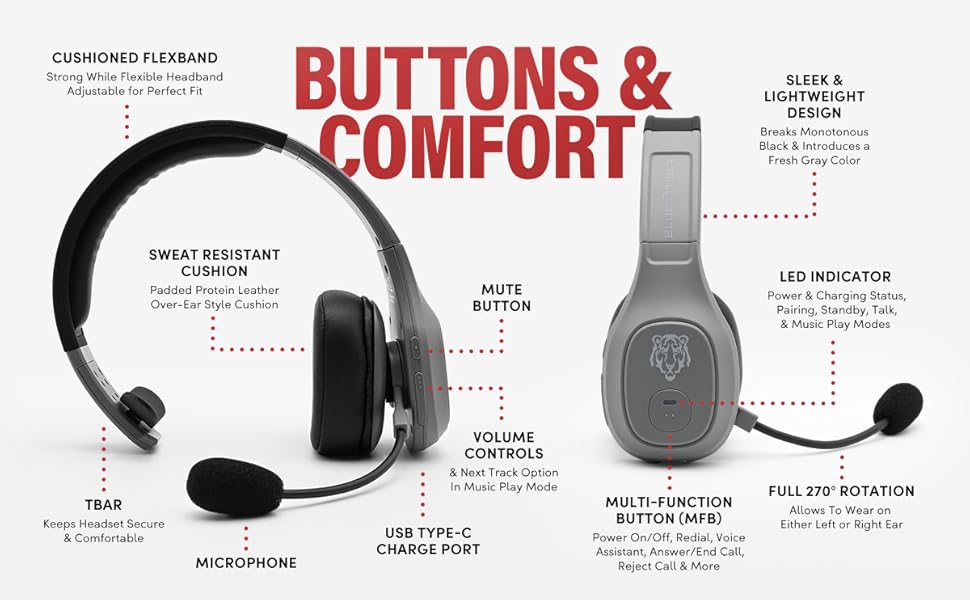
Image: Diagram of headset components and controls.
- Cushioned Flexband: Strong yet flexible headband for a comfortable fit.
- Sweat Resistant Cushion: Padded protein leather over-ear style cushion.
- Micròfon: Passive noise-canceling microphone for clear communication.
- Port de càrrega USB tipus C: Per carregar els auriculars.
- Botó de silenci: Controls microphone mute function.
- Controls de volum: Adjusts audio volume and navigates tracks in music mode.
- Botó multifunció (MFB): Controls power, pairing, calls, and voice assistant.
- Indicador LED: Displays power, charging, pairing, talk, and music play modes.
- Full 270° Rotation: Allows the headset to be worn on either the left or right ear.
- TBAR: Helps keep the headset secure and comfortable.
Característiques clau
- Comoditat: Lightweight (under 5 oz), adjustable headband, and soft over-ear protein leather ear cushions designed for extended wear.
- Cancel·lació de soroll: Passive noise-canceling microphone blocks out 96% of background noise for clear calls in noisy environments.
- Durada de la bateria ampliada: 400 mAh battery provides 30 hours of talk time and 800 hours on standby.
- Càrrega ràpida: USB-C port allows for a full charge in 1.5 hours.
- Connectivitat fiable: Bluetooth 5.0 offers a 100 ft operating range and compatibility with two devices simultaneously.
- Funcions intel·ligents: Supports Siri and Google Assistant for hands-free voice commands.
- Vehicle-Ready: Includes a D/C vehicle adapter for convenient charging on the go.

Image: Comfort features of the headset.

Image: Noise cancellation features.
Configuració
1. Càrrega dels auriculars
- Connect the provided USB-C charging cable to the headset's USB-C port.
- Plug the other end of the USB-C cable into a compatible USB power source (e.g., computer, wall adapter, or the included D/C vehicle adapter).
- L'indicador LED mostrarà l'estat de càrrega. Una càrrega completa sol trigar 1.5 hores.
2. Emparellament Bluetooth
Ensure your device supports Bluetooth functionality.
- Encès: Press and hold the Multi-Function Button (MFB) until the LED indicator flashes blue and red, indicating pairing mode.
- Activa el Bluetooth: On your mobile device, navigate to the Bluetooth settings and turn Bluetooth on.
- Selecciona auriculars: Look for "Blue Tiger Storm" in the list of available devices and select it to connect.
- Confirmació: The LED indicator on the headset will turn solid blue or flash blue slowly once successfully paired. A voice prompt will also confirm the connection.
- Vinculació d'un segon dispositiu: To pair a second device, ensure the first device is connected. Then, put the headset back into pairing mode (LED flashing blue/red) and connect the second device. The headset can maintain connection with two devices simultaneously.
Vídeo: 360 graus view of the Blue Tiger Storm headset, demonstrating its design and features.
Instruccions de funcionament
Encès/Apagat
- Encès: Press and hold the MFB for approximately 3 seconds until the LED flashes blue.
- Apagar: Press and hold the MFB for approximately 5 seconds until the LED flashes red and then turns off.
Gestió de trucades
- Respondre/Finalitzar la trucada: Premeu el MFB una vegada.
- Rebutja la trucada: Manteniu premut el MFB durant 2 segons.
- Torna a marcar l'últim número: Premeu dues vegades el MFB.
Volum i silenci
- Pujar el volum: Premeu el botó Pujar volum.
- Baixar el volum: Premeu el botó per baixar el volum.
- Silenciar/activar el micròfon: Double-tap the Mute button. The microphone boom can be adjusted 270 degrees for optimal positioning.
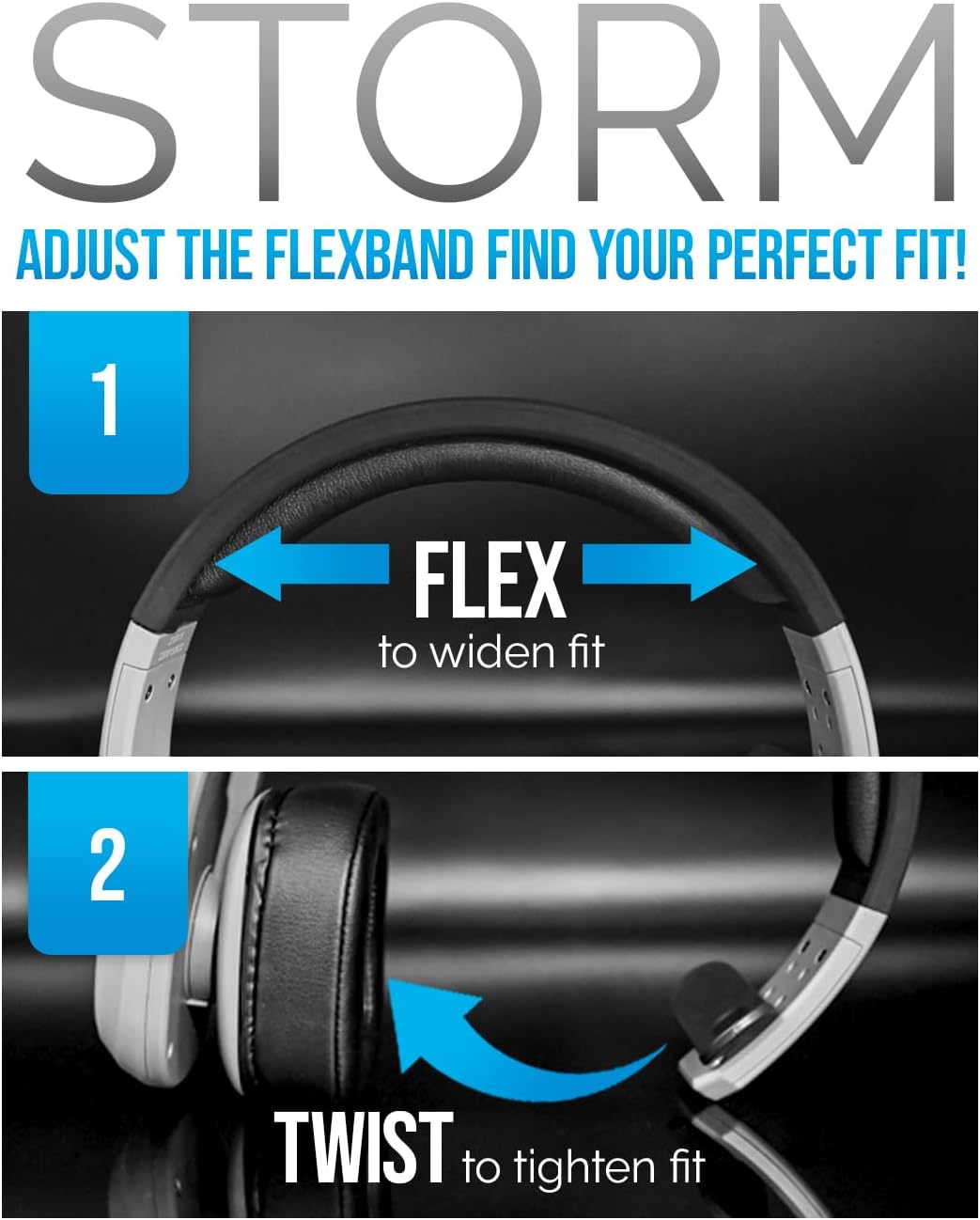
Image: Adjusting the headset for a perfect fit.
Assistent de veu
- Activa Siri/Assistent de Google: Tap the MFB once to activate your device's voice assistant.
Reproducció de música
- Reproduir/pausa: Premeu el MFB una vegada.
- Pista següent: Premeu el botó de pujar el volum durant 2 segons.
- Pista anterior: Premeu el botó de baixar el volum durant 2 segons.
Video: A promotional video highlighting the features and benefits of the Blue Tiger Storm headset, including noise cancellation, battery life, and smart assistant integration.
Manteniment
Neteja
- Netegeu els auriculars amb un drap suauamp tela. Eviteu utilitzar productes químics aggressivs o netejadors abrasius.
- For the protein leather ear cushions, use a mild soap solution if necessary, and ensure they are completely dry before use.
- The microphone cover can be gently removed and cleaned or replaced with the bonus mic cover provided.
Emmagatzematge
- Guardeu els auriculars en un lloc fresc i sec, allunyat de la llum solar directa i de temperatures extremes.
- Eviteu col·locar objectes pesats sobre els auriculars per evitar danys.
Resolució de problemes
| Problema | Causa possible | Solució |
|---|---|---|
| Els auriculars no s'encenen | Bateria baixa | Charge the headset using the USB-C cable. |
| No es pot emparellar amb el dispositiu | Headset not in pairing mode; Bluetooth off on device; Device out of range | Ensure headset is in pairing mode (flashing blue/red LED). Turn on Bluetooth on your device. Move device closer to headset (within 100 ft). |
| Poor audio quality / Background noise | Microphone not positioned correctly; Excessive environmental noise; Weak Bluetooth connection | Adjust microphone closer to your mouth. Ensure the passive noise cancellation is effective. Move closer to the paired device. |
| No hi ha so dels auriculars | Volume too low; Headset not connected; Device audio output not set to headset | Increase headset and device volume. Re-pair the headset. Check device audio settings to ensure output is directed to the headset. |
| Els auriculars es desconnecten amb freqüència | Out of range; Interference; Low battery | Stay within 100 ft of the paired device. Avoid strong electromagnetic interference. Charge the headset. |
Especificacions
| Característica | Especificació |
|---|---|
| Nom del model | Tempesta |
| Tecnologia de connectivitat | Sense fil (Bluetooth 5.0) |
| Interval Bluetooth | 100 peus |
| Temps de conversa | 30 hores |
| Temps d'espera | 800 hores |
| Temps de càrrega | 1.5 hores (USB-C) |
| Control de soroll | Passive Noise Cancellation (96%) |
| Pes | 4.98 unces (aprox. 5 unces) |
| Col·locació de l'orella | Sobre l'orella |
| Micròfon | 270-degree adjustable boom mic |
| Dispositius compatibles | Bluetooth-enabled devices, Car Audio Systems |
| Components inclosos | D/C vehicle adapter, Extra Mic Cover, USB-C Charging Cable |
Garantia i Suport
Blue Tiger products are designed for durability and performance. For specific warranty information, please refer to the warranty card included with your product or visit the official Blue Tiger website. For technical support or further assistance, please contact Blue Tiger customer service.
Assistència en línia: www.bluetigerusa.com