
1. Introducció
This manual provides comprehensive instructions for the TECKNET USB-C Hub, Model B09K46VZJ1. This versatile adapter expands the connectivity of your USB-C enabled devices, offering HDMI video output, high-speed USB 3.0 data transfer, and convenient SD/TF card reading capabilities. Please read this manual thoroughly before using the product to ensure proper operation and to maximize its performance.
2. Producte acabatview
The TECKNET USB-C Hub is designed to provide essential connectivity options for modern laptops, tablets, and smartphones with a USB-C port. It features a compact and durable aluminum design.

Figure 2.1: TECKNET USB-C Hub with its various ports and compatible accessories like USB drives and SD cards.
2.1 Components
- Connector USB-C: For connecting to your host device (laptop, tablet, smartphone).
- Port HDMI: Supports 4K UHD (3840x2160@30Hz) video output to an external display.
- Ports USB 3.0 (2x): Provides high-speed data transfer up to 5 Gbps for peripherals like USB drives, keyboards, and mice.
- Ranura per a targeta SD: Per llegir targetes de memòria SD estàndard.
- Ranura per a targetes TF (MicroSD): For reading microSD memory cards.
3. Característiques
- Pantalla HDMI 4K: Connect to external monitors, projectors, or HDTVs with resolutions up to 4K UHD (3840x2160@30Hz) or 1080p@60Hz.
- Transferència de dades d'alta velocitat: Two USB 3.0 ports offer data transfer speeds of up to 5 Gbps, allowing for quick file transferències.
- Simultaneous Card Reading: SD and TF card slots support simultaneous reading and writing at speeds up to 100 MB/s.
- Àmplia compatibilitat: Compatible with a broad range of USB-C devices including MacBook Pro/Air, iPad Pro, Dell XPS, Surface Pro, and various Android smartphones and tablets. Supports Windows, macOS, Linux, and Android operating systems.
- Disseny compacte i portàtil: Lightweight aluminum casing ensures durability and easy portability.

Figure 3.1: The hub demonstrates wide compatibility with various laptops, tablets, and operating systems.
4. Instruccions de configuració
The TECKNET USB-C Hub is designed for plug-and-play operation, requiring no driver installation for most compatible operating systems.
- Connecteu el concentrador: Insert the USB-C connector of the hub firmly into an available USB-C port on your host device (laptop, tablet, or smartphone).
- Connecteu els perifèrics:
- For HDMI display, connect an HDMI cable from the hub's HDMI port to your monitor, TV, or projector.
- For USB devices, plug your USB flash drives, external hard drives, keyboards, or mice into the USB 3.0 ports.
- For memory cards, insert your SD or TF card into the corresponding slot.
- Verifica la connexió: Your operating system should automatically detect the connected devices and displays.
5. Instruccions de funcionament
5.1 Using the HDMI Port
The HDMI port allows you to extend or mirror your device's display to a larger screen.
- Ensure your external display is powered on and set to the correct HDMI input.
- Connect the HDMI cable between the hub and your display.
- Adjust display settings (resolution, mirroring/extending) through your device's operating system display settings.

Figure 5.1: The hub facilitates expanding your display to a larger screen, such as an HDTV, projector, or monitor.
5.2 Ús dels ports USB 3.0
The two USB 3.0 ports provide high-speed connectivity for various USB devices.
- Plug your USB device (e.g., flash drive, external HDD, mouse, keyboard) into any of the USB 3.0 ports.
- For data transfer, ensure the device is properly recognized by your operating system before initiating transfers.

Figure 5.2: Highlighting the 10x faster data transfer speeds of USB 3.0 compared to USB 2.0.
5.3 Using the SD/TF Card Slots
The hub supports simultaneous reading of both SD and TF (microSD) cards.
- Insert your SD card into the SD slot and/or your TF (microSD) card into the TF slot. Ensure the card is inserted correctly with the contacts facing down.
- The card will appear as a removable drive in your operating system's file explorador.
- To safely remove, always eject the card through your operating system before physically pulling it out.
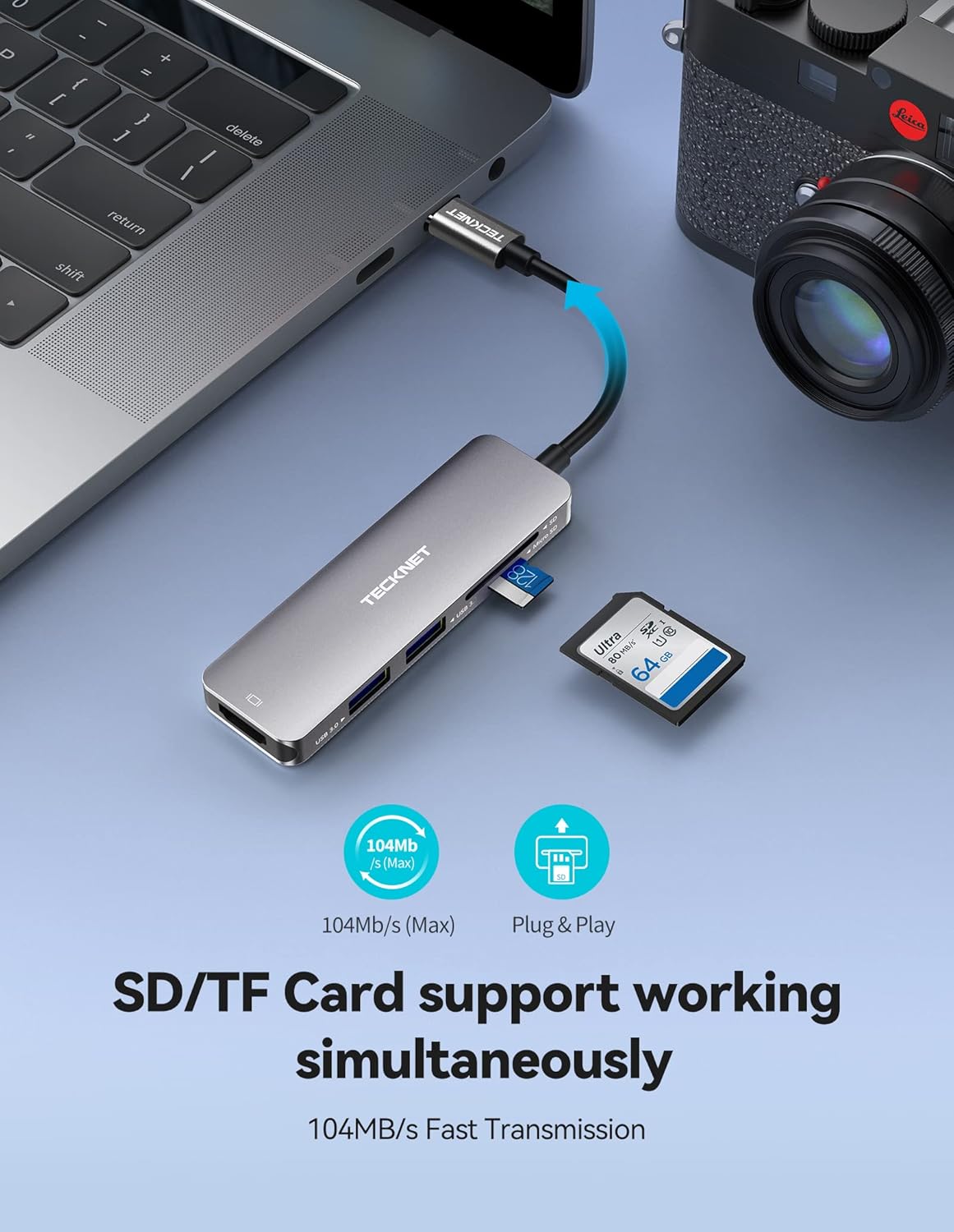
Figure 5.3: The hub supports simultaneous reading and writing for both SD and TF cards at high speeds.
6. Manteniment
- Mantingueu el centre net i lliure de pols. Feu servir un drap suau i sec per netejar-lo.
- Eviteu exposar el concentrador a temperatures extremes, humitat o llum solar directa.
- Do not drop or subject the hub to strong impacts.
- Do not attempt to disassemble or repair the hub yourself. Refer to qualified service personnel if needed.
7. Solució De Problemes
| Problema | Possible causa/solució |
|---|---|
| No hi ha sortida de pantalla via HDMI. |
|
| No es reconeixen els dispositius USB. |
|
| SD/TF card not detected. |
|
| El centre de control s'escalfa durant l'ús. |
|
8. Especificacions
| Característica | Detall |
|---|---|
| Marca | TECNET |
| Model | B09K46VZJ1 |
| Interfície | USB tipus C |
| Ports USB totals | 5 (2x USB 3.0, 1x HDMI, 1x SD, 1x TF) |
| Velocitat de transferència de dades USB 3.0 | Fins a 5 Gbps |
| Resolució HDMI | Up to 4K UHD (3840x2160@30Hz), 1080p@60Hz |
| Velocitat del lector de targetes | Up to 100 MB/s (SD/TF simultaneous) |
| Material | Alumini |
| Sistemes operatius compatibles | IOS 13, Linux, Windows, Mac OS, Android |
| Característiques especials | Plug and Play |
9. Garantia i Suport
For warranty information and technical support, please refer to the official TECKNET weblloc web o contacteu directament amb el servei d'atenció al client. Conserveu el rebut de compra per a reclamacions de garantia.