
1. Informació important de seguretat
Please read all safety and operating instructions carefully before using this television. Keep this manual for future reference. Always follow basic safety precautions to reduce the risk of fire, electric shock, and injury.
- No exposeu aquest aparell a la pluja o la humitat.
- No bloquegeu cap obertura de ventilació. Instal·leu-ho d'acord amb les instruccions del fabricant.
- No instal·leu a prop de cap font de calor com ara radiadors, registres de calor, estufes o altres aparells (inclosos amplificadors) que produeixen calor.
- Protegiu el cable d’alimentació perquè no es pugui caminar ni pessigar, sobretot als endolls, endolls i el punt on surten de l’aparell.
- Utilitzeu només accessoris/accessoris especificats pel fabricant.
- Demaneu tot el servei a personal de servei qualificat. Cal fer servei quan l'aparell s'hagi fet malbé d'alguna manera.
2. Què hi ha a la caixa
Carefully unpack your new Sansui TV and ensure all items listed below are present.
- 1 x Sansui 4K Ultra HD Android LED TV (JSW50ASUHD)
- 2 x Base de suport de taula
- 1 x Wall Mounting Set
- 4 x Screws for stand/mount
- 1 x Manual d'usuari
- 1 x Targeta de garantia
- 1 x comandament a distància
- 2 piles AAA (per al comandament a distància)
- 1 x cable d'alimentació
- 1 x cable mini AV
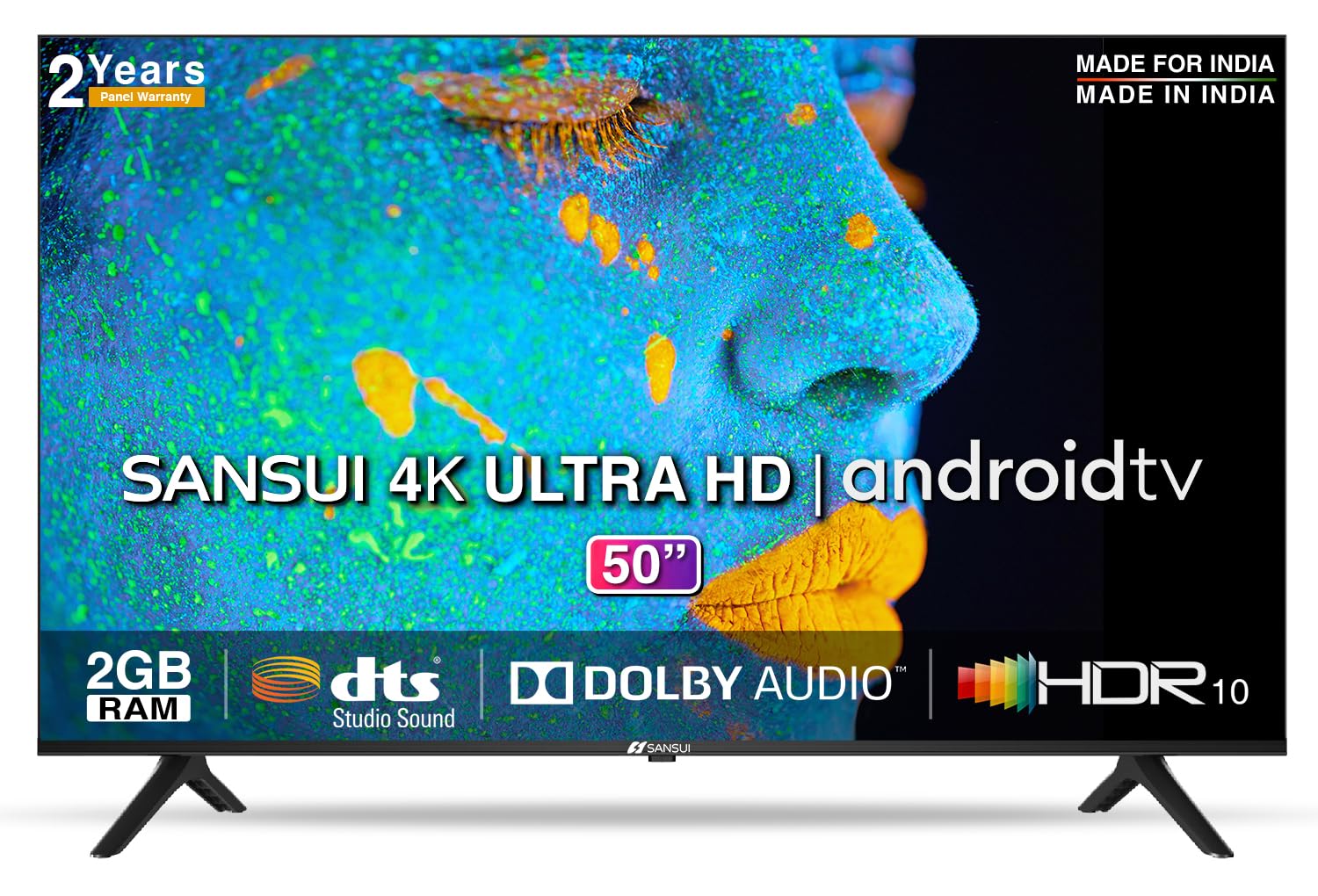
Image: Sansui 50-inch 4K Ultra HD Android LED TV with its table stand.
3. Producte acabatview
3.1. Característiques clau
- Visualització: 4K Ultra HD (3840x2160) resolution, 60Hz refresh rate, Wide Viewing Angle, A+ Grade Panel, Wide Colour Gamut, HDR 10, Crystal Clear Display, High Brightness, Bezel-less Design.
- Àudio: Dolby Audio, DTS Studio Sound, 20 Watts Audio Output.
- Funcions del televisor intel·ligent: Android 10.0 (Certified by Google), Google Assistant, Alexa Enabled Support, Built-in Chromecast, CA53 Quad Core Processor, 2GB RAM, 8GB ROM.
- Aplicacions compatibles: Prime Video, Netflix, Disney + Hotstar, YouTube, Google Play.
- Connectivitat: 3 HDMI ports, 2 USB ports, 3.5mm audio jack, Bluetooth, Wi-Fi, RJ45 (Ethernet), Antenna.

Image: Visual representation of the TV's main features and capabilities.
3.2. Dimensions
The TV features a 50-inch screen (127 cm diagonal) with a bezel-less design for an immersive viewexperiència.

Image: Detailed dimensions of the Sansui 50-inch TV, including width, height, and depth with and without the stand.
4. Configuració
4.1. Instal·lació del suport de taula
- Col·loqueu la pantalla del televisor amb la pantalla cap avall sobre una superfície suau i plana per evitar que es faci malbé.
- Align the table stand bases with the corresponding slots at the bottom of the TV.
- Secure the bases using the provided screws. Ensure they are tightened firmly.
4.2. Muntatge a la paret (opcional)
If you choose to wall mount your TV, please use the provided wall mounting set and screws. The VESA mount standard is 800 x 400 mm. It is recommended to seek professional assistance for wall mounting to ensure proper and safe installation.
4.3. Dispositius de connexió
The TV offers various connectivity options for your external devices.
- Potència: Connecteu el cable d'alimentació a l'entrada d'alimentació del televisor i després a una presa de corrent.
- HDMI: Use HDMI cables to connect devices like set-top boxes, gaming consoles, or Blu-ray players to the 3 HDMI ports.
- USB: Connect USB drives or other USB devices to the 2 USB ports for media playback.
- Sortida d'àudio: Use the 3.5mm jack to connect headphones or external audio systems.
- Ethernet (RJ45): For a stable internet connection, connect an Ethernet cable from your router to the RJ45 port.
- Antena: Connect your antenna cable to the RF input for terrestrial broadcasting.
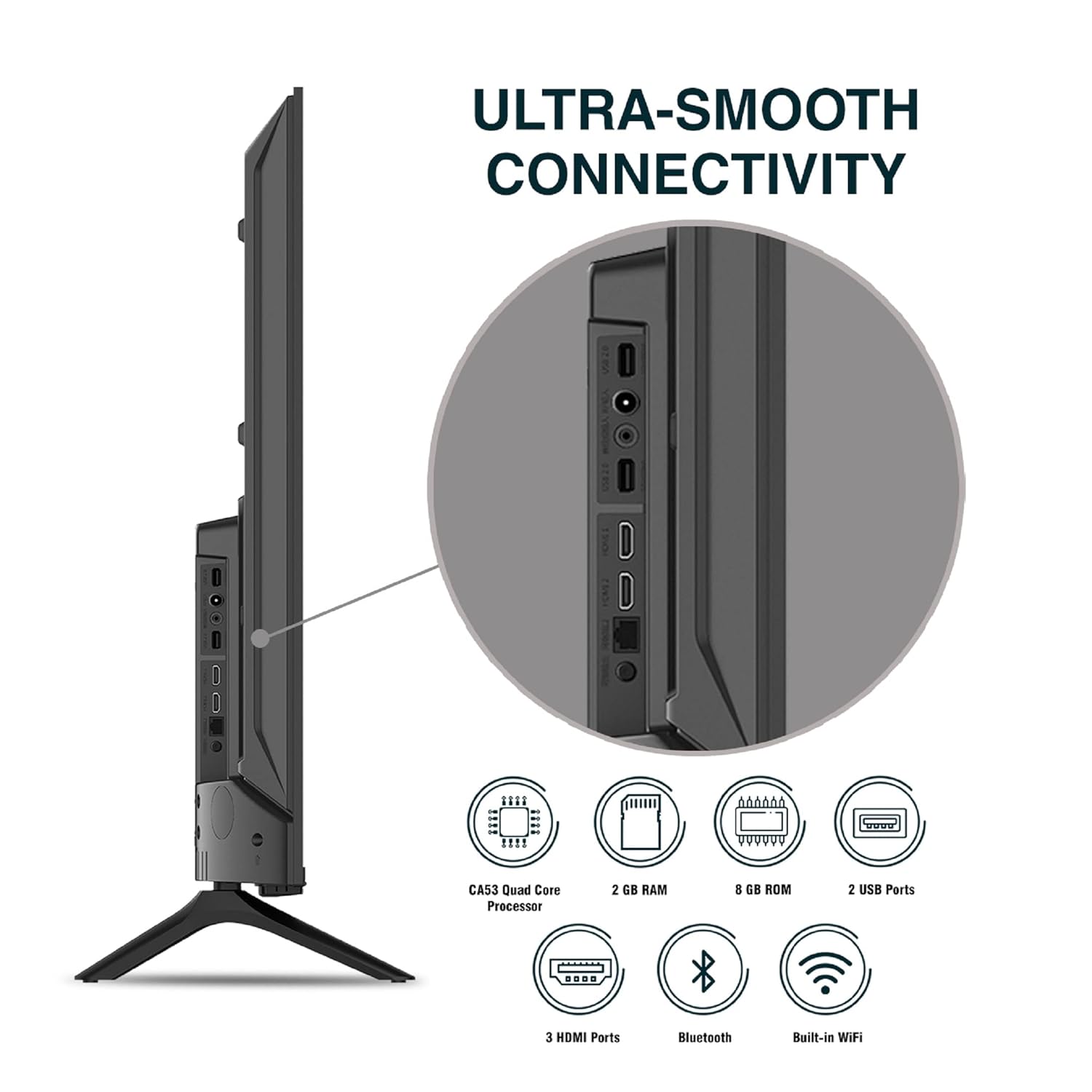
Imatge: Detallada view dels ports de connectivitat del televisor.
5. Instruccions de funcionament
5.1. Funcionament bàsic
- Encès/apagat: Press the power button on the remote control or on the TV to turn it on or off.
- Configuració inicial: Upon first power-on, follow the on-screen instructions to set up language, network connection, and Google account.
- Font d'entrada: Press the 'Input' button on the remote to select between HDMI, AV, TV, or other connected sources.
- Control de volum: Feu servir els botons de pujar/baixar el volum del comandament a distància.
5.2. Ús del comandament a distància intel·ligent
The included remote control features voice control and dedicated hotkeys for quick access to popular streaming services.
- Control de veu: Press the Google Assistant button (microphone icon) and speak your commands to search for content, control smart home devices, or ask questions.
- Tecles d'accés directe: Directly launch Netflix, Prime Video, YouTube, and Google Play with a single press.
- Navegació: Use the directional pad and 'OK' button to navigate the Android TV interface.

Image: Sansui Smart Remote Control with voice control and app hotkeys.
5.3. Android TV Interface and Smart Features
Your Sansui TV runs on Android 10.0, providing access to a wide range of apps and smart functionalities.
- Pantalla d'inici: The home screen displays your favorite apps, recommended content, and input sources.
- Google Play Store: Download and install additional apps, games, and content from the Google Play Store.
- Chromecast integrat: Cast content (videos, photos, music) from your smartphone, tablet, or computer directly to the TV.
- Assistent de Google/Alexa: Use voice commands via the remote or a compatible Alexa device to control your TV and other smart home devices.

Image: Android TV home screen showing available applications.
6. Manteniment
Proper care and maintenance will extend the life of your TV.
- Neteja de la pantalla: Netegeu suaument la pantalla amb un drap suau i sense borrissol. Per a les marques difícils, utilitzeu un netejador de pantalles dissenyat específicament per a televisors, aplicant-lo al drap, no directament a la pantalla.
- Neteja de l'armari: Feu servir un drap suau i sec per netejar el moble del televisor. No utilitzeu productes de neteja abrasius ni dissolvents.
- Ventilació: Assegureu-vos que les obertures de ventilació estiguin netes de pols i deixalles per evitar el sobreescalfament.
- Cable d'alimentació: Regularly check the power cord for any damage. If damaged, replace it with an authorized part.
7. Solució De Problemes
Si teniu algun problema, consulteu els problemes i solucions habituals següents.
| Problema | Causa possible | Solució |
|---|---|---|
| Sense poder | Cable d'alimentació desconnectat; Problema amb la presa de corrent | Comproveu la connexió del cable d'alimentació; proveu la presa de corrent amb un altre dispositiu. |
| No Picture, Only Sound | Font d'entrada incorrecta; Problema amb el dispositiu extern | Select correct input source; Check external device connection and power. |
| No Sound, Only Picture | Volume muted/low; External audio system issue | Unmute or increase volume; Check external audio system connections. |
| El control remot no funciona | Piles esgotades; Obstrucció entre el comandament a distància i el televisor | Canvieu les piles; traieu qualsevol obstrucció. |
| Problemes de connexió Wi-Fi | Contrasenya incorrecta; Problemes amb el router; Interferències de senyal | Re-enter password; Restart router; Move TV closer to router or use Ethernet. |
Si el problema persisteix després de provar aquestes solucions, poseu-vos en contacte amb l'atenció al client.
8. Especificacions
Detailed technical specifications for the Sansui JSW50ASUHD TV.
| Característica | Descripció |
|---|---|
| Nom del model | SANSUI LED - JSW50ASUHD |
| Mida de la pantalla | 50 polzades (127 cm) |
| Tecnologia de visualització | LED |
| Resolució | 4K Ultra HD (3840 x 2160) |
| Freqüència d'actualització | 60 Hz |
| Sistema operatiu | Android 10.0 (Certified by Google) |
| Processador | CA53 Quad Core |
| RAM | 2 GB |
| ROM (emmagatzematge) | 8 GB |
| Sortida d'àudio | 20 watts |
| Tecnologia de so | Dolby Audio, DTS Studio Sound |
| Ports HDMI | 3 |
| Ports USB | 2 |
| Connectivitat sense fil | Wi-Fi, Bluetooth |
| Altres connectivitats | Ethernet (RJ45), 3.5mm Audio Jack, Antenna |
| Suport HDR | HDR10 |
| Tipus de muntatge | Suport de paret i suport de taula |
| Estàndard de muntatge VESA | 800 x 400 mm |
| Consum d'energia | 120 watts |
| Pes de l'article | 9650 grams |
| Color | Mystique Black |
9. Garantia i Suport
Your Sansui TV comes with a comprehensive warranty and dedicated customer support.
- Garantia: 1 year comprehensive warranty and 1 year additional on panel from the date of purchase.
- Assistència de garantia: For warranty-related queries, please contact Sansui Toll Free No.: 1800-419-3777.
- Contacte de l'importador: Jaina India Pvt Ltd., D170, Okhla Industrial Area, Phase-1, New Delhi-110020 INDIA | Email: sansuicare@jainaindia.com.
Si us plau, conserveu el rebut de compra per a reclamacions de garantia.