
Kavolet AAL3477640380121LF
Kavolet Smart Wi-Fi Thermostat 16A for Electric Heating
Model: AAL3477640380121LF
1. Introducció
Thank you for choosing the Kavolet Smart Wi-Fi Thermostat. This device is designed to provide intelligent temperature control for electric heating systems, enhancing comfort and energy efficiency in your home, office, or other environments. Featuring a large LCD touch screen, Wi-Fi connectivity, and APP control, it offers flexible weekly programming to suit your lifestyle.

Image 1.1: Kavolet Smart Wi-Fi Thermostat and its mobile application interface. This image illustrates the thermostat's sleek design and its remote control capability via a smartphone app.
Característiques principals:
- Electric Heating Compatibility: Suitable for various electric heating systems.
- Sistema de sensor dual: Equipped with an internal sensor for ambient temperature and an external floor sensor for high-temperature protection.
- Weekly Programmable: Supports 7-day weekly operation modes with 6 daily time settings for customized temperature schedules.
- Control de l’APP: Remotely manage your thermostat settings from your smartphone, anytime and anywhere.
- Large LCD Touch Screen: Clear display with backlight for easy reading and intuitive touch controls.
- Alta precisió: Maintains temperature within 1°C of the set point.
- Memòria de dades: Conserva la configuració en cas de fallada de corrent.
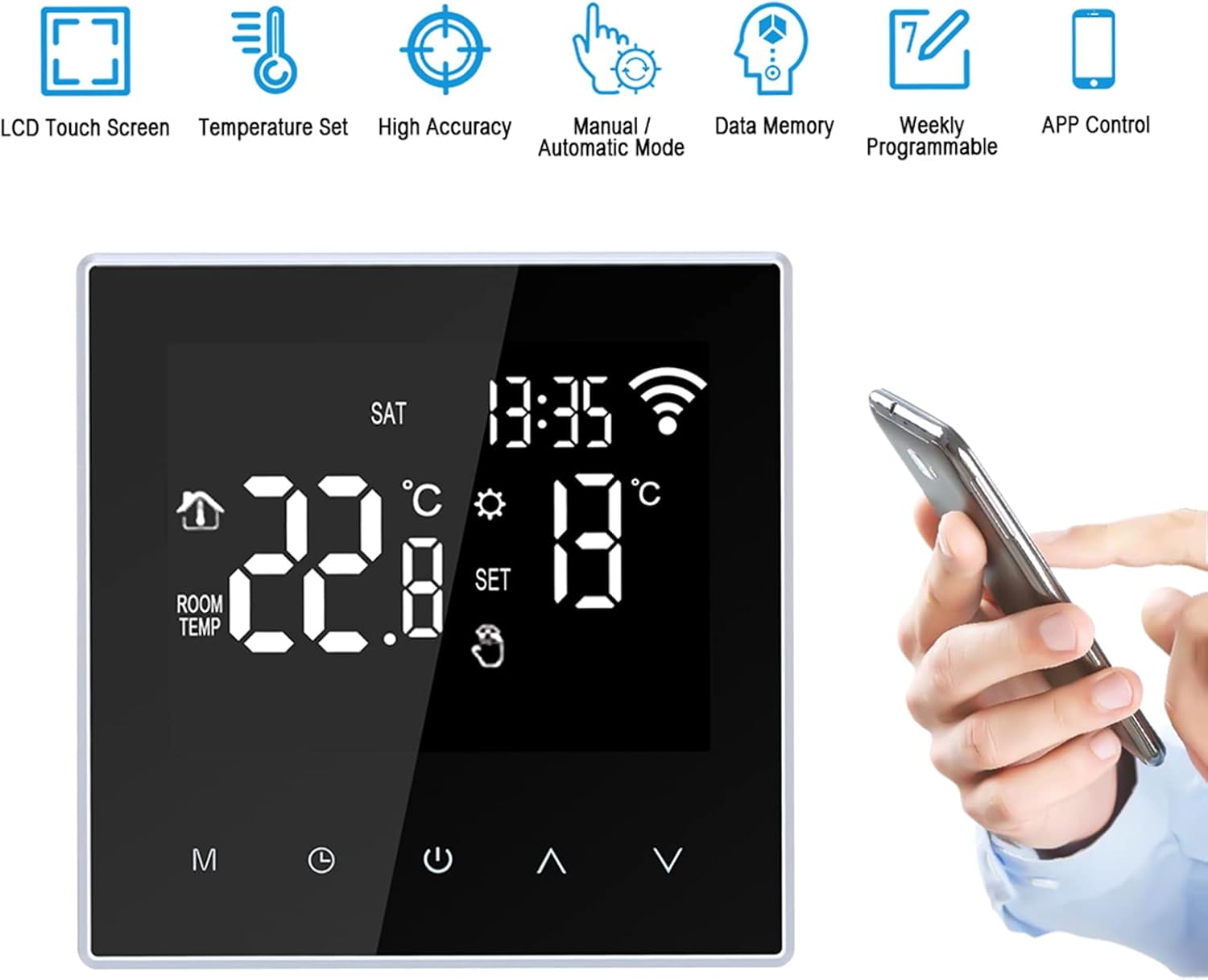
Image 1.2: Visual representation of the thermostat's main features, including LCD touch screen, temperature setting, high accuracy, manual/automatic mode, data memory, weekly programmability, and APP control.
2. Informació de seguretat
ADVERTIMENT: Installation of this thermostat involves high voltage. To prevent electric shock or damage to the product, installation must be performed by a qualified professional electrician in accordance with local electrical codes and regulations.
- Desconnecteu sempre l'alimentació a l'interruptor automàtic abans d'instal·lar o fer el manteniment del termòstat.
- Ensure all wiring connections are secure and correctly matched to avoid short circuits or malfunction.
- No utilitzeu el termòstat amb les mans mullades.
- Mantingueu el dispositiu allunyat de l'aigua i de la humitat excessiva.
- This product is designed for electric heating systems only. Do not use with other heating types.
3. Contingut del paquet
Si us plau, comproveu el contingut del paquet en obrir-lo per assegurar-vos que hi hagi tots els elements:
- 1 x Kavolet Smart Wi-Fi Thermostat
- 1 x 3-meter Sensor Cable (external floor sensor)
- 2 x cargols de muntatge
- 1 manual d'usuari (anglès)
4. Especificacions
| Marca | Kavolet |
| Número de model | AAL3477640380121LF |
| Color | Negre |
| Font d'alimentació | 220V AC 50/60Hz |
| Càrrega actual | 16A |
| Precisió de la temperatura | ±1 °C |
| Interval de configuració de temperatura | 5-60°C |
| Interval de control de temperatura | 5-95°C (Factory Default: 35°C) |
| Consum d'energia | <2W |
| Error de cronometratge | <1% |
| Material de closca | PC (retardant de flama) |
| Sensors | Internal (ambient), External (floor protection) |
| Distància d'instal·lació | 60 mm |
| Classe de protecció | IP20 |
| Tipus de control | Toqueu les tecles |
| Connectivitat | Wi-Fi |
| Dimensions de l'article (L*A*A) | 86 x 86 x 40 mm (3.4 x 3.4 x 1.6 polzades) |
| Pes de l'article | 168 g (5.9 oz) |

Image 4.1: Detailed dimensions of the Kavolet Smart Wi-Fi Thermostat, showing its front and side profiles amb mesures en mil·límetres i polzades.
5. Instal·lació i configuració
Important: As stated in the safety information, installation must be carried out by a qualified professional electrician. Incorrect installation can lead to electric shock, fire, or damage to the device.
5.1 Esquema de cablejat
Refer to the following diagram for correct wiring connections. Ensure power is disconnected before proceeding.

Image 5.1: Wiring diagram for the Kavolet Thermostat (model ME88H.16). It shows connections for AC230V, 16A, N, L1, N1, and sensor terminals (1, 2).
- Terminals 1 i 2: External sensor connection.
- Terminals 3 i 4: Power supply (N and L1).
- Terminals 5 i 6: Load connection (N1 and L).
- Ensure proper grounding if applicable.
5.2 Instal·lació física
- Disconnect power at the main circuit breaker.
- Mount the backplate of the thermostat to a standard 60mm wall box using the provided screws.
- Connect the wires according to the wiring diagram (Image 5.1).
- Carefully attach the front panel of the thermostat to the mounted backplate, ensuring it clicks securely into place.
- Resta l'alimentació al disjuntor.
5.3 Initial Power-On and Wi-Fi Connection
- Upon first power-on, the thermostat display will illuminate.
- Download the compatible mobile application (e.g., Smart Life, Tuya Smart) from your smartphone's app store.
- Register or log in to the application.
- Follow the in-app instructions to add a new device. This typically involves putting the thermostat into pairing mode (often by pressing and holding a specific button combination until a Wi-Fi icon flashes rapidly).
- Introduïu les credencials de la vostra xarxa Wi-Fi (cal una xarxa de 2.4 GHz).
- Once connected, the Wi-Fi icon on the thermostat display will become solid.
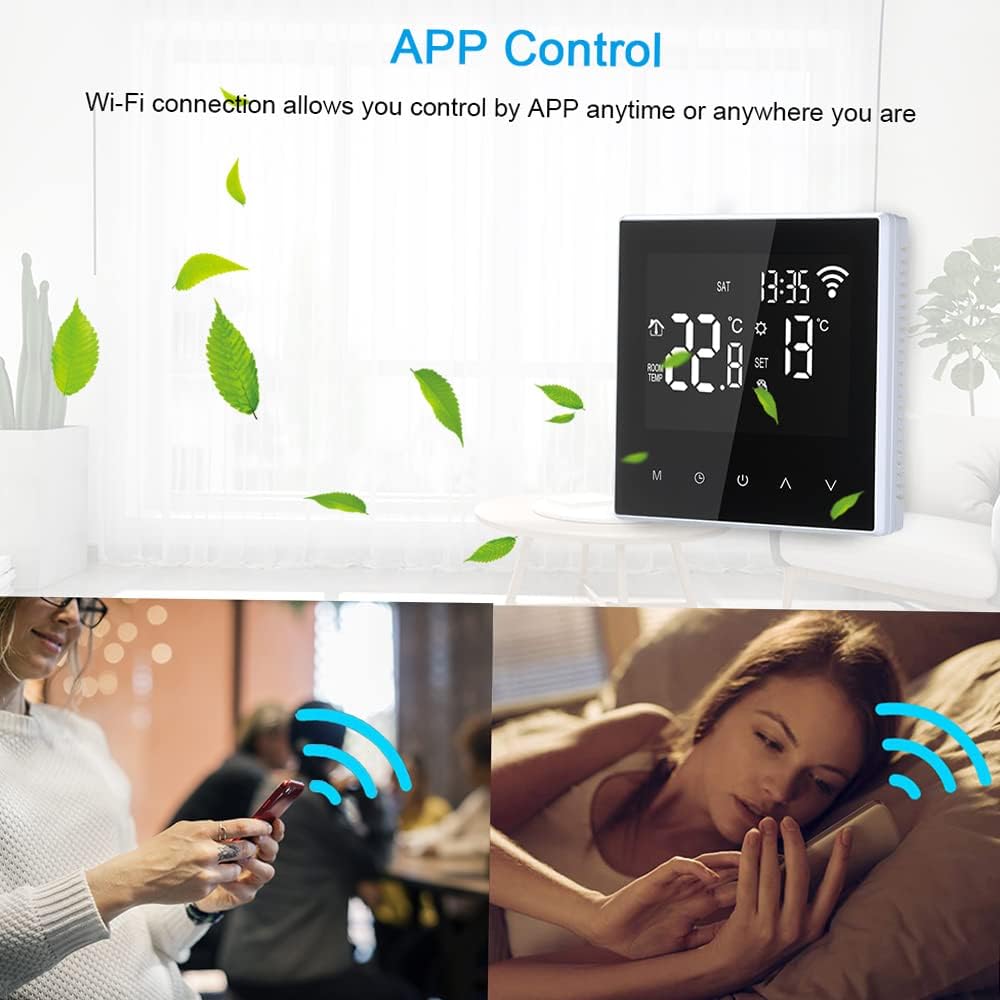
Image 5.2: The thermostat display alongside a smartphone screen demonstrating the APP control functionality, highlighting the convenience of remote temperature management.
6. Instruccions de funcionament
6.1 Mostra finalview
The LCD screen provides all necessary information and control options. Refer to the diagram below for key indicators:

Image 6.1: Annotated diagram of the Kavolet Thermostat's LCD display, indicating the positions of Time, Week, Room Temperature, Setting Temperature, Manual/Automatic Mode indicator, Touch Keys, Mode Key (M), Clock Key, Power ON/OFF, Up Button, and Down Button.
- Hora: Visualització de l'hora actual.
- Setmana: Current day of the week.
- Temp. de l'habitació: Current ambient temperature detected by the internal sensor.
- Setting Temp: Desired temperature set by the user or program.
- Manual/Automatic Mode: Indicates whether the thermostat is operating in manual or programmed mode.
- Icona de Wi-Fi: Indicates Wi-Fi connection status (flashing for pairing, solid for connected).
- Icona de calefacció: Appears when the heating system is active.
6.2 Funcions dels botons
- M (Mode Key): Press to switch between Manual mode and Automatic (Programmed) mode.
- Tecla del rellotge: Press and hold to enter time and week setting mode. Short press to confirm settings.
- Encès/apagat: Press to turn the thermostat on or off.
- Botó amunt (▲): Increase temperature setting or navigate menu options.
- Botó avall (▼): Decrease temperature setting or navigate menu options.
6.3 Configuració de l'hora i el dia
- Manteniu premut el botó Clau de rellotge until the time display flashes.
- Utilitza el Amunt (▲) i Avall (▼) botons per ajustar l'hora.
- Premeu el botó Clau de rellotge again to move to minute adjustment, then day of the week adjustment.
- Ús Amunt (▲) i Avall (▼) to set the minutes and day.
- Premeu el botó Clau de rellotge one last time to save and exit.
6.4 Funcionament en mode manual
- Premeu el botó M (Mode Key) until the manual mode icon is displayed.
- Utilitza el Amunt (▲) or Avall (▼) buttons to set your desired temperature. The thermostat will maintain this temperature until changed or switched to automatic mode.
6.5 Weekly Programming (Automatic Mode)
The thermostat supports 6 time modes daily for 7 days a week. This allows for customized heating schedules.

Image 6.2: The thermostat display highlighting its weekly programmable feature, indicating support for 7-day operation modes with multiple daily temperature settings.
- Premeu el botó M (Mode Key) until the automatic mode icon is displayed.
- To enter programming mode, press and hold the M (Mode Key) for several seconds. The display will show the first programming period (e.g., "Period 1" or a specific time slot).
- Utilitza el Amunt (▲) i Avall (▼) buttons to adjust the start time and desired temperature for each period.
- Premeu M (Mode Key) to cycle through the 6 periods for the current day, and then to the next day.
- Repeat for all 7 days and 6 periods as desired.
- Un cop finalitzada tota la configuració, premeu la tecla Encès/apagat button or wait for a few seconds for the thermostat to automatically save and exit programming mode.
6.6 Control APP
Once the thermostat is connected to your Wi-Fi network and paired with the mobile application, you can control it remotely:
- Ajusteu els paràmetres de temperatura.
- Switch between manual and automatic modes.
- Modify weekly programming schedules.
- Monitoritza la temperatura ambient actual.
- Access advanced settings (if available in the app).

Image 6.3: The thermostat in a home setting, illustrating its role in maintaining a comfortable temperature with high accuracy, benefiting occupants.
7. Manteniment
- Neteja: Gently wipe the thermostat's screen and body with a soft, dry cloth. Do not use abrasive cleaners, solvents, or spray directly onto the device.
- Eviteu líquids: Ensure no liquids enter the thermostat's casing, as this can cause damage or electric shock.
- Cura del sensor: Keep the external floor sensor free from obstructions and debris to ensure accurate temperature readings.
- Actualitzacions de firmware: Periodically check the mobile application for any available firmware updates for your thermostat to ensure optimal performance and security.
8. Solució De Problemes
| Problema | Causa possible | Solució |
|---|---|---|
| Thermostat does not power on. | No hi ha subministrament elèctric; cablejat incorrecte; interruptor automàtic saltat. | Comproveu l'interruptor. Verifiqueu les connexions del cablejat (consulteu un professional). Assegureu-vos que es restableixi el corrent. |
| El sistema de calefacció no respon. | Incorrect temperature setting; thermostat in OFF mode; wiring issue; heating system malfunction. | Ensure thermostat is ON and set to a temperature higher than ambient. Check wiring. Consult a heating technician if the heating system itself is faulty. |
| Wi-Fi connection unstable or disconnected. | Weak Wi-Fi signal; incorrect Wi-Fi password; router issue; thermostat too far from router. | Ensure thermostat is within Wi-Fi range. Restart your router. Re-enter Wi-Fi credentials in the app. Ensure you are using a 2.4GHz network. |
| Lectures de temperatura inexactes. | Sensor obstruction; thermostat exposed to direct sunlight or drafts; faulty sensor. | Ensure sensors are clear. Relocate thermostat if exposed to external influences. Contact support if sensor is suspected faulty. |
| Cannot program schedules. | Thermostat in Manual mode; incorrect programming steps. | Switch to Automatic mode. Review Section 6.5 for detailed programming steps. |
9. Garantia i Suport
Kavolet products are designed for reliability and performance. While specific warranty details are not provided in this manual, please retain your proof of purchase for any warranty claims.
Atenció al client:
For technical assistance, troubleshooting beyond this manual, or warranty inquiries, please contact Kavolet customer support through the retailer where you purchased the product or refer to the official Kavolet weblloc per obtenir informació de contacte.
Quan contacteu amb el servei d'assistència, tingueu a mà la informació següent:
- Product Model: AAL3477640380121LF
- Data de compra
- Descripció del problema
cap document rellevant
Ask a question about this manual
Ask about setup, troubleshooting, compatibility, parts, safety, or missing instructions. Manuals+ will review the question and use this page’s manual context to help answer it.