
1. Acabatview
Thank you for choosing the Oster Black Digital Fryer 3.2L. This appliance utilizes hot air circulation technology to prepare crispy and delicious food with minimal to no oil. Its intuitive touch panel and compact design make it a convenient addition to any kitchen.

Figure 1: Oster Black Digital Fryer 3.2L with Touch Panel.
2. Instruccions de seguretat
Llegiu atentament totes les instruccions de seguretat abans d'utilitzar l'aparell per evitar lesions personals o danys al producte.
- Always place the fryer on a stable, heat-resistant surface.
- No submergiu el cos, el cable o l'endoll de l'aparell en aigua o cap altre líquid.
- Assegureu-vos que el voltagLa font d'alimentació indicada a l'aparell coincideix amb la vostra xarxa elèctrica local abans de connectar-lo.
- Mantingueu els nens i les mascotes lluny de l'aparell durant el funcionament.
- No bloquegeu les reixetes d'entrada o sortida d'aire durant el funcionament.
- Desconnecteu sempre l'aparell quan no l'utilitzeu i abans de netejar-lo.
- Deixeu que l'aparell es refredi completament abans de manipular-lo o netejar-lo.
- Do not operate the appliance if the cord or plug is damaged, or if the appliance malfunctions.
- The basket and internal components become very hot during use. Use oven mitts when handling.

Figure 2: Product safety certification.
3. Configuració
Abans del primer ús, seguiu aquests passos:
- Traieu tots els materials d'embalatge, adhesius i etiquetes de l'aparell.
- Clean the basket and pan thoroughly with hot water, dish soap, and a non-abrasive sponge.
- Netegeu l'interior i l'exterior de l'aparell amb un anunciamp tela.
- Assegureu-vos que totes les peces estiguin completament seques abans d'utilitzar-les.
- Place the appliance on a stable, level, and heat-resistant surface, away from walls or other appliances to allow for proper air circulation.
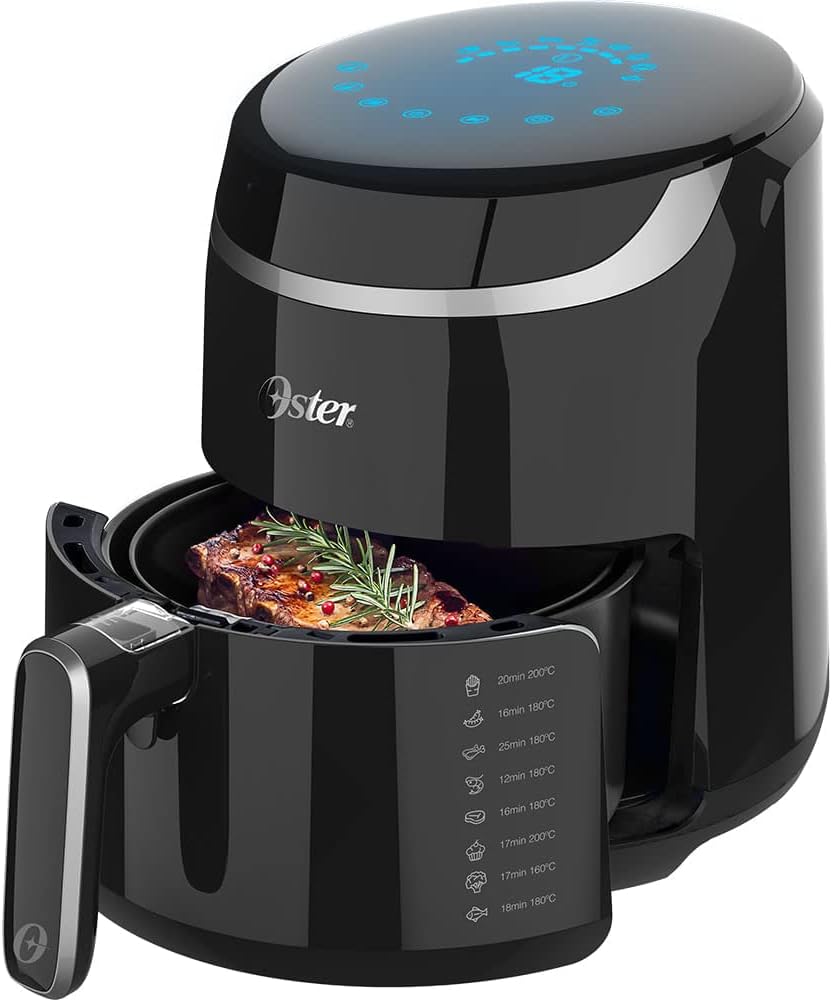
Figure 3: Removable non-stick basket and interior view.
4. Instruccions de funcionament
4.1 Tauler de control
The Oster Digital Fryer features an intuitive touch control panel for easy operation. The panel allows you to select pre-programmed functions, adjust temperature, and set the timer.
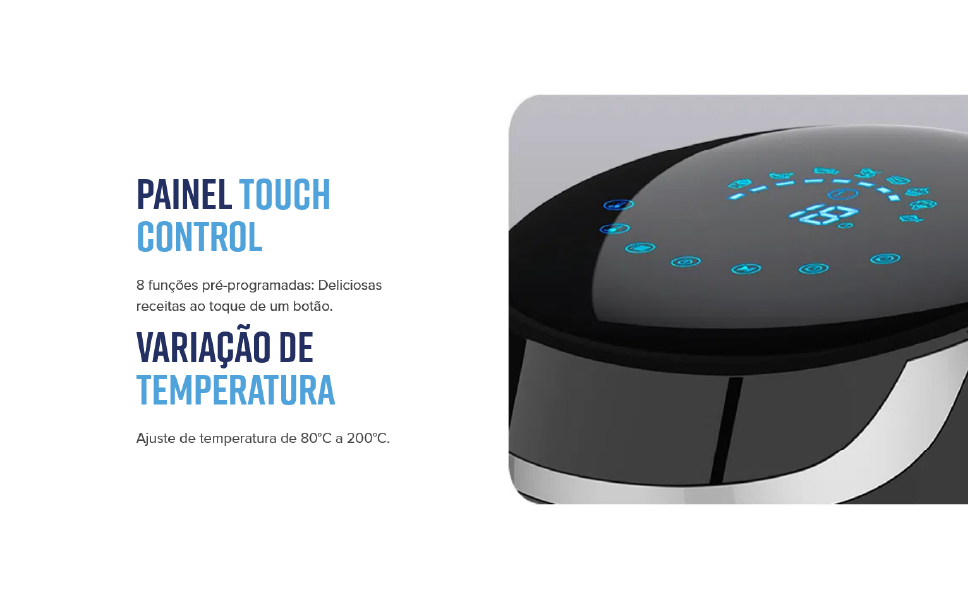
Figura 4: Detallada view of the touch control panel.
4.2 Pre-programmed Functions
The fryer comes with 8 pre-programmed functions for common dishes. Simply select the desired icon on the touch panel.
| Article d'alimentació | Temps | Temperatura |
|---|---|---|
| Patates fregides | 20 min | 200 °C |
| Pollastre | 16 min | 180 °C |
| Gamba | 12 min | 180 °C |
| Carn | 25 min | 180 °C |
| pastís | 16 min | 180 °C |
| Peix | 17 min | 200 °C |
| Pizza | 17 min | 160 °C |
| Verdures | 18 min | 180 °C |
Note: These are recommended settings. Cooking times and temperatures may vary based on food quantity and desired crispness.
4.3 Funcionament manual
To operate manually:
- Place food in the non-stick basket.
- Insert the basket into the fryer.
- Plug the appliance into a 220V power outlet.
- Use the temperature control to set the desired temperature (90°C to 200°C).
- Use the timer control to set the desired cooking time (up to 60 minutes).
- Press the start button to begin cooking. The fryer will automatically shut off when the timer expires.

Figure 5: Food placed in the fryer basket.
5. Manteniment i Neteja
Una neteja regular garanteix un rendiment òptim i allarga la vida útil de la fregidora.
- Desendolla sempre la fregidora i deixa que es refredi completament abans de netejar-la.
- The removable non-stick basket and pan are dishwasher safe for easy cleaning.
- For manual cleaning, wash the basket and pan with hot water, dish soap, and a non-abrasive sponge.
- Netegeu l'exterior de l'aparell amb anunciamp tela. No utilitzeu netejadors abrasius ni fregalls.
- Assegureu-vos que totes les peces estiguin completament seques abans de guardar-les o utilitzar-les el següent cop.
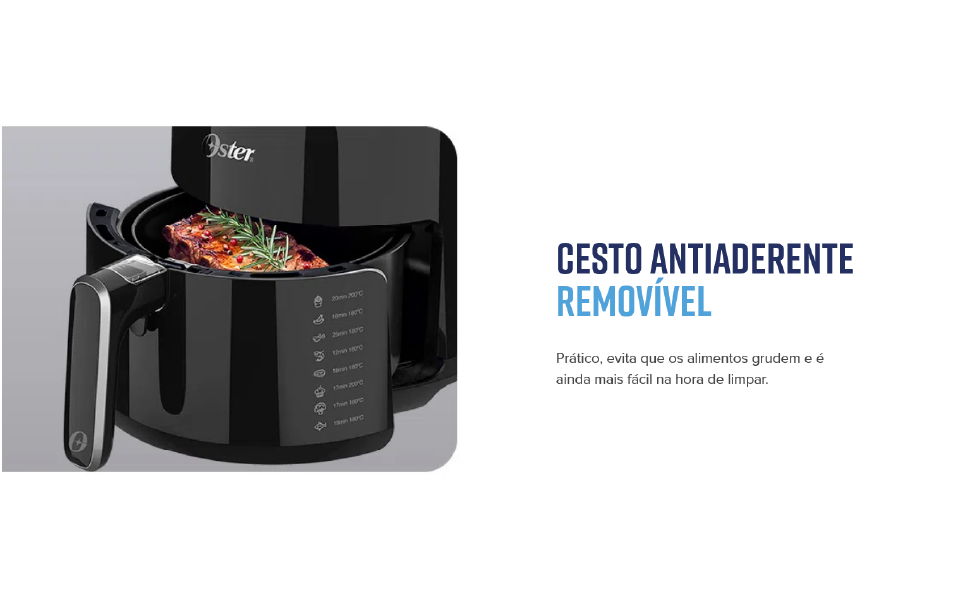
Figure 6: Removable non-stick basket for easy cleaning.
6. Solució De Problemes
Consulteu la taula següent per veure els problemes habituals i les seves solucions.
| Problema | Causa possible | Solució |
|---|---|---|
| L'aparell no s'encén | No connectat; Mal funcionament de la presa de corrent | Ensure the plug is securely inserted; Test with another outlet |
| El menjar no és cruixent | Too much food in the basket; Incorrect temperature/time settings | Cook in smaller batches; Adjust temperature and time as needed |
| Fum blanc provinent de l’aparell | Residus de greix d'un ús anterior; Menjar greixós que es cuina | Clean the basket and pan thoroughly; Remove excess fat from food |
| Appliance emits unusual odor | First use odor; Food residue | Normal for first few uses; Ensure thorough cleaning after each use |
7. Especificacions
Detailed technical specifications for your Oster Black Digital Fryer 3.2L.
| Característica | Detall |
|---|---|
| Marca | Oster |
| Model | Black Digital Fryer 3.2L |
| Capacitat | 3.2 litres |
| Color | Negre |
| Material | Stainless Steel (internal) |
| Potència de sortida | 1500 watts |
| Mètode de control | Panell tàctil |
| Minimum Temperature Setting | 90 °C |
| Configuració de la temperatura màxima | 200 °C |
| Temporitzador | Fins a 60 minuts |
| Tecnologia de fregir a l'aire | Circulació d'aire calent |
| Recobriment antiadherent | Sí |
| Peces aptes per a rentavaixelles | Basket and Pan |
| Dimensions (P x A x A) | 34 x 28 x 33 cm |

Figura 7: Dimensions del producte.
8. Garantia i Suport
Oster products are manufactured to high-quality standards. For warranty information, product registration, or technical support, please refer to the warranty card included with your purchase or visit the official Oster weblloc web. Conserveu el comprovant de compra per a reclamacions de garantia.
For further assistance, you may contact Oster customer service through their official channels.