
OKAI Neon Series (ES20)
OKAI Neon Electric Scooter User Manual
Model: Neon Series (ES20)
1. Introducció
Welcome to the OKAI Neon Electric Scooter user manual. This guide provides essential information for the safe assembly, operation, maintenance, and troubleshooting of your new electric scooter. Please read this manual thoroughly before your first ride to ensure optimal performance and safety.
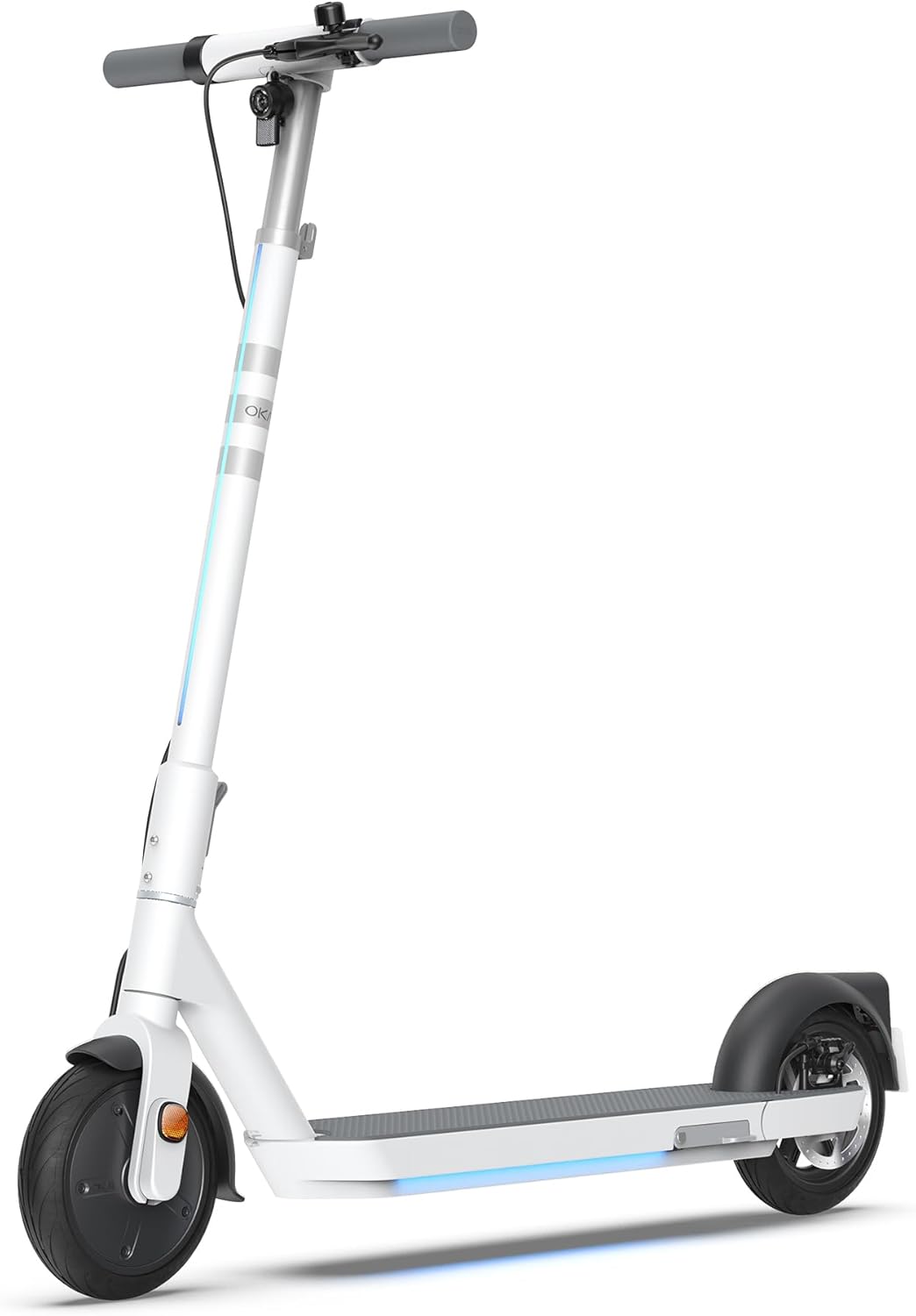
Figure 1: The OKAI Neon Electric Scooter, showcasing its sleek white design and integrated lighting.
2. Informació de seguretat
Riding an electric scooter carries inherent risks. To minimize these risks, always adhere to the following safety guidelines:
- Porteu sempre casc i l'equip de seguretat adequat (genolleres, colzeres) quan aneu en bicicleta.
- Assegureu-vos que tots els components estiguin ben fixats abans de cada viatge.
- No circuleu en condicions humides, amb pluja intensa o per bassals.
- Respecteu les lleis i regulacions de trànsit locals.
- Mantingueu una velocitat i una distància de seguretat amb altres vehicles i vianants.
- Eviteu conduir sota els efectes de l'alcohol o les drogues.
- The maximum weight limit for this scooter is 220 pounds (100 kg). Do not exceed this limit.
- Aquest patinet està dissenyat per a ús adult.
3. Contingut del paquet
Verifiqueu que tots els articles siguin presents i en bon estat en desembalar-los:
- OKAI Neon Electric Scooter
- Adaptador de càrrega
- Manual d'usuari (aquest document)
- Eines de muntatge (si cal)
- Targeta de clau NFC
4. Configuració i càrrega inicial
4.1 Unboxing i muntatge
Carefully remove the scooter and all accessories from the packaging. The OKAI Neon Electric Scooter typically comes pre-assembled with minimal setup required. Follow these steps:
- Lift the handlebar stem until it clicks into place. Ensure the folding mechanism is securely locked.
- Attach the handlebars to the stem, ensuring all cables are properly connected and not pinched. Tighten any screws as instructed in the quick start guide (if provided separately).
4.2 Càrrega inicial
Before your first ride, fully charge the scooter's battery. This helps prolong battery life.
- Localitzeu el port de càrrega del patinet.
- Connect the charging adapter to the scooter's charging port, then plug the adapter into a standard wall outlet.
- The scooter's display will indicate charging status. A full charge typically takes approximately 5.5 hours.
- Un cop estigui completament carregat, desconnecteu el carregador.
5. Instruccions de funcionament
5.1 Engegada/apagada
- To power on: Press and hold the power button on the handlebar until the display illuminates.
- Per apagar: premeu i manteniu premut el botó d'engegada fins que la pantalla s'apagui.
5.2 Riding Basics
To begin riding, place one foot on the deck and push off with the other foot to gain some initial momentum. Once moving, gently press the accelerator lever to engage the motor. For braking, use the hand levers for the electric brake (front) and disc brake (rear).

Figure 2: Key features including the smart display, disc brake, 300W power motor, and hidden rear suspension.
5.3 modes de velocitat
The OKAI Neon Electric Scooter features multiple speed modes to suit different riding conditions and rider preferences. Refer to the scooter's display or the OKAI app to switch between modes. The maximum speed is approximately 15.5 MPH (25 km/h).
5.4 Mecanisme de plegat
The scooter features a one-click folding design for easy storage and transport. To fold, locate the folding latch near the base of the handlebar stem, release it, and carefully fold the stem down until it locks into place with the rear fender.
5.5 App Connectivity and Customization
Enhance your riding experience by connecting your OKAI Neon Electric Scooter to the OKAI app. The app allows for:
- Adjusting ambient light settings.
- Monitoring real-time ride updates and battery status.
- Customizing dashboard settings.
- Locking/unlocking the scooter (using the NFC key card or app).
Download the official OKAI app from your device's app store and follow the in-app instructions to pair your scooter.
6. Manteniment
Regular maintenance ensures the longevity and safe operation of your OKAI Neon Electric Scooter.
6.1 Cura de la bateria
- Carregueu la bateria completament abans del primer ús.
- Avoid completely draining the battery. Recharge after each use, or at least once a month if not used regularly.
- Guardeu el patinet en un lloc fresc i sec, allunyat de la llum solar directa i de temperatures extremes.
- Use only the official OKAI charging adapter.
6.2 Pressió dels pneumàtics
The front tire is pneumatic, and maintaining correct tire pressure is crucial for ride comfort, range, and safety. Check tire pressure regularly. While specific recommended PSI is not provided in this manual, generally, electric scooters require tire pressure between 30-50 PSI. Consult a professional if unsure or if you experience frequent deflation.
6.3 Neteja i emmagatzematge
- Netejar el patinet amb l’anunciamp drap. No utilitzeu raigs d'aigua a alta pressió ni productes de neteja corrosius.
- Assegureu-vos que la coberta del port de càrrega estigui ben tancada abans de netejar-la.
- Guardeu el patinet a l'interior en un lloc sec quan no l'utilitzeu.
6.4 Inspecció de frens
Regularly inspect the front electric brake and rear disc brake for proper function. Ensure brake levers are responsive and brake pads are not excessively worn. Adjust or replace components as needed, or seek professional assistance.
7. Solució De Problemes
This section addresses common issues you might encounter with your OKAI Neon Electric Scooter.
| Problema | Causa possible | Solució |
|---|---|---|
| El patinet no s'encén. | Bateria baixa; connexions fluixes; problema amb el botó d'engegada. | Charge the battery fully. Check all visible cable connections. Ensure the power button is not stuck. |
| Motor not engaging. | Low battery; kick-start not performed; faulty accelerator. | Ensure battery is charged. Push off to gain initial speed before pressing accelerator. Contact support if issue persists. |
| Abast o velocitat reduïts. | Low tire pressure; heavy load; riding uphill; cold weather; battery degradation. | Check and inflate tires to recommended pressure. Reduce load. Battery performance can be affected by temperature. |
| Els frens es noten febles o no responen. | Worn brake pads; loose brake cable; air in hydraulic system (disc brake). | Inspect brake pads for wear and replace if necessary. Adjust brake cable tension. For hydraulic issues, seek professional service. |
| Error codes on display (e.g., E3). | Sensor malfunction; motor issue; controller issue. | Refer to the OKAI app or contact customer support with the specific error code for diagnosis. |
If you encounter an issue not listed here or if the suggested solutions do not resolve the problem, please contact OKAI customer support.
8. Especificacions
| Característica | Detall |
|---|---|
| Marca | OKAI |
| Nom del model | Neon Series (ES20) |
| Color | Blanc |
| Velocitat màxima | Fins a 25 km/h |
| Interval màxim | Fins a 40 km (25 milles) |
| Límit de pes | 220 lliures (100 kg) |
| Temps de càrrega | Aprox. 5.5 hores |
| Dimensions del producte (L x A x A) | 45" x 17.7" x 44.5" (114.3 cm x 44.9 cm x 113 cm) |
| Pes de l'article | 35.2 lliures (16 kg) |
| Material del marc | Alumini |
| Mida de la roda | 9 polzades |
| Estil de fre | Front: Electric Brake, Rear: Disc Brake |
| Tipus de suspensió | Suspensió posterior |
| Característiques especials | Dual Braking System, Cruise Control, Wide Platform, Lockable, Foldable, Ambient Light |

Figure 3: Dimensions of the OKAI Neon Electric Scooter.
9. Garantia i atenció al client
9.1 Informació de la garantia
The OKAI Neon Electric Scooter comes with a 1 Year Limited Warranty. This warranty covers manufacturing defects under normal use. Please retain your proof of purchase for warranty claims. For full warranty terms and conditions, refer to the official OKAI weblloc o contacteu amb el servei d'atenció al client.
9.2 Atenció al client
For technical assistance, warranty claims, or any other inquiries, please contact OKAI customer support. You can find contact information on the official OKAI website or through the OKAI app. OKAI offers 100% local customer support.
Visit the official OKAI Store on Amazon: OKAI Store
Documents relacionatsNeon Series (ES20)


Ask a question about this manual
Ask about setup, troubleshooting, compatibility, parts, safety, or missing instructions. Manuals+ will review the question and use this page’s manual context to help answer it.