1. Introducció
Gràcies per la compraasing the Audizio Monza DAB+ FM Radio with Bluetooth. This manual provides essential information for the safe and correct operation of your device. Please read it thoroughly before use and retain it for future reference.
The Audizio Monza is a versatile portable radio offering DAB+ digital radio, FM radio, and Bluetooth connectivity for wireless audio streaming. It features a 2.4-inch full-color display, alarm functions, and a universal headphone output.
2. Instruccions de seguretat
- Do not expose the unit to rain or moisture to avoid electric shock.
- No obriu la carcassa; no hi ha peces a l'interior que l'usuari pugui reparar.
- Utilitzeu només l'adaptador d'alimentació subministrat.
- Mantingueu la unitat allunyada de les fonts de calor i de la llum solar directa.
- Assegureu-vos que hi hagi una ventilació adequada al voltant de la unitat.
- Netegeu només amb un drap sec.
3. Contingut del paquet
- Audizio Monza DAB+ FM Radio
- Adaptador d'alimentació
- Manual d'usuari (aquest document)
4. Producte acabatview
4.1 Controls del panell frontal
The front panel features a 2.4-inch full-color display, control buttons, and a central rotary knob for navigation and volume control.

Un front clar view of the Audizio Monza radio, showing the digital radio display tuned to 'NPO Radio 2' with current time and signal strength indicator. The control knobs and buttons are visible.
4.2 Connexions del panell posterior
The rear panel includes the power input and a headphone jack.

The back panel of the Audizio Monza radio, indicating the DC 9V power input and a 3.5mm headphone jack. This illustrates the universal headphone output feature, which mutes the speakers when headphones are connected.
5. Configuració
5.1 Connexió d'alimentació
- Connect the supplied power adapter to the DC 9V input on the rear of the radio.
- Connecteu l'adaptador de corrent a una presa de corrent adequada.
5.2 Engegada inicial i selecció d'idioma
- Premeu el botó d'engegada (U) per encendre la ràdio.
- The display will prompt you to select a language. Use the rotary knob to navigate and press OK per confirmar la vostra selecció.
5.3 Ajust de l'antena
Extend the telescopic antenna fully for optimal DAB+ and FM radio reception. Adjust its position for the best signal quality.
6. Instruccions de funcionament
6.1 Selecció del mode
Premeu el botó MODE button to switch between DAB+ Radio, FM Radio, and Bluetooth modes.
6.2 Funcionament de la ràdio DAB+
- Select DAB+ Radio mode using the MODE botó.
- The radio will automatically perform a full scan for available DAB+ stations upon first use or if no stations are found. To initiate a scan manually, press the ESCANEAR botó.
- Use the rotary knob to browse through the list of available stations. Press OK per seleccionar una estació.
- Per desar una emissora com a predefinida, manteniu premut el botó PRESET button. Use the rotary knob to select a preset number (1-10) and press OK per confirmar.
- Per recuperar una emissora preestablerta, premeu breument la tecla PRESET button, then use the rotary knob to select the desired preset and press OK.
6.3 Funcionament de la ràdio FM
- Seleccioneu el mode de ràdio FM amb el botó MODE botó.
- To automatically scan for the next available station, press the ESCANEAR botó.
- To manually tune, rotate the rotary knob.
- Saving and recalling FM presets follows the same procedure as DAB+ presets (see 6.2).
6.4 Funcionament Bluetooth
- Seleccioneu el mode Bluetooth amb el botó MODE button. The display will show "Bluetooth Connected" or "Bluetooth Pairing".
- On your Bluetooth-enabled device (e.g., smartphone, MP3 player, laptop), enable Bluetooth and search for available devices.
- Select "Audizio Monza" from the list of devices.
- Un cop emparellat, podeu reproduir àudio des del dispositiu a la ràdio.
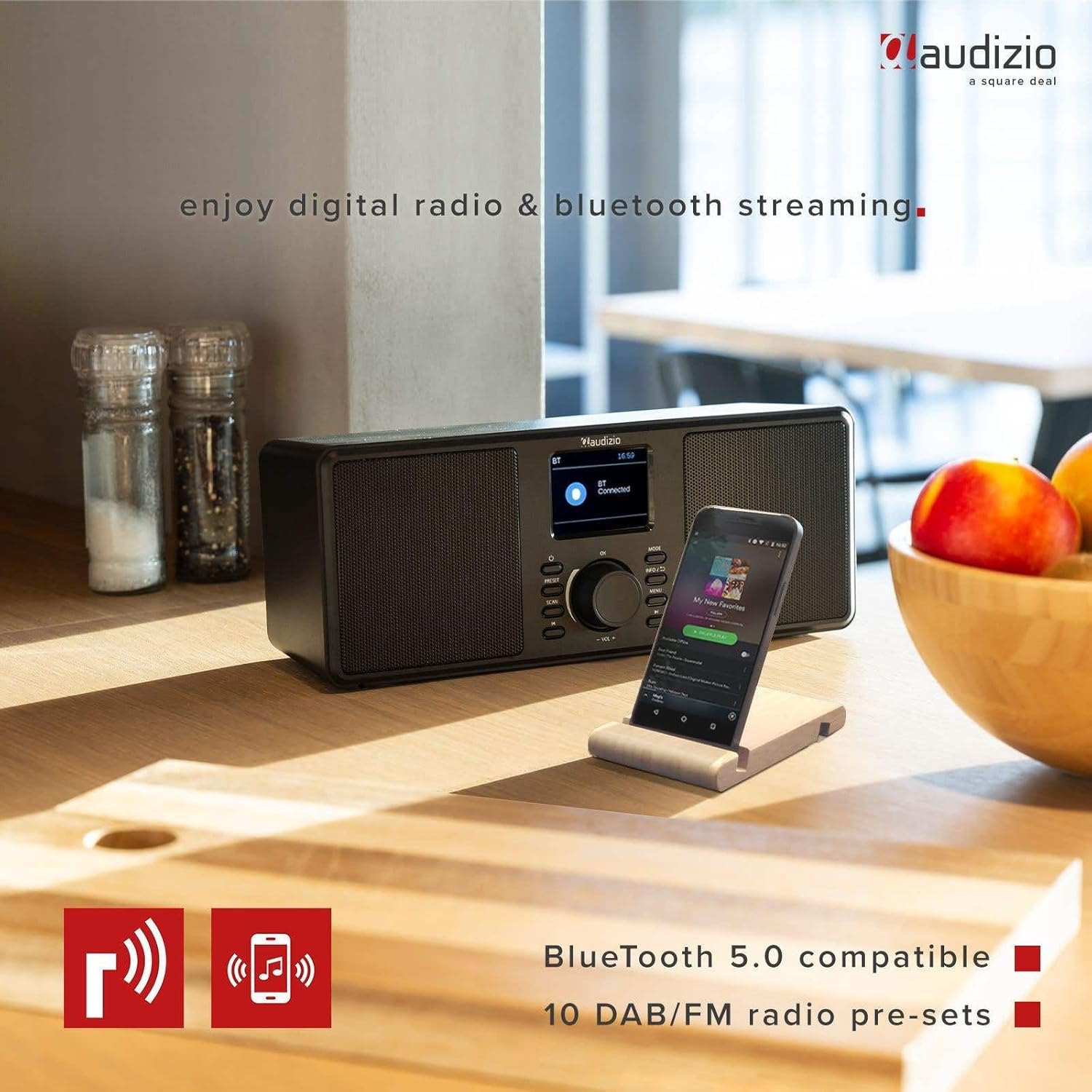
The Audizio Monza radio shown next to a smartphone, illustrating its Bluetooth streaming capability for playing music from mobile devices. The image highlights Bluetooth 5.0 compatibility and 10 DAB/FM radio pre-sets.
6.5 Funció d'alarma i repetició
The radio includes an alarm function with DAB/FM/buzzer wake-up options.

A close-up of the radio's screen displaying detailed alarm settings, including Alarm 2 status (Off), frequency (Daily), wake-up time (06:00), source (Digital Radio), preset (Last Listened), and duration (60 minutes).
- Premeu el botó MENÚ button and navigate to the Alarm settings.
- Follow the on-screen prompts to set the alarm time, source (DAB, FM, or Buzzer), frequency (Daily, Weekdays, Weekends, Once), and duration.
- Quan soni l'alarma, premeu el botó DORMITAR button (often integrated with the OK button or a dedicated button) to temporarily silence it.
- Per apagar l'alarma, premeu el botó PODER botó.
6.6 Ús dels auriculars
Connect 3.5mm headphones to the headphone jack on the rear panel. The radio's speakers will automatically mute when headphones are connected.
7. Manteniment
7.1 Neteja
Wipe the radio's surface with a soft, dry, lint-free cloth. Do not use abrasive cleaners, waxes, or solvents as they may damage the finish.
7.2 Emmagatzematge
If storing the radio for an extended period, disconnect it from the power outlet and store it in a cool, dry place away from direct sunlight and extreme temperatures.
8. Solució De Problemes
| Problema | Causa possible | Solució |
|---|---|---|
| Sense poder | L'adaptador de corrent no està connectat o està defectuós. | Ensure the power adapter is securely connected to the radio and a working power outlet. |
| No radio reception / Poor sound quality | Antenna not extended or poorly positioned. Weak signal. | Fully extend and adjust the telescopic antenna. Try moving the radio to a different location. Perform a new station scan. |
| Bluetooth no connectat | Radio not in Bluetooth mode. Device not in pairing mode or out of range. | Ensure the radio is in Bluetooth mode. Make sure your device's Bluetooth is on and in pairing mode. Move your device closer to the radio. |
| No hi ha so dels altaveus | Volume too low. Headphones connected. | Augmenta el volum. Desconnecta els auriculars si no els fas servir. |
| Radio presets not saving | Procediment de desament incorrecte. | Ensure you press and hold the PRESET button to save, and then press OK to confirm the preset number. |
9. Especificacions
| Característica | Especificació |
|---|---|
| Marca | Audizio |
| Model | Monza (102.420) |
| Dimensions (L x A x A) | 36 x 14.5 x 15.5 cm |
| Pes | 1.4 kg |
| Mida de la pantalla | 2.4 polzades |
| Tecnologia del sintonitzador | DAB+, FM |
| Bandes de ràdio compatibles | VHF II (87.5-108 MHz), VHF III (174-240 MHz) |
| Tecnologia de connectivitat | Bluetooth |
| Interfície del maquinari | Àudio de 3.5 mm |
| Speaker Output Power (Max) | 50 watts |
| Font d'alimentació | Battery (external power adapter required) |
| Freqüència | 60 Hz |
| Característica especial | Portàtil |
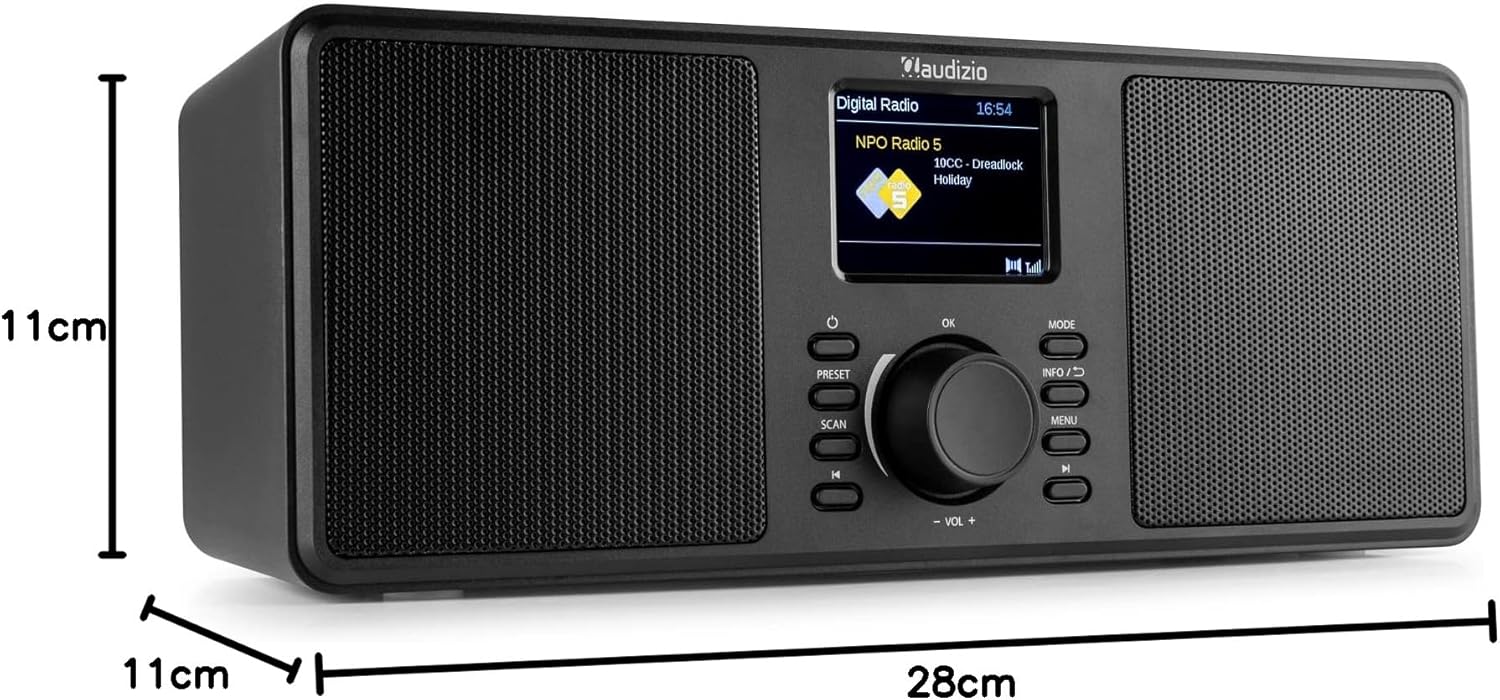
An image illustrating the physical dimensions of the Audizio Monza radio: 28cm width, 11cm height, and 11cm depth.
10. Garantia i Suport
10.1 Informació de la garantia
Warranty terms and conditions are typically provided with your purchase documentation or can be found on the official Audizio weblloc web. Si us plau, conserveu el comprovant de compra per a qualsevol reclamació de garantia.
10.2 Atenció al client
For technical support or service inquiries, please refer to the contact information provided in your purchase documentation or visit the official Audizio website for their customer service details.