
1. Introducció
Thank you for choosing the FunKey DP-1088 Slim Digital Piano. This instrument is designed for beginners and experienced players alike, offering a compact design with the features of a traditional digital piano. It includes 88 velocity-sensitive keys, 20 high-quality sounds, and various effects to enhance your musical expression. This manual provides essential information for setup, operation, maintenance, and troubleshooting to ensure optimal performance and longevity of your instrument.
2. Instruccions de seguretat
Please read and follow these safety instructions carefully before using your FunKey DP-1088 Digital Piano to prevent damage to the instrument or injury to yourself or others.
- Font d'alimentació: Feu servir només l'adaptador de corrent especificat. Assegureu-vos que el volumtage matches the requirements of your region. Disconnect the power cord during lightning storms or when not in use for extended periods.
- Col·locació: Place the piano on a stable, level surface. Avoid direct sunlight, heat sources, excessive dust, moisture, or vibrations. Do not block ventilation openings.
- Aigua i humitat: Do not expose the instrument to rain, moisture, or spills. Do not place objects filled with liquids, such as vases, on the piano.
- Neteja: Clean the instrument with a soft, dry cloth. Do not use abrasive cleaners, waxes, or solvents.
- Manteniment: No intenteu fer el manteniment de l'instrument vosaltres mateixos. Envieu totes les tasques de manteniment a personal de servei qualificat.
- Nens: Keep small parts out of reach of children. Ensure children are supervised when using the instrument.
3. Contingut del paquet
Verifiqueu que tots els elements siguin presents al paquet:
- FunKey DP-1088 Digital Piano Unit
- Taula de triple pedal
- Adaptador d'alimentació
- Descans musical
- Manual d'usuari (aquest document)
- Maquinari de muntatge
4. Configuració
Follow these steps to assemble and set up your FunKey DP-1088 Digital Piano.
4.1 Muntatge
The FunKey DP-1088 requires minimal assembly. Refer to the included assembly guide for detailed instructions on attaching the stand and pedal unit to the main piano body. Ensure all screws are securely tightened.

Image: The FunKey DP-1088 Slim Digital Piano fully assembled, showcasing its elegant white finish and integrated pedal unit.
4.2 Connexió d'alimentació
- Connect the power adapter to the DC IN jack on the rear panel of the piano.
- Connecteu l'adaptador de corrent a una presa de corrent adequada.
- Press the Power button to turn on the instrument.
4.3 Connexió del pedal
Connect the cable from the triple pedal board to the PEDAL jack on the rear panel of the piano.
5. Instruccions de funcionament
5.1 Funcionament bàsic

Imatge: Primer pla view of the FunKey DP-1088's control panel and keys, highlighting the intuitive layout for direct function access.
- Encès/apagat: Premeu el botó PODER button located on the left side of the control panel to turn the piano on or off.
- Control de volum: Utilitza el VOLUM botó per ajustar el nivell de so general.
- Selecció de so: The DP-1088 features 20 different sounds. To select a sound, press the FUNCIÓ button and then press the corresponding key on the keyboard as indicated above the keys.
5.2 Funcions avançades
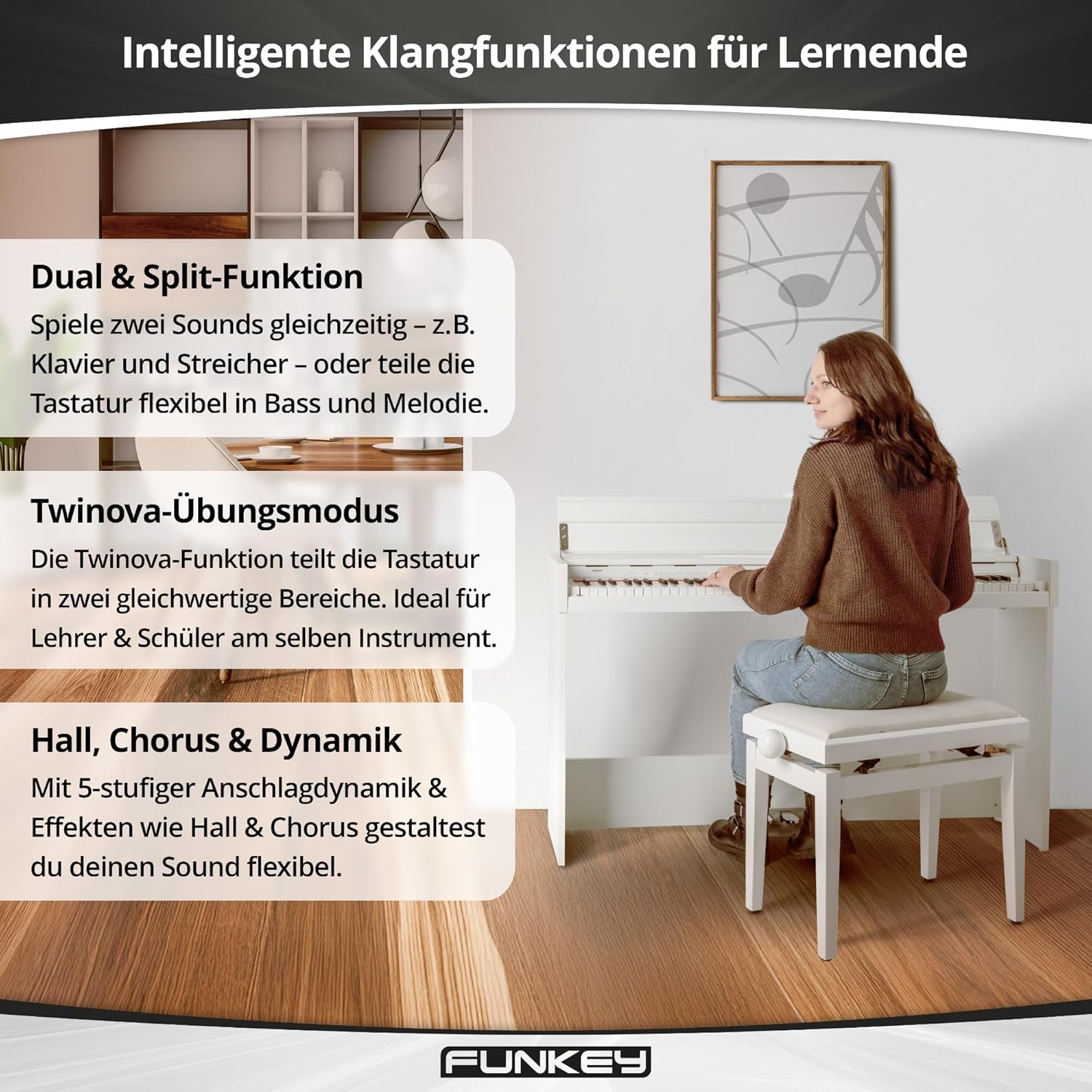
Image: Visual representation of the FunKey DP-1088's intelligent sound functions for learners, including Dual & Split, Twinova practice mode, and Hall, Chorus & Dynamic effects.
- Dual & Split Function:
The Dual function allows you to layer two sounds simultaneously (e.g., Piano and Strings). The Split function divides the keyboard into two sections, allowing you to play different sounds with your left and right hands (e.g., Bass in the left, Melody in the right). Activate these functions by pressing the FUNCIÓ button and the designated keys.
- Twinova Practice Mode:
Ideal for lessons, the Twinova function splits the 88-key keyboard into two identical 44-key sections. This allows a teacher and student to play simultaneously in the same octave range. Activate Twinova by pressing the FUNCIÓ button and the corresponding Twinova key.
- Effects (Reverb, Chorus, Dynamic Percussion):
Enhance your sound with built-in effects. The DP-1088 includes Reverb and Chorus effects. Dynamic percussion offers 5 levels of touch sensitivity. Access and adjust these effects via the FUNCIÓ button and specific keys.
- Metrònom:
The built-in metronome helps with rhythm practice. Activate and adjust the tempo using the FUNCIÓ button and designated keys.
6. Connexions
The FunKey DP-1088 offers various connectivity options for expanded use.

Image: Rear panel connections of the FunKey DP-1088, showing USB to Host, AUX OUT, AUX IN, and 12V DC IN ports for versatile connectivity.
- Headphone Jacks (2 x 6.35 mm): Connect up to two pairs of standard stereo headphones for private practice. The internal speakers are automatically muted when headphones are connected.
- USB a host: Connect the piano to a computer using a USB cable for MIDI data transfer. This allows you to use the piano as a MIDI controller with music software.
- Line Out (6.35 mm): Connect to external audio systems, amplificadors o dispositius de gravació.
- Line In (6.35 mm): Connect external audio players (e.g., smartphone, MP3 player) to play along with your favorite music through the piano's speakers.
- Connector del pedal: For connecting the included triple pedal unit.
7. Manteniment
Proper care will ensure your FunKey DP-1088 remains in excellent condition for years to come.
- Neteja: Wipe the surface of the piano with a soft, dry, lint-free cloth. For stubborn dirt, slightly dampen the cloth with water and mild soap, then wipe dry immediately. Avoid harsh chemicals or abrasive materials.
- Neteja de claus: Use a soft cloth to gently wipe the keys. For white keys, a slightly damp cloth can be used. For black keys, use a dry cloth.
- Emmagatzematge: When not in use for extended periods, cover the piano with a dust cover to protect it from dust and debris. Store in a cool, dry place away from extreme temperatures.
- Eviteu objectes pesats: Do not place heavy objects on the keyboard or the piano's surface, as this can cause damage.
8. Solució De Problemes
If you encounter any issues with your FunKey DP-1088, refer to the following common problems and solutions:
| Problema | Causa possible | Solució |
|---|---|---|
| Sense so |
|
|
| Les claus no responen |
|
|
| Els pedals no funcionen |
|
|
| So distorsionat |
|
|
Si el problema persisteix després de provar aquestes solucions, poseu-vos en contacte amb l'atenció al client.
9. Especificacions
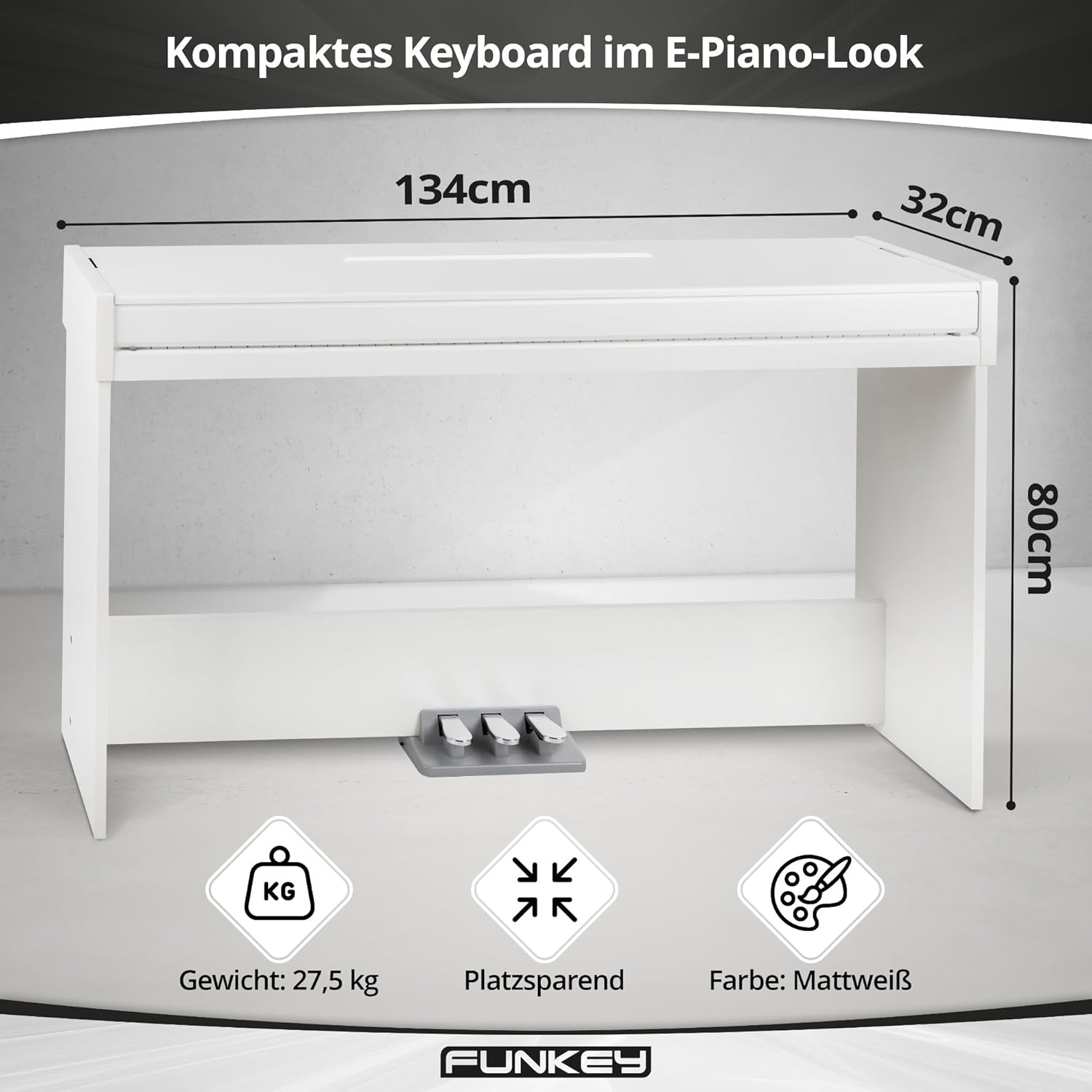
Image: Key specifications of the FunKey DP-1088, including its compact dimensions (134 cm width, 32 cm depth, 80 cm height) and weight (27.5 kg).
| Característica | Descripció |
|---|---|
| Model | DP-1088 |
| Les claus | 88 tecles sensibles a la velocitat |
| Sons | 20 sons d'alta qualitat |
| Polifonia | 128 veus |
| Pedals | Triple pedal board (Sustain, Sostenuto, Soft) |
| Funcions | Split, Dual, Twinova, Dynamic Percussion (5 levels, off), Metronome |
| Efectes | Reverberació, Cor |
| Altaveus | Built-in stereo speakers (2x 15 Watts output, total 30 Watts) |
| Connexions | 2 x 6.35 mm Headphone Jacks, USB to Host, 6.35 mm Line Out, 6.35 mm Line In, Pedal Connector, DC 12V In |
| Dimensions (AxPxA) | 134.4 x 32.7 x 79.4 cm (52.9 x 12.9 x 31.3 polzades) |
| Pes | 27.5 kg (60.6 lliures) |
| Color | Blanc mat |
| Font d'alimentació | Elèctric amb cable (DC 12V) |
10. Informació de la garantia
FunKey products are manufactured to high-quality standards. This product comes with a standard manufacturer's warranty against defects in materials and workmanship. The specific terms and duration of the warranty may vary by region. Please retain your proof of purchase for warranty claims.
La garantia no cobreix:
- Damage caused by improper installation, use, or maintenance.
- Damage caused by accident, abuse, or natural disaster.
- Danys causats per modificacions o reparacions no autoritzades.
- Desgast normal.
For detailed warranty information, please refer to the warranty card included with your product or contact FunKey customer support.
11. Suport
If you require further assistance or have questions not covered in this manual, please contact FunKey customer support. You can typically find contact information on the manufacturer's weblloc web o a l'embalatge del producte.
Quan contacteu amb el servei d'assistència, tingueu a mà la informació següent:
- Product Model: FunKey DP-1088
- Serial Number (if applicable, usually found on the back or bottom of the unit)
- Data de compra
- A clear description of the issue you are experiencing