
Introducció
Thank you for choosing the UNIWEIGH Digital Pocket Scale P-200. This precision instrument is designed to provide accurate weight readings for a variety of small items, from food ingredients to jewelry and coins. Please read this manual thoroughly to ensure proper operation and care of your scale.
Què s'inclou
- 1 x UNIWEIGH Digital Pocket Scale
- 1 x 50g Calibration Weight
- 2 x piles AAA
- 1 x Manual d'usuari
Configuració
1. Instal·lació de la bateria
- Open the battery compartment cover located on the back of the scale.
- Introduïu les dues piles AAA, assegurant-vos de la polaritat correcta (+/-).
- Tanqueu la tapa del compartiment de la bateria.
2. Ús inicial
- Col·loqueu l’escala sobre una superfície plana i estable.
- Open the protective flip case.
- Remove any protective card or film from the weighing platform before use.
Instruccions de funcionament
1. Encendre/apagar
- Premeu el botó ON/OFF botó per encendre la bàscula.
- Manteniu premut el botó ON/OFF botó per apagar la bàscula.
- The scale features a smart auto-off function after 180 seconds of inactivity to conserve battery life.
2. Conversió d'unitats
- Premeu el botó MODE button to cycle through the available weighing units: grams (g), ounces (oz), troy ounces (ozt), pennyweight (dwt), carats (ct), and grains (gn).

Image: The scale's display cycles through different measurement units including grams, ounces, and carats.
3. Funció de tara
La funció Tara permet restar el pes d'un recipient, de manera que només es mesura el contingut.
- Col·loqueu un recipient buit a la plataforma de pesatge.
- Premeu el botó TARA botó. La pantalla es reiniciarà a zero.
- Afegiu els articles que voleu pesar al contenidor. La pantalla mostrarà el pes net dels articles.

Image: Step-by-step guide demonstrating the tare function for measuring items in a container.
4. Calibració
To ensure accuracy, calibrate your scale regularly using the included 50g calibration weight.
- Turn the scale on and wait for the display to show "0.00g".
- Manteniu premut el botó MODE button until "CAL" appears, then release.
- Premeu MODE again. The display will flash "50.00g".
- Place the 50g calibration weight onto the center of the weighing platform.
- The display will show "PASS" and then return to normal weighing mode. Calibration is complete.
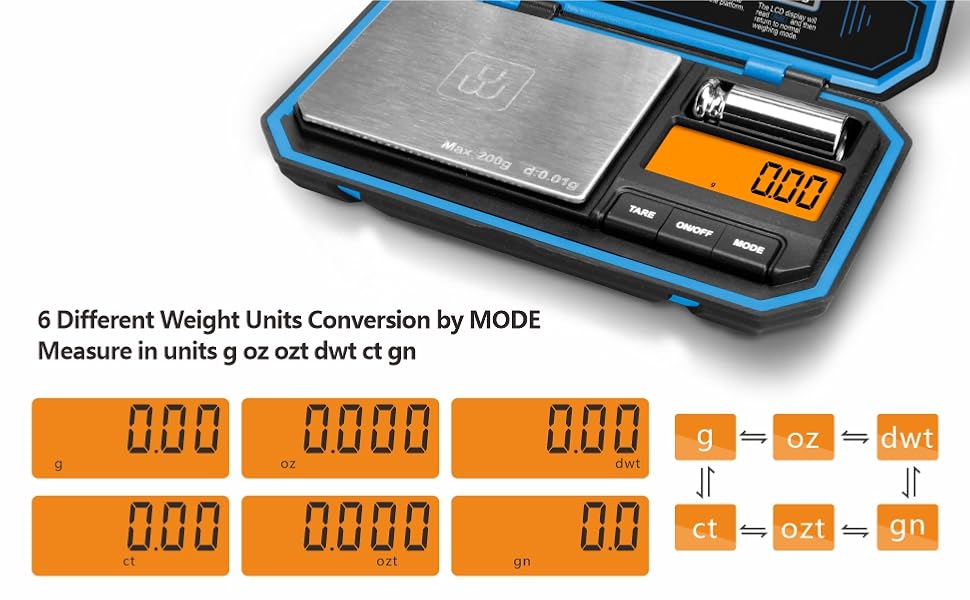
Image: The scale display showing "50.00g" during the calibration process with the 50g weight.
5. Ús Examples
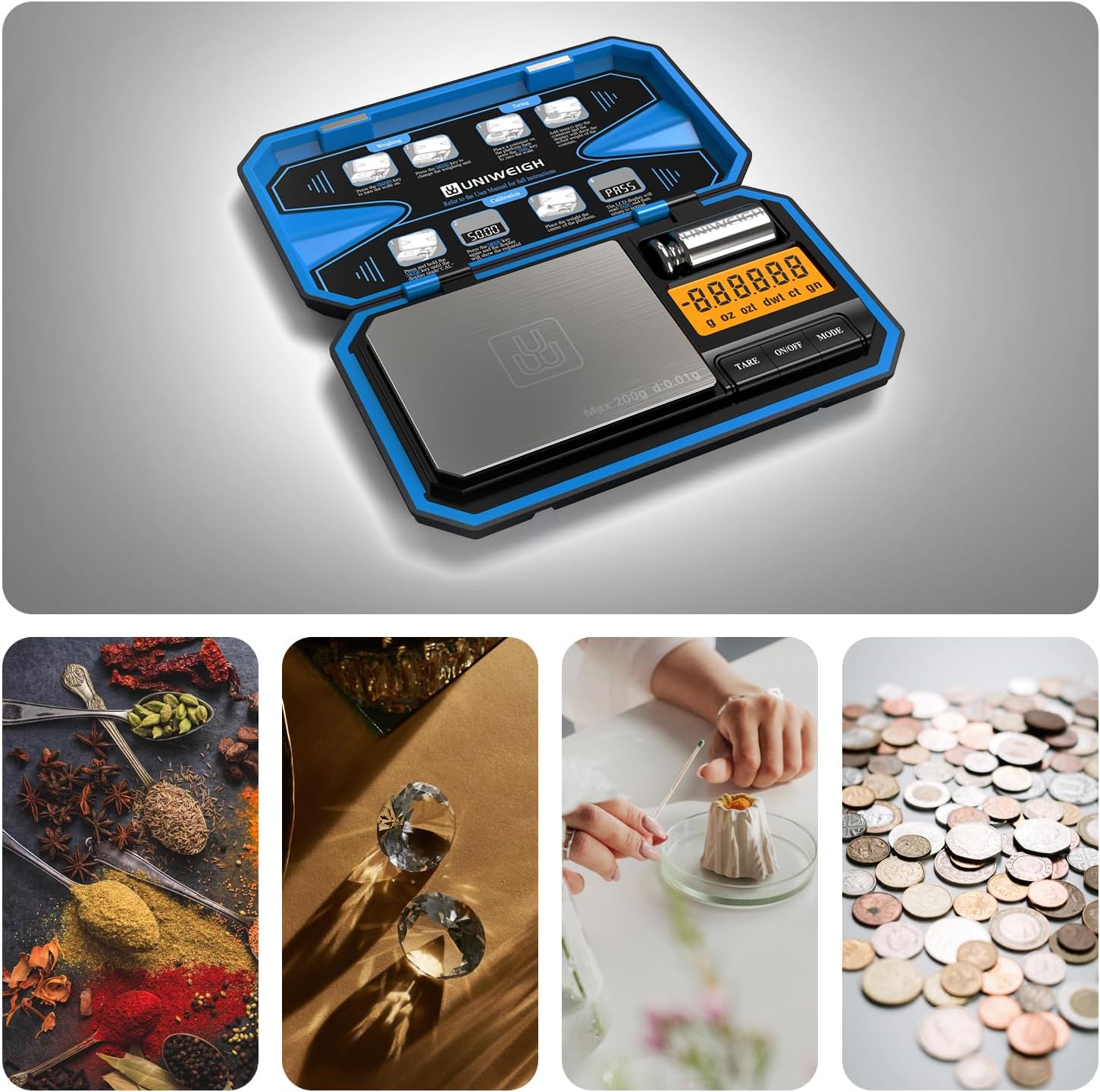
Image: The scale is suitable for weighing diverse small items such as spices, diamonds, coffee, and coins.
Video: A demonstration of the UNIWEIGH Digital Pocket Scale, showcasing its use for weighing various small items like coffee beans, jewelry, and coins, along with unit conversion and tare functions.
Manteniment
- Keep the scale clean by wiping it with a soft, damp tela. Eviteu els netejadors abrasius.
- Store the scale in its protective flip case when not in use to prevent damage to the weighing platform and display.
- Traieu les piles si no heu d'utilitzar la bàscula durant un període prolongat per evitar fuites.

Image: Features of the scale including its protective flip case and easy-to-clean surface, important for maintenance.
Resolució de problemes
- "Lo" or "Low Battery": Replace the AAA batteries.
- "O-Ld" or "Overload": The item on the platform exceeds the maximum capacity (200g). Remove the item immediately to prevent damage.
- Lectures inexactes: Ensure the scale is on a flat, stable surface. Recalibrate the scale using the 50g calibration weight.
- La pantalla no s'encén: Check battery installation and ensure batteries are not depleted.
Especificacions
| Número de model | P-200 |
| Límit de pes | 200 grams |
| Exactitud de lectura | 0.01g Grams |
| Unitats de mesura | g, oz, ozt, dwt, ct, gn |
| Tipus de visualització | LCD amb pantalla retroil·luminada |
| Font d'alimentació | 2 x piles AAA |
| Dimensions del producte | 5.71 x 3.43 x 0.94 polzades |
| Material | Acrylonitrile Butadiene Styrene, Rubber, Stainless Steel |
| Característiques especials | Auto Shut Off, Tare Function, Precision Balanced, Portable, Easy Calibration |
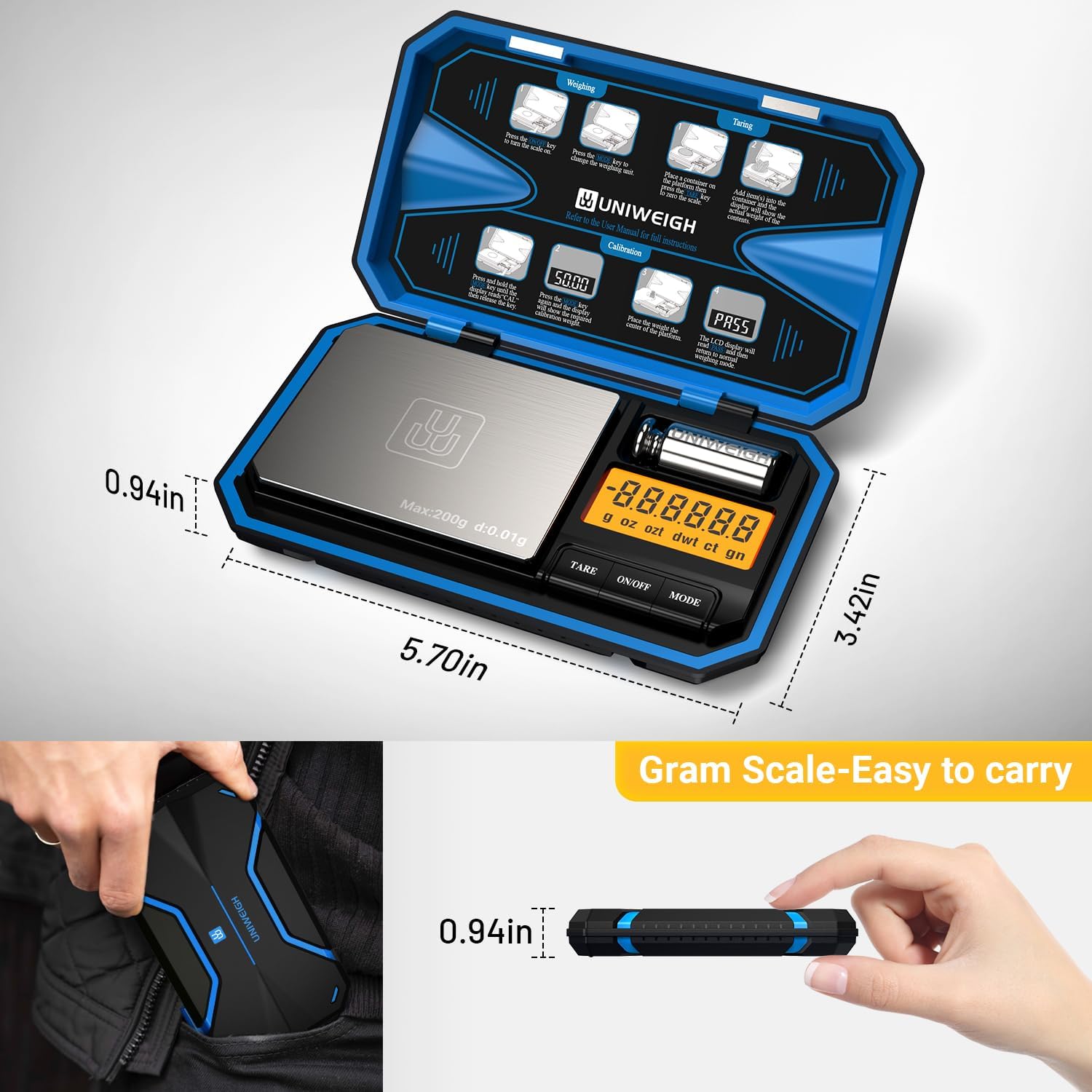
Image: The compact dimensions of the scale, highlighting its portability.
Garantia i suport
The UNIWEIGH Digital Pocket Scale P-200 comes with a 2-year warranty. If you encounter any problems with your scale, please contact UNIWEIGH customer support for assistance. Refer to the contact information provided with your purchase or on the official UNIWEIGH weblloc.