
1. Introducció
This manual provides comprehensive instructions for the FDUCE UHF Wireless Lavalier Microphone System, Model C01. This system is designed for high-quality audio recording with various devices, including smartphones, cameras, and computers. Please read this manual thoroughly before use to ensure proper operation and to maximize the product's performance.

Image: The FDUCE C-01 wireless lavalier microphone system, featuring a transmitter with a furry windshield and a receiver unit.
2. Contingut del paquet
Verifiqueu que tots els elements que s'enumeren a continuació s'inclouen al vostre paquet:
- 1 x transmissor
- 1 x receptor
- 1 x cable de càrrega tipus C
- 1 x 3.5mm TRS Cable
- 1 x 3.5mm TRRS Cable
- 1 x Parabrisa pelut
- 1 x Furry Windshield Fixer

Image: All components included in the FDUCE C-01 wireless microphone system package.
3. Producte acabatview
Emissor (TX)
- Botó ON/OFF: Encén o apaga la unitat.
- Frequency Modulation (SET) Button: Changes the UHF frequency band.
- Volum + botó: Increases microphone volume.
- Volum - Botó: Decreases microphone volume.
- Sortida d'auriculars: Per a la monitorització d'àudio en temps real.
- Micròfon integrat: Recollida omnidireccional.
- Entrada de micròfon extern: 3.5mm jack for connecting an external lavalier microphone (not included).
Receptor (RX)
- Botó ON/OFF: Encén o apaga la unitat.
- 3.5mm TRS Jack: Connects to recording devices.
- Indicador d'alimentació: Shows power status; flashes when battery is low.
- Indicador de connexió: Shows pairing status.
- Port de càrrega tipus C: Per carregar la bateria interna.
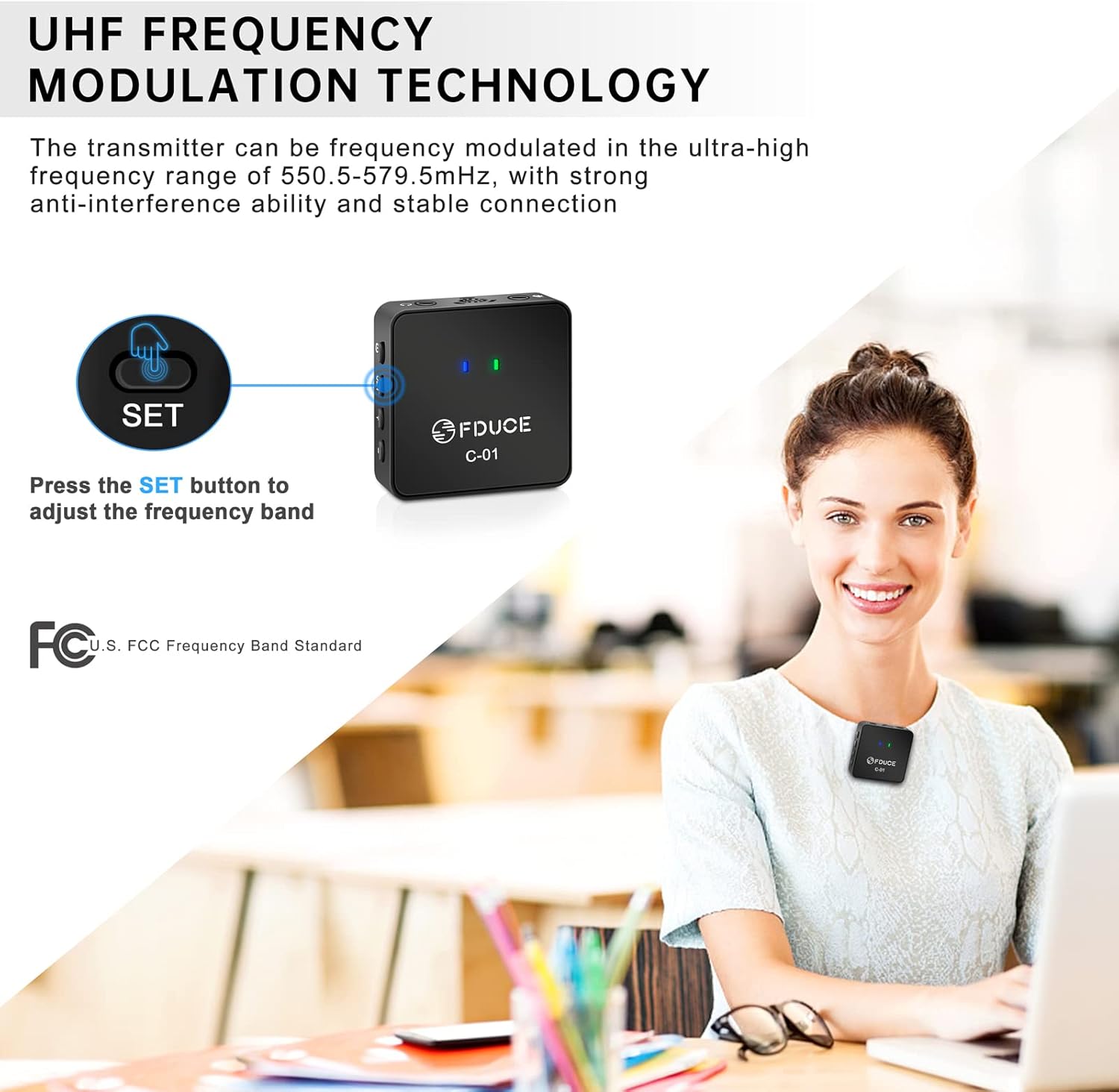
Image: Labeled diagram of the FDUCE C-01 transmitter and receiver, highlighting all buttons, ports, and indicators.
4. Guia de configuració
- Carregueu els dispositius: Before first use, fully charge both the transmitter and receiver using the provided Type-C charging cable. The power indicator will show charging status.
- Encès: Press and hold the ON/OFF button on both the transmitter and receiver until the indicator lights illuminate.
- Connexió automàtica: The transmitter and receiver will automatically pair within approximately 3 seconds. The connection indicator light will become solid when successfully paired.
- Connecta al dispositiu de gravació:
- For smartphones/laptops with a single 3.5mm TRRS port (headphone/mic combo), use the 3.5mm TRRS cable.
- For cameras/camcorders/desktops with separate 3.5mm TRS microphone input, use the 3.5mm TRS cable.
- If your device lacks a 3.5mm interface, a standard adapter (not included) will be required.
- Attach Transmitter: Clip the transmitter to your collar or clothing, ensuring the built-in microphone faces the sound source. For outdoor use or to reduce plosives, attach the furry windshield over the built-in microphone.

Image: Illustration of the FDUCE C-01 transmitter and receiver connecting to a laptop, demonstrating the automatic pairing process.
5. Instruccions de funcionament
Gravació d'àudio
- Ensure both transmitter and receiver are powered on and successfully paired.
- Connect the receiver to your recording device (smartphone, camera, laptop).
- Open your recording application or camera app.
- Perform a test recording to verify audio input and adjust volume levels using the Volume +/- buttons on the transmitter as needed.
- Begin your recording.
UHF Frequency Adjustment
The C01 system operates on UHF frequency bands (550.5-579.5MHz) with 30 adjustable channels. If you experience interference or noise during recording:
- Premeu el botó SET button on the transmitter to switch to a different frequency band.
- The receiver will automatically adjust its frequency to match the transmitter. No manual adjustment is required on the receiver.

Image: A user demonstrating how to adjust the frequency band on the FDUCE C-01 transmitter by pressing the SET button.
6. Compatibilitat
The FDUCE C01 Wireless Lavalier Microphone System is compatible with a wide range of devices:
- Telèfons intel·ligents (iPhone, Android)
- Tablets (iPad)
- Càmeres DSLR
- Càmeres de vídeo
- Portàtils
- Ordinadors d'escriptori
Ensure you use the correct 3.5mm cable (TRS or TRRS) for your device. For devices without a 3.5mm audio jack, a compatible adapter (not included) is necessary.

Image: Visual representation of the FDUCE C-01 system's compatibility with smartphones, cameras, and computers, highlighting the use of TRS and TRRS cables.
7. Manteniment
- Neteja: Use a soft, dry cloth to clean the microphone units. Avoid using liquids or abrasive cleaners.
- Emmagatzematge: Guardeu el sistema en un lloc fresc i sec, allunyat de la llum solar directa i de temperatures extremes.
- Cura de la bateria: To prolong battery life, avoid fully discharging the units frequently. Charge them regularly, even if not in use for extended periods.
- Furry Windshield: Clean the furry windshield gently by shaking off dust or using a soft brush.
8. Solució De Problemes
| Problema | Causa possible | Solució |
|---|---|---|
| No sound or low sound output. |
|
|
| Interference or static noise. |
|
|
| Curt abast de transmissió. |
|
|
| Device not recognizing microphone. |
|
|
9. Especificacions
- Model: C01
- Marca: FDUCE
- Factor de forma del micròfon: Lavalier
- Patró polar: Omnidireccional
- Tecnologia de connectivitat: Auxiliary (3.5mm Jack)
- Tecnologia sense fils: UHF
- Interval de banda de freqüència: 550.5 - 579.5 MHz
- Nombre de canals: 30 (ajustable)
- Ràtio senyal / soroll: 65 dB
- Font d'alimentació: Battery Powered (Type-C rechargeable)
- Item Weight (each unit): Approximately 30 Grams (1.06 ounces)
- Material: Plàstic
- Dispositius compatibles: Camera, Smartphone, Laptop, Desktop
10. Garantia i Suport
FDUCE products are manufactured to high-quality standards. For warranty information, technical support, or customer service inquiries, please refer to the official FDUCE weblloc web o poseu-vos en contacte amb el vostre distribuïdor. Conserveu el rebut de compra com a comprovant de compra per a reclamacions de garantia.


