
Informació important de seguretat
Si us plau, llegiu atentament totes les instruccions abans d'utilitzar el dispositiu. Conserveu aquest manual per a futures consultes.
- Càrrec inicial: Charge the device for at least 5 hours before the first use to activate the battery.
- No exposeu el dispositiu a temperatures extremes, humitat ni llum solar directa.
- No intenteu desmuntar ni modificar el dispositiu. Això anul·larà la garantia i pot causar danys.
- Utilitzeu només el cable USB proporcionat per carregar.
Contingut del paquet
Verifiqueu que tots els elements siguin presents al paquet:
- 1 x Aigital Bluetooth Car Speakerphone
- 1 x cable de càrrega USB
- 1 x Manual d'usuari

Image: The Aigital T825 speakerphone, its packaging box, a USB charging cable, and the included user manual.
Producte acabatview
The Aigital T825 is a hands-free Bluetooth car speakerphone designed to enhance driving safety by allowing you to manage calls and music without distraction. It features Bluetooth 5.0+EDR for stable connections, HD voice, noise cancellation technology, and a powerful 3-watt speaker for clear audio.
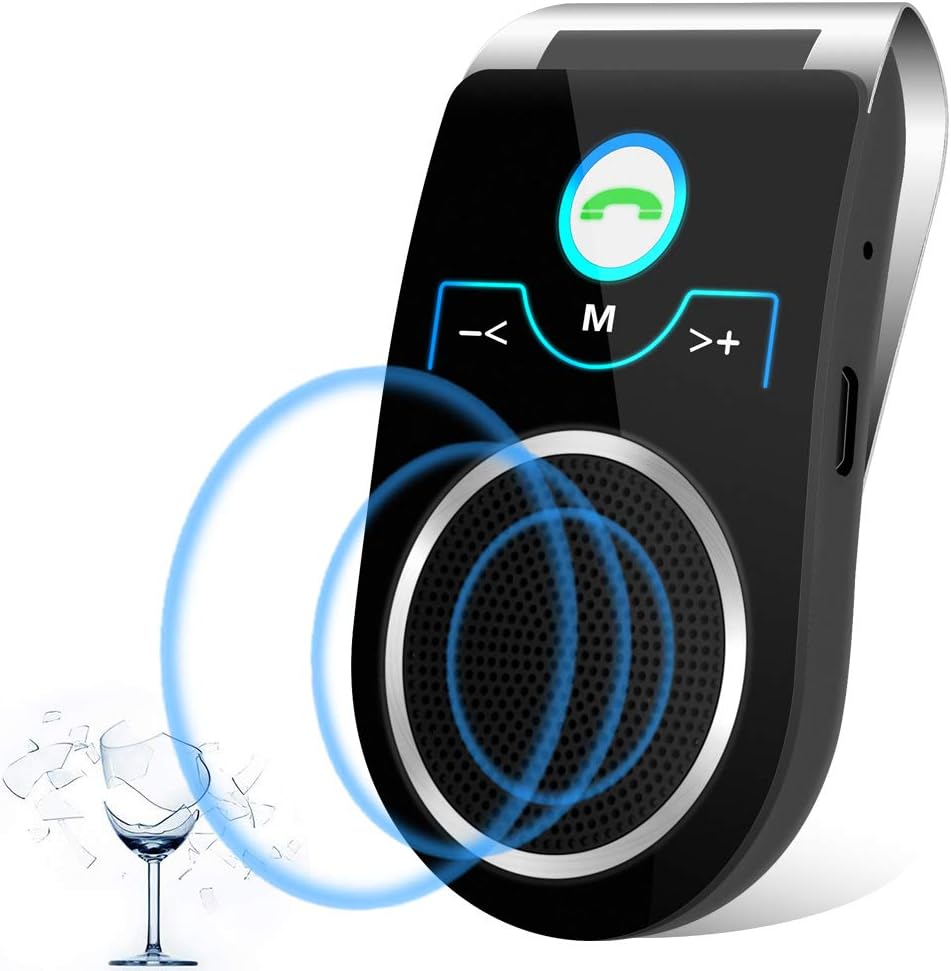
Imatge: Frontal view of the Aigital T825 Bluetooth Car Speakerphone, highlighting its main buttons and speaker.

Image: A detailed diagram of the Aigital T825 speakerphone, showing the location and function of each button and port.
Configuració
1. Càrrega del dispositiu
Before first use, fully charge the speakerphone for at least 5 hours. Subsequent charges typically take 1-2 hours.
- Connect the provided USB charging cable to the Micro USB Charging Port on the speakerphone.
- Plug the other end of the USB cable into a USB power adapter (not included) or a car USB port.
- The indicator light will show charging status (refer to device for specific light behavior).
2. Mounting the Speakerphone
The T825 is designed to clip onto your car's sun visor for optimal microphone and speaker placement.
- Open the visor clip on the back of the speakerphone.
- Securely attach the speakerphone to your car's sun visor. Ensure it does not obstruct your view o interferir amb els controls de conducció.

Image: A woman driving, showing the Aigital T825 speakerphone securely clipped to the car's sun visor.
3. Encès / apagat
- Per encendre: Slide the ON/OFF switch to the 'ON' position. You will hear an audible confirmation.
- Per apagar: Slide the ON/OFF switch to the 'OFF' position.
4. Emparellament Bluetooth
The speakerphone will automatically enter pairing mode when powered on for the first time or if no device is connected.
- Ensure the speakerphone is powered on and within 10 meters (33 feet) of your mobile phone.
- Activa el Bluetooth al teu telèfon mòbil.
- Cerca available Bluetooth devices. The speakerphone will appear as "T825" or "Aigital T825".
- Select "T825" to connect. You will hear a confirmation tone or voice prompt when successfully paired.
5. Dual Phone Connection
The T825 supports connecting two mobile phones simultaneously.
- Pair the first phone as described above.
- Un cop connectat el primer telèfon, desactiveu temporalment el Bluetooth al primer telèfon.
- Pair the second phone to the T825.
- Re-enable Bluetooth on the first phone. Both phones should now be connected to the speakerphone.

Image: A man driving, illustrating the multi-point connection feature of the Aigital T825, allowing two phones to be connected at once.
Instruccions de funcionament
1. Fer i rebre trucades
- Respondre una trucada: Premeu el botó Green Phone Button una vegada.
- Finalització d'una trucada: Premeu el botó Green Phone Button una vegada durant una trucada.
- Rebutjar una trucada: Manteniu premut el botó Green Phone Button durant 2 segons.
- Remarcació de l'últim número: Premeu dues vegades el botó Green Phone Button.
- Switching Call to Phone: Durant una trucada, manteniu premut el botó Green Phone Button for 2 seconds to transfer the call to your phone. Repeat to transfer back to the speakerphone.

Image: A woman driving, engaged in a hands-free call using the Aigital T825 speakerphone, with a phone screen showing an active call.
2. Voice Command (Siri/Google Assistant)
Activate your phone's voice assistant (Siri or Google Assistant) with a single button press to make calls, send texts, or get directions while keeping your hands on the wheel.
- Activa l'Assistent de veu: Premeu el botó Botó M (Mode). una vegada.
- Once activated, speak your command clearly.

Image: A man driving, demonstrating the voice guidance feature of the Aigital T825, with speech bubbles indicating "Siri, Ok Google.." and "Call Mom".

Image: A man driving, utilizing the Aigital T825 for GPS navigation audio, with a smartphone displaying a map application.
3. Reproducció de música en temps real
Stream music from your connected phone through the speakerphone.
- Reproduir/pausa: Premeu el botó Botó M (Mode). once during music playback.
- Pista següent: Premeu el botó >+ (Next) Button una vegada.
- Pista anterior: Premeu el botó -< (Previous) Button una vegada.

Image: Two individuals in a car, enjoying HiFi music streaming through the Aigital T825 speakerphone, with a smartphone displaying a music player interface.
4. Control de volum
- Augmenta el volum: Manteniu premut el botó >+ (Next) Button.
- Disminueix el volum: Manteniu premut el botó -< (Previous) Button.
5. Language Switching
- To switch the voice prompt language, double-press the Botó M (Mode)..
Manteniment
Proper care will ensure the longevity of your Aigital T825 speakerphone.
- Neteja: Netegeu el dispositiu amb un drap suau i sec. No utilitzeu productes de neteja abrasius ni dissolvents.
- Emmagatzematge: Quan no l'utilitzeu durant períodes prolongats, guardeu el dispositiu en un lloc fresc i sec, allunyat de la llum solar directa i de temperatures extremes.
- Cura de la bateria: To preserve battery life, avoid fully discharging the battery frequently. Charge the device when the low battery indicator is active.
Resolució de problemes
If you encounter issues with your Aigital T825, refer to the following common problems and solutions:
| Problema | Causa possible | Solució |
|---|---|---|
| El dispositiu no s'encén. | La bateria està esgotada; l'interruptor d'alimentació està apagat. | Charge the device for at least 5 hours initially, then 1-2 hours for subsequent charges. Ensure the ON/OFF switch is firmly in the 'ON' position. |
| No es pot emparellar amb el telèfon. | Bluetooth is off on phone; Device is too far; Device is already connected to another phone. | Ensure Bluetooth is enabled on your phone. Move the device closer to your phone (within 10m). Disconnect from other devices or restart the speakerphone. |
| Low or unclear audio. | Volume is too low; Speakerphone position; Environmental noise. | Increase the volume on both the speakerphone and your phone. Ensure the speakerphone is positioned correctly on the visor, facing you. The device has noise cancellation, but extreme noise may still affect clarity. |
| USB charging cable is hard to plug in. | Misalignment; New port stiffness. | Ensure the cable is oriented correctly. The port may be stiff initially; apply gentle, firm pressure. Do not force it. |
| La durada de la bateria és més curta del que s’esperava. | Frequent use; Age of battery; Not fully charged. | Ensure the device is fully charged before use. Battery performance may degrade over time. Reduce usage time if possible. |
| No low battery alert before shutting off. | Limited warning period. | The device provides a short warning (1-2 minutes of beeps) before shutting off. It is recommended to charge regularly, especially before long trips. |
Especificacions
- Número de model: T825
- Dimensions del producte: 2.36 x 1.57 x 4.33 polzades
- Pes de l'article: 4.2 unces
- Bateries: 1 bateria de ions de liti (inclosa)
- Tecnologia de connectivitat: Bluetooth 5.0 + EDR
- Font d'alimentació: Funciona amb bateria
- Material: Plàstic
- Sortida de l'altaveu: 3 watts
- Temps de conversa: Fins a 22 hores
- Temps d'espera: Fins a 45 dies
- Rang Bluetooth: Fins a 10 metres (33 peus)
Vídeo oficial del producte
Video: This video demonstrates the key features of the Aigital T825 Bluetooth Car Speakerphone, including its hands-free conversation capabilities, DSP noise reduction technology for clear calls, long talk time, voice guidance for Siri and Google Assistant, HiFi music streaming, and its portable design.
Garantia i Suport
Aigital is committed to providing high-quality products and customer satisfaction.
- Garantia: This product comes with a 60-day satisfaction guarantee. If you are not absolutely satisfied, you may return it within 60 days for a refund, no questions asked.
- Atenció al client: For any questions, technical assistance, or warranty claims, please refer to the contact information provided on the product packaging or the official Aigital weblloc.