
KONIX PJ61Z
KONIX Electric Keyboard Piano User Manual
Model: PJ61Z
Introducció
Welcome to the user manual for your new KONIX Electric Keyboard Piano, Model PJ61Z. This portable 61-key electronic keyboard is designed for beginners and experienced musicians alike, offering touch-sensitive keys, Bluetooth MIDI connectivity, and a wide array of tones and rhythms. This manual provides essential information on setting up, operating, maintaining, and troubleshooting your keyboard to ensure a fulfilling musical experience.
Producte acabatview
The KONIX PJ61Z keyboard features 61 standard-sized, touch-sensitive keys, allowing for expressive play. It integrates modern connectivity options and a rich sound library to support various musical styles and learning methods.
Característiques principals:
- 61 Touch-Sensitive Keys: Provides dynamic response based on key pressure.
- Bluetooth MIDI Function: Seamlessly connect to music apps like Garage Band, Perfect Piano, and Pop Piano for interactive learning and creation.
- Àmplia biblioteca de so: Includes 129 tones, 128 rhythm patterns, and 30 built-in demo songs.
- Multiple Playability Modes: Features dual keyboards, split function, teaching mode, dual voice, record, playback, chord metronome, and transpose functions.
- Disseny portàtil: Lightweight and compact, ideal for travel and practice anywhere.
- Doble font d'alimentació: Operates on a built-in rechargeable Lithium battery or via USB charging.
Components:
The package typically includes the KONIX PJ61Z keyboard, a sustain pedal, a USB charging cable, a power adapter, and a portable carrying bag.

Image: The KONIX PJ61Z keyboard shown with its included accessories: a carrying bag, sustain pedal, USB cable, and power adapter. A tablet displaying a music app is positioned above the keyboard, indicating its connectivity features.
Configuració
1. Powering On Your Keyboard:
- Potència de la bateria: The keyboard has a built-in rechargeable Lithium battery. Ensure it is charged for portable use. A full charge provides approximately 6-8 hours of playtime.
- Càrrega USB: Connect the provided USB cable to the keyboard's USB/DC 5V port and the other end to the power adapter, a computer, or a power bank. Plug the adapter into a wall outlet.
- Localitza el Botó d'engegada (ON/OFF switch) on the side panel of the keyboard. Slide it to the 'ON' position to power on the device.
2. Accessoris de connexió:
- Pedal de sosteniment: Insert the sustain pedal cable into the Sustain Pedal Port on the side of the keyboard. This allows you to sustain notes as you play.
- Auriculars: For private practice, connect standard 3.5mm headphones to the Conector d'auriculars. This will mute the internal speakers.
- External Audio Input (Aux-In): Utilitza el Port Aux-In to connect an external audio source (e.g., smartphone, MP3 player) and play along with your favorite music through the keyboard's speakers.
- USB/MIDI Connection: El USB/MIDI Port allows you to connect the keyboard to a computer or other smart devices for MIDI data transfer, enabling music editing and creation.

Imatge: Una imatge detallada view of the KONIX PJ61Z keyboard's side panel, highlighting the various ports: Headphone Jack, Aux-In Port, Sustain Pedal Port, USB/MIDI Port, and the Power Button (ON/OFF switch). Each port is clearly labeled with an icon and text description.
Instruccions de funcionament
1. Funcions bàsiques:
- Control de volum: Use the 'Vol' buttons (Up/Down arrows) on the control panel to adjust the overall volume.
- Selecció de to: Press the 'Tone' button and use the Up/Down arrows to cycle through the 129 available tones. The display will show the current tone number.
- Selecció de ritme: Press the 'RHY' button and use the Up/Down arrows to select from the 128 rhythm patterns.
- Cançons de demostració: Press the 'Demo' button to play one of the 30 built-in demo songs. Use the Up/Down arrows to select different songs.
- Dynamics (Touch Sensitivity): The keyboard features touch-sensitive keys. The volume and timbre of the sound will vary based on how hard you press the keys. This feature is automatically active.
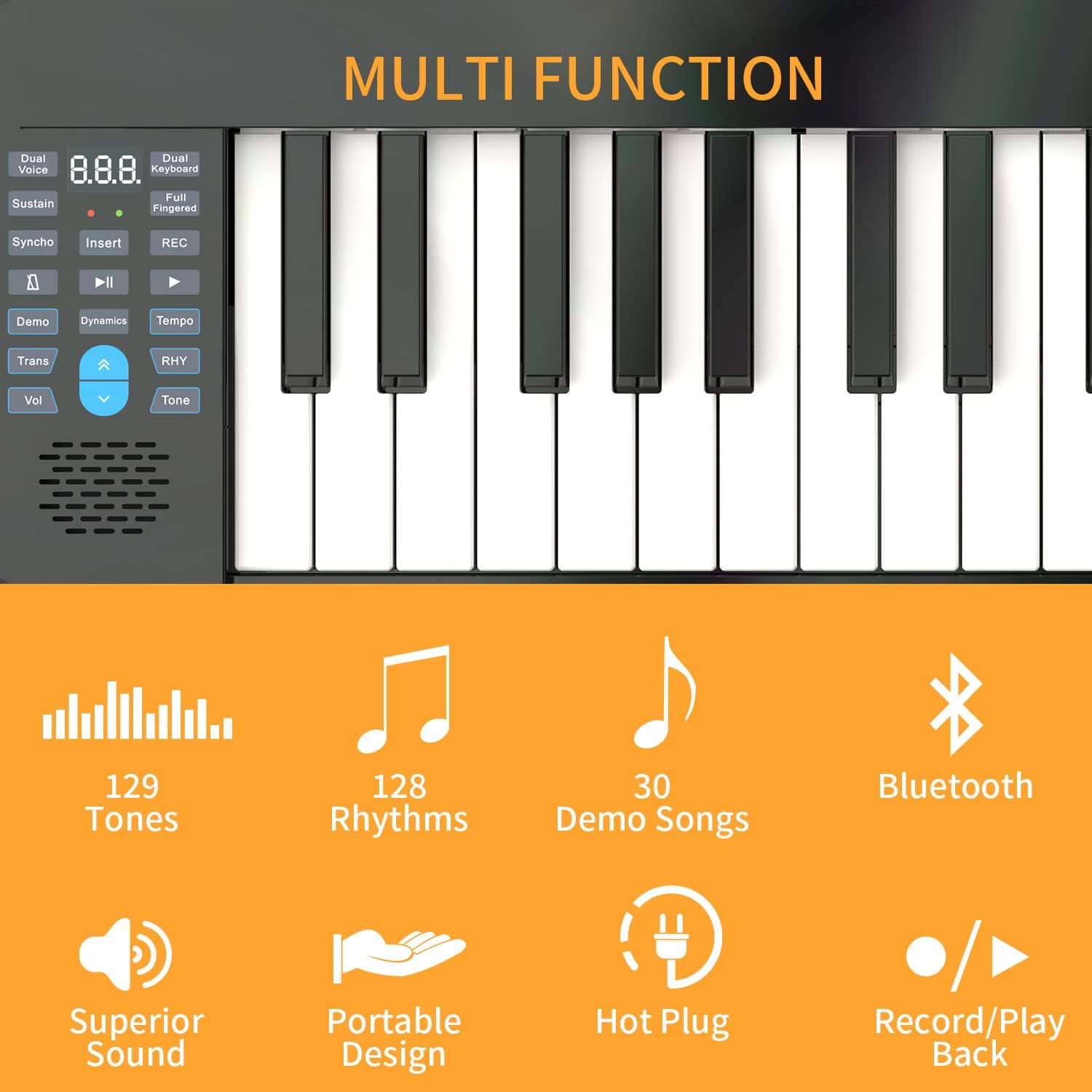
Imatge: Un primer pla view of the KONIX PJ61Z keyboard's control panel, showing buttons for Dual Voice, Sustain, Synchro, Demo, Transpose, Volume, Tone, Rhythm, and the display. Icons indicate features like 129 Tones, 128 Rhythms, 30 Demo Songs, Bluetooth, Superior Sound, Portable Design, Hot Plug, and Record/Playback.
2. Funcions avançades:
- Bluetooth MIDI Function:
- Ensure Bluetooth is enabled on your smart device (tablet, smartphone, computer).
- On your device, open a compatible piano learning app (e.g., Garage Band, Perfect Piano, Pop Piano).
- Within the app's settings, search for and connect to the KONIX keyboard via Bluetooth MIDI.
- Once connected, you can use the keyboard to control the app's sounds and features, enhancing your learning and playing experience.
- Gravació i reproducció: Press the 'Record' button to begin recording your performance. Press 'Playback' to listen to your recorded piece.
- Veu dual: This function allows you to layer two different tones simultaneously. Refer to the specific button on the control panel.
- Funció de divisió: Divides the keyboard into two sections, each with its own tone, useful for duets or teaching.
- Teaching Mode: Engage teaching mode to follow along with built-in lessons or app-based tutorials.
- Transposar: Adjust the pitch of the entire keyboard up or down in semitone steps without changing your finger positions.

Image: An illustration demonstrating the MIDI functionality of the KONIX keyboard. It shows the keyboard connected wirelessly to a tablet, and wired to a desktop computer and a smartphone, all running music software like Garageband, Perfect Piano, and Pop Piano. This highlights the keyboard's versatility in connecting with various intelligent devices for music creation and practice.
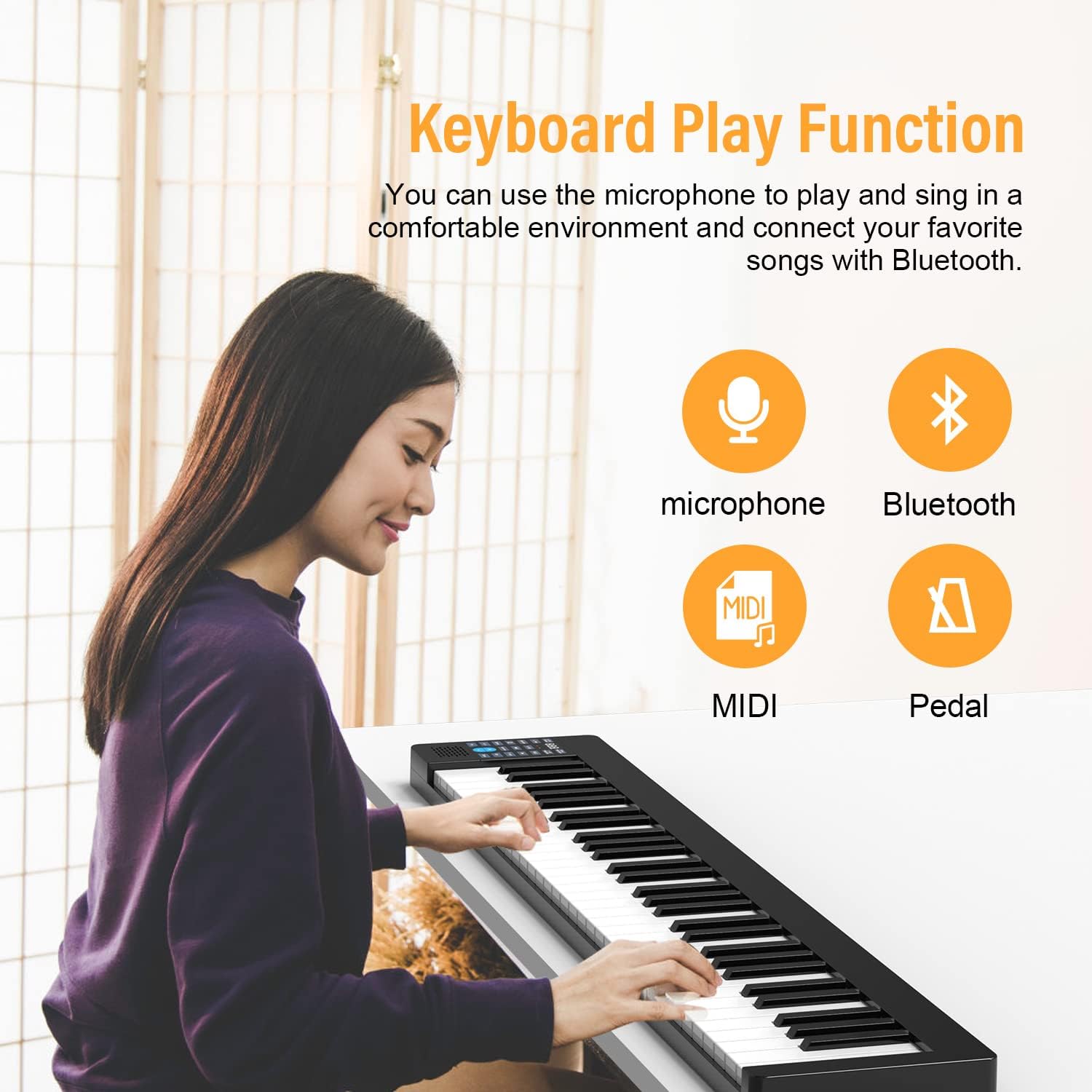
Image: A person playing the KONIX keyboard, with icons indicating Microphone, Bluetooth, MIDI, and Pedal functions. This illustrates the various ways the keyboard can be used for performance and connectivity.
Manteniment
- Neteja: Use a soft, dry cloth to wipe down the keyboard's surface. For stubborn dirt, a slightly damp cloth can be used, but ensure no moisture enters the keys or control panel. Avoid abrasive cleaners or solvents.
- Emmagatzematge: When not in use, store the keyboard in its provided carrying bag to protect it from dust and scratches. Keep it in a cool, dry place away from direct sunlight and extreme temperatures.
- Cura de la bateria: Per allargar la durada de la bateria, eviteu descarregar-la completament amb freqüència. Si la guardeu durant un període prolongat, carregueu-la fins a un 50% aproximadament i torneu-la a carregar cada pocs mesos.
- Manipulació: Handle the keyboard with care. Avoid dropping it or placing heavy objects on it, as this can damage the internal components or keys.
Resolució de problemes
If you encounter issues with your KONIX keyboard, please refer to the following common troubleshooting steps:
| Problema | Causa possible | Solució |
|---|---|---|
| No hi ha so dels altaveus/auriculars. |
|
|
| Bluetooth MIDI connection issues. |
|
|
| Keys not responding or inconsistent touch sensitivity. |
|
|
| Durada de la bateria curta. |
|
|
If the problem persists after trying these solutions, please contact KONIX customer support for further assistance.
Especificacions
| Característica | Detall |
|---|---|
| Nom del model | PJ61Z |
| Nombre de claus | 61 |
| Tipus de clau | Toca sensible |
| Tons | 129 tipus |
| Patrons de ritme | 128 tipus |
| Cançons de demostració | 30 incorporats |
| Connectivitat | Bluetooth MIDI, USB, 3.5mm Headphone Jack, Aux-In |
| Font d'alimentació | Built-in Rechargeable Lithium Battery, Corded Electric (USB) |
| Tipus de bateria | Necessita 1 bateria de ions de liti |
| Pes de l'article | 7.73 lliures (aprox. 3.5 kg) |
| Dimensions del paquet | 38.8 x 8.8 x 4 polzades (aprox. 98.5 x 22.4 x 10.2 cm) |
| Color | Negre |
| Programari compatible | Garage Band, Perfect Piano, Pop Piano |
Garantia i Suport
For information regarding warranty coverage, returns, or technical support, please refer to the documentation included with your purchase or visit the official KONIX website. You may also contact KONIX customer service directly for assistance with any product-related inquiries.
KONIX Official Store: Visit the KONIX Store on Amazon
Ask a question about this manual
Ask about setup, troubleshooting, compatibility, parts, safety, or missing instructions. Manuals+ will review the question and use this page’s manual context to help answer it.