
MageGee GT860
MageGee GT860 Wired Keyboard User Manual
Model: GT860 | Brand: MageGee
1. Introducció
Thank you for choosing the MageGee GT860 Wired Keyboard. This manual provides detailed instructions for setting up, operating, and maintaining your new keyboard. The GT860 is a 96-key compact layout keyboard designed for gaming and daily use, featuring RGB backlighting and an ergonomic design.

Image: The MageGee GT860 wired keyboard showcasinla seva distribució compacta de 96 tecles i la seva vibrant retroiluminació RGB.
2. Característiques
- 92% Compact Minimalism Layout: Retains all commonly used keys in a space-saving design.
- Membrane with Mechanical Feeling: Utilizes advanced imitation mechanical technology for a tactile typing experience.
- Disseny ergonòmic: Key layout is engineered for comfortable use, reducing fatigue during long sessions.
- Upgrade RGB Backlit Lighting Effect: Features a variety of light colors and modes, with adjustable brightness and breathing speed. Letters on keys are illuminated.
- High Quality and Reliable Performance: Plug and play functionality, compatible with Windows 10/8/7/XP/VISTA and Mac OS.

Image: Visual representation of the keyboard's ergonomic design, RGB lighting effects, and adjustable foot support for improved performance.

Imatge: Un primer pla view of the keyboard with some keycaps removed, illustrating the underlying membrane switch mechanism that provides a mechanical-like feel.
3. Guia de configuració
- Descomprimir el teclat: Traieu amb cura el teclat del seu embalatge.
- Connexió a l'ordinador: Locate an available USB port on your computer. Insert the USB cable from the MageGee GT860 keyboard into the USB port.
- Instal·lació del controlador: The keyboard is plug-and-play. Your operating system (Windows, Mac OS) will automatically detect and install the necessary drivers. No additional software installation is required.
- Col·locació: Place the keyboard on a stable, flat surface. Adjust the integrated feet on the underside of the keyboard for your preferred typing angle.
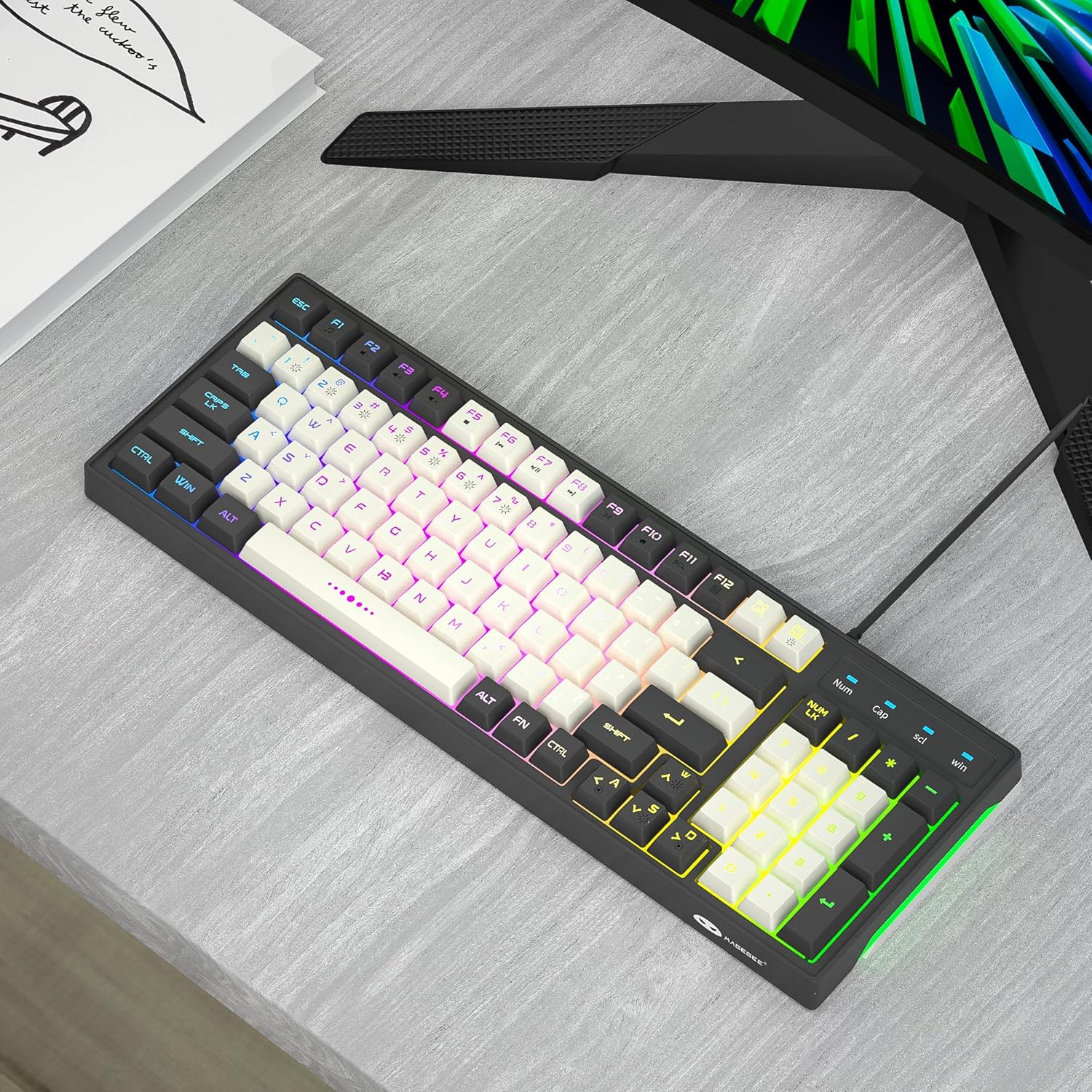
Image: The MageGee GT860 keyboard positioned on a desk, ready for use with a computer monitor, demonstrating a typical setup.
4. Instruccions de funcionament
4.1 Control de retroiluminació RGB
The MageGee GT860 keyboard features multiple RGB lighting modes. Use the Function (Fn) key in combination with other keys to control the backlight:
- Fn + Scroll Lock (SCL): Canvia entre els diferents modes d'il·luminació RGB.
- Fn + Page Up (PGUP): Augmenta la brillantor de la retroiluminació.
- Fn + Page Down (PGDN): Reduir la brillantor de la retroiluminació.
- Fn + Arrow Keys (Left/Right): Adjust lighting effect speed (for dynamic modes).

Image: The MageGee GT860 keyboard showcasing its 18 distinct RGB lighting modes, illustrating the variety of visual effects available.

Image: A detailed diagram illustrating the various Function (Fn) key combinations for controlling RGB backlight effects and accessing multimedia functions on the MageGee GT860 keyboard.
4.2 Funcions multimèdia
Access multimedia controls by holding the Fn key and pressing the corresponding F-keys:
- Fn+F1: Reproductor multimèdia
- Fn+F2: Baixa el volum
- Fn+F3: Puja el volum
- Fn+F4: Silenciar
- Fn+F5: Pista anterior
- Fn+F6: Pista següent
- Fn+F7: Reproduir/Pausa
- Fn+F8: Atureu-vos
- Fn+F9: Correu electrònic
- Fn+F10: Pàgina d'inici
- Fn+F11: Bloqueig de desplaçament
- Fn+F12: Calculadora
5. Manteniment
To ensure the longevity and optimal performance of your MageGee GT860 keyboard, follow these maintenance guidelines:
- Neteja: Regularly clean the keyboard with a soft, dry cloth. For dust and debris between keys, use compressed air. For stubborn dirt, a slightly damp Es pot fer servir un drap amb sabó suau, assegurant-se que no entri líquid al teclat.
- Eviteu líquids: No vessiu líquids sobre el teclat. Si es produeix un vessament, desconnecteu immediatament el teclat de l'ordinador i deixeu-lo assecar completament abans de tornar-lo a connectar.
- Emmagatzematge: Quan no l'utilitzeu durant períodes prolongats, guardeu el teclat en un lloc net i sec, allunyat de la llum solar directa i de temperatures extremes.
- Manejar amb cura: Eviteu deixar caure el teclat ni sotmetre'l a impactes forts.
6. Solució De Problemes
If you encounter issues with your MageGee GT860 keyboard, refer to the following common problems and solutions:
| Problema | Possible solució |
|---|---|
| El teclat no respon. |
|
| La retroiluminació no funciona o és tènue. |
|
| Certes tecles no funcionen. |
|
7. Especificacions
| Característica | Detall |
|---|---|
| Model | GT860 |
| Tecnologia de connectivitat | Cable USB |
| Nombre de claus | 96 |
| Descripció del teclat | Jocs |
| Característiques especials | RGB Backlit, Ergonomic Design, Anti-Ghosting |
| Dispositius compatibles | PC, Gaming Console (via USB) |
| Compatibilitat de sistemes operatius | Windows 10, Windows 8, Windows 7, Windows XP, Windows VISTA, Mac OS |
| Dimensions del producte | 14 x 6 x 2 polzades (35.56 x 15.24 x 5.08 cm) |
| Pes de l'article | 1.63 lliures (0.74 kg) |
| Color | Grey White Keycaps |
8. Garantia i Suport
MageGee products are designed for reliability and performance. For any product inquiries, technical support, or warranty claims, please refer to the contact information provided with your purchase or visit the official MageGee weblloc web. Si us plau, conserveu el comprovant de compra per a finalitats de garantia.
For further assistance, you may visit the MageGee store on Amazon: MageGee Amazon Store
Ask a question about this manual
Ask about setup, troubleshooting, compatibility, parts, safety, or missing instructions. Manuals+ will review the question and use this page’s manual context to help answer it.