
1. Introducció
This manual provides detailed instructions for the proper use and maintenance of your Soufyuane TK905 4G GPS Tracker. Please read this manual thoroughly before operating the device to ensure optimal performance and safety. The TK905 is designed for vehicle tracking and asset management, offering real-time location, historical route playback, and various alert functions.
2. Producte acabatview
2.1 Característiques clau
- 4G GSM/GPRS Network & GPS Satellites: Utilizes advanced technology for precise location tracking.
- Seguiment en temps real: Monitor targets via SMS, mobile application, or web plataforma.
- Durada de la bateria ultrallarga: Equipped with a 5000mAh battery, offering 7-10 days continuous working time and up to 90 days standby time. Includes low power alarm.
- Reproducció de la ruta històrica: Accés i review up to 6 months of historical route data.
- Multiple Positioning Ways: Supports GPS, AGPS, and LBS positioning for enhanced accuracy (GPS accuracy: 5-10 meters).
- No cal instal·lació: Features 5 powerful built-in magnets for easy and quick attachment to any iron surface.
- Impermeable (IP67): Designed to withstand water exposure.
- Monitor de veu: Remotely listen to the surroundings of the device.
- Alert Functions: Includes Move Alert, Geo-fence Alert, and Shock Alarm.
- Gestió de diversos dispositius: Ability to manage multiple trackers from a single account on the APP/Web plataforma.
2.2 Contingut del paquet
Si us plau, comproveu el paquet per veure si hi ha els elements següents:
- 1 x Soufyuane TK905 GPS Tracker
- 1 x cable de càrrega USB
- 1 x SIM Card (pre-installed or included separately)
- 1 x Manual d'usuari
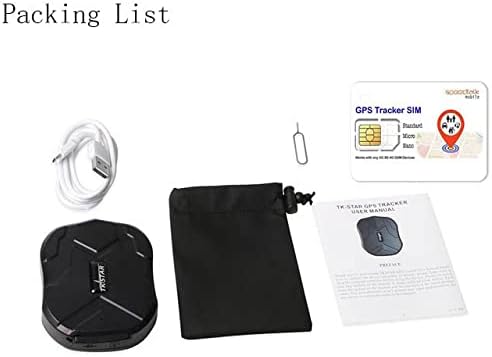
Image: Contents of the Soufyuane TK905 GPS Tracker package.
2.3 Product Diagram and Dimensions
Familiarize yourself with the device's components and dimensions:

Image: Soufyuane TK905 GPS Tracker with dimensions, ports, and magnet locations.
- Dimensions: 90 x 72 x 22 mm
- Pes: 168 g
- Port USB: Per carregar el dispositiu.
- Ranura per a targeta SIM: Inseriu aquí la vostra targeta SIM 4G.
- Llum indicadora: Provides status information (e.g., network, GPS signal, battery).
- Forat del cordó: Per enganxar un cordó o una corretja.
- Imants forts: 5 powerful magnets for secure attachment.
3. Guia de configuració
3.1 Instal·lació de la targeta SIM
- Assegureu-vos que el dispositiu estigui apagat.
- Locate the SIM card slot on the side of the tracker.
- Insert a 4G GSM/GPRS enabled SIM card into the slot. Ensure the SIM card has an active data plan and is correctly oriented.
- Tanqueu bé la tapa de la ranura de la targeta SIM per mantenir la seva integritat impermeable.
3.2 Càrrega del dispositiu
- Connect the provided USB charging cable to the tracker's USB port.
- Connect the other end of the USB cable to a 5V-1A USB power adapter (not included) or a computer's USB port.
- El llum indicador mostrarà l'estat de càrrega. Una càrrega completa sol trigar diverses hores.
- For optimal battery life, fully charge the device before first use.
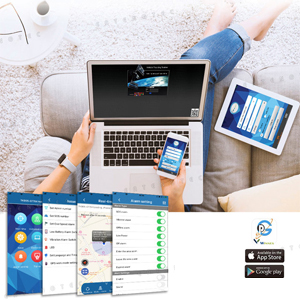
Image: Battery status and low power notification.
3.3 Engegada/apagada
- Encès: Press and hold the power button (if available, otherwise device powers on automatically upon SIM insertion and charge). The indicator lights will illuminate.
- Apagar: Premeu i manteniu premut el botó d'engegada fins que els llums indicadors s'apaguin.
3.4 Application/Web Configuració de la plataforma
- Download the official tracking application from your smartphone's app store (iOS/Android) or visit the designated web plataforma de seguiment.
- Register a new account using the device's IMEI number (found on the device or packaging) and follow the on-screen instructions.
- If you have multiple trackers, contact support to create a master account for managing all units simultaneously.
Imatge: Més deview of the mobile application and web plataforma de seguiment.
3.5 Muntatge del dispositiu
The TK905 features 5 powerful magnets for flexible and secure mounting. Attach the tracker to any iron surface on your vehicle or asset. Common mounting locations include:
- Under the car chassis
- Inside the trunk
- Under the secondary seat
- Inside the door glove box
- On the front or rear bumper (ensure secure attachment)

Image: Recommended magnetic mounting locations on a vehicle.
4. Instruccions de funcionament
4.1 Seguiment en temps real
You can track the device's location in real-time using three methods:
- Comandament SMS: Send the command "g123456#" to the tracker's phone number. The tracker will reply with a location link.
- Aplicació mòbil: Open the tracking app on your smartphone. The current location of the tracker will be displayed on the map.
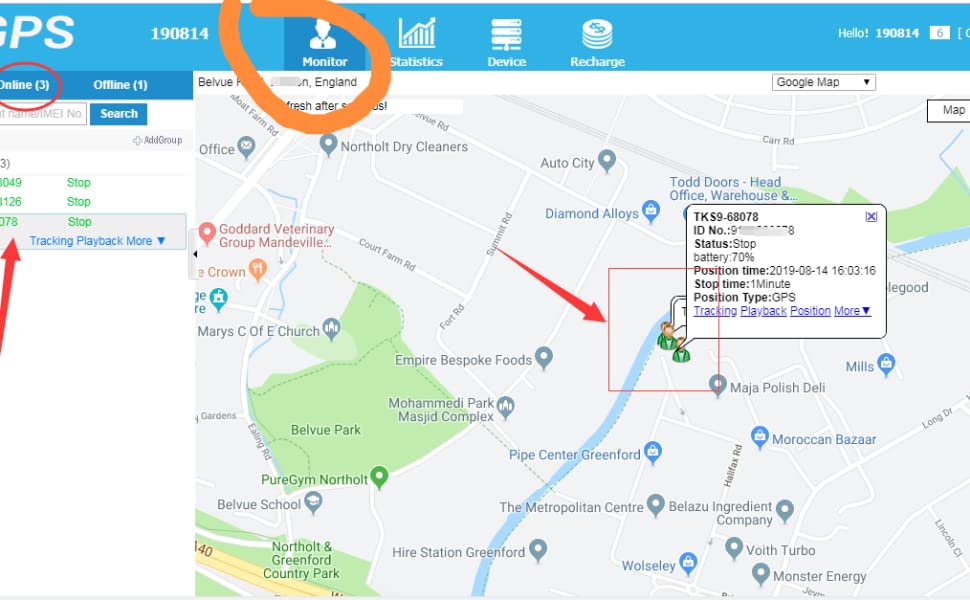
- Web Plataforma: Inicieu sessió al web tracking platform from a computer. The device's real-time location will be visible on the map interface.

Image: Real-time tracking interface on mobile, tablet, and computer.
4.2 History Track Playback
The device records and saves up to 180 days of historical route data. To access this feature:
- Open the mobile application or log in to the web plataforma.
- Navigate to the "History Track" or "Playback" section.
- Seleccioneu l'interval de dates desitjat per a view the recorded routes. You can analyze driving routes and times.

Image: History route playback on the tracking platform.
4.3 Monitor de veu
The voice monitor function allows you to remotely listen to the audio around the tracker:
- Send the appropriate SMS command for voice monitoring (refer to the specific SMS command list in the full user manual, if provided).
- The tracker will call back to your authorized phone number, allowing you to listen to the surroundings.
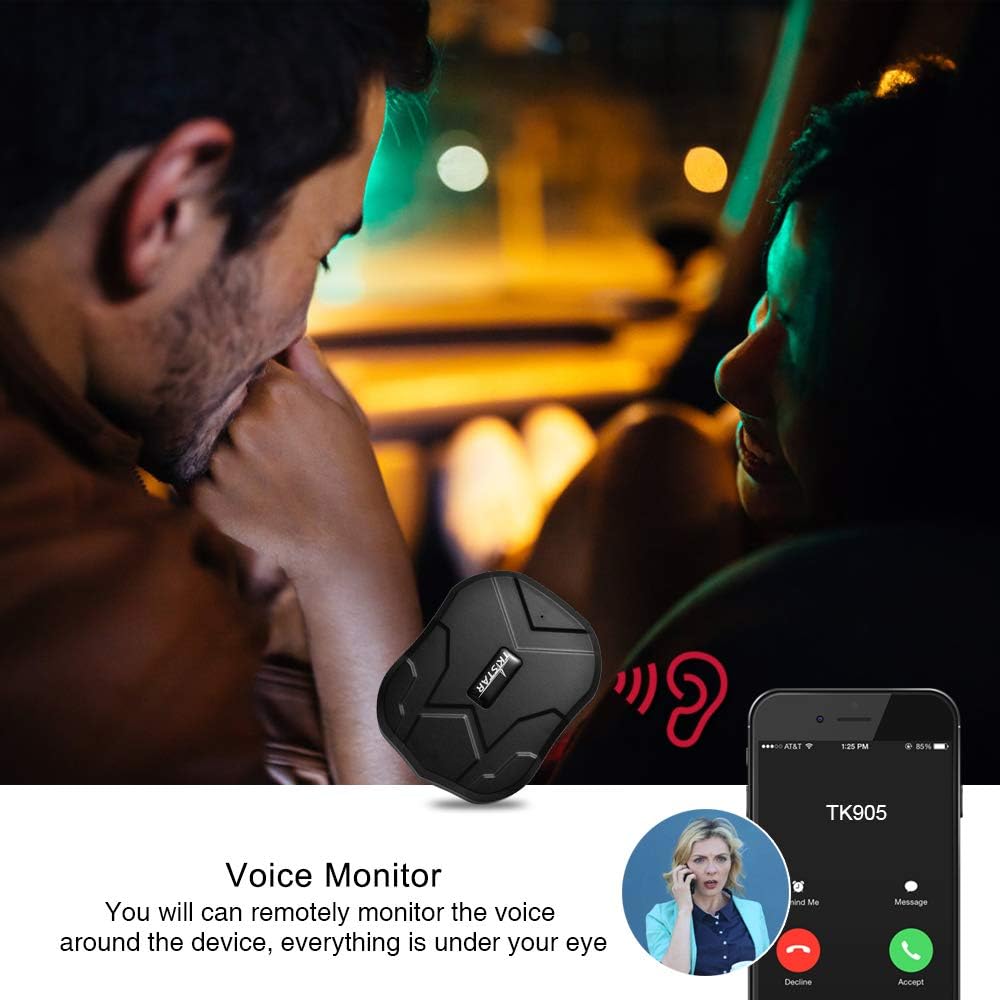
Image: Voice monitoring functionality.
4.4 Alarma de xoc
The shock alarm notifies you if the tracker detects significant movement or impact:
- Activate the shock alarm setting via the mobile application or by sending an SMS command (e.g., "sensor alarm").
- After activation, ensure the tracker remains stationary for 5 minutes for the function to initialize.
- If the unit detects a shock, it will send an SMS alert to the designated administrator number.
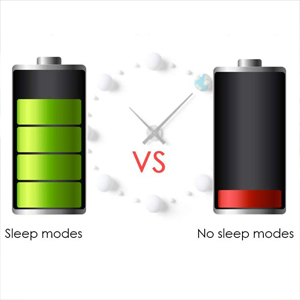
Image: Shock alarm notification.
4.5 Move Alert
Set up a move alert to be notified when the tracker moves a specified distance:
- Configure the move alert distance (e.g., 500m) through the mobile application or SMS command.
- Once the tracker moves beyond the set distance from its initial position, it will send an alert.
4.6 Geo-fence Alert
Create virtual boundaries (geo-fences) and receive alerts when the tracker enters or exits these areas:
- On the mobile application or web platform, define a specific geographical area on the map.
- When the tracker enters or leaves this defined area, an alert will be sent to your registered contact.
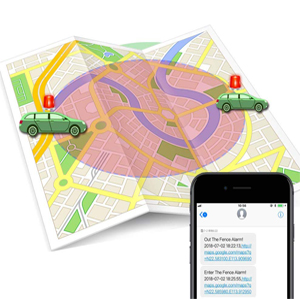
Image: Geo-fence alert functionality.
5. Manteniment
- Càrrega: Recharge the device when the low power alarm is triggered or regularly to ensure continuous operation. Use only the provided USB cable.
- Resistència a l'aigua: The TK905 is IP67 waterproof. Ensure the SIM card slot cover is always securely closed to maintain its water resistance. Avoid prolonged submersion or high-pressure water jets.
- Neteja: Netegeu el dispositiu amb un drap suau i sec. No utilitzeu productes químics agressius ni netejadors abrasius.
- Emmagatzematge: Guardeu el dispositiu en un lloc fresc i sec quan no el feu servir durant períodes prolongats.
6. Solució De Problemes
- El dispositiu no s'encén: Ensure the device is fully charged. Check the USB cable and power adapter.
- Sense senyal GPS: Ensure the device is in an open area with a clear view of the sky. GPS signals may be weak or unavailable indoors or in dense urban areas.
- No network connection (GSM/GPRS): Verify that the SIM card is correctly inserted and has an active 4G data plan. Check the network coverage in your area.
- Ubicació incorrecta: This can occur in areas with poor GPS signal or when relying solely on LBS (Location Based Service) which is less precise. Move the device to an open area.
- aplicació/Web platform not showing data: Confirm the device is powered on and has a stable network connection. Log out and log back into the application/web plataforma.
- Alertes no rebudes: Check your alert settings in the app/web platform. Ensure your contact number is correctly registered.
7. Especificacions
| Característica | Especificació |
|---|---|
| Xarxa | GSM / GPRS (4G) |
| Sensibilitat GPS | -159 dBm |
| Precisió GPS | 5m |
| Entrada Voltage | 5V-1A |
| Bateria | Bateria de liti recarregable de 3.7 V i 5000 mAh |
| Temps d'espera | Fins a 90 dies |
| Temps de treball | 7-10 days (continuous) |
| Bota freda | 45 s |
| Bota calenta | 35 s |
| Hot Boot | 1s |
| Dimensions | 90 x 72 x 22mm (3.5 x 2.8 x 0.9 polzades) |
| Pes | 168 g |
| Classificació impermeable | IP67 |
| Material | Zinc |
8. Garantia i Suport
For any technical assistance or inquiries regarding your Soufyuane TK905 GPS Tracker, please refer to the contact information provided with your purchase or visit the official Soufyuane website. If you require an account to manage multiple trackers, please contact customer support to arrange this service.