
1. Introducció
Thank you for choosing the cimetech Wireless Keyboard and Mouse Combo. This product is designed to provide a comfortable and efficient typing and navigation experience for your computer. This manual will guide you through the setup, operation, and maintenance of your new wireless combo.

Figure 1: cimetech Wireless Keyboard and Mouse Combo (Dark Blue)
2. Característiques clau
- Slim and Ergonomic Design: The keyboard features a tilt angle for comfortable typing. The mouse has a contoured, sweat-resistant, skin-friendly finish for extended use.
- Full Size & Ultra-thin Keyboard: Measuring 14.5x5.8x0.2 inches with 99 keys, this ultra-thin keyboard is portable and suitable for various environments. It includes multi-media hotkeys for quick access to music, internet, email, and volume controls.
- Less Noise & Low Profile Claus: The keyboard's noise-reduced keys and the silent click of the mouse minimize disturbance. Both devices feature auto-sleeping mode and on/off switches to conserve battery life.
- Fast Operation 2.4G Wireless Plug and Play: Connect both the keyboard and mouse with a single USB receiver for a strong, reliable wireless connection up to 10 meters (33 ft) without delays or dropouts.
- Àmplia compatibilitat: Works with PC, desktop computers, laptops, or notebooks running Windows XP / Vista / 7 / 8 / 10 operating systems.
3. Guia de configuració
3.1. Instal·lació de la bateria
The mouse requires one (1) AA battery, and the keyboard requires two (2) AA batteries (not included). Ensure correct polarity when inserting batteries.
- Per al ratolí: Open the battery compartment cover on the underside of the mouse. Insert one AA battery, observing the polarity markings. Close the cover.
- Per al teclat: Open the battery compartment cover on the underside of the keyboard. Insert two AA batteries, observing the polarity markings. Close the cover.
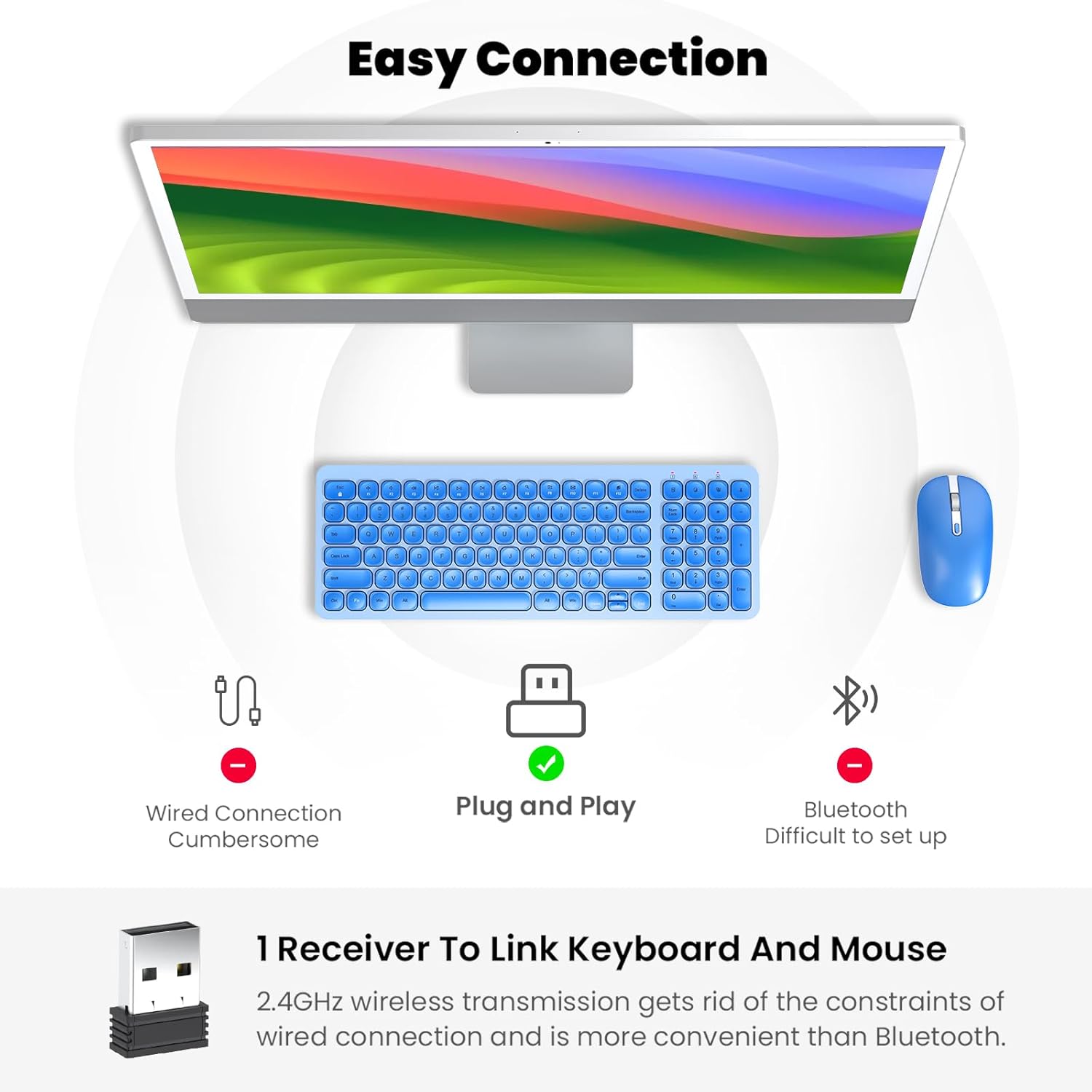
Figure 2: Mouse battery compartment showing AA battery insertion.

Figure 3: Keyboard battery compartment showing two AA batteries.
3.2. Connexió del receptor USB
The 2.4G USB receiver is conveniently stored inside the mouse's battery compartment.
- Locate and remove the USB receiver from the mouse's battery compartment.
- Connecteu el receptor USB a un port USB disponible de l'ordinador.
- Turn on the mouse using the ON/OFF switch located on its underside.
- Turn on the keyboard using the ON/OFF switch located on its underside.
- Your computer should automatically detect and install the necessary drivers. The keyboard and mouse are now ready for use.

Figure 4: USB receiver stored within the mouse battery compartment.
3.3. Vídeo de demostració de configuració
Video 1: Demonstration of battery installation and USB receiver setup for the cimetech Wireless Keyboard.
Video 2: Detailed look at the cimetech Wireless Keyboard and Mouse Combo, including battery and dongle placement.
4. Instruccions de funcionament
4.1. Ús del teclat
- Mecanografia: El low-profile scissor-switch keys provide a quiet and comfortable typing experience with uniform force distribution.
- Tecles d'accés directe multimèdia: Use the 'Fn' key in combination with the F1-F12 keys for quick access to various functions such as media control, volume adjustment, and internet browsing. Refer to the keycap icons for specific functions.
- Teclat numèric: The full-size keyboard includes a dedicated numeric keypad for efficient data entry.
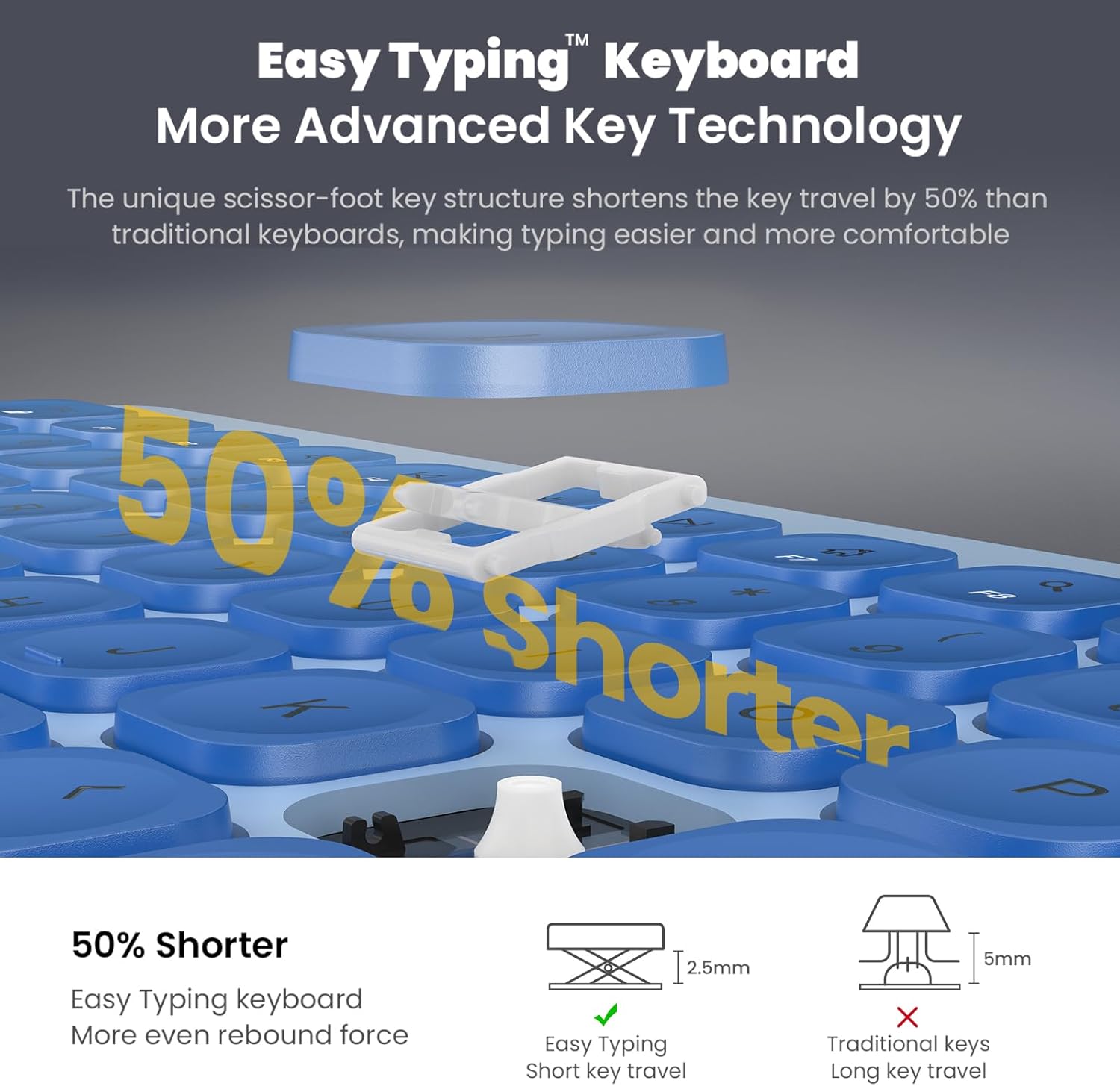
Figure 5: Close-up of the keyboard keys, highlighting the scissor-switch mechanism for comfortable typing.

Figure 6: The keyboard's quiet keys reduce typing noise, ideal for shared spaces.
4.2. Ús del ratolí
- Ajust de DPI: The mouse features adjustable DPI settings (800/1200/1600) to customize cursor sensitivity. Press the DPI button (usually located near the scroll wheel) to cycle through settings.
- Clic silenciós: The mouse is designed with silent click buttons to minimize noise.
- Roda de desplaçament: Use the metal scroll wheel for smooth vertical scrolling.
4.3. Funcions d'estalvi d'energia
- Mode de repòs automàtic: The keyboard enters sleep mode after 10 minutes of inactivity, and the mouse after 15 minutes, to conserve battery. Press any key or click the mouse to wake them up.
- Interruptors ON/OFF: For extended periods of non-use, turn off the keyboard and mouse using their respective ON/OFF switches.
5. Manteniment
- Neteja: Feu servir un drap suau i sec per netejar les superfícies del teclat i del ratolí. Eviteu utilitzar productes químics agressius o materials abrasius.
- Substitució de la bateria: Replace batteries when performance degrades. Always use new AA batteries and dispose of old batteries responsibly.
- Emmagatzematge: When not in use for extended periods, store the USB receiver inside the mouse's battery compartment to prevent loss.
6. Solució De Problemes
- Cap resposta del teclat/ratolí:
- Ensure both devices are turned ON using their respective switches.
- Comproveu si les piles estan correctament instal·lades i tenen prou càrrega. Substituïu-les si cal.
- Verifiqueu que el receptor USB estigui ben connectat a un port USB que funcioni de l'ordinador. Proveu-ho amb un altre port USB.
- Reinicieu l'ordinador.
- Connexió endarrerida o intermitent:
- Ensure the distance between the devices and the USB receiver is within 10 meters (33 ft).
- Avoid placing the receiver near strong electromagnetic interference sources (e.g., other wireless devices, large metal objects).
- Canvieu les piles si estan baixes.
- Mouse Cursor Movement is Erratic:
- Netegeu el sensor òptic de la part inferior del ratolí.
- Assegureu-vos que feu servir el ratolí sobre una superfície adequada (no gaire reflectant ni transparent).
- Adjust the DPI setting to a lower sensitivity if the cursor is too fast.
7. Especificacions
| Característica | Detall |
|---|---|
| Dimensions del producte | 14.57 x 5.31 x 1.97 polzades |
| Pes de l'article | 1.21 lliures |
| Tecnologia de connectivitat | Radio Frequency, USB (2.4G Wireless) |
| Característiques especials | Ergonomic, Lightweight, Portable, Silent Keys, Auto-Sleep |
| Dispositius compatibles | Laptop, Personal Computer (Windows XP / Vista / 7 / 8 / 10) |
| Bateria del teclat | 2 piles AA (no incloses) |
| Bateria del ratolí | 1 x piles AA (no incloses) |
8. Garantia i Suport
For information regarding product warranty, returns, or technical support, please refer to the retailer's policy or contact cimetech customer service directly. Optional protection plans may be available for purchase separately to extend coverage beyond the standard warranty period.
- Protection Plan Options:
- Pla de protecció de 3 anys
- Pla de protecció de 4 anys
- Protecció completa (pla mensual que cobreix compres passades i futures elegibles)