
EPEVER BLE-RJ45-A
Manual d'instruccions del mòdul Bluetooth EPEVER BLE-RJ45-A
Model: BLE-RJ45-A
1. Producte acabatview
The EPEVER BLE-RJ45-A is a Bluetooth module designed to enable wireless communication and monitoring for EPEVER solar controllers, inverters, and inverter/chargers. This module facilitates independent data collection and allows users to remotely monitor connected devices and modify parameters via a cloud server or mobile application.

Image 1.1: The EPEVER BLE-RJ45-A Bluetooth module (left) and its accompanying RJ45 communication cable (right). The module features Power, Link, and Reset indicators, and an RS485 port.
2. Característiques clau
- Wireless monitoring capability for solar controllers, inverters, and inverter/chargers.
- Supports communication via cloud server or dedicated mobile application.
- Designed for convenient connection and straightforward operation.
- Equipped with a high-performance, low-power consumption Bluetooth chip.
- Utilizes Bluetooth 5.0 and BLE (Bluetooth Low Energy) technology for efficient communication.
- Features fast communication speeds and strong anti-interference capabilities.
- Does not require an external power supply; powered directly by the communication port.
- Offers a communication distance of up to 10 meters.
- Includes a reload button to easily restore factory settings.

Image 2.1: A visual representation of the EPEVER BLE-RJ45-A module's overview and its key features, highlighting its wireless monitoring and app compatibility.
3. Especificacions tècniques
| Paràmetre | EPEVER-BLE-RJ45-A |
|---|---|
| Vol d’entradatage | 5V±0.5V (Powered by RS485 com. port) |
| Consum d'energia | 5 V a 30 mA |
| Distància de comunicació | ≤10m |
| Velocitat de transmissió del port sèrie | 2400~115200bps (default 115200bps) |
| Mètode de comunicació | RS485 a Bluetooth |
| Port de connexió | Port RJ45 |
| Cable de connexió | Cable de xarxa estàndard (línia paral·lela) |
| Protocol Bluetooth | Bluetooth 5.0, compatible amb Bluetooth 4.0 |
| Dimensió | 51 * 67 * 24.5 mm |
| Dimensió de muntatge | 41.2, Φ3.2 |
| Temperatura de treball | -20 ~ 70 ℃ |
| Tancament | IP30 |
| Pes net | 37.9 g |

Image 3.1: Detailed technical specifications for the EPEVER BLE-RJ45-A Bluetooth module, including electrical, communication, and physical parameters.
4. Configuració i instal·lació
4.1 Contingut del paquet
Abans de continuar, assegureu-vos que tots els components estiguin presents al paquet:
- EPEVER BLE-RJ45-A Bluetooth Module
- Cable de comunicació RJ45

Image 4.1: The EPEVER BLE-RJ45-A module, its communication cable, and product packaging.
4.2 Connexió física
Connect the EPEVER BLE-RJ45-A module to your compatible EPEVER solar controller, inverter, or inverter/charger using the provided RJ45 communication cable. The module draws power directly from the communication port.
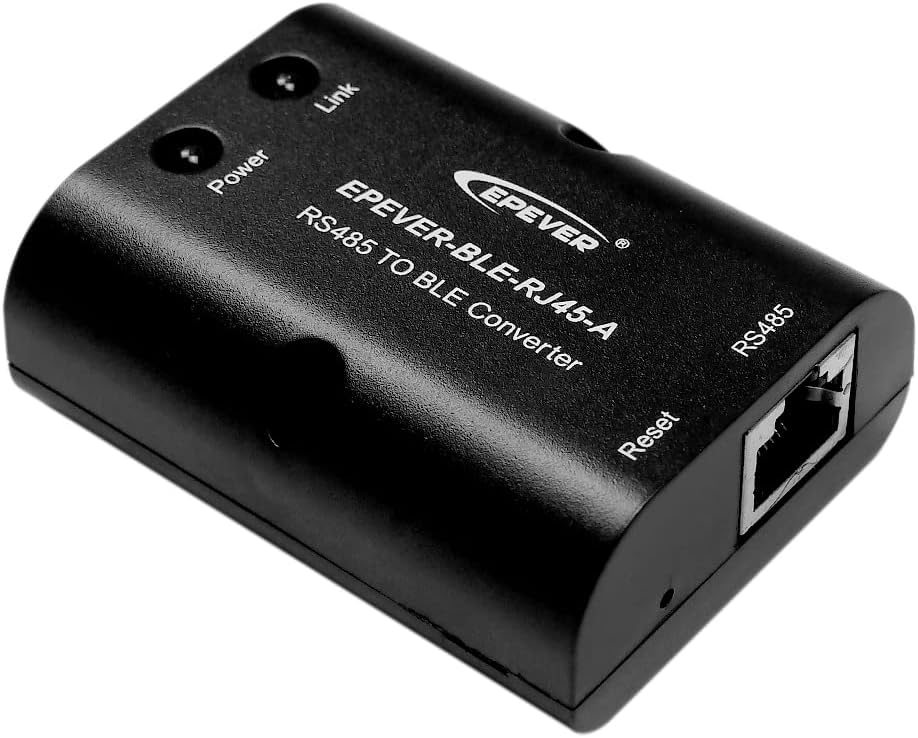
Imatge 4.2: Un angle view of the EPEVER BLE-RJ45-A module, showing the Power and Link indicators, and the RJ45 port for connection.
The module is compatible with various EPEVER controllers, including but not limited to:
- Tracer-AN series
- XTRA series
- TRIRON-N series
- Sèrie VS-BN
- Tracer-BP series
- Sèrie Tracer-BN
- iTracer series
- Sèrie LS-B

Image 4.3: Visual representation of various EPEVER solar charge controllers and inverters compatible with the BLE-RJ45-A Bluetooth adapter.
4.3 Mobile Application Setup
- Descarrega l'aplicació: Cerca "EPEVER Pair" in your mobile device's app store (available for Android and iOS) and install it.
- Launch and Connect:
- Open the "EPEVER Pair" application.
- Click the "Local" icon to access the BLE connection page.
- Click the "BLE" icon within the app to initiate a search for available Bluetooth modules.
- Once your module's name (e.g., "HN_00900") appears in the list, click on it to establish a connection.

Image 4.4: Screenshots illustrating the process of downloading the EPEVER Pair app and connecting to the BLE module.
5. Operating the Module via App
5.1 Main Information Page
After successful connection, the app will display the main information page, providing real-time data from your connected EPEVER device, such as voltage, current, power, battery status, and load information. This page offers a comprehensive overview of your system's current status.

Image 5.1: A screenshot of the EPEVER Pair app's main information page, showing real-time data from a connected solar controller, including PV input, battery status, and load details.
5.2 Modifying Parameters
To adjust device settings, click the "setting" icon (gear icon) typically located on the main information page. This will lead you to the parameter modification interface where various settings can be adjusted.
5.2.1 Slave Address Settings
Within the parameter menu, you can adjust the Slave Address (ranging from 1 to 99) and the Sampling Interval (measured in milliseconds) for the connected device. This is particularly useful in systems with multiple devices on the RS485 bus. After making your desired changes, click "Submit" to apply them to the device.
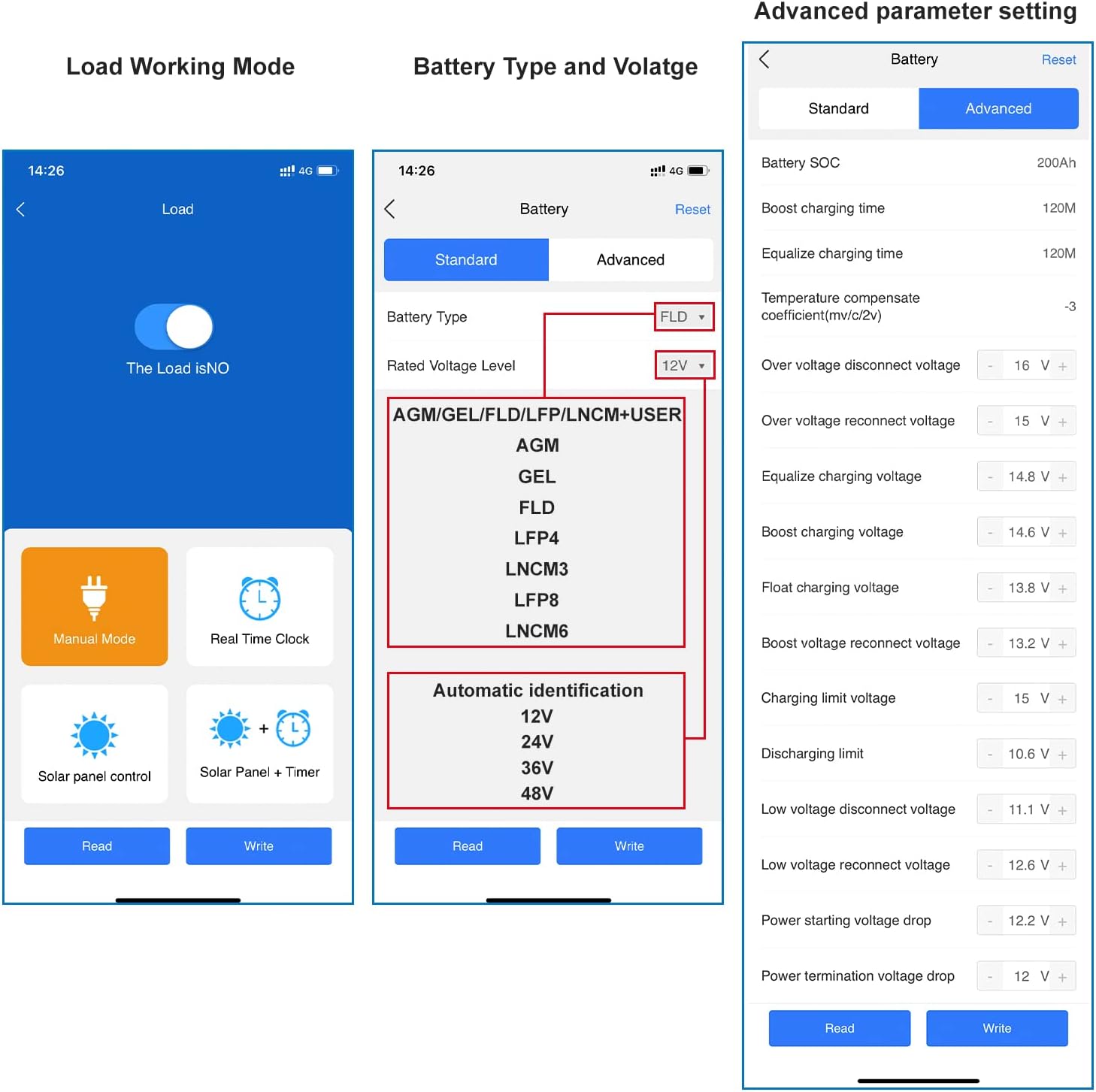
Image 5.2: Screenshots showing how to navigate to the parameter settings and modify the slave address and sampling interval within the EPEVER Pair app.
Other parameters such as Load Working Mode, Battery Type, and advanced charging settings may also be accessible through the app's interface, depending on the connected EPEVER device model and app version. Refer to the specific EPEVER device manual for detailed parameter descriptions.
6. Manteniment
The EPEVER BLE-RJ45-A module requires minimal maintenance. Follow these guidelines to ensure optimal performance and longevity:
- Neteja: Gently wipe the module with a dry, soft cloth to remove dust or dirt. Do not use liquid cleaners or solvents.
- Medi ambient: Ensure the module is installed in a dry environment, away from direct sunlight, excessive heat, and moisture, within its specified working temperature range (-20~70℃).
- Connexions: Periodically check that the RJ45 cable is securely connected to both the module and the EPEVER device.
7. Solució De Problemes
If you encounter issues with your EPEVER BLE-RJ45-A module, consider the following troubleshooting steps:
- No Power/Link Indicator:
- Ensure the RJ45 cable is firmly connected to both the module and the EPEVER device.
- Verify that the EPEVER device itself is powered on and functioning correctly. The module is powered by the RS485 communication port.
- Unable to Connect via App:
- Confirm that Bluetooth is enabled on your mobile device.
- Ensure the "EPEVER Pair" app has Bluetooth permissions enabled in your device's settings.
- Move closer to the BLE-RJ45-A module to ensure you are within the 10-meter communication range.
- Try restarting the "EPEVER Pair" app or your mobile device.
- If the module is unresponsive, press the "Reset" button on the module to restore factory settings.
- Incorrect Data/Parameters:
- Ensure the correct Slave Address is set in the app if multiple devices are on the RS485 bus.
- Verify that the app version is up-to-date.
8. Garantia i Suport
For detailed warranty information, please refer to the warranty card included with your product or visit the official EPEVER website. If you require technical assistance or have questions not covered in this manual, please contact EPEVER customer support through their official channels.
EPEVER Official Weblloc: www.epever.com
Ask a question about this manual
Ask about setup, troubleshooting, compatibility, parts, safety, or missing instructions. Manuals+ will review the question and use this page’s manual context to help answer it.