
1. Introducció
The Lorex LR-DL5 RFID Coded Card Access System is designed to provide secure and convenient access control for various indoor environments such as offices and apartments. This device supports both password entry and RFID card/keyfob access, offering flexibility and enhanced security. It is capable of managing up to 1000 unique user cards or keyfobs.
This manual provides detailed instructions for the installation, operation, and maintenance of your LR-DL5 access system. Please read this manual thoroughly before installation and use to ensure proper functionality and safety.
2. Informació de seguretat
- Ensure the power supply is disconnected before installation or maintenance to prevent electrical shock.
- This device is designed for indoor use only. Avoid exposure to moisture, direct sunlight, or extreme temperatures.
- Installation should be performed by a qualified electrician or technician.
- Use only the specified 12VDC power supply.
- No intenteu desmuntar ni modificar el dispositiu, ja que això anul·larà la garantia i pot causar danys o lesions.
3. Contingut del paquet
Si us plau, comproveu el contingut del paquet per assegurar-vos que hi hagi tots els elements:
- Lorex LR-DL5 RFID Coded Card Access System Unit
- 100 x Magnetic Keyfobs
- Cargols de muntatge i tacs de paret
- Manual d'usuari (aquest document)
4. Especificacions
| Característica | Especificació |
|---|---|
| Model | LR-DL5 |
| Mètodes d'accés | Password, RFID Card/Keyfob |
| Capacitat d'usuari | Up to 1000 cards/keyfobs |
| Font d'alimentació | 12VDC |
| Temperatura de funcionament | 0°C – 45°C |
| Dimensions (L x A x A) | 120 mm x 80 mm x 22 mm |
| Sortida de relé | NO/NC Dry Contact |
| Material | Plàstic |
| Instal·lació | Muntatge en superfície |
5. Configuració i instal·lació
The Lorex LR-DL5 is designed for easy surface-mount installation. Ensure you have the necessary tools (drill, screwdriver, wire strippers) and follow these steps:
- Trieu una ubicació: Select an indoor location near the door where the access system will be used. Ensure it is protected from moisture and direct sunlight.
- Muntar el dispositiu:
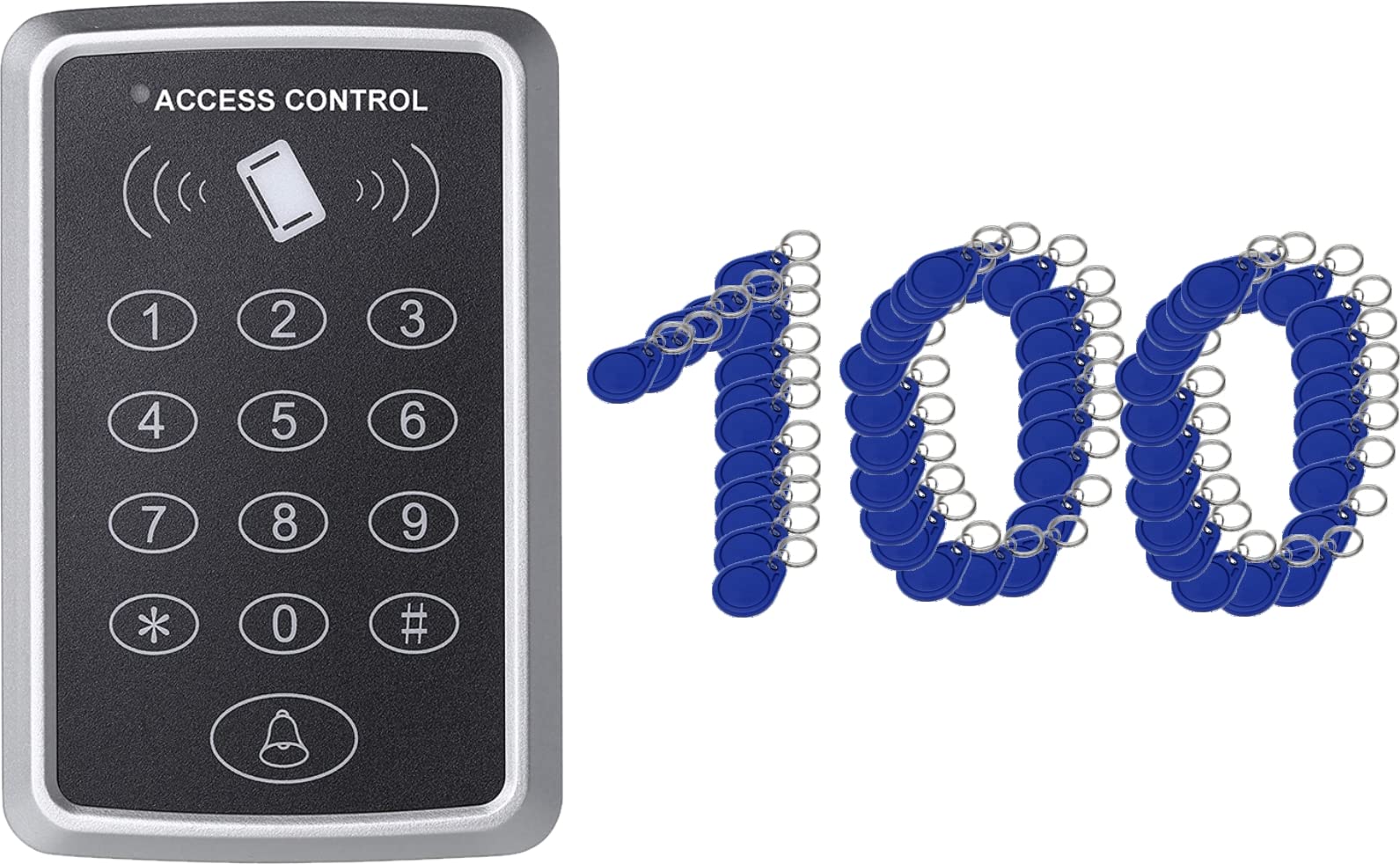
Image: The Lorex LR-DL5 unit, a grey plastic device with a keypad and card reader, mounted on a wall.
Mark the drilling points on the wall using the device as a template. Drill holes, insert wall plugs, and secure the device to the wall using the provided screws. - Cablejat: Connect the 12VDC power supply to the designated power terminals. Connect the NO (Normally Open) or NC (Normally Closed) relay outputs to your electric door strike or automatic door opener, depending on your lock type. Refer to the wiring diagram provided with your specific lock mechanism.
- Engegada inicial: Once all connections are secure, connect the 12VDC power supply. The device will power on, and an indicator light will confirm it is ready for programming.
6. Instruccions de funcionament
The LR-DL5 offers both password and RFID card/keyfob access. Below are the basic operating procedures.
6.1. Mode de programació
To enter programming mode, press # followed by the master password (default is 123456). The indicator light will change, confirming entry into programming mode.
6.2. Changing the Master Password
- Entra al mode de programació.
- Premeu 0.
- Enter your new 6-digit master password.
- Premeu # per confirmar.
- Sortiu del mode de programació prement *.
6.3. Adding User Cards/Keyfobs
You can add up to 1000 user cards or keyfobs.
- Entra al mode de programació.
- Premeu 1.
- Present the RFID card/keyfob to the reader. The device will beep to confirm successful addition.
- Repeat for additional cards.
- Sortiu del mode de programació prement *.
6.4. Adding User Passwords
- Entra al mode de programació.
- Premeu 2.
- Enter a 4-6 digit user password.
- Premeu # per confirmar.
- Repeat for additional passwords.
- Sortiu del mode de programació prement *.
6.5. Deleting User Cards/Keyfobs
- Entra al mode de programació.
- Premeu 3.
- Present the RFID card/keyfob to be deleted to the reader. The device will beep to confirm deletion.
- Repeat for additional cards.
- Sortiu del mode de programació prement *.
6.6. Deleting User Passwords
- Entra al mode de programació.
- Premeu 4.
- Enter the 4-6 digit user password to be deleted.
- Premeu # per confirmar.
- Repeat for additional passwords.
- Sortiu del mode de programació prement *.
6.7. Adjusting Relay Time
The relay pull-in time (how long the door remains unlocked) can be adjusted.
- Entra al mode de programació.
- Premeu 5.
- Enter the desired time in seconds (e.g., 03 durant 3 segons).
- Premeu # per confirmar.
- Sortiu del mode de programació prement *.
7. Manteniment
- Neteja: Netegeu el dispositiu amb un drap suau i sec. No utilitzeu productes de neteja abrasius ni dissolvents.
- Inspecció: Periodically check the wiring for any signs of damage or loose connections.
- Actualitzacions de programari: No user-performable software updates are available for this model.
8. Solució De Problemes
| Problema | Causa possible | Solució |
|---|---|---|
| El dispositiu no s'encén. | No hi ha font d'alimentació o volum incorrectetage. | Check 12VDC power connection. Ensure power adapter is working. |
| Door does not unlock with valid card/password. | Incorrect wiring to door strike, card/password not programmed, or relay time too short. | Verify wiring connections. Ensure card/password is correctly added. Adjust relay time if necessary. |
| Cannot enter programming mode. | Incorrect master password. | Ensure you are using the correct master password. Default is 123456. |
| Keyfobs not working. | Keyfobs not programmed or faulty. | Ensure keyfobs are correctly added to the system. Test with a known working keyfob. |
9. Garantia i Suport
For warranty information and technical support, please refer to the documentation provided at the time of purchase or contact your local Lorex distributor. Keep your purchase receipt as proof of purchase for warranty claims.
Fabricant: Lorex
Primera data disponible: 3 de gener de 2022