
Bluedio S6
Manual d'usuari dels auriculars sense fil Bluedio S6
Model: S6
1. Producte acabatview
The Bluedio S6 Wireless Earbuds are designed for an immersive audio experience, featuring advanced Bluetooth 5.1 technology, extended battery life, and a secure fit ideal for sports and active lifestyles. The included charging case with dual LED displays provides convenient power management.

Image: Bluedio S6 Wireless Earbuds and their charging case, showcasing the LED battery display.
2. Contingut del paquet
Si us plau, verifiqueu que tots els elements siguin presents al vostre paquet:
- Bluedio S6 Wireless Earbuds (Left and Right)
- Caixa de càrrega amb pantalla LED
- Cable de càrrega USB tipus C
- Múltiples mides de taps per a les orelles (S, M, L)
- Manual d'usuari (aquest document)

Image: The complete package contents of the Bluedio S6 earbuds.
3. Guia de configuració
3.1 Càrrega inicial
Before first use, fully charge the earbuds and the charging case. Connect the provided USB Type-C cable to the charging case and a compatible USB power source. The LED display on the case will indicate the charging status and battery level.

Image: Visual representation of the Bluedio S6 earbuds and charging case, highlighting battery life and charging duration.
3.2 Emparellament amb el dispositiu
- Automatic Power On & Pairing: Open the charging case and remove both S6 earbuds. They will automatically power on and attempt to pair with each other.
- Activa el Bluetooth: On your mobile phone or other Bluetooth-enabled device, go to the Bluetooth settings and turn on Bluetooth.
- Select "S6": In the list of available Bluetooth devices, search for and select "S6" to connect.
- Confirmació: Un cop connectats, sentireu una confirmació audible i els auriculars estaran llestos per al seu ús.
- Reconnexió automàtica: After the initial successful connection, the S6 earbuds will automatically connect to the last paired device when removed from the charging case.

Image: The Bluedio S6 earbuds automatically pairing with a mobile device upon removal from the charging case.

Image: An earbud illustrating the advanced Bluetooth 5.1 chip for stable signal transmission.
4. Instruccions de funcionament
4.1 Com posar-se els auriculars
The Bluedio S6 earbuds feature earhooks for a secure and comfortable fit, especially during physical activities. Gently place the earbud into your ear canal and adjust the earhook over your ear until it feels stable and comfortable.

Image: A user wearing the Bluedio S6 earbuds, highlighting their design for sports and secure fit.
4.2 Controls tàctils
The S6 earbuds are equipped with smart touch controls on each earbud for easy management of music and calls. Refer to the following table for common operations:
| Acció | Funció |
|---|---|
| Toc únic (E/D) | Reproduir/Pausar música, Respondre/Finalitzar trucada |
| Doble toc (auricular dret) | Puja el volum |
| Doble toc (auricular esquerre) | Baixa el volum |
| Toc triple (auricular dret) | Pista següent |
| Toc tres vegades (auricular esquerre) | Pista anterior |
| Manteniu premut (2 segons) | Rebutja la trucada |
| Manteniu premut (5 segons) | Encès/Apagat |
| Premeu i manteniu premut (1 segon) | Activa l'Assistent de veu |

Image: Visual guide to the touch control functions on the Bluedio S6 earbuds.
4.3 Gestió de trucades
With the built-in microphone, you can easily manage calls directly from your earbuds without needing to access your phone.
- Respon a la trucada: Toqueu un sol cop qualsevol dels auriculars.
- Finalitzar la trucada: Toqueu una vegada qualsevol dels auriculars durant una trucada.
- Rebutja la trucada: Manteniu premut qualsevol dels auriculars durant 2 segons.

Image: A user demonstrating the convenience of answering calls directly with the Bluedio S6 earbuds.
5. Manteniment
5.1 Càrrega dels auriculars i l'estoig
To charge the earbuds, place them back into the charging case. The earbuds will automatically begin charging. The LED display on the case shows the individual battery levels of the left and right earbuds, as well as the case's remaining power. To charge the case, connect it to a USB power source using the provided Type-C cable.
- Earbuds playtime on a single charge: Approximately 9 hours.
- Total playtime with charging case: Up to 42 hours.
- Charging time for case: Approximately 2 hours.


Image: Icons illustrating key features: LED battery display, 600mAh charging case, and Type-C charging port.
5.2 Neteja i emmagatzematge
To ensure longevity and optimal performance, regularly clean your earbuds and charging case. Use a soft, dry, lint-free cloth to wipe down the surfaces. For the eartips, you may remove them and clean with a damp cloth, ensuring they are completely dry before reattaching. Store the earbuds in their charging case when not in use to protect them from dust and damage.
- Eviteu utilitzar netejadors abrasius o dissolvents.
- Do not submerge the earbuds or case in water. While water-resistant, they are not designed for submersion.
- Mantenir allunyat de temperatures extremes.
6. Solució De Problemes
If you encounter any issues with your Bluedio S6 earbuds, please refer to the following common solutions:
6.1 Earbuds Not Pairing with Each Other or Device
- Assegureu-vos que els dos auriculars estiguin completament carregats.
- Place both earbuds back into the charging case, close the lid, wait a few seconds, then open the lid and remove them again. This often resets the pairing.
- On your device, forget or delete "S6" from your Bluetooth device list. Then, repeat the pairing process from Section 3.2.
- Ensure your device's Bluetooth is enabled and within range (typically 10 meters/33 feet).
6.2 Sense so o volum baix
- Check the volume level on both your earbuds (using touch controls) and your connected device.
- Assegureu-vos que els auriculars estiguin correctament col·locats a les orelles i que les puntes proporcionin un bon segellat.
- Try playing different audio sources to rule out an issue with the specific media.
- Reconnect the earbuds by placing them in the case and taking them out again.
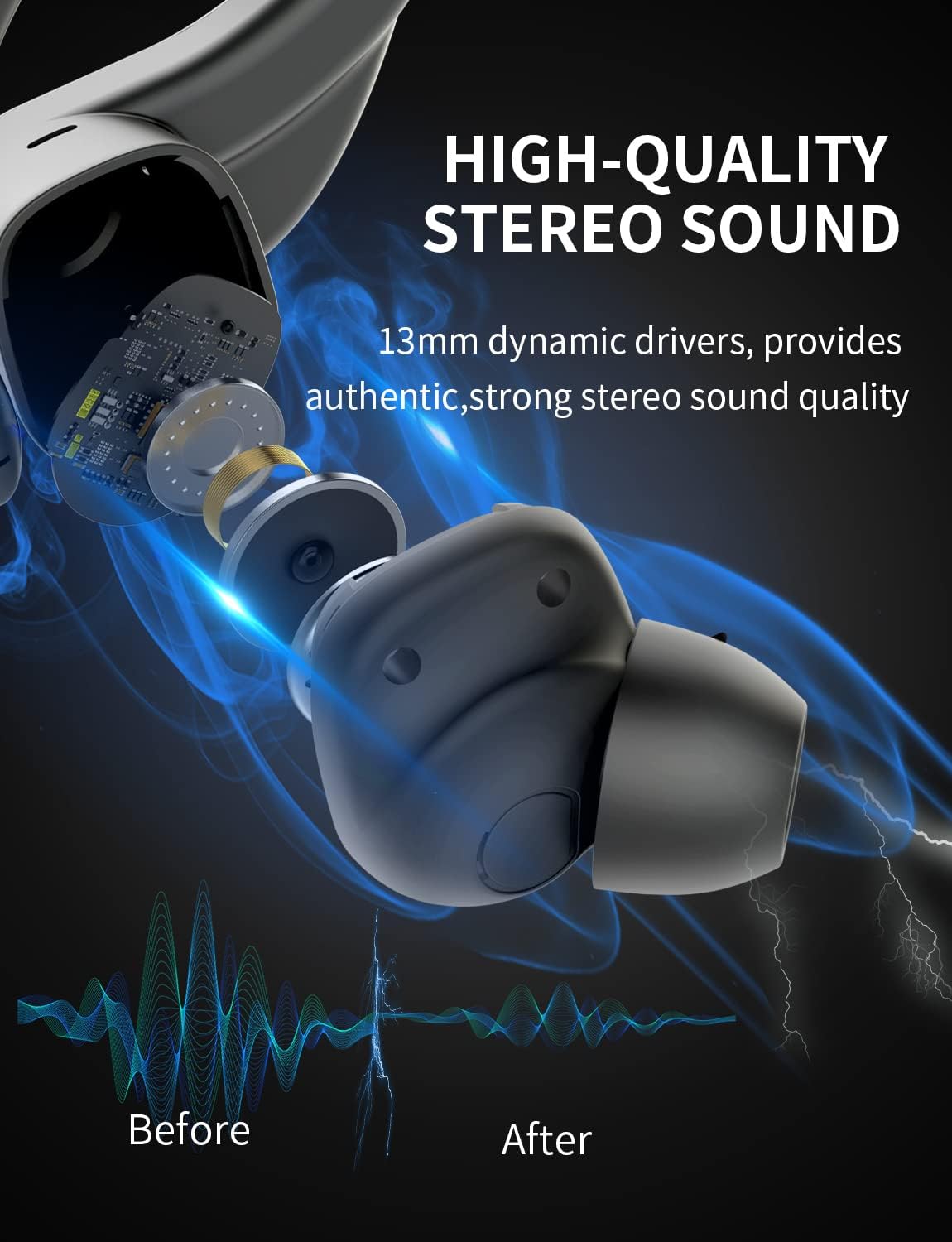
Imatge: Una imatge interna view of the earbud, highlighting the 13mm dynamic drivers responsible for high-quality stereo sound.
6.3 Charging Case Not Charging
- Verifiqueu que el cable USB tipus C estigui connectat correctament tant a la carcassa com a la font d'alimentació.
- Proveu un altre port USB o adaptador de corrent.
- Assegureu-vos que el cable de càrrega no estigui danyat.
7. Especificacions
Detailed technical specifications for the Bluedio S6 Wireless Earbuds:
| Característica | Detall |
|---|---|
| Nom del model | S6 |
| Tecnologia de connectivitat | Sense fil (Bluetooth 5.1) |
| Tecnologia de comunicació sense fils | Bluetooth |
| Components inclosos | Estoig de càrrega sense fil |
| Material | Plàstic |
| Usos específics del producte | Esport |
| Dispositius compatibles | Telèfons mòbils, tauletes, ordinadors portàtils |
| Pes de l'article | 117 grams |
| Nivell de resistència a l'aigua | Waterproof (Note: typically means splash/sweat resistant, not submersible) |
| Interval de freqüència | 20Hz-20000Hz |
| Format de micròfon | Integrat |
| Battery Average Life (Earbuds) | 9 hores (una sola càrrega) |
| Temps de joc total amb estoig | Fins a 42 hores |
| Caixa de càrrega Capacitat de la bateria | 600mAh (from A+ content image) |
| Col·locació de l'orella | In Ear (with earhooks) |
| Color | Negre |
8. Garantia i Suport
Bluedio products are manufactured to high quality standards. For warranty information and customer support, please refer to the warranty card included in your product packaging or visit the official Bluedio weblloc web. Conserveu el rebut de compra com a comprovant de compra per a qualsevol reclamació de garantia.
For further assistance, you may also contact Bluedio customer service through their official channels.
Ask a question about this manual
Ask about setup, troubleshooting, compatibility, parts, safety, or missing instructions. Manuals+ will review the question and use this page’s manual context to help answer it.