1. Introducció
Thank you for choosing the InFocus P120 INL412 Multimedia Projector. This manual provides essential information for the safe and efficient operation of your projector. Please read it thoroughly before using the device and retain it for future reference. The InFocus P120 INL412 is designed for versatile multimedia presentations, offering clear and vibrant images for various applications.
2. Informació de seguretat
To ensure safe operation and prevent damage to the projector, please observe the following safety precautions:
- No bloquegeu les obertures de ventilació. Assegureu-vos que hi hagi prou espai al voltant del projector per a un flux d'aire adequat per evitar el sobreescalfament.
- Eviteu mirar directament a la lent del projector quan lamp està encès, ja que la llum brillant pot causar lesions oculars.
- Do not place the projector on an unstable cart, stand, or table. The projector may fall, causing serious injury to a child or adult, and serious damage to the unit.
- Disconnect the power cord from the wall outlet if the projector will not be used for an extended period.
- Demaneu totes les tasques de manteniment a personal de servei qualificat. No intenteu obrir ni reparar el projector vosaltres mateixos.
- Keep the projector away from water or moisture. Do not expose it to rain or immerse it in liquid.
- Use only the power cord supplied with the projector or an authorized replacement.
3. Contingut del paquet
Verifiqueu que tots els elements que s'enumeren a continuació s'inclouen al paquet del projector:
- InFocus P120 INL412 Multimedia Projector
- Cable d'alimentació
- Comandament a distància amb piles
- Cable VGA
- Manual d'usuari (aquest document)
- Guia d'inici ràpid
4. Producte acabatview
Familiarize yourself with the main components of your InFocus P120 INL412 projector.
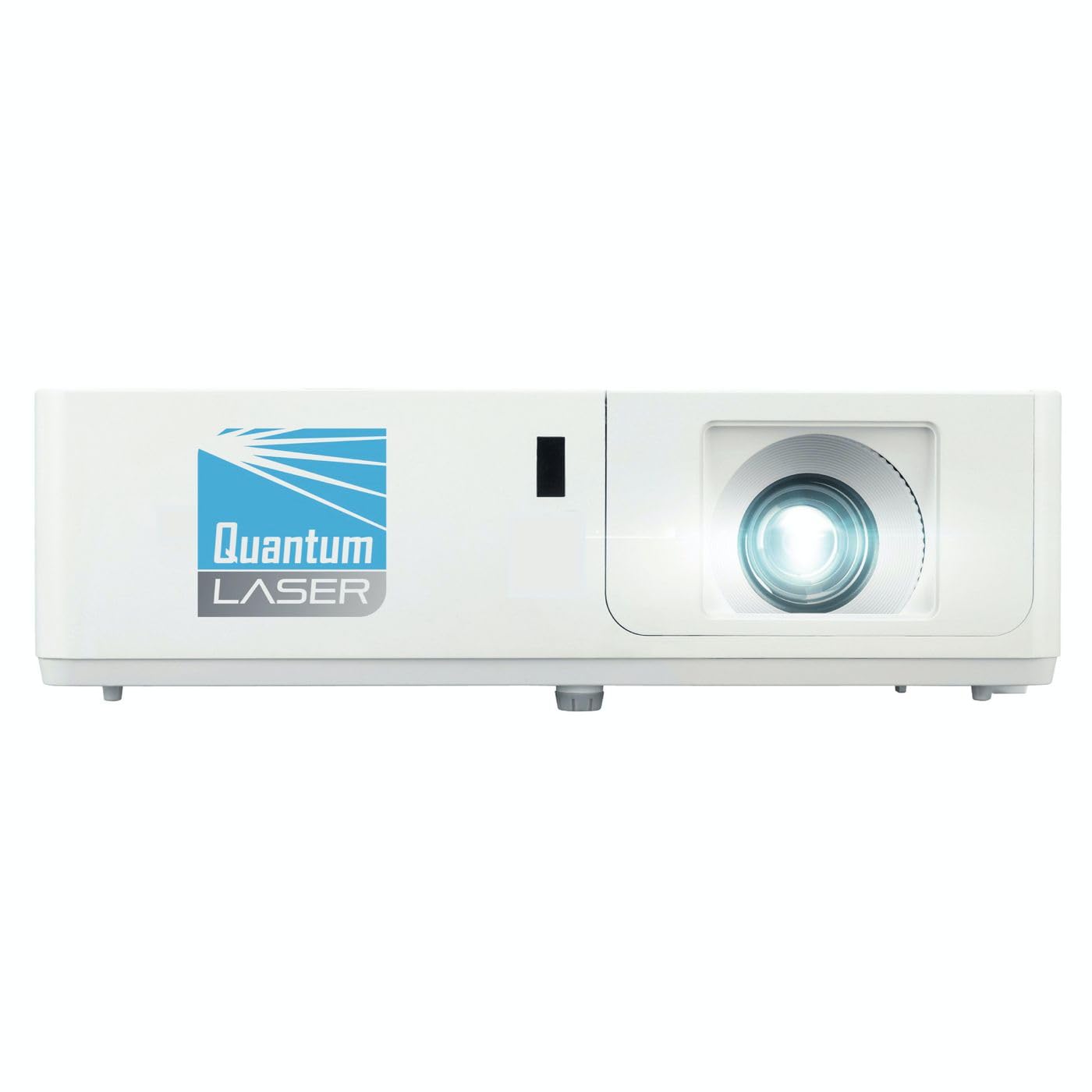
Imatge 1: Frontal view of the InFocus P120 INL412 Multimedia Projector, showing the lens and ventilation grilles.
4.1 Tauler frontal
- Lent de projecció: Emet la imatge a la pantalla.
- Anell de focus: Ajusta la claredat de la imatge projectada.
- Anell de zoom: Adjusts the size of the projected image.
- Receptor IR: Rep senyals del comandament a distància.
4.2 Tauler superior
- Tauler de control: Buttons for power, menu navigation, source selection, and keystone correction.
- Llums indicadores: Display the projector's status (e.g., power, lamp, temperature).
4.3 Rear Panel (Connectivity)
- Entrada HDMI: Connects to HDMI-enabled devices (laptops, Blu-ray players).
- Entrada VGA: Connects to computers with VGA output.
- Port USB: For service or connecting USB devices (if supported by model).
- Entrada/Sortida d'àudio: For connecting external audio sources or speakers.
- Entrada d'alimentació: Connecta el cable d'alimentació.
5. Configuració
Seguiu aquests passos per a la configuració inicial del vostre projector:
- Col·locació: Place the projector on a stable, flat surface or mount it securely. Ensure the projector is positioned at an appropriate distance from the screen to achieve the desired image size.
- Connexió d'alimentació: Connect the power cord to the projector's power inlet and then to a grounded electrical outlet.
- Connectar el dispositiu d'origen: Connect your source device (e.g., laptop, DVD player) to the projector using an appropriate cable (HDMI, VGA, etc.). Ensure the cable is securely connected to both the source and the projector.
- Encès: Press the power button on the projector's control panel or the remote control to turn on the projector. The power indicator light will illuminate.
- Ajusta l'enfocament i el zoom: Once an image is projected, rotate the focus ring on the lens until the image is sharp and clear. Use the zoom ring to adjust the image size to fit your screen.
- Correcció Keystone: If the image appears trapezoidal, use the keystone correction function (either via buttons on the projector/remote or through the on-screen menu) to square the image.
6. Instruccions de funcionament
6.1 Encès/Apagat
- Per encendre: Press the power button once. The projector will go through a warm-up sequence.
- Per apagar: Press the power button twice. The first press will prompt a shutdown confirmation; the second press will initiate shutdown. Allow the projector to cool down completely before unplugging.
6.2 Selecció de la font
Press the 'Source' button on the projector or remote control to cycle through available input sources (HDMI, VGA, etc.) until your desired source is displayed.
6.3 Navegació de menús
Press the 'Menu' button to access the on-screen display (OSD) menu. Use the arrow buttons to navigate through options and 'Enter' or 'OK' to select. Use the 'Exit' or 'Menu' button to close the OSD.
- Configuració de la imatge: Adjust brightness, contrast, color, aspect ratio, and picture mode.
- Configuració de la pantalla: Configure keystone, projection mode (front/rear, desktop/ceiling), and resolution.
- Configuració d'àudio: Control volume and audio output options.
- Configuració del sistema: Manage language, timer, power-saving modes, and factory reset.
7. Manteniment
Un manteniment regular garanteix un rendiment òptim i allarga la vida útil del projector.
- Neteja de lents: Netegeu suaument la lent del projector amb un drap suau i sense borrissol dissenyat específicament per a superfícies òptiques. No utilitzeu productes de neteja abrasius ni força excessiva.
- Neteja d'armaris: Use a soft, dry cloth to clean the projector's exterior. For stubborn marks, dampen the cloth slightly with water. Avoid using harsh chemicals.
- Neteja/substitució del filtre d'aire: Check the air filter periodically. If your model has a removable filter, clean it with a soft brush or vacuum cleaner. Replace the filter as recommended in the on-screen menu or when visibly dirty to maintain proper ventilation.
- Lamp Substitució: El projector lamp té una vida útil finita. Quan la lamp life indicator appears, or the image brightness significantly decreases, replace the lamp according to the instructions provided in the full service manual or by a qualified technician. Always allow the projector to cool down completely before attempting lamp substitució.
8. Solució De Problemes
Consulteu la taula següent per veure els problemes habituals i les seves solucions:
| Problema | Causa possible | Solució |
|---|---|---|
| No es mostra cap imatge | Power cord disconnected, incorrect input source, source device off. | Check power connections. Select correct input source. Ensure source device is powered on. |
| La imatge és borrosa | Lent desenfocada, distància de projecció incorrecta. | Adjust the focus ring on the lens. Reposition the projector closer or further from the screen. |
| La imatge és trapezoïdal | Projector no perpendicular a la pantalla. | Use keystone correction (manual or automatic) to square the image. |
| El projector s'sobreescalfa i s'apaga | Blocked ventilation, dirty air filter. | Ensure clear space around vents. Clean or replace the air filter. |
| El comandament a distància no funciona | Dead batteries, obstruction between remote and projector, incorrect angle. | Replace batteries. Ensure clear line of sight to IR receiver. Point remote directly at the projector. |
9. Especificacions
Key technical specifications for the InFocus P120 INL412 Multimedia Projector:
| Característica | Especificació |
|---|---|
| Número de model | P120 INL412 (Item model number: 7296144) |
| Tipus de visualització | DLP |
| Resolució nativa | 1280 x 800 |
| Resolució de visualització màxima | 1280 x 800 |
| Tecnologia de connectivitat | USB (and other standard inputs like HDMI, VGA) |
| Dimensions del producte | 5.25 x 0.31 x 1.66 polzades |
| Pes de l'article | 6.6 lliures |
| Fabricant | En focus |
10. Garantia i Suport
The InFocus P120 INL412 Multimedia Projector comes with a standard manufacturer's warranty. Please refer to the warranty card included in your package for specific terms and conditions, including warranty duration and coverage details. For technical support, service, or further inquiries, please visit the official InFocus support weblloc o poseu-vos en contacte amb el seu departament d'atenció al client.
Per obtenir la informació d'assistència més actualitzada, visiteu: www.infocus.com/support