
Introducció
The SCHLAGE MT15-485 Multi-Technology Single Gang Reader is designed to provide flexible and secure access control solutions. This reader supports both 125 kHz proximity and 13.56 MHz contactless smart card technologies, allowing for a seamless transition from older systems to more secure encrypted card technologies. It is compatible with various form factors including wristbands, cards, fobs, and tags, and offers Wiegand and RS-485 output for integration with most access control panels.
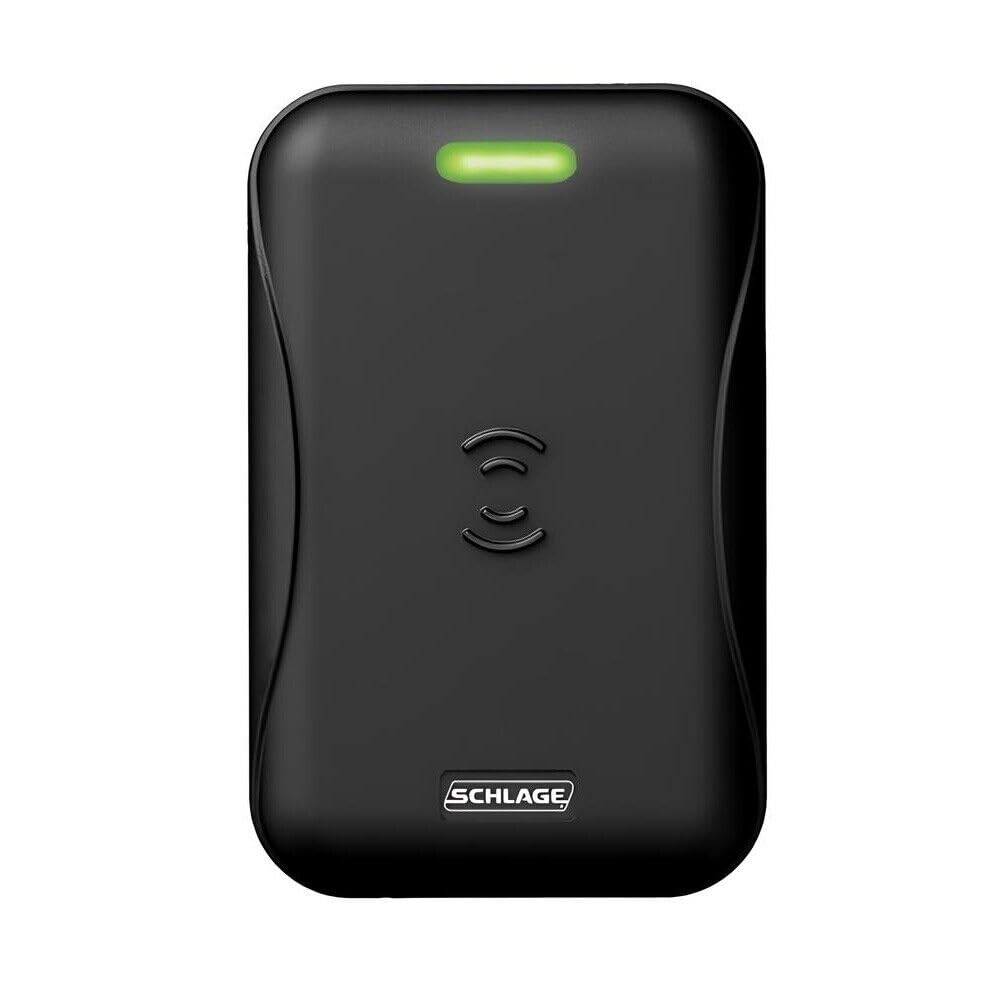
Figura 1: SCHLAGE MT15-485 Multi-Technology Single Gang Reader. This image displays the front view of the black multi-technology reader, highlighting its compact design suitable for single-gang installations.
Característiques clau
- RS-485 output for versatile connectivity.
- Compatible with NFC-open smartphones using Schlage or aptiQ mobile credentials.
- Designed for interior, exterior, metal, and non-metal installation environments.
- Quick-connect cable for simplified installation.
- Easy-to-install mounting bracket.
Què hi ha a la caixa
Verifiqueu que hi hagi tots els elements abans de començar la instal·lació.
- 1 x SCHLAGE MT15-485 Multi-Technology Single Gang Reader device
- 1 x manual d'instruccions
Configuració i instal·lació
The MT15-485 reader is designed for straightforward installation in various environments. Ensure power is disconnected before proceeding with any wiring.
Muntatge
- Select an appropriate mounting location. The reader is suitable for interior, exterior, metal, and non-metal surfaces.
- Use the easy-to-install mounting bracket to secure the reader to the desired surface. Ensure the bracket is level and firmly attached.
- Attach the reader to the mounted bracket.
Cablejat
- The reader utilizes a quick-connect cable for simplified wiring.
- Connect the reader to your access control panel using either Wiegand or RS-485 output, depending on your system's requirements. Refer to your access control panel's documentation for specific wiring diagrams.
- Assegureu-vos que totes les connexions estiguin segures i aïllades correctament.
Nota: Es recomana una instal·lació professional per a un rendiment i una seguretat òptims.
Instruccions de funcionament
The SCHLAGE MT15-485 reader is designed for intuitive operation with various credentials.
- Encès: Once installed and wired, apply power to the access control system. The reader will typically indicate readiness with an audible beep or LED indicator.
- Presenting Credentials: Hold your compatible access credential (e.g., 125 kHz proximity card, 13.56 MHz smart card, wristband, fob, tag, or NFC-enabled smartphone with Schlage/aptiQ mobile credentials) within close proximity to the reader's surface.
- Access Granted/Denied: The reader will communicate with the access control panel. A successful read will typically result in a visual and/or audible confirmation (e.g., green LED, single beep), indicating access granted. An unsuccessful read may result in a different indication (e.g., red LED, multiple beeps), indicating access denied.
- NFC Smartphone Use: For NFC-open smartphone compatibility, ensure your device has the appropriate Schlage or aptiQ mobile credential application installed and activated. Present the smartphone to the reader as you would a physical card.
Manteniment
The SCHLAGE MT15-485 reader requires minimal maintenance to ensure optimal performance.
- Neteja: Periodically wipe the reader's surface with a soft, damp drap. No utilitzeu netejadors abrasius, dissolvents ni productes químics agressius, ja que poden danyar l'acabat o els components interns.
- Inspecció: Regularly inspect the reader and its wiring for any signs of damage, wear, or loose connections. Address any issues promptly.
- Protecció del medi ambient: While designed for various environments, protect the reader from extreme temperatures, direct prolonged sunlight, and excessive moisture to extend its lifespan.
Resolució de problemes
If you encounter issues with your MT15-485 reader, refer to the following common troubleshooting steps:
| Problema | Causa possible | Solució |
|---|---|---|
| Reader does not power on. | Sense subministrament elèctric; cablejat fluix. | Check power connections to the access control panel. Verify all wiring is secure and correctly connected. |
| Reader does not read credentials. | Incompatible credential; credential presented incorrectly; reader malfunction. | Ensure the credential is compatible (125 kHz proximity or 13.56 MHz smart card). Present the credential directly to the reader. Test with a known working credential. |
| Access denied despite valid credential. | Credential not enrolled in system; access control panel issue. | Verify the credential is properly enrolled in your access control system. Check the access control panel for error messages or system status. |
| NFC smartphone not working. | Incorrect app; NFC disabled; phone not positioned correctly. | Ensure the correct Schlage or aptiQ mobile credential app is installed and active. Verify NFC is enabled on your smartphone. Try different positioning of the phone against the reader. |
If issues persist after attempting these steps, contact SCHLAGE technical support for further assistance.
Especificacions
| Característica | Detall |
|---|---|
| Número de model | MT15-485 |
| Marca | ESCHAGE |
| Tecnologia de connectivitat | Wired (Wiegand, RS-485 output) |
| Dispositius compatibles | Access Control Panels, NFC-open Smartphones (with Schlage/aptiQ credentials) |
| Freqüències suportades | 125 kHz Proximity, 13.56 MHz Contactless Smart Card |
| Font d'alimentació | Elèctric amb cable |
| Entorn d'instal·lació | Interior, Exterior, Metal, Non-metal |
| UPC | 812951020132 |
Garantia i Suport
SCHLAGE products are manufactured to high-quality standards. For specific warranty information regarding your MT15-485 reader, please refer to the warranty documentation included with your purchase or visit the official SCHLAGE website. For technical support, installation assistance, or to report any issues, please contact SCHLAGE customer service through their official channels.
Assistència en línia: www.schlage.com/en/home/support.html