
Perixx PERIBOARD-332
Manual d'usuari del teclat USB retroil·luminat amb cable Perixx PERIBOARD-332
Introducció
This manual provides detailed instructions for the setup, operation, maintenance, and troubleshooting of your Perixx PERIBOARD-332 Wired Backlit USB Keyboard. Please read this manual thoroughly before using the product to ensure optimal performance and longevity.

Image: The Perixx PERIBOARD-332 Wired Backlit USB Keyboard, showcasing el seu disseny compacte.
Contingut del paquet
Verifiqueu que tots els elements siguin presents al paquet:
- Perixx PERIBOARD-332 Wired Backlit USB Keyboard
- Cable USB integrat
- Manual d'usuari (aquest document)

Image: The Perixx PERIBOARD-332 keyboard, its integrated USB cable, the user manual, and the product packaging.
Instruccions de configuració
Connecteu el teclat: Locate an available USB port on your computer (PC, laptop, tablet, or smartphone with appropriate adapter). Insert the USB cable from the PERIBOARD-332 into the USB port.
Instal·lació del controlador: The keyboard is plug-and-play and typically does not require additional drivers for basic functionality on Windows, macOS, Linux, or Chrome OS. Your operating system should automatically detect and configure the device.
Col·locació: Place the keyboard on a stable, flat surface. The compact design is ideal for small workspaces.

Image: A user typing on the Perixx PERIBOARD-332 keyboard, demonstrating its compact size and wired connection on a desk.
Instruccions de funcionament
Ús general
The Perixx PERIBOARD-332 features a standard US English QWERTY layout with 84 keys. Its low-profile scissor keys provide a quiet and comfortable typing experience, similar to laptop keyboards. The compact design helps optimize desk space.

Image: A user typing on the Perixx PERIBOARD-332 keyboard, highlighting its compact size and ergonomic placement in a workspace.

Imatge: Primer pla view of the sculpted, low-profile scissor keys of the Perixx PERIBOARD-332, highlighting their design.
Function Keys (Fn Hotkeys)
The keyboard includes integrated Fn hotkeys for quick access to multimedia and system functions. These functions are primarily designed for Windows operating systems. For other operating systems (macOS, Linux, Chrome OS), their functionality may vary or require specific system settings/configurations.
- Fn+F1: Pany de Fn
- Fn+F2: Backlight Brightness Adjustment (Cycle through levels)
- Fn+F3: Silenciar
- Fn+F4: Baixa el volum
- Fn+F5: Puja el volum
- Fn+F6: Pista anterior
- Fn+F7: Reproduir/Pausa
- Fn+F8: Pista següent
- Fn+F9: Pausa
- Fn+F10: Bloqueig de desplaçament
- Fn+F11: Insereix
- Fn+F12: Imprimir pantalla

Image: Diagram illustrating the integrated Fn hotkeys on the Perixx PERIBOARD-332, showing the function of each F-key when pressed with the Fn key.
Control de la llum de fons
The PERIBOARD-332 features white LED backlighting with adjustable brightness. To adjust the backlight brightness, press the Fn + F2 keys simultaneously. Repeatedly pressing this combination will cycle through different brightness levels (including off).
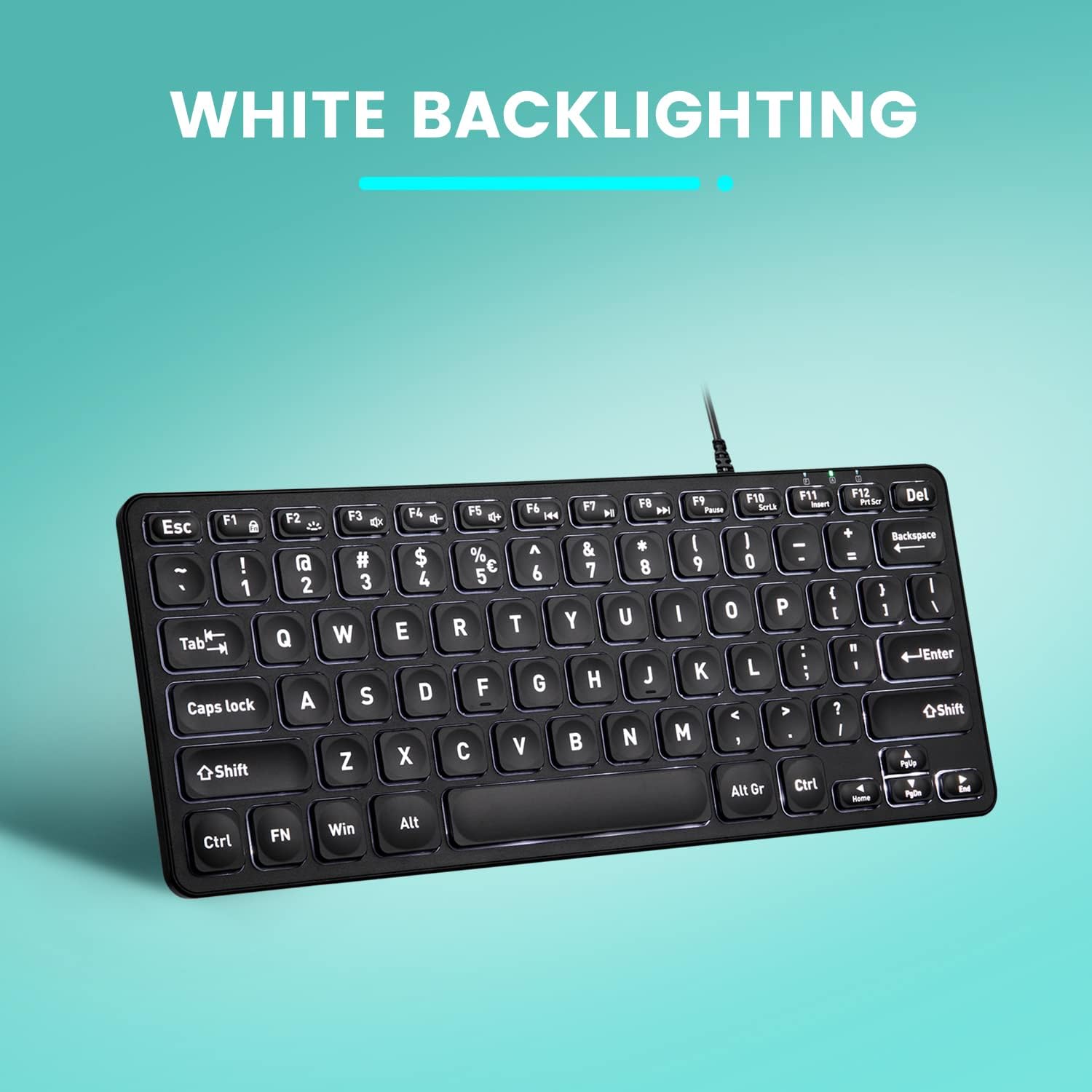
Imatge: De dalt a baix view of the Perixx PERIBOARD-332 keyboard with its white LED backlighting illuminated, showcasing the clear, large font on the keys.
Manteniment
To ensure the longevity and proper functioning of your keyboard, follow these maintenance guidelines:
- Neteja: Utilitzeu un drap suau i sense pelusa lleugerament dampened with water or a mild cleaning solution to wipe the surface of the keyboard. Avoid excessive moisture. Do not spray cleaners directly onto the keyboard.
- Eliminació de pols: Feu servir aire comprimit per eliminar la pols i les restes que hi ha entre les tecles.
- Eviteu els vessaments: Keep liquids away from the keyboard to prevent damage. The keyboard is not water-resistant.
- Emmagatzematge: Quan no l'utilitzeu, guardeu el teclat en un lloc net i sec, allunyat de temperatures extremes.
Resolució de problemes
If you encounter issues with your Perixx PERIBOARD-332, refer to the following common solutions:
El teclat no respon
- Comprova la connexió USB: Ensure the USB cable is securely plugged into both the keyboard and the computer's USB port. Try a different USB port.
- Reinicieu l'ordinador: Sometimes, a simple computer restart can resolve connectivity issues.
- Prova en un altre dispositiu: Connect the keyboard to another computer or device to determine if the issue is with the keyboard or the original computer.
La retroiluminació no funciona o no s'ajusta
- Check Brightness Setting: Premeu Fn + F2 repeatedly to cycle through all brightness levels, including off. Ensure it's not set to the lowest or off setting.
- Font d'alimentació: Ensure the keyboard is properly connected to a powered USB port.
Les tecles no funcionen correctament
- Claus netes: Check for any debris or obstructions under the affected keys. Use compressed air to clear them.
- Conflictes de programari: If specific keys are not working, check for any software or driver conflicts on your computer.
Multimedia Keys Not Working on macOS/Linux/Chrome OS
- Compatibilitat del sistema operatiu: The multimedia shortcut keys are primarily designed for Windows. On other operating systems, their functionality may vary or require specific system settings/configurations.
Especificacions
| Característica | Detall |
|---|---|
| Marca | Perixx |
| Número de model | PERIBOARD-332 |
| Tecnologia de connectivitat | USB (per cable) |
| Descripció del teclat | US English QWERTY |
| Característica especial | Retroil·luminat (LED blanc) |
| Tipus de canvi | Interruptors de tisora |
| Nombre de claus | 84 |
| Dimensions del producte (L x A x A) | 11.22" x 4.57" x 0.83" (28.5 cm x 11.6 cm x 2.1 cm) |
| Pes de l'article | 0.79 lbs (12.3 Ounces / 350 grams approx.) |
| Dispositius compatibles | PC, Laptop, Tablet, Smartphone (with compatible USB port/adapter) |
| Compatibilitat de sistemes operatius | Windows 7, 8, 10, 11; macOS; Linux; Chrome OS |
| Material | Plàstic |
Garantia i Suport
Informació de la garantia
Your Perixx PERIBOARD-332 keyboard comes with a Garantia limitada de 12 mesos from the date of purchase. This warranty covers manufacturing defects and workmanship under normal use. It does not cover damage caused by misuse, accidents, unauthorized modifications, or external factors.
Conserveu el vostre comprovant de compra per a reclamacions de garantia.
Atenció al client
For technical assistance, warranty claims, or any questions regarding your Perixx product, please visit the official Perixx website or contact their customer support team. Contact information can typically be found on the Perixx weblloc o a l'embalatge del producte.
També podeu visitar el Botiga Perixx a Amazon per obtenir més informació i recursos de suport.
Ask a question about this manual
Ask about setup, troubleshooting, compatibility, parts, safety, or missing instructions. Manuals+ will review the question and use this page’s manual context to help answer it.