
1. Instruccions de seguretat importants
Llegiu atentament totes les instruccions abans d'utilitzar aquest aparell i conserveu-les per a futures consultes. Si no seguiu aquestes instruccions, podeu patir descàrregues elèctriques, incendis o lesions personals greus.
- No introduïu els dits ni cap objecte a la reixeta del ventilador quan el ventilador estigui en funcionament.
- Assegureu-vos que el ventilador estigui col·locat sobre una superfície estable i plana per evitar que bolqui.
- No utilitzeu el ventilador a prop de l'aigua ni en ambients excessivament humits.
- Mantingueu el ventilador allunyat de cortines, cortines o qualsevol objecte que pugui ser arrossegat per les aspes del ventilador.
- Unplug the fan from the power source before cleaning or performing any maintenance.
- Aquest aparell no està pensat per ser utilitzat per persones (inclosos nens) amb capacitats físiques, sensorials o mentals reduïdes, o amb manca d'experiència i coneixements, tret que hagin rebut la supervisió o instruccions sobre l'ús de l'aparell per una persona responsable de la seva seguretat.
- No feu funcionar el ventilador amb un cable o endoll danyat. Si el cable o l'endoll estan danyats, poseu-vos en contacte amb el servei d'atenció al client per obtenir ajuda.
- Use only the charging cable provided or a compatible USB cable for charging.
2. Producte acabatview
The Mistral MRF600 Mimica No.X Typhoon 8 is a compact and portable rechargeable USB fan designed for personal cooling. It features a robust design and simple controls.
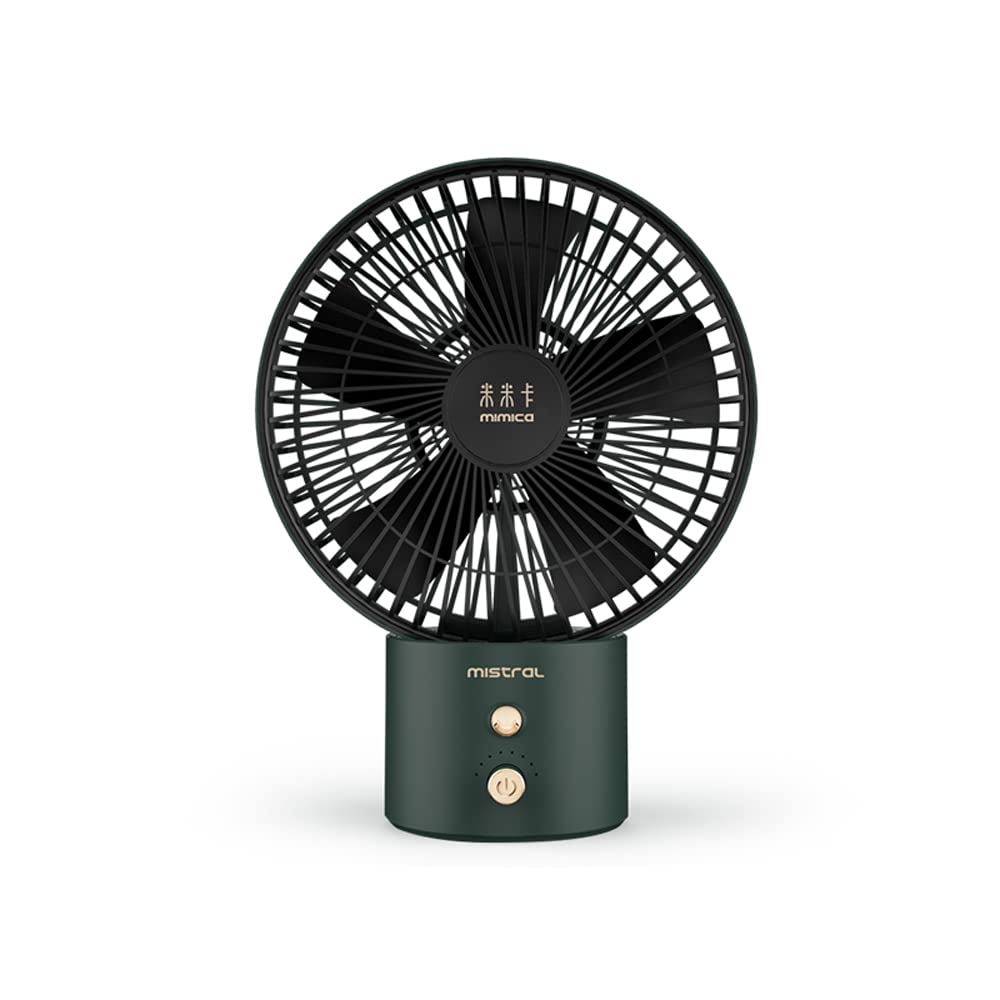
Image 1: Mistral MRF600 Mimica No.X Typhoon 8 Rechargeable USB Fan (Green color variant shown).
Contingut del paquet:
- Mistral MRF600 Rechargeable USB Fan
- Cable de càrrega USB
- Manual d'instruccions (aquest document)
Components clau:
- Fan Head with Blades and Grille
- Control Button (Power/Speed)
- Port de càrrega USB
- Base / suport
3. Configuració
3.1 Càrrega inicial
Before first use, fully charge the fan's internal battery. This ensures optimal performance and battery longevity.
- Connect the small end of the provided USB charging cable to the USB charging port on the fan.
- Connect the larger end of the USB cable to a standard USB power adapter (not included), a computer's USB port, or a power bank.
- The charging indicator light (if present) will illuminate, typically red, to show that the fan is charging.
- Once fully charged, the indicator light may change color (e.g., to green or blue) or turn off. Charging typically takes 3-4 hours.
3.2 Col·locació
Place the fan on a firm, level surface. Ensure there is adequate space around the fan for proper airflow and to prevent obstruction of the air intake or output.
4. Instruccions de funcionament
The Mistral MRF600 fan features a single control button for power and speed adjustment.
- Power On / Speed 1: Press the control button once to turn on the fan at the low-speed setting.
- Velocitat 2: Press the control button a second time to switch to the high-speed setting.
- Apagar: Press the control button a third time to turn off the fan.
The fan offers 2 distinct power levels for customized airflow.
5. Manteniment i Neteja
Una neteja regular ajuda a mantenir el rendiment del ventilador i n'allarga la vida útil.
- Always ensure the fan is turned off and unplugged from any power source before cleaning.
- Utilitzeu un suau, damp drap per netejar les superfícies exteriors del ventilador. No utilitzeu productes de neteja abrasius ni dissolvents.
- To clean dust from the fan blades and grilles, use a soft brush, a vacuum cleaner with a brush attachment, or compressed air.
- No submergiu el ventilador a l'aigua ni deixeu que l'aigua degoti a la carcassa del motor.
- Store the fan in a cool, dry place when not in use for extended periods.
6. Solució De Problemes
If you encounter issues with your Mistral MRF600 fan, refer to the following common problems and solutions:
| Problema | Causa possible | Solució |
|---|---|---|
| El ventilador no s'encén. | La bateria està esgotada. | Carregueu el ventilador amb el cable USB proporcionat. |
| El ventilador no s'encén. | Cable USB o font d'alimentació defectuosa. | Prova un cable USB diferent o un adaptador/port d'alimentació USB diferent. |
| Flux d'aire feble. | Fan is on low speed setting. | Press the control button to switch to the high-speed setting. |
| Flux d'aire feble. | Acumulació de pols a les pales/reixa. | Clean the fan blades and grilles as described in the Maintenance section. |
If the problem persists after trying these solutions, please contact Mistral customer support.
7. Especificacions
| Marca | MISTRAL |
| Nom del model | Mistral MRF600 Mimica No.X Typhoon 8 |
| Número de model | MRF600 |
| Disseny de ventilador elèctric | Ventilador de taula |
| Font d'alimentació | Alimentat amb bateria (recarregable mitjançant USB) |
| Wattage | 7 watts |
| Nombre de nivells de potència | 2 |
| Mètode de control | Pulsador |
| Material | Plàstic |
| Dimensions del producte (P x A x A) | 20.6D x 27.3W x 1H centímetres |
| Ús interior/exterior | Interior |
8. Garantia i Suport
Mistral products are manufactured to high-quality standards. For information regarding warranty coverage, terms, and conditions, please refer to the warranty card included with your purchase or visit the official Mistral weblloc.
If you require technical assistance, have questions about your product, or need to report a defect, please contact Mistral customer support through their official channels. Contact details can typically be found on the product packaging or the official brand weblloc.