
1. Introducció
This manual provides essential information for the safe and effective operation, maintenance, and troubleshooting of your TOTAL TR111226 12mm 2200W Router. Please read this manual thoroughly before using the tool to ensure proper handling and to prevent injury or damage.
The TOTAL TR111226 Router is a powerful tool designed for shaping and cutting wood. It features a premium 2200W motor, variable speed control, and an impact-resistant plastic base, making it suitable for various woodworking applications including manual straight cuts, guide cutting, and handle cutting.
2. Instruccions de seguretat
ADVERTÈNCIA: Seguiu sempre les precaucions de seguretat bàsiques per reduir el risc d'incendi, descàrrega elèctrica i lesions personals.
- Seguretat de l'àrea de treball: Mantingueu la vostra zona de treball neta i ben il·luminada. Les zones desordenades o fosques conviden als accidents. No feu servir eines elèctriques en atmosferes explosives, com ara en presència de líquids, gasos o pols inflamables.
- Seguretat elèctrica: Els endolls de les eines elèctriques han de coincidir amb la presa de corrent. No modifiqueu mai l'endoll de cap manera. No exposeu les eines elèctriques a la pluja ni a condicions humides. Eviteu el contacte corporal amb superfícies connectades a terra.
- Seguretat personal: Always wear eye protection, dust mask, non-skid safety shoes, and hearing protection when operating the router. Dress properly; avoid loose clothing or jewelry.
- Ús i cura de l'eina: No forceu l'eina elèctrica. Feu servir l'eina elèctrica adequada per a la vostra aplicació. Desconnecteu l'endoll de la font d'alimentació abans de fer qualsevol ajust, canviar accessoris o guardar eines elèctriques.
- Manteniment: Mantenir eines elèctriques. Comproveu si hi ha desalineació o enquadernació de peces mòbils, trencaments de peces i qualsevol altra condició que pugui afectar el funcionament de l'eina elèctrica.
3. Components del producte
Familiarize yourself with the main components of your TOTAL TR111226 Router:
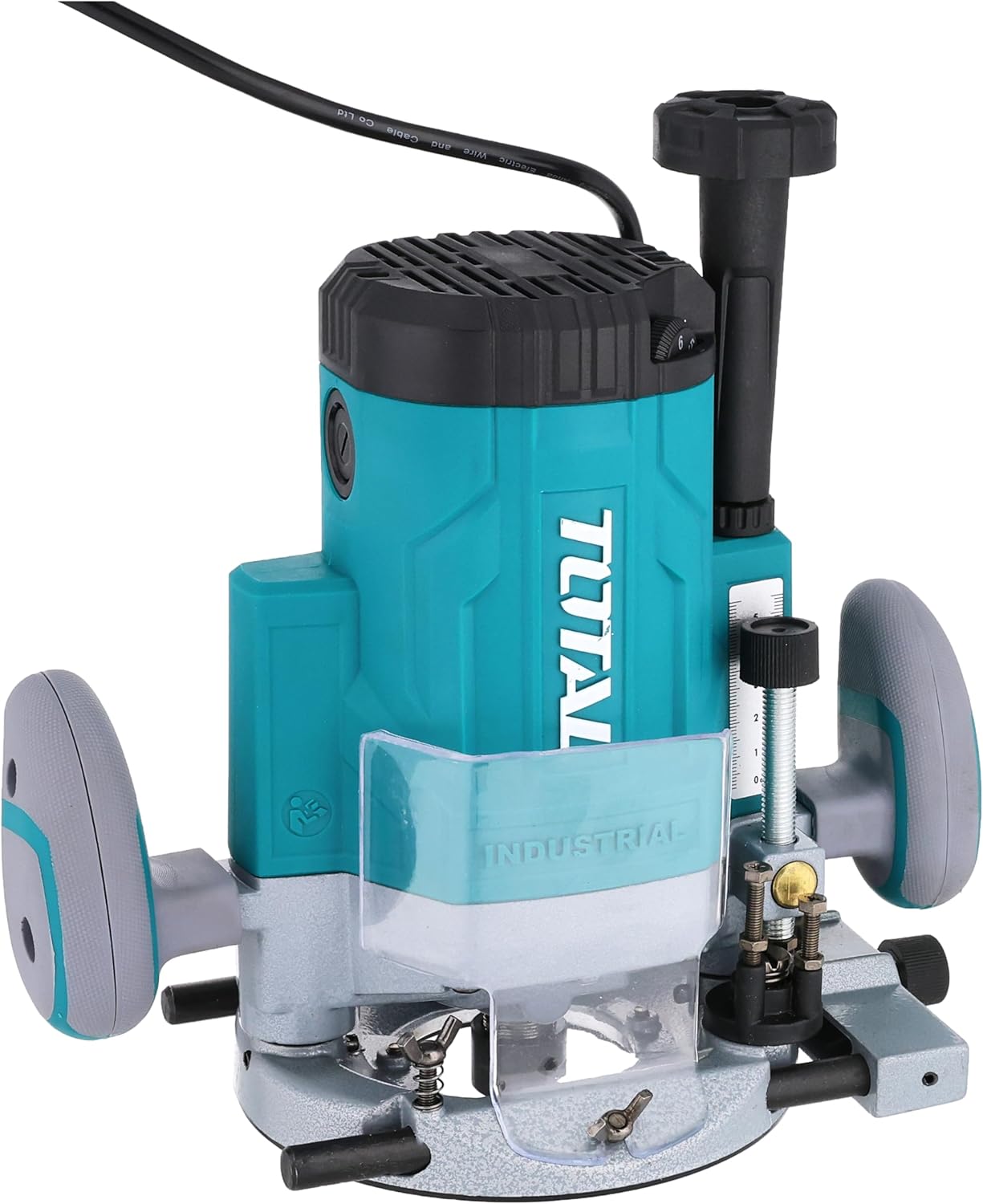
Figura 3.1: Davant view of the TOTAL TR111226 Router, showing the main body, handles, and base. This image highlights the overall design and primary components of the tool.

Figura 3.2: Primer pla view of the router's depth adjustment mechanism. This shows the threaded rod and locking knob used to precisely set the cutting depth.

Figura 3.3: posterior view of the router, displaying the power cord entry point and the product's identification label with technical specifications.
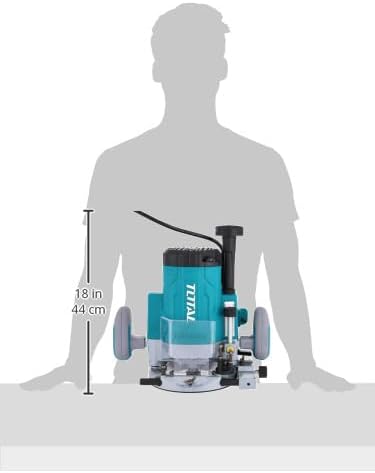
Figura 3.4: Image illustrating the approximate dimensions of the router, providing a visual reference for its size relative to a person.
4. Configuració
4.1 Desembalatge
Carefully remove the router and all accessories from the packaging. Inspect the tool for any signs of damage during transit. Retain the packaging for future storage or transport.
Instal·lació d'4.2 bits
- Assegureu-vos que el router estigui desconnectat de la font d'alimentació.
- Afluixeu la femella de la pinça amb la clau anglesa proporcionada.
- Insert the desired router bit into the collet, ensuring it is seated fully but not bottomed out.
- Estrenyeu fermament la femella de la pinça amb la clau. No l'estrenyeu massa.
4.3 Ajust de profunditat
The router features a precise depth adjustment mechanism:
- Col·loqueu el router sobre una superfície plana amb la broca desitjada instal·lada.
- Afluixeu el botó de bloqueig de profunditat.
- Lower the motor until the bit touches the surface.
- Adjust the depth fine-tuning knob or scale to achieve the desired cutting depth.
- Tighten the depth lock knob securely to prevent movement during operation.
4.4 Connexió a l'alimentació
Ensure the router's power switch is in the OFF position before plugging it into a suitable power outlet. The router operates on a corded electric power source.
5. Instruccions de funcionament
5.1 Funcionament bàsic
- Hold the router firmly with both hands on the handles.
- Assegureu-vos que la peça de treball estigui ben ferma clamped.
- Press the lock-off switch (if present) and then the power switch to start the motor. Allow the motor to reach full speed before engaging the workpiece.
- Slowly lower the router bit into the workpiece, guiding the tool smoothly along the desired path.
- To stop, release the power switch. Wait for the bit to come to a complete stop before lifting the router from the workpiece.
5.2 Control de velocitat variable
The router features variable speed settings to match the bit and material. Adjust the speed dial or control to the appropriate setting before starting the cut. Lower speeds are generally used for larger bits, harder materials, or when more control is needed. Higher speeds are suitable for smaller bits and softer materials.
5.3 Tècniques de tall
- Talls rectes: Use a straight edge guide or fence to ensure accurate straight cuts.
- Guide Cutting: For curved or intricate cuts, use appropriate templates and guide bushings.
- Edge Profiling: For decorative edges, select the appropriate profiling bit and make multiple shallow passes if necessary.
6. Manteniment
Un manteniment regular garanteix la longevitat i el rendiment òptim del vostre router.
6.1 Neteja
- Desconnecteu sempre l'eina abans de netejar-la.
- Clean the router regularly with a soft, damp tela. No utilitzeu productes químics aggressivs ni netejadors abrasius.
- Use compressed air to clear dust and debris from the motor vents and collet area.
6.2 Bit Care
- Keep router bits sharp and clean. Dull bits can cause kickback and poor cut quality.
- Store bits in a protective case to prevent damage to the cutting edges.
6.3 Emmagatzematge
When not in use, store the router in a dry, secure place out of reach of children. Protect it from direct sunlight and extreme temperatures.
7. Solució De Problemes
Aquesta secció tracta problemes comuns que podeu trobar amb el vostre encaminador.
| Problema | Causa possible | Solució |
|---|---|---|
| El router no s'inicia | Sense font d'alimentació Interruptor d’alimentació OFF Lock-off switch not engaged | Comproveu la presa de corrent i el cable Enceneu l'interruptor d'alimentació Engage lock-off switch before pressing power switch |
| Mala qualitat de tall / Fusta cremada | Una mica avorrit Velocitat d'alimentació incorrecta Configuració de velocitat incorrecta | Replace or sharpen bit Adjust feed rate (slower for harder materials) Adjust speed setting (lower for larger bits/harder materials) |
| Vibració excessiva | Tros solt Damaged bit Desequilibri motor | Ensure bit is securely tightened Replace damaged bit Contact customer support if motor imbalance persists |
| Depth adjustment slips | Depth lock knob not tightened Restes en el mecanisme | Tighten depth lock knob firmly Clean depth adjustment mechanism |
If you encounter problems not listed here or if solutions do not resolve the issue, please contact TOTAL customer support.
8. Especificacions
Key technical specifications for the TOTAL TR111226 Router:
| Característica | Especificació |
|---|---|
| Número de model | TR111226 |
| Font d'alimentació | Elèctric amb cable |
| Entrada de potència | 2200W |
| Mida de la pinça | 12 mm |
| Pes de l'article | 4 kg (8.818 lliures) |
| Dimensions del producte | 10 x 20 x 37 cm |
| Tipus de base | Arreglat |
| Material | Plàstic, Fusta |
| Cavalls de força | 3 CV |
9. Garantia i Suport
TOTAL products are manufactured to high-quality standards. For information regarding the standard product warranty, please refer to the warranty card included with your purchase or visit the official TOTAL website. Extended warranty options may also be available from third-party providers.
For technical support, spare parts, or service inquiries, please contact TOTAL customer service through their official channels. Always provide your product model number (TR111226) and serial number when seeking support.