
1. Introducció
This manual provides instructions for the proper installation, use, and maintenance of your OtterBox Defender Series Case for the Apple iPod Touch 5th, 6th, and 7th generation. The Defender Series case is engineered to provide robust, multi-layer protection against drops, bumps, and scratches, ensuring the longevity of your device.
2. Compatibilitat
The OtterBox Defender Series Case (Model: ipt) is specifically designed for and compatible with the following Apple iPod Touch models:
- Apple iPod Touch 5th Generation
- Apple iPod Touch 6th Generation
- Apple iPod Touch 7th Generation
Important: This case is NO compatible with the Apple iPod Touch 2nd, 3rd, or 4th Generation models.
3. Contingut del paquet
Your OtterBox Defender Series Case package typically includes the following components:
- Outer synthetic rubber slipcover
- Inner polycarbonate hard shell (two pieces) with integrated screen protector
4. Configuració i instal·lació
Follow these steps to properly install your iPod Touch into the Defender Series Case:
- Separa les capes: Carefully peel back the outer synthetic rubber slipcover from the inner hard shell.
- Open the Hard Shell: Locate the tabs or clips around the edges of the hard shell. Gently pry apart the two halves of the polycarbonate hard shell.
- Insereix el dispositiu: Place your Apple iPod Touch into the bottom half of the hard shell, ensuring it sits securely and flush. The built-in screen protector should align perfectly with your device's screen.
- Close the Hard Shell: Place the top half of the hard shell over your iPod Touch and snap it firmly into place around all edges. Ensure all clips are engaged and there are no gaps.
- Apply Slipcover: Carefully stretch and wrap the outer synthetic rubber slipcover around the assembled hard shell. Ensure all corners and edges are fully covered and the port covers are aligned with the device's ports.

Figura 4.1: Frontal view of the assembled OtterBox Defender Series Case with an iPod Touch inside.

Figura 4.2: Esquena view of the OtterBox Defender Series Case, illustrating the robust inner hard shell.
5. Funcionament i ús
Once installed, your iPod Touch is protected. Here are key features for operation:
- Protector de pantalla: The integrated screen protector guards against scratches and scuffs while maintaining touch sensitivity.
- Cobertes de port: Utilize the integrated port covers to protect the charging port and headphone jack from dust, dirt, and debris when not in use.
- Accés amb botons: The case provides access to all device buttons. Note that buttons may feel firmer initially due to the protective layers.
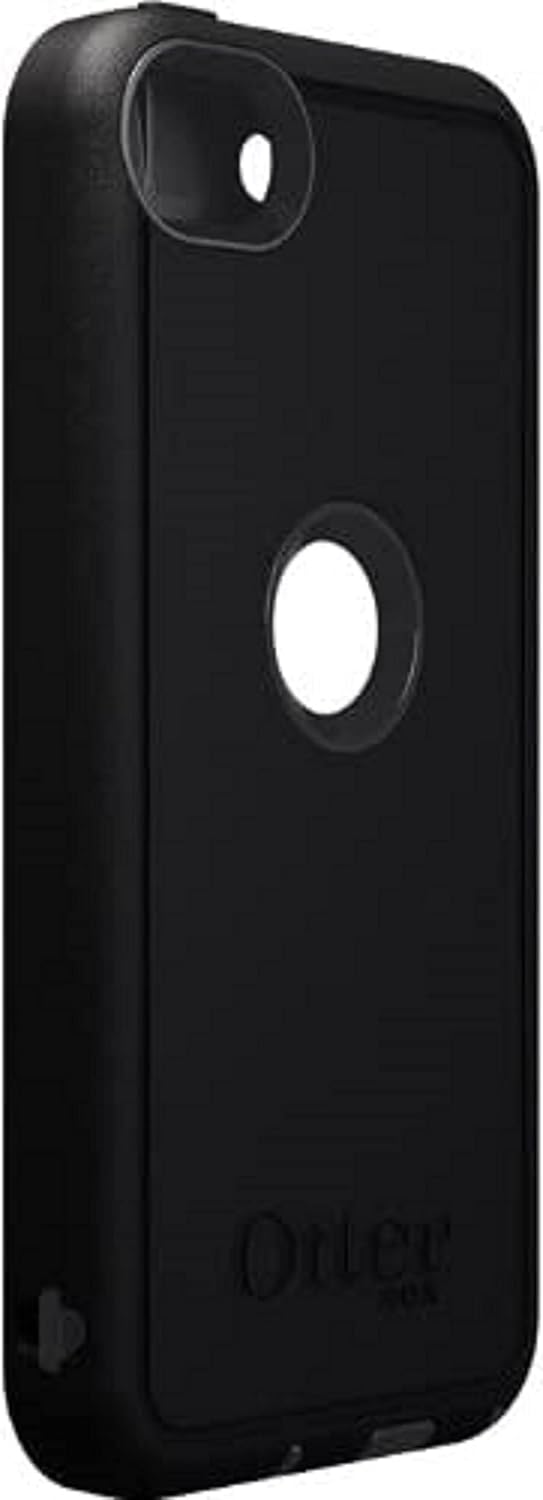
Figura 5.1: lateral view of the case, highlighting the protective port covers.
6. Manteniment
To ensure the longevity and effectiveness of your OtterBox Defender Series Case, follow these maintenance guidelines:
- Neteja: Netegeu regularment l'estoig amb un damp cloth to remove dirt and grime. For stubborn stains, a mild soap solution can be used. Avoid harsh chemicals or abrasive cleaners.
- Inspecció: Periodically inspect the case for any signs of wear, tear, or damage, especially after significant drops. Ensure all port covers are intact and functioning correctly.
- Screen Protector Care: Keep the built-in screen protector clean to maintain touch responsiveness and screen clarity.
7. Solució De Problemes
| Problema | Possible causa/solució |
|---|---|
| Els botons són rígids o no responen. | This is common with new protective cases. Buttons may require more force initially. Continued use will typically soften the button covers over time. Ensure the case is installed correctly and not misaligned. |
| Screen protector affects touch sensitivity or has air bubbles. | Ensure the iPod Touch screen and the inside of the screen protector are clean and free of dust before installation. Re-install the device, ensuring the screen protector lays flat without gaps. If a separate tempered glass protector is already on the iPod, it may interfere with the built-in screen protector; remove one for optimal performance. |
| Charging cable or headphones do not fit. | The port covers are designed for standard Apple cables. Non-Apple branded USB to Lightning cables or 30-pin to Lightning Adapters may be too large to fit through the case's port opening. Use official Apple accessories or compatible slim-profile alternatives. |
| La caixa no tanca correctament. | Ensure the iPod Touch is correctly seated within the hard shell. Check for any debris or foreign objects preventing the hard shell halves from snapping together. Verify that the outer slipcover is not interfering with the hard shell's closure. |
8. Especificacions
- Dimensions del producte: 7.4 x 4.3 x 1 polzades
- Pes de l'article: 2.08 unces
- ASIN: B09RN8R7D9
- Número de model de l'article: ipt
- Característiques especials: Built-in Screen Protector, Port Covers
- Factor de forma: Cas
- Color: Carbó
- Fabricant: OtterBox
- Dispositius compatibles: Apple iPod Touch 5th, 6th, 7th Generation
- Tipus de closca: Hybrid (Polycarbonate and Synthetic Rubber)
9. Garantia i Suport
For warranty information, product registration, or technical support, please visit the official OtterBox website or contact their customer service department. Details regarding specific warranty terms and conditions are typically available on the manufacturer's weblloc.
Podeu trobar més informació i suport a OtterBox Store.