
TECKNET HS004
TECKNET Bluetooth Headphones User Manual
Model: HS004
Introducció
This user manual provides comprehensive instructions for the TECKNET Bluetooth Headphones, Model HS004. Please read this manual carefully before using the product to ensure proper operation and to maximize its lifespan. Keep this manual for future reference.
"TECKNET Bluetooth Headset, Wireless On Ear Headphones with Noise Cancelling Microphone for Trucker, Hand Free Wireless Headset with Mute Mic for Cellphone, PC, Home, Office, Call Center"
Producte acabatview
Característiques clau
- Connexió de dispositiu dual: Utilizes Bluetooth 5.2 technology for fast and stable connection with two devices simultaneously within a 10-meter (33 feet) range. This allows for seamless switching between devices, such as watching videos on a laptop while staying connected to a smartphone.
- Micròfon giratori de 330°: The microphone can be rotated 330 degrees, allowing it to be positioned for use on either the right or left ear. This flexibility ensures optimal voice capture and enhances the calling experience.
- Confort superior: Designed for extended wear, these headphones feature an ultra-lightweight construction, super soft memory foam ear cups, and an adjustable headband. They are rigorously tested for stability and comfort across various ear shapes.
- Llarga vida útil de la bateria: Provides up to 20 hours of continuous talk time and 200 hours of standby time on a single 2-hour charge. This extended battery life is ideal for office, home, remote work, call centers, VoIP, and Skype use.
- Compatibilitat universal: Works with a wide range of devices including iPhones, smartphones, desktops, laptops, and tablets. Note: The mute function is currently supported only with mobile phones.
Disseny i components
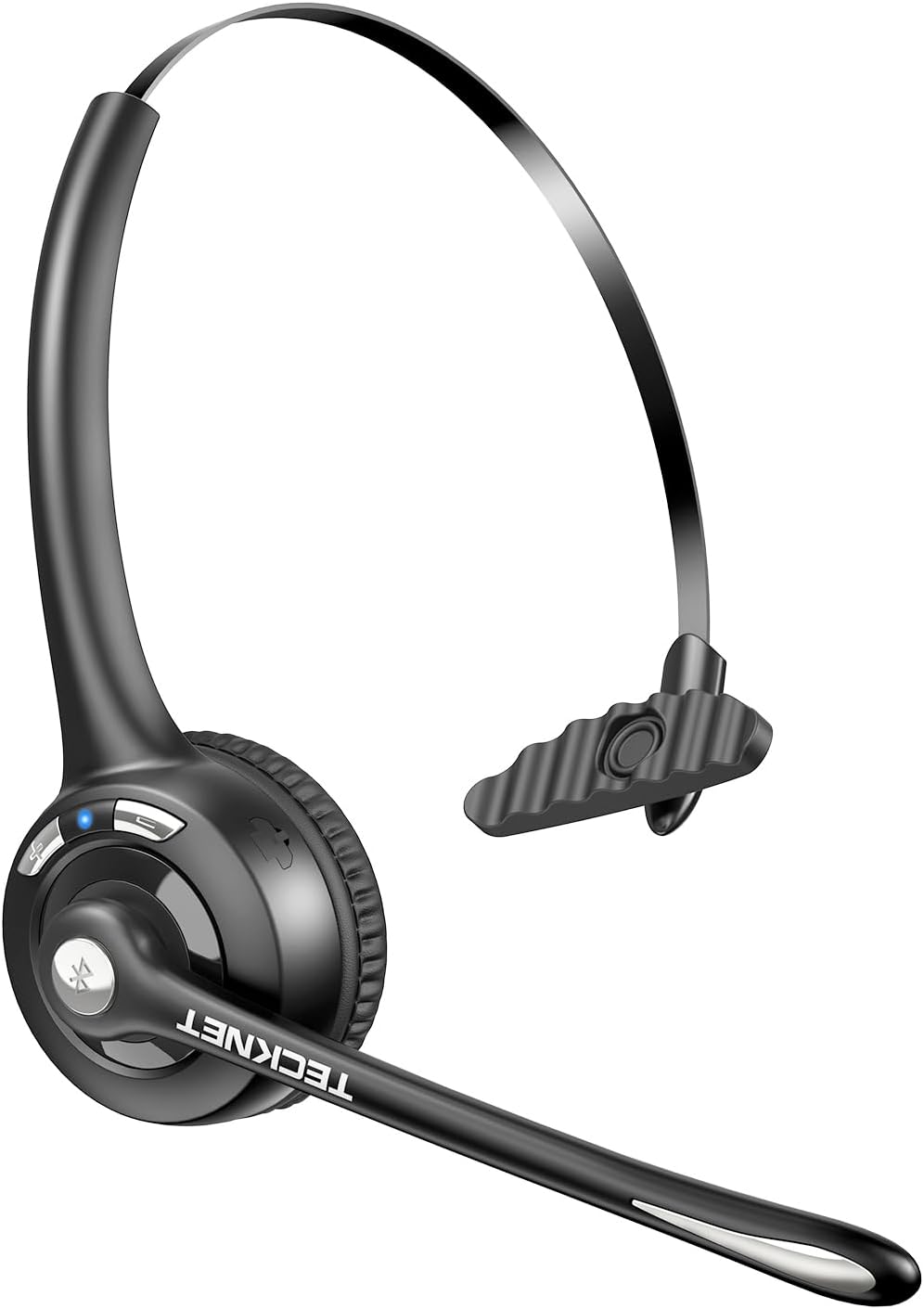
The TECKNET Bluetooth Headset in Dark Grey, showcasing its over-ear design and integrated microphone.

Illustration of the headset's dual device connection capability, showing it paired with both a laptop and a smartphone via Bluetooth 5.2.

The 330° rotatable microphone feature, demonstrating its flexibility for use on either the left or right ear, ensuring optimal voice capture.

Visual representation of the headset's lightweight design (1.5oz) and comfort features, including the rotatable microphone, gripper T-pad, soft ear pad, and noise-cancelling microphone.

Battery performance details: 20 hours talking time, 200 hours standby time, and 2 hours charging time, illustrated with a user wearing the headset.

Detailed diagram of the headset's controls, including the LED indicator, Volume up/down buttons, USB-C port, and multi-functional button.
Què hi ha a la caixa
The TECKNET Bluetooth Headphones package includes:
- TECKNET Bluetooth Headphones (Model HS004)
- Manual d'usuari
- Cable de càrrega (USB-C)
- Cable d'àudio de 3.5 mm (per a connexió amb cable)
Configuració
Carregant els auriculars
Before first use, fully charge the headphones. Connect the provided USB-C charging cable to the headset's USB-C port and the other end to a USB power source (e.g., computer USB port, wall adapter). The LED indicator will show charging status and turn off when fully charged. A full charge takes approximately 2 hours.
Emparellament Bluetooth
- Assegureu-vos que els auriculars estiguin apagats.
- Press and hold the Multi-functional button (usually the power button) until the LED indicator flashes blue and red alternately, indicating pairing mode.
- Al dispositiu (telèfon intel·ligent, ordinador portàtil, etc.), activeu el Bluetooth i cerqueu els dispositius disponibles.
- Select "TECKNET HS004" from the list of found devices.
- Un cop connectat, l'indicador LED normalment mostrarà una llum blava fixa o parpellejarà lentament en blau.
- To connect a second device, disable Bluetooth on the first device temporarily, put the headphones back into pairing mode, connect the second device, then re-enable Bluetooth on the first device. The headphones will automatically connect to both.
Official product video demonstrating the features and setup of the TECKNET Bluetooth Wireless Headset.
Instruccions de funcionament
Controls bàsics
| Botó/Funció | Funció |
|---|---|
| Botó multifuncional | Power On/Off, Play/Pause, Answer/End Call |
| Puja el volum (+) | Augmenta el volum |
| Baixar el volum (-) | Disminuir el volum |
| 330° Rotatable Microphone | Adjust microphone position for optimal voice pickup. |
| Funció de silenci | Mute/unmute microphone (works only with mobile phones). |
Escenaris d'ús
The TECKNET Bluetooth Headphones are suitable for various applications:
- Videoconferència: Clear audio and microphone for online meetings.
- E-Learning: Ideal for online courses and educational content.
- Transmissió en directe: Provides reliable audio input and output for streaming.
- Call Center: Designed for continuous communication in professional environments.
- Viatge: Lightweight and comfortable for on-the-go use.

The headset supports various hands-free conversation scenarios, including call centers, remote meetings, online classes, and live streaming.
Manteniment
- Neteja: Feu servir un drap suau i sec per netejar els auriculars. No utilitzeu productes de neteja abrasius ni dissolvents.
- Emmagatzematge: Guardeu els auriculars en un lloc fresc i sec, allunyat de la llum solar directa i de temperatures extremes.
- Cura de la bateria: To preserve battery life, avoid fully discharging the battery frequently. Charge regularly, even if not in use for extended periods.
- Manipulació: Handle the headphones with care. Avoid dropping them or subjecting them to strong impacts, as this may cause damage to the headband or other components.
Resolució de problemes
| Problema | Causa possible | Solució |
|---|---|---|
| No es pot emparellar amb el dispositiu | Auriculars no en mode d'emparellament; Bluetooth desactivat al dispositiu; dispositiu massa lluny. | Ensure headphones are in pairing mode (flashing blue/red). Turn on Bluetooth on your device. Move device closer to headphones (within 10m). |
| Sense so ni volum baix | Volum massa baix; auriculars no connectats; sortida d'àudio incorrecta seleccionada. | Increase volume on both headphones and connected device. Re-pair headphones. Check audio output settings on your device. |
| El micròfon no funciona | Microphone muted; incorrect input device selected; microphone not positioned correctly. | Ensure microphone is not muted. Check input device settings on your computer/phone. Adjust the 330° rotatable microphone. |
| Durada de la bateria curta | Not fully charged; aging battery. | Ensure headphones are fully charged (2 hours). If battery life significantly degrades over time, consider product replacement. |
| Headband cracking | Physical stress; material fatigue. | Handle with care, avoid excessive bending or twisting. If within warranty, contact support. |
Especificacions
| Característica | Detall |
|---|---|
| Nom del model | HS004 |
| Tecnologia de connectivitat | Sense fil (Bluetooth 5.2) |
| Interval Bluetooth | 10 metres (33 peus) |
| Durada de la bateria (temps de conversa) | Fins a 20 hores |
| Durada de la bateria (mode d'espera) | Fins a 200 hores |
| Temps de càrrega | Aprox. 2 hores |
| Micròfon | 330° Rotatable, Noise Cancelling |
| Col·locació de l'orella | A l'orella |
| Material | Leather (ear cups) |
| Pes de l'article | 5.6 unces |
| Dimensions (paquet) | 6.46 x 6.42 x 2.28 polzades |
| Interval de freqüència | 20 Hz - 40,000 Hz |
| Impedància | 32 ohms |
Garantia i Suport
TECKNET products are designed for reliability and performance. For warranty information and technical support, please refer to the warranty card included with your product or visit the official TECKNET weblloc.
També podeu visitar el Botiga TECKNET a Amazon per obtenir més informació sobre el producte i opcions d'atenció al client.
Documents relacionatsHS004


Ask a question about this manual
Ask about setup, troubleshooting, compatibility, parts, safety, or missing instructions. Manuals+ will review the question and use this page’s manual context to help answer it.