
Boean U18
Boean Bluetooth Headphones U18 User Manual
Model: U18 | Brand: Boean
1. Introducció
Thank you for choosing Boean Bluetooth Headphones. These wireless headphones are designed to provide a superior audio experience with comfort and durability, making them ideal for sports, workouts, and daily use. Featuring Bluetooth 5.3 connectivity, powerful stereo bass, and an IPX7 waterproof rating, your Boean U18 headphones are built for performance.

Image: Boean Bluetooth Headphones U18 in blue, featuring an over-ear hook design and a connecting cable, displayed on a small stand.
2. Què hi ha a la caixa
Si us plau, comproveu el contingut del paquet per assegurar-vos que hi hagi tots els elements:
- Boean Bluetooth Headphones (U18)
- Cable de càrrega USB
- Múltiples mides de puntes per a les orelles
- Maleta de transport
- Manual d'usuari

Imatge: Una imatge superior view of the Boean Bluetooth Headphones package contents, neatly arranged. It includes the blue headphones, a USB charging cable, several pairs of ear tips in different sizes, and a black zippered carrying case.
3. Configuració i ús inicial
3.1 Càrrega dels auriculars
Before first use, fully charge your Boean U18 headphones. Use the provided USB charging cable to connect the headphones to a USB power source (e.g., computer USB port, wall adapter). The LED indicator will show charging status. A full charge provides up to 16 hours of playtime.

Image: A graphic representation highlighting the 16-hour playtime capability of the headphones, with icons for quick charge (5 minutes for 3.2 hours playtime) and total playtime.
3.2 Emparellament amb el dispositiu
The Boean U18 headphones feature Bluetooth 5.3 for quick and stable connections. They support one-step auto pairing for convenience.
- Encès: Long press the power button on the headphones for 3 seconds until the LED indicator flashes, indicating they are in pairing mode.
- Activa el Bluetooth: Al telèfon intel·ligent, la tauleta o un altre dispositiu compatible amb Bluetooth, aneu a la configuració de Bluetooth i activeu el Bluetooth.
- Seleccioneu el dispositiu: Look for "Boean U18" (or similar) in the list of available devices and select it to connect.
- Confirmació: Once connected, the LED indicator on the headphones will change, and you may hear an audio prompt. The headphones will automatically reconnect to the last paired device when powered on, if Bluetooth is active on the device.
Note: Watch connectivity is not supported.

Image: Boean Bluetooth Headphones positioned next to a smartphone displaying its Bluetooth settings screen, illustrating the one-step auto-pairing process.
4. Instruccions de funcionament
4.1 Controls de botons
The Boean U18 headphones feature intuitive button controls for easy management of your audio and calls:
| Acció | Premeu el botó |
|---|---|
| On/Off Headphones | Long press power button (3 seconds) |
| Següent Cançó | Long press '+' button (2 seconds) |
| Cançó anterior | Long press '-' button (2 seconds) |
| Respondre/Finalitzar la trucada | Premeu breument el botó d'encesa |
| Rebutja la trucada | Premeu llargament el botó d'encesa |
| Pausa/Reproduir música | Premeu breument el botó d'encesa |
| Pujar/Bajar el volum | Short press '+' / '-' button |
| Activa Siri (assistent de veu) | Double press power button |

Image: A detailed diagram illustrating the various button controls on the Boean headphones, including functions for power, track control, call management, volume adjustment, and voice assistant activation.
4.2 Qualitat d'àudio i trucades
Experience powerful bass and clear mids with the 11mm dynamic drivers. Sound isolation technology ensures an immersive listening experience and crystal-clear calls.
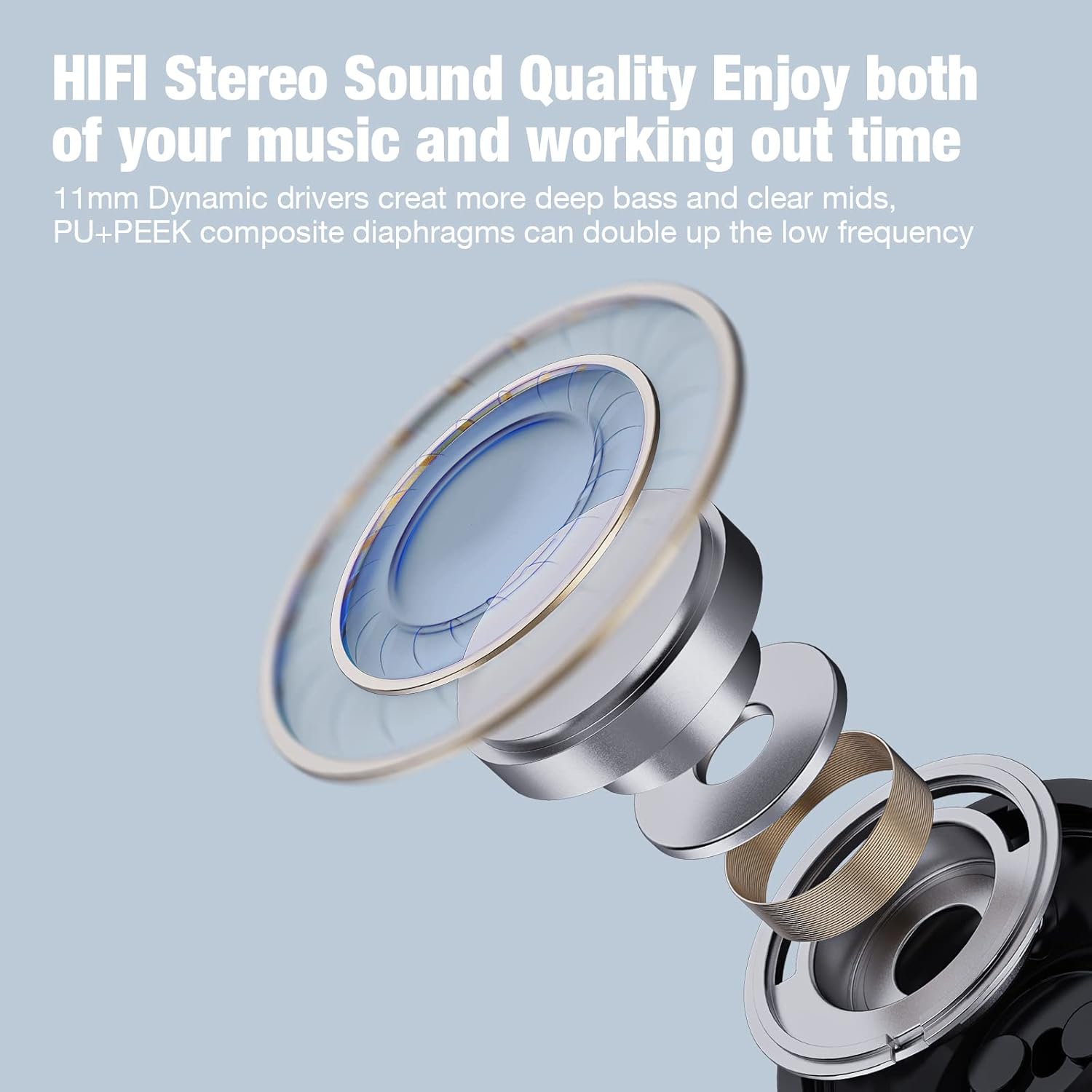
Imatge: Una explosió view diagram of an 11mm dynamic driver, illustrating its components and emphasizing its role in delivering HIFI stereo sound quality with deep bass and clear mids.

Image: A man wearing Boean headphones during a workout, demonstrating the comfortable fit and highlighting the smooth communication and sound isolation features.
5. Manteniment i cura
To ensure the longevity and optimal performance of your Boean Bluetooth Headphones, follow these care guidelines:
- Neteja: Gently wipe the headphones with a soft, dry cloth. For ear tips, remove them and clean with a mild soap solution if necessary, then rinse and dry thoroughly before reattaching.
- Resistència a l'aigua: The headphones are IPX7 waterproof, meaning they can withstand submersion in up to 1 meter of water for 30 minutes. They are suitable for workouts and light rain, but avoid prolonged submersion or use in saltwater. Always ensure the charging port cover is securely closed.
- Emmagatzematge: When not in use, store the headphones in their provided carrying case to protect them from dust, dirt, and physical damage.
- Temperatura: Avoid exposing the headphones to extreme temperatures (hot or cold) or direct sunlight for extended periods, as this can affect battery life and component integrity.

Image: A man exercising outdoors while wearing Boean headphones, emphasizing the ergonomic flexible ear hook design and the IPX7 waterproof rating, suitable for sports and active use.
6. Solució De Problemes
If you encounter issues with your Boean Bluetooth Headphones, please refer to the following common solutions:
| Problema | Possible solució |
|---|---|
| Els auriculars no s'encenen | Ensure the headphones are fully charged. Long press the power button for 3 seconds. |
| No es pot emparellar amb el dispositiu | Ensure Bluetooth is enabled on your device and the headphones are in pairing mode. Move headphones closer to the device. Forget the device in your phone's Bluetooth settings and try pairing again. |
| Sense so ni volum baix | Check the volume level on both the headphones and your connected device. Ensure the headphones are properly connected. Try playing different audio sources. |
| Connexió intermitent | Ensure there are no obstructions between the headphones and your device. Move away from sources of strong electromagnetic interference (e.g., Wi-Fi routers, microwaves). Ensure the headphones are within the 10-meter Bluetooth range. |
| Problema de càrrega | Use the provided charging cable. Ensure the charging cable is securely connected to both the headphones and the power source. Try a different USB port or power adapter. |
If the problem persists after trying these solutions, please contact Boean customer support.
7. Especificacions
Detailed technical specifications for the Boean Bluetooth Headphones U18:
| Característica | Detall |
|---|---|
| Nom del model | U18 |
| Tecnologia de connectivitat | Sense fil (Bluetooth) |
| Versió Bluetooth | 5.3 |
| Interval Bluetooth | 10 metres |
| Hora de joc | Fins a 16 hores |
| Nivell de resistència a l'aigua | IPX7 impermeable |
| Tipus de controlador d'àudio | Controlador dinàmic (11 mm) |
| Interval de freqüència | 20 Hz - 20,000 Hz |
| Tipus de control | Media Control (Button/Touch) |
| Col·locació de l'orella | In Ear (with Over-Ear Hook) |
| Material | Silicona |
| Pes de l'article | 3.52 unces |
| Dimensions del producte | 2.01 x 1.1 x 2.13 polzades |
| UPC | 761325937913 |

Image: A technical drawing illustrating the key dimensions of the Boean headphones, including height and width measurements for both the earbud and the ear hook components.
8. Informació de la garantia
Boean products are manufactured to the highest quality standards. This product is covered by a standard manufacturer's warranty against defects in materials and workmanship from the date of purchase. Please retain your proof of purchase for warranty claims.
The warranty typically covers manufacturing defects but does not cover damage caused by misuse, accidents, unauthorized modifications, or normal wear and tear. For specific warranty terms and conditions, please refer to the warranty card included with your product or visit the official Boean brand store.
9. Atenció al client
For further assistance, technical support, or warranty inquiries, please contact Boean customer service through the following channels:
- Assistència en línia: Visit the official Boean brand store on Amazon for FAQs and contact options: Boean Amazon Store
- Suport per correu electrònic: Refer to the contact information provided in your product packaging or on the brand's official weblloc.
Please have your product model (U18) and purchase details ready when contacting support.
Ask a question about this manual
Ask about setup, troubleshooting, compatibility, parts, safety, or missing instructions. Manuals+ will review the question and use this page’s manual context to help answer it.