
1. Introducció
This manual provides instructions for the NETVIP Bluetooth Car Speaker, a wireless hands-free device designed for in-car communication and media playback. It supports Bluetooth connectivity, voice assistants, and TF card playback, offering a convenient and safe way to manage calls and audio while driving.
2. Contingut del paquet
Verifiqueu que tots els elements que s'enumeren a continuació s'inclouen al vostre paquet:
- Bluetooth In-Car Speakerphone x 1
- Cable USB x 1
- Magnetic Basement (Clip) x 1
- Cordó x 1
- Manual d'usuari x 1
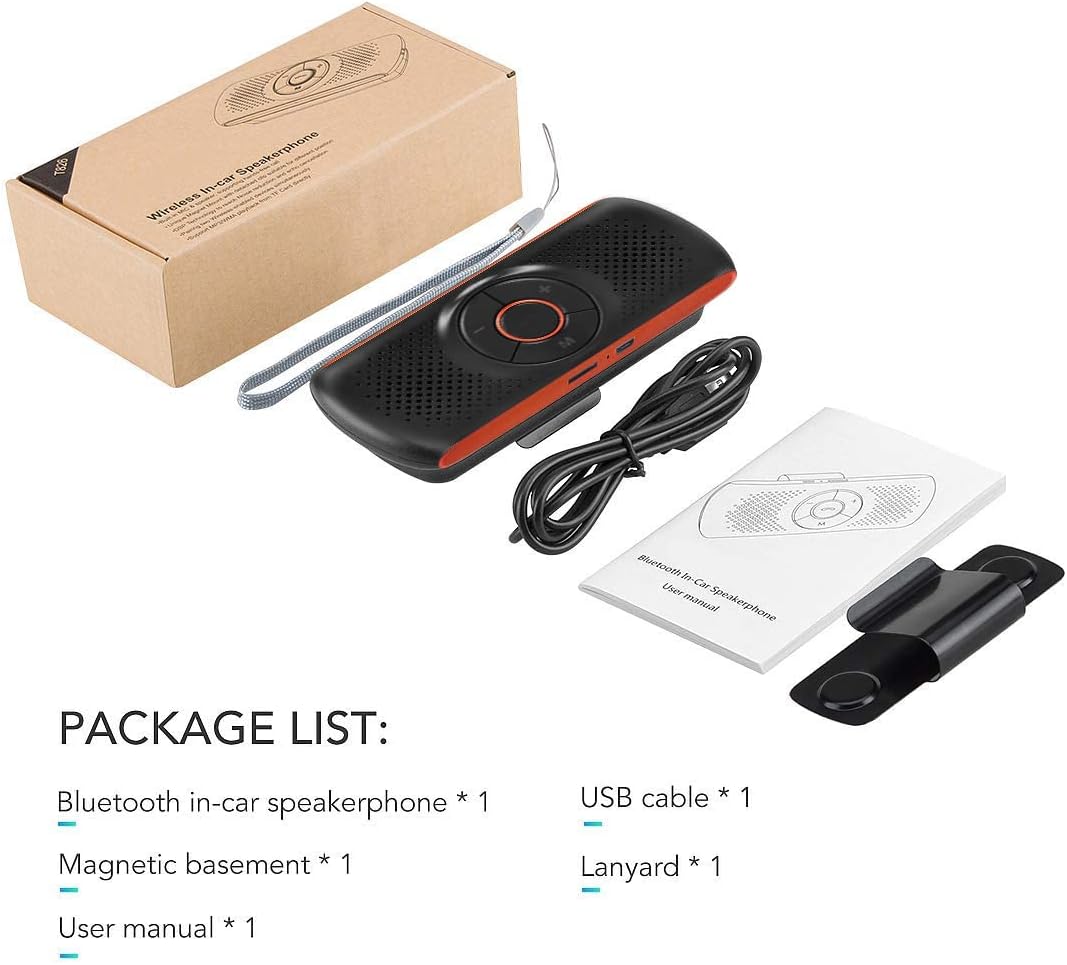
Image: Contents of the NETVIP Bluetooth Car Speaker package.
3. Característiques del producte
- Trucades mans lliures: Designed for safe communication while driving, allowing one-click call answering.
- Enhanced Bluetooth Connectivity: Features Bluetooth V4.2+EDR with echo noise reduction technology for clear audio.
- Suport de control per veu: Compatible with Siri and Google Assistant for voice commands.
- Reconnexió automàtica: Automatically reconnects to your paired phone upon power-on.
- Fàcil instal·lació: Back-clip design with a durable magnetic base for sun visor mounting.
- Multiple Media Options: Supports music playback via Bluetooth, TF card, or USB cable.
- Connexió de telèfon dual: Capable of connecting to two phones simultaneously.
4. Configuració
4.1 Càrrega del dispositiu
Before initial use, fully charge the speakerphone using the provided USB cable. Connect the USB cable to the device's charging port and a standard USB power source (e.g., car charger, computer USB port). The charging indicator light will show the charging status.
4.2 Mounting the Speakerphone
The speakerphone features a magnetic clip for easy attachment to your car's sun visor.
- Attach the magnetic basement clip to the back of the speakerphone.
- Slide the clip onto your car's sun visor. The magnetic connection allows for easy removal and reattachment.
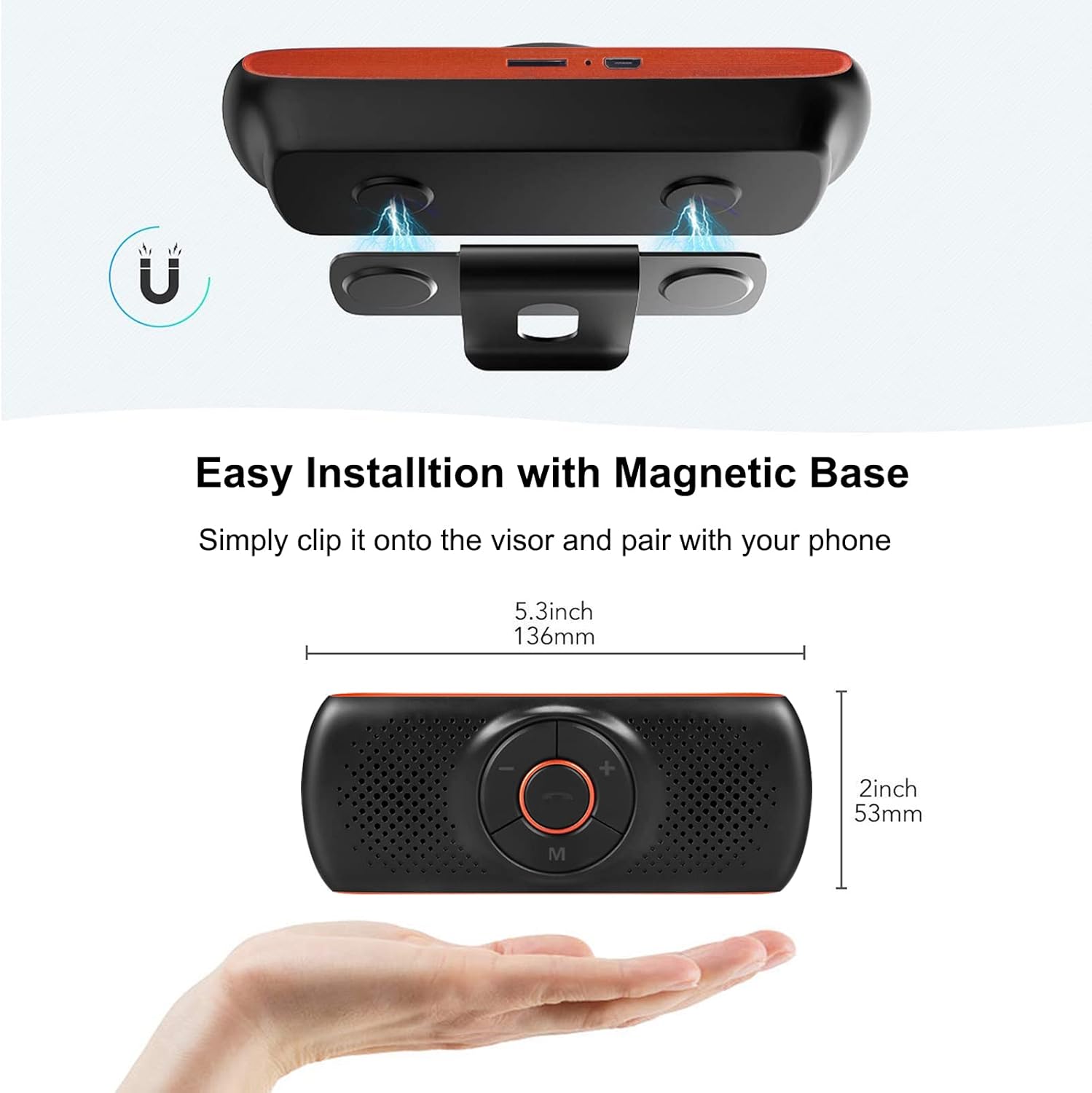
Image: Magnetic installation of the speakerphone on a car sun visor.
4.3 Vinculació Bluetooth
To connect the speakerphone to your mobile phone:
- Ensure the speakerphone is charged and powered on.
- Activa el Bluetooth al teu telèfon mòbil.
- Cerca available Bluetooth devices. The speakerphone will appear as "NETVIP" or a similar name.
- Select the speakerphone from the list to pair. A confirmation tone or voice prompt will indicate successful pairing.
- The device will automatically reconnect to the last paired phone when powered on and within range.
5. Instruccions de funcionament
5.1 Encès/Apagat
- Per engegar-lo, premeu i manteniu premut el botó d'engegada fins que s'il·lumini l'indicador lluminós.
- Per apagar-lo, premeu i manteniu premut el botó d'engegada fins que l'indicador lluminós s'apagui.
5.2 Trucades de mans lliures
When a call comes in, the speakerphone will announce the incoming call.
- Respon a la trucada: Press the phone button once.
- Finalitzar la trucada: Press the phone button once during a call.
- Rebutja la trucada: Manteniu premut el botó del telèfon durant 2 segons.
- Torna a marcar l'últim número: Double-press the phone button.

Image: Driver using the NETVIP Bluetooth Car Speaker for hands-free communication.
5.3 Voice Assistant (Siri/Google Assistant)
The speakerphone supports voice commands through Siri or Google Assistant.
- Activa l'Assistent de veu: Double-click the 'M' button to activate Siri or Google Assistant on your connected phone.
- Once activated, you can issue voice commands for tasks like making calls, sending messages, or getting directions.

Image: Illustrates using voice commands with Google Assistant and Siri via the speakerphone.
5.4 Reproducció de música
The speakerphone can play music from your phone via Bluetooth or directly from a TF card.
- Música Bluetooth: Once paired, play music from your phone, and it will stream through the speakerphone.
- Reproducció de la targeta TF: Inseriu una targeta TF amb àudio files into the designated slot. The speakerphone will automatically switch to TF card mode and begin playback.
- Control de volum: Use the '+' and '-' buttons on the speakerphone to adjust the volume.

Image: Detail of the TF card slot on the speakerphone for direct music playback.
5.5 Connecting Two Phones Simultaneously
The speakerphone can maintain a connection with two mobile phones at the same time.
- Pair the first phone as described in Section 4.3.
- After the first phone is paired, disable Bluetooth on the first phone.
- Pair the second phone to the speakerphone.
- Re-enable Bluetooth on the first phone. Both phones should now be connected.
- The speakerphone will prioritize incoming calls from either connected device.

Image: Demonstrates the speakerphone's ability to connect to two mobile phones concurrently.
6. Manteniment
To ensure the longevity and optimal performance of your NETVIP Bluetooth Car Speaker, follow these maintenance guidelines:
- Neteja: Use a soft, dry cloth to clean the device. Avoid using abrasive cleaners, solvents, or harsh chemicals.
- Emmagatzematge: Guardeu el dispositiu en un lloc fresc i sec, allunyat de la llum solar directa i de temperatures extremes.
- Cura de la bateria: Do not expose the battery to extreme heat or cold. Charge the device regularly, even if not in frequent use, to maintain battery health.
- Eviteu l'aigua: This device is not waterproof. Keep it away from liquids and moisture.
7. Solució De Problemes
If you encounter issues with your speakerphone, refer to the following common problems and solutions:
| Problema | Causa possible | Solució |
|---|---|---|
| El dispositiu no s'encén | Bateria baixa | Carregueu el dispositiu completament. |
| No es pot emparellar amb el telèfon | Bluetooth not enabled on phone; device not in pairing mode; too far from phone | Ensure phone Bluetooth is on. Power cycle the speakerphone. Move phone closer to device. |
| No audio during calls/music | Volume too low; device not connected; incorrect audio output selected on phone | Increase volume on both speakerphone and phone. Re-pair the device. Check phone's audio output settings. |
| L'assistent de veu no respon | Not activated correctly; phone's voice assistant not enabled | Double-click 'M' button. Ensure Siri/Google Assistant is enabled on your phone. |
| TF card music not playing | Targeta TF no inserida correctament; no compatible file format | Reinsert TF card. Ensure audio fileels fitxers estan en un format compatible. |
8. Especificacions
| Característica | Especificació |
|---|---|
| Marca | NETVIP |
| Tecnologia de connectivitat | Bluetooth, USB |
| Versió Bluetooth | 4.2 + EDR |
| Font d'alimentació | Funciona amb bateria |
| Sortida de l'altaveu | 3W |
| Capacitat de la bateria | 500 mAh d'ions de liti |
| Temps de càrrega de la bateria | Aproximadament 3 hores |
| Tipus de suport compatible | Targeta TF |
| Tipus de muntatge | Spoke Clip (Magnetic) |
| Tipus de control | Voice Control, Buttons |
| Dispositius compatibles | Smartphones, Car Stereo Systems |
| Entrada Voltage | 5 volts (CC) |
9. Informació de seguretat
Si us plau, llegiu i seguiu les directrius de seguretat següents:
- Eviteu utilitzar el dispositiu a prop d'altres dispositius sense fil per evitar possibles interferències.
- Keep the battery away from extreme temperatures and high humidity.
- Dispose of the battery and product responsibly according to local regulations.
- Do not attempt to disassemble, repair, or modify the device yourself. Contact qualified service personnel for assistance.
- Ensure the device is securely mounted to avoid obstruction of vision or interference with vehicle controls.
10. Vídeo del producte
Watch this video for an introduction to the NETVIP Wireless In-Car Speakerphone:
Vídeo: Una introduccióview of the NETVIP Wireless In-Car Speakerphone, demonstrating its features and usage.
11. Garantia i Suport
For warranty information or technical support, please contact NETVIP customer service through the retailer's platform or the official NETVIP weblloc. Conserveu el rebut de compra per a reclamacions de garantia.