
1. Introducció
Gràcies per la compraasing the ODK L-Shaped Gaming/Computer Desk. This manual provides detailed instructions for assembly, operation, maintenance, and troubleshooting to ensure you get the most out of your new desk. Please read this manual carefully before assembly and keep it for future reference.
This versatile and stylish L-shaped desk is designed for both gaming and work, featuring an integrated shelf for convenient storage and an L-shaped design to maximize corner space. Built with a robust steel frame, reinforced desktop, cross-bracing, and adjustable feet, it ensures stability and durability. The desk is easy to assemble with clear instructions and is made from high-strength, scratch, heat, and moisture-resistant melamine laminated board. Its ergonomic fillet design enhances safety and comfort.
2. Informació de seguretat
- Seguiu sempre atentament les instruccions de muntatge.
- Do not overtighten screws during assembly, as this may damage the components.
- Ensure all connections are secure before placing items on the desk.
- Do not exceed the maximum load capacity of the desktop (60kg) or shelves (25kg each).
- Mantingueu les peces petites allunyades dels nens durant el muntatge.
- Place the desk on a level surface to prevent wobbling. Use the adjustable feet to stabilize if necessary.
- Avoid exposing the desk to direct sunlight or extreme temperatures to prevent material degradation.
3. Contingut del paquet
Please verify that all parts are present before beginning assembly. If any parts are missing or damaged, please contact customer support.
| Part | Descripció | Quantitat |
|---|---|---|
| Panells d'escriptori | L-shaped main desktop and corner piece | 3 |
| Panells de prestatgeries | Adjustable shelves for the side rack | 2 |
| Potes d'estructura d'acer | Main support legs | Diversos |
| Cross Bracing | For stability | Diversos |
| Peus ajustables | For leveling the desk | Diversos |
| Suport de monitor | Small elevated shelf for monitor | 1 |
| Ganxo per a auriculars | Convenient hook for headphones | 1 |
| Forat de gestió de cables | Grommet for cable organization | 1 |
| Pack de maquinari | Cargols, clau Allen, etc. | 1 conjunt |
| Manual d'instruccions | Aquest document | 1 |
4. Instruccions de muntatge
Assembly is straightforward and can typically be completed by one person in about 30 minutes. Follow these steps carefully:
Pas 1: munta el marc
Begin by assembling the steel frame components. Connect the main leg sections using the provided screws. Ensure the cross-bracing elements are attached as shown in the diagram to provide initial stability.
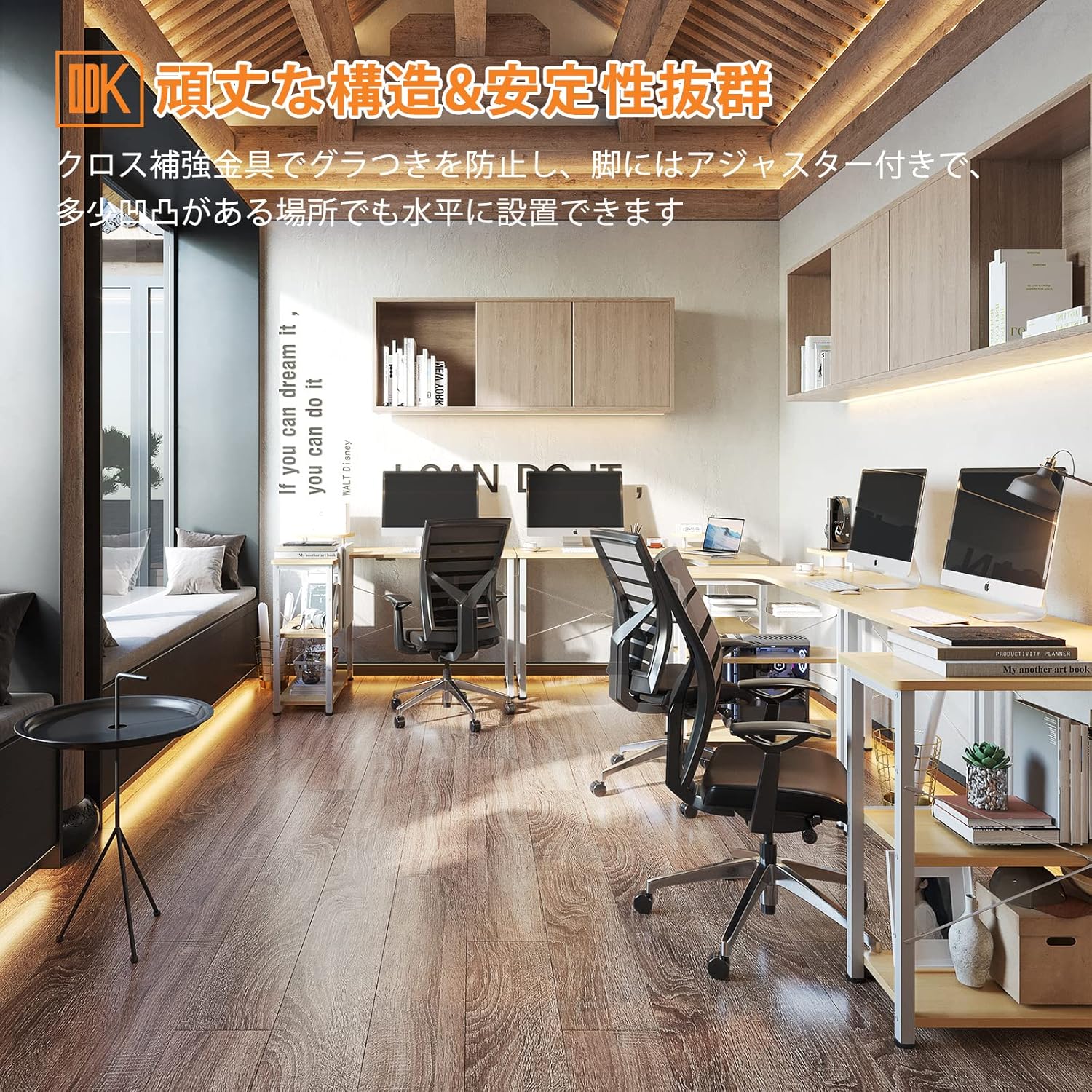
Figure 4.1: Initial frame assembly in an office environment.

Figure 4.2: Detail of the cross reinforcement for enhanced stability.
Step 2: Attach Desktop Panels
Carefully place the L-shaped desktop panels onto the assembled frame. Align the pre-drilled holes with the frame and secure them using the appropriate screws. Ensure the panels are flush and evenly aligned.

Figure 4.3: The L-shaped desk with desktop panels attached.
Step 3: Install Shelves and Accessories
Insert the two shelf panels into the integrated rack on the side of the desk. The height of these shelves can be adjusted to suit your storage needs. Attach the monitor stand to the main desktop and the headphone hook to the side frame as desired. Install the cable management grommet into the designated hole on the desktop.

Figure 4.4: The integrated shelves are adjustable to accommodate various items.

Figure 4.5: The monitor stand provides an elevated surface for your display.

Figure 4.6: A convenient hook for hanging headphones or other accessories.

Figure 4.7: The cable management hole helps keep your workspace tidy.
Step 4: Adjust and Level
Once fully assembled, adjust the adjustable feet at the bottom of the desk legs to ensure the desk is stable and level on any surface. This prevents wobbling and ensures a comfortable working or gaming experience.

Figure 4.8: Adjustable feet allow for precise leveling on uneven floors.
5. Operating Your Desk
Your ODK L-Shaped Desk is designed for versatile use in various environments:
- Configuració del joc: Utilize the L-shape for multiple monitors, gaming consoles, and accessories. The integrated shelves can store games, controllers, or other peripherals.
- Home Office/Study: The spacious desktop provides ample room for a computer, documents, and office supplies. The shelves are perfect for books, binders, or decorative items.
- Estació de treball: Ideal for professional settings, offering a large surface area for productivity. The monitor stand helps maintain ergonomic posture.

Figure 5.1: The desk configured for an immersive gaming experience.

Figure 5.2: A comfortable and efficient home office setup.
6. Manteniment
To ensure the longevity and appearance of your ODK L-Shaped Desk, follow these maintenance guidelines:
- Neteja: Netegeu les superfícies de l'escriptori amb un drap suau iamp cloth. For stubborn stains, use a mild soap solution and dry immediately. Avoid abrasive cleaners or harsh chemicals.
- Vessaments: Promptly wipe up any liquid spills to prevent damage to the melamine surface.
- Protecció de calor: Although the surface is heat-resistant, it is recommended to use coasters or heat pads for hot beverages or dishes to prevent potential marks.
- Esgarrapades: While scratch-resistant, avoid dragging sharp or heavy objects across the surface.
- Comprovació de maquinari: Reviseu periòdicament tots els cargols i connexions per assegurar-vos que romanen ajustats. Torneu a apretar-los si cal.
7. Solució De Problemes
| Problema | Causa possible | Solució |
|---|---|---|
| L'escriptori trontolla o és inestable. | Sòl irregular; connexions fluixes. | Adjust the leveling feet at the bottom of the legs. Ensure all screws are tightened securely. |
| Les peces no encaixen durant el muntatge. | Orientació incorrecta de les peces; defecte de fabricació. | Refer to the assembly diagrams and ensure parts are oriented correctly. Do not force parts. If still an issue, contact customer support. |
| Surface scratches or marks easily. | Excessive force or sharp objects. | Use desk mats or coasters for protection. Avoid dragging heavy or sharp items. |
8. Especificacions
| Característica | Detall |
|---|---|
| Número de model | B01XS01741JP-1 |
| Dimensions (L x A x A) | 110 x 80 x 74 cm (aprox.) |
| Pes | 14.5 KG (approx.) |
| Material d'escriptori | High-strength Melamine Laminated Board |
| Material del marc | Metall (acer) |
| Color | Natural |
| Capacitat de càrrega d'escriptori | 60 kg |
| Capacitat de càrrega del prestatge | 25 kg (cadascun) |
| Muntatge obligatori | Sí |

Figure 8.1: Detailed dimensions and load capacities of the desk.
9. Garantia i Suport
ODK provides a Garantia del fabricant de 1 anys for this product, as stated in the product specifications. This warranty covers manufacturing defects and material flaws under normal use.
If you encounter any issues with your ODK L-Shaped Gaming/Computer Desk, or if you have questions regarding assembly or parts, please do not hesitate to contact our customer support team. We are committed to providing high-quality products and services.
For support, please refer to the contact information provided at the point of purchase or visit the official ODK brand store on Amazon: ODK Store
Please have your purchase details and model number (B01XS01741JP-1) ready when contacting support.