
1. Introducció
The MageGee V650 Wireless Keyboard and Mouse Combo is designed for efficient and comfortable use with your computer. This combo features a full-size 104-key keyboard with a number pad and multimedia shortcuts, paired with a sensitive and quiet mouse. Both devices connect wirelessly via a single 2.4G USB receiver, offering a stable connection within a 10-meter range.

Image 1.1: MageGee V650 Wireless Keyboard and Mouse Combo.

Image 1.2: Key features of the MageGee V650 combo.
2. Contingut del paquet
Si us plau, comproveu el paquet per veure si hi ha els elements següents:
- 1 x teclat sense fils
- 1 x ratolí sense fil
- 1 x USB Receiver (stored inside the keyboard)
- 1 pila AA (per al ratolí)
- 2 piles AAA (per al teclat)
- 1 x Manual d'usuari
3. Instruccions de configuració
3.1. Instal·lació de la bateria
- Per al teclat: Locate the battery compartment on the underside of the keyboard. Insert two AAA batteries, ensuring correct polarity (+/-).
- Per al ratolí: Locate the battery compartment on the underside of the mouse. Insert one AA battery, ensuring correct polarity (+/-).

Image 3.1: Keyboard battery compartment and USB receiver storage.
3.2. Connexió del receptor USB
- Locate the USB receiver. It is typically stored in a dedicated slot on the underside of the keyboard for safekeeping.
- Plug the USB receiver into an available USB port on your computer (PC, desktop, laptop, or notebook).
- The system should automatically detect and install the necessary drivers. No additional software download is required.
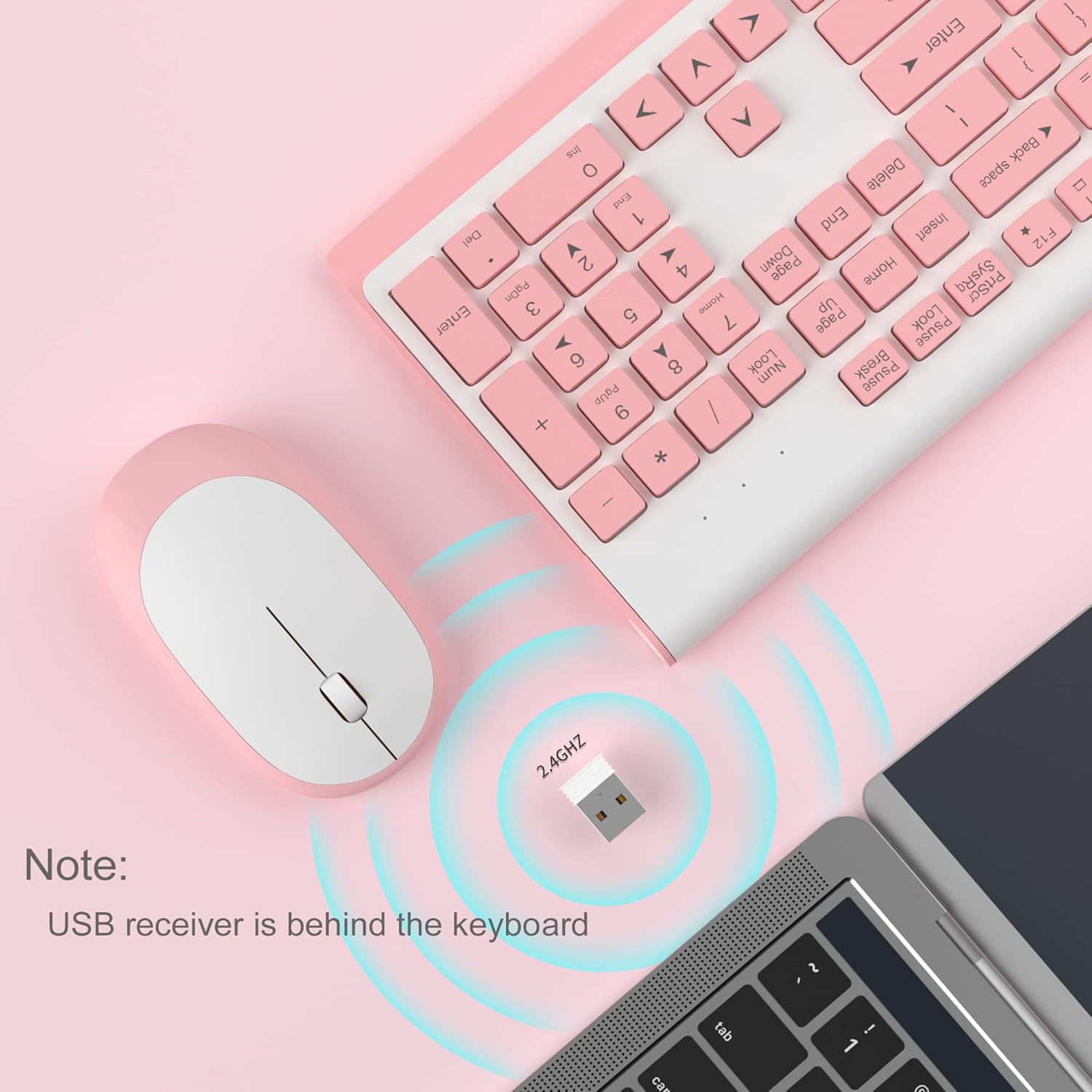
Image 3.2: USB receiver connection and storage location.

Image 3.3: 2.4G wireless connection diagram.
3.3. Encès
Ensure the power switches on both the keyboard and mouse are in the 'ON' position. The devices should now be ready for use.
4. Instruccions de funcionament
4.1. Funcions del teclat
The V650 keyboard features a standard 104-key layout, including a full number pad for data entry and dedicated arrow keys. The keys are designed for quiet and responsive typing.
Dreceres multimèdia
The keyboard includes 12 multimedia shortcuts accessible by pressing the Fn key in combination with the F1-F12 function keys. These shortcuts allow quick access to common functions such as volume control, media playback, and more.

Image 4.1: Keyboard multimedia function key combinations.
| Combinació | Funció |
|---|---|
| Fn + F1 | Multimèdia |
| Fn + F2 | Volum - |
| Fn + F3 | Volum + |
| Fn + F4 | Silenciar |
| Fn + F5 | Pista anterior |
| Fn + F6 | Pista següent |
| Fn + F7 | Reproduir/Pausa |
| Fn + F8 | Atureu-vos |
| Fn + F9 | Pàgina d'inici |
| Fn + F10 | Correu electrònic |
| Fn + F11 | El meu ordinador |
| Fn + F12 | Preferits |
4.2. Funcions del ratolí
The wireless mouse offers precise 1200 DPI tracking and quiet clicks. It features standard left and right click buttons and a scroll wheel for navigation.

Image 4.2: Mouse features: 1200 DPI and quiet operation.
4.3. Mode de repòs automàtic
To conserve battery life, both the keyboard and mouse will enter an automatic sleep mode after a period of inactivity. To wake them up, simply press any key on the keyboard or move the mouse.
5. Manteniment i cura
- Neteja: Feu servir un drap suau i sec per netejar les superfícies del teclat i el ratolí. Per a la brutícia persistent, netegeu lleugerament.amp cloth can be used, but ensure no liquid enters the devices. Avoid harsh chemicals or abrasive cleaners.
- Substitució de la bateria: Replace batteries when performance degrades or devices stop responding. Always use new batteries of the specified type (AAA for keyboard, AA for mouse) and dispose of old batteries responsibly.
- Emmagatzematge: When not in use for extended periods, turn off the devices to save battery life. Store the USB receiver in its dedicated slot on the keyboard to prevent loss.
- Medi ambient: Avoid exposing the devices to extreme temperatures, direct sunlight, or excessive moisture.
6. Solució De Problemes
If you encounter issues with your MageGee V650 combo, please refer to the following common solutions:
- No Connection / Lag:
- Ensure both the keyboard and mouse are powered on and have fresh batteries.
- Verify the USB receiver is securely plugged into a working USB port on your computer.
- Proveu de connectar el receptor USB a un port USB diferent.
- Acosteu el teclat i el ratolí al receptor USB per assegurar-vos que es troben dins d'un abast de funcionament de 10 metres.
- Eviteu col·locar el receptor a prop d'altres dispositius sense fil o objectes metàl·lics grans que puguin causar interferències.
- Keys Not Responding / Stuck Keys:
- Comproveu els nivells de la bateria i substituïu-la si cal.
- Gently clean around the affected keys to remove any debris that might be causing them to stick.
- Re-establish the connection by unplugging and re-plugging the USB receiver.
- Mouse Not Working / Cursor Jumps:
- Ensure the mouse has a fresh AA battery and is powered on.
- Netegeu el sensor òptic de la part inferior del ratolí.
- Feu servir el ratolí sobre una superfície adequada (no gaire reflectant ni transparent).
- Re-establish the connection by unplugging and re-plugging the USB receiver.
- Letters Fading on Keys:
- This is typically a result of prolonged use and wear. While not a functional defect, it can affect visibility.
7. Especificacions del producte
| Característica | Detall |
|---|---|
| Model | V650 |
| Tecnologia de connectivitat | 2.4G Wireless (Radio Frequency), USB Receiver |
| Disposició del teclat | Full Size, 104 Keys with Number Pad and 12 Multimedia Shortcuts |
| Tipus de teclat | Scissor-cross low profile, Quiet Keys |
| DPI del ratolí | 1200 DPI |
| Dispositius compatibles | PC, Desktop, Laptop, Notebook |
| Sistemes operatius | Windows XP / Vista / 7/8/10 |
| Dimensions del teclat | 16.06 x 6.6 x 1.3 polzades (aprox. 40.8 x 16.8 x 3.3 cm) |
| Dimensions del ratolí | 4.25 x 2.4 x 1.18 polzades (aprox. 10.8 x 6.1 x 3 cm) |
| Pes de l'article | 1.63 lliures (aprox. 0.74 kg) |
| Bateria del teclat | 2 x piles AAA |
| Bateria del ratolí | 1 x bateria AA |
| Característica especial | Round Keycaps, Ultra-Thin Design, Automatic Sleep Mode |

Imatge 7.1: Dimensions del producte.
8. Garantia i atenció al client
MageGee products are designed for reliability and performance. For any warranty inquiries, technical support, or assistance with your product, please contact MageGee customer support through the retailer where you purchased the item or visit the official MageGee store online.
Podeu trobar més informació i dades de contacte a MageGee Store on Amazon.