
1. Introducció
Aquest manual proporciona instruccions detallades per a la instal·lació, el funcionament i el manteniment del pany de porta intel·ligent Hogar Atrio Zigbee. Llegiu atentament aquest manual abans d'utilitzar el producte per garantir-ne el funcionament correcte i la seguretat. Conserveu aquest manual per a futures consultes.
2. Producte acabatview
El pany intel·ligent Hogar Atrio Zigbee ofereix múltiples mètodes d'accés segur, com ara empremta digital, codi d'accés, targeta RFID, aplicació mòbil Hogar SE i una clau mecànica tradicional. S'integra amb el vostre sistema de domòtica Zigbee per a un control i una supervisió millorats.
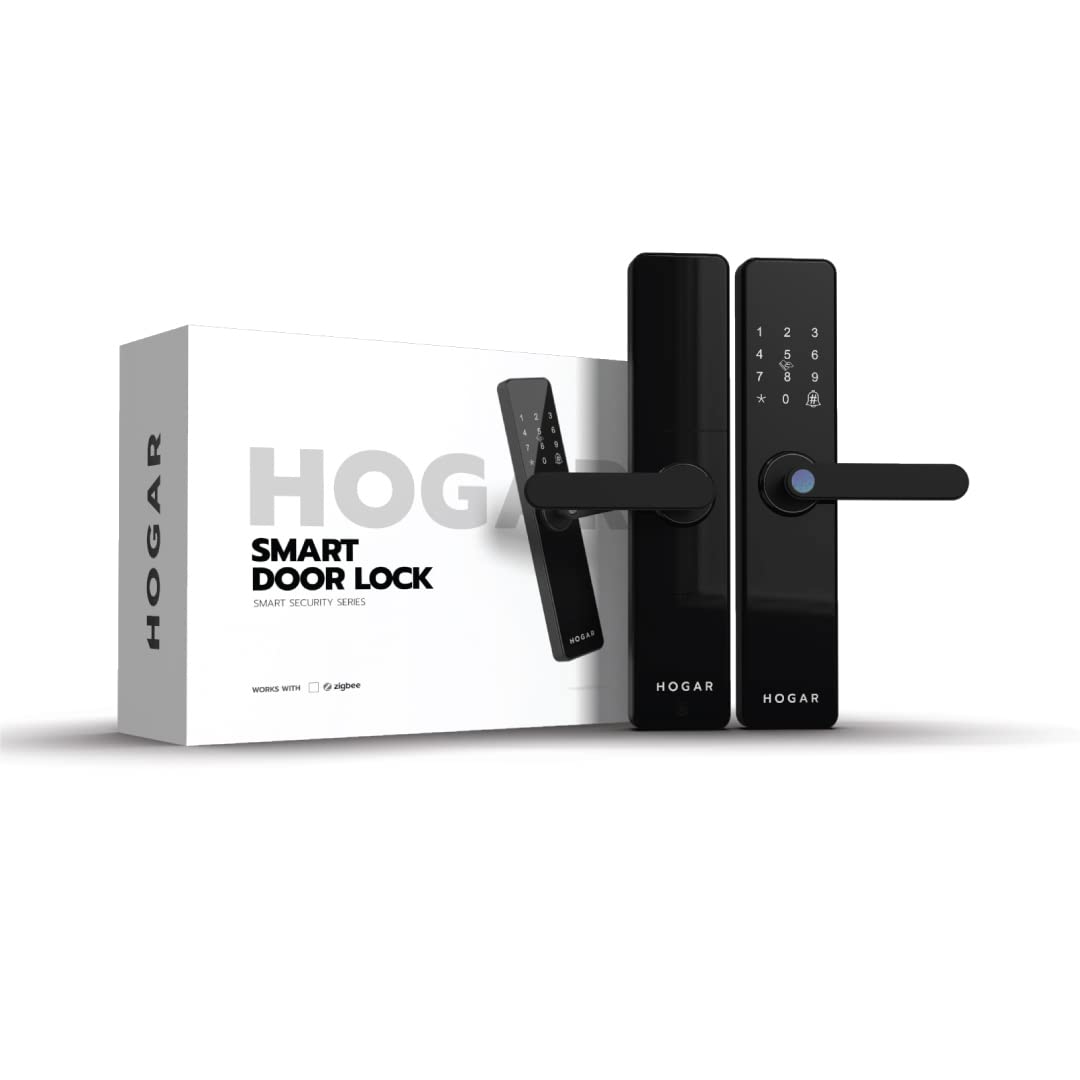
Imatge 2.1: Pany intel·ligent Hogar Atrio Zigbee i el seu embalatge.
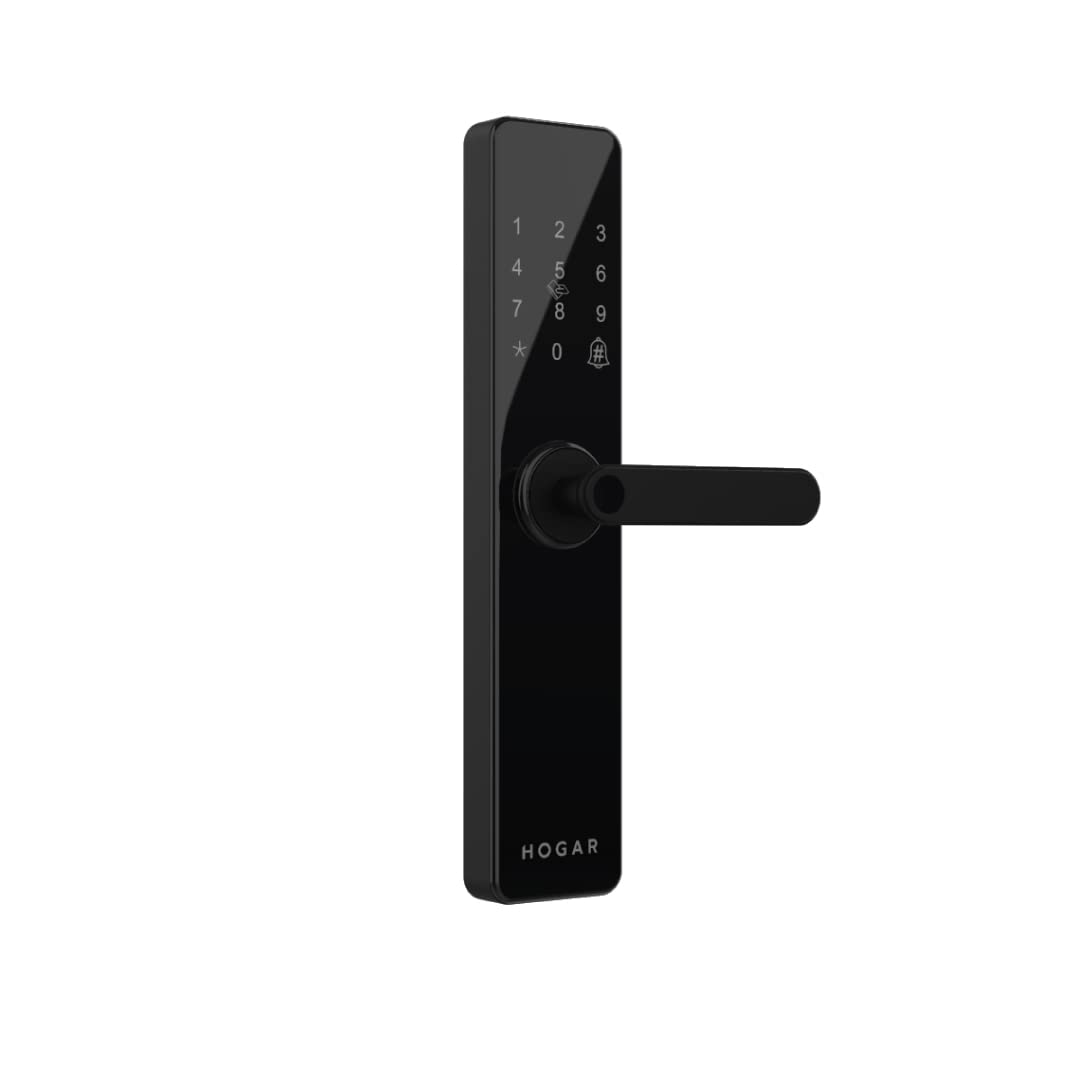
Imatge 2.2: Frontal view del pany intel·ligent Hogar Atrio, que mostra el teclat numèric i la maneta.
3. Configuració i instal·lació
El pany intel·ligent Hogar Atrio està dissenyat per a una instal·lació fàcil. Per accedir a l'aplicació i a totes les funcions intel·ligents, cal un controlador domèstic Zigbee, que s'ha de configurar abans de configurar les funcions intel·ligents del pany.
3.1 Servei d'instal·lació professional
Pot haver-hi serveis professionals d'instal·lació i demostració disponibles. Per programar una cita, poseu-vos en contacte amb el servei d'assistència a +91 844 844 0789.
3.2 Configuració inicial
- Instal·leu els elements de fixació del pany segons la guia d'instal·lació física inclosa.
- Introduïu les piles necessàries a la unitat interior.
- Emparella el pany intel·ligent amb el teu controlador Zigbee Home seguint les instruccions del controlador.
- Baixa't l'aplicació Hogar SE des de la botiga d'aplicacions del teu dispositiu.
- Segueix les instruccions de l'aplicació per afegir i configurar el teu pany intel·ligent.
4. Instruccions de funcionament
El pany intel·ligent Hogar Atrio ofereix múltiples mètodes per desbloquejar i assegurar la porta.
4.1 Desbloqueig amb empremta digital
El pany té un lector d'empremtes dactilars hipersensible. Per desbloquejar-lo, col·loca el dit registrat al sensor. El pany es desactivarà un cop verificat correctament.
Imatge 4.1: Sensor d'empremtes dactilars per a accés biomètric.
4.2 Desbloqueig amb contrasenya
Introduïu el codi d'accés registrat al teclat numèric seguit de la tecla '#'. El bloqueig es desactivarà si el codi d'accés és correcte. Els codis d'accés es poden gestionar a través de l'aplicació Hogar SE.

Imatge 4.2: Teclat numèric per a la introducció del codi d'accés.
4.3 Desbloqueig amb targeta RFID
Presenteu una targeta RFID registrada a l'àrea designada del lector RFID del pany. El pany es desactivarà un cop la targeta es reconegui correctament. Les targetes RFID es poden activar o desactivar a través de l'aplicació Hogar SE.

Imatge 4.3: Targeta RFID que s'utilitza per desbloquejar la porta.
4.4 Desbloqueig mitjançant l'aplicació Hogar SE
Amb l'aplicació Hogar SE instal·lada i connectada al teu controlador Zigbee Home, pots desbloquejar la porta de forma remota des de qualsevol lloc. Assegura't que el controlador Zigbee estigui en línia i que el pany estigui emparellat.

Imatge 4.4: Icona de l'aplicació Hogar SE, utilitzada per a l'accés remot.
4.5 Desbloqueig amb clau mecànica
En cas de fallada de corrent o avaria electrònica, el pany es pot obrir amb la clau mecànica proporcionada. Introduïu la clau al forat del pany i gireu per desbloquejar-lo.
4.6 Integració del control per veu
El pany intel·ligent Hogar Atrio admet el control per veu mitjançant assistents intel·ligents compatibles com Amazon Alexa i Google Assistant quan s'integra amb el controlador Zigbee Home. Segueix les instruccions proporcionades pel teu assistent intel·ligent per a la configuració.

Imatge 4.5: Ex.ampdel control de veu per desbloquejar la porta.
5. Manteniment
5.1 Substitució de la bateria
El pany intel·ligent funciona amb piles. S'indicarà un avís de bateria baixa al pany o a través de l'aplicació Hogar SE. Substituïu totes les piles immediatament quan aparegui aquest avís per garantir un funcionament continu. Utilitzeu només els tipus de piles recomanats.
5.2 Neteja
Netegeu l'exterior del pany amb un drap suau i sec. Eviteu utilitzar netejadors o dissolvents abrasius, ja que poden danyar l'acabat i els components electrònics.
6. Solució De Problemes
- El pany no respon: Comproveu els nivells de la bateria. Si les piles estan baixes, substituïu-les. Si el problema persisteix, proveu de fer servir la clau mecànica.
- Empremta digital no reconeguda: Assegura't que el dit estigui net i sec. Torna a registrar la teva empremta digital si cal a través de l'aplicació.
- El codi d'accés no funciona: Verifiqueu que s'ha introduït el codi d'accés correcte. Comproveu si hi ha hagut canvis accidentals a l'aplicació Hogar SE.
- Problemes de connectivitat de l'aplicació: Assegura't que el teu controlador Zigbee Home estigui encès i connectat a Internet. Comprova l'estat de connexió del pany a l'aplicació Hogar SE.
- L'avís de bateria baixa persisteix després de la substitució: Assegureu-vos que les piles noves estiguin inserides correctament i que siguin del tipus recomanat.
7. Especificacions
| Característica | Detall |
|---|---|
| Marca | Hogar |
| Model | HC-SAC-DDL-ZB-BL-IN |
| Tipus de bloqueig | Pany de porta intel·ligent (bloqueig de clau) |
| Característiques especials | Empremta digital, codi d'accés, RFID, accés a l'aplicació, clau mecànica, fàcil d'instal·lar |
| Protocol de connectivitat | Zigbee |
| Mètode de control | Aplicació, control d'empremtes dactilars |
| Font d'alimentació | Bateria |
| Usos recomanats | Seguretat |
| Tipus d'acabat | Polit |
| Estil | Modern |
8. Informació de seguretat
- Assegureu-vos sempre que la porta estigui correctament tancada abans d'accionar el pany.
- No exposeu el pany a temperatures extremes ni a ruixats d'aigua directes.
- Guardeu les claus mecàniques en un lloc segur, separat de la porta.
- Feu cas de l'avís de bateria baixa i substituïu les piles immediatament per evitar quedar-vos bloquejats.
- Comproveu regularment si hi ha algun signe de tamptrencament o danys al pany.
9. Garantia i Suport
9.1 Garantia
Aquest producte té una garantia de 15 mesos a partir de la data de compra. Si us plau, conserveu el comprovant de compra per a reclamacions de garantia. La garantia cobreix els defectes de fabricació en condicions d'ús normals.
9.2 Atenció al client
Per a assistència tècnica, consultes sobre la instal·lació o qualsevol altra necessitat de suport, poseu-vos en contacte amb el servei d'atenció al client de Hogar a +91 844 844 0789.