
Introducció
Thank you for choosing the HXSJ Wireless Foldable Bluetooth Touch Mouse m52. This manual provides detailed instructions for setting up, operating, and maintaining your new mouse. Please read this manual thoroughly to ensure proper use and to maximize the performance of your device.
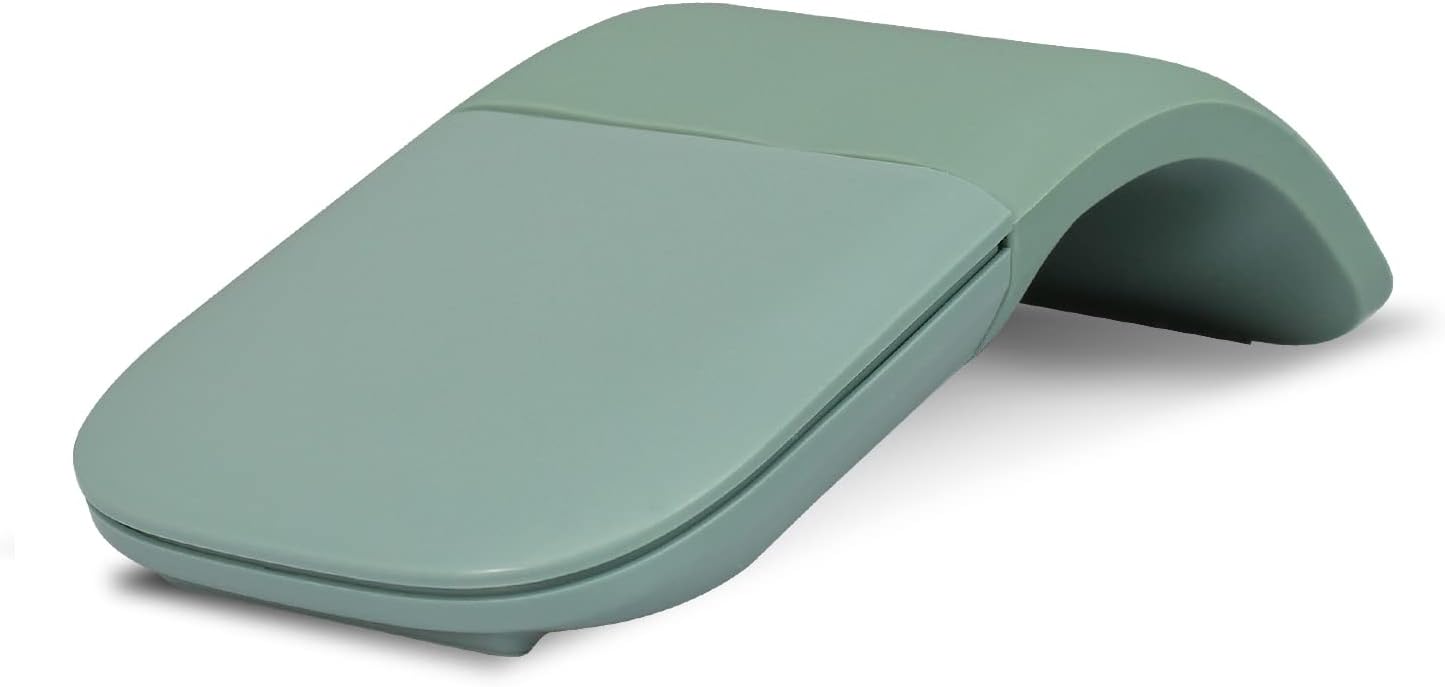
Image: The HXSJ Wireless Foldable Bluetooth Touch Mouse m52 in its arched, operational state. The mouse is green and features a sleek, minimalist design.
Producte acabatview
Característiques clau
- Innovative Full Touch Plane: The entire surface functions as a scroll plane, allowing for vertical scrolling.
- Ultra-Slim and Lightweight Design: Designed for portability, making it easy to carry anywhere.
- Connexió sense fil Bluetooth: Connects wirelessly to compatible devices via Bluetooth 4.0. No USB receiver is required.
- Disseny plegable: The mouse powers on when bent into an arch and powers off when flattened.
- Àmplia compatibilitat: Works with Bluetooth-enabled devices running Windows Vista, 8, 10, Mac OS, Linux, and Android operating systems.
Components i dimensions
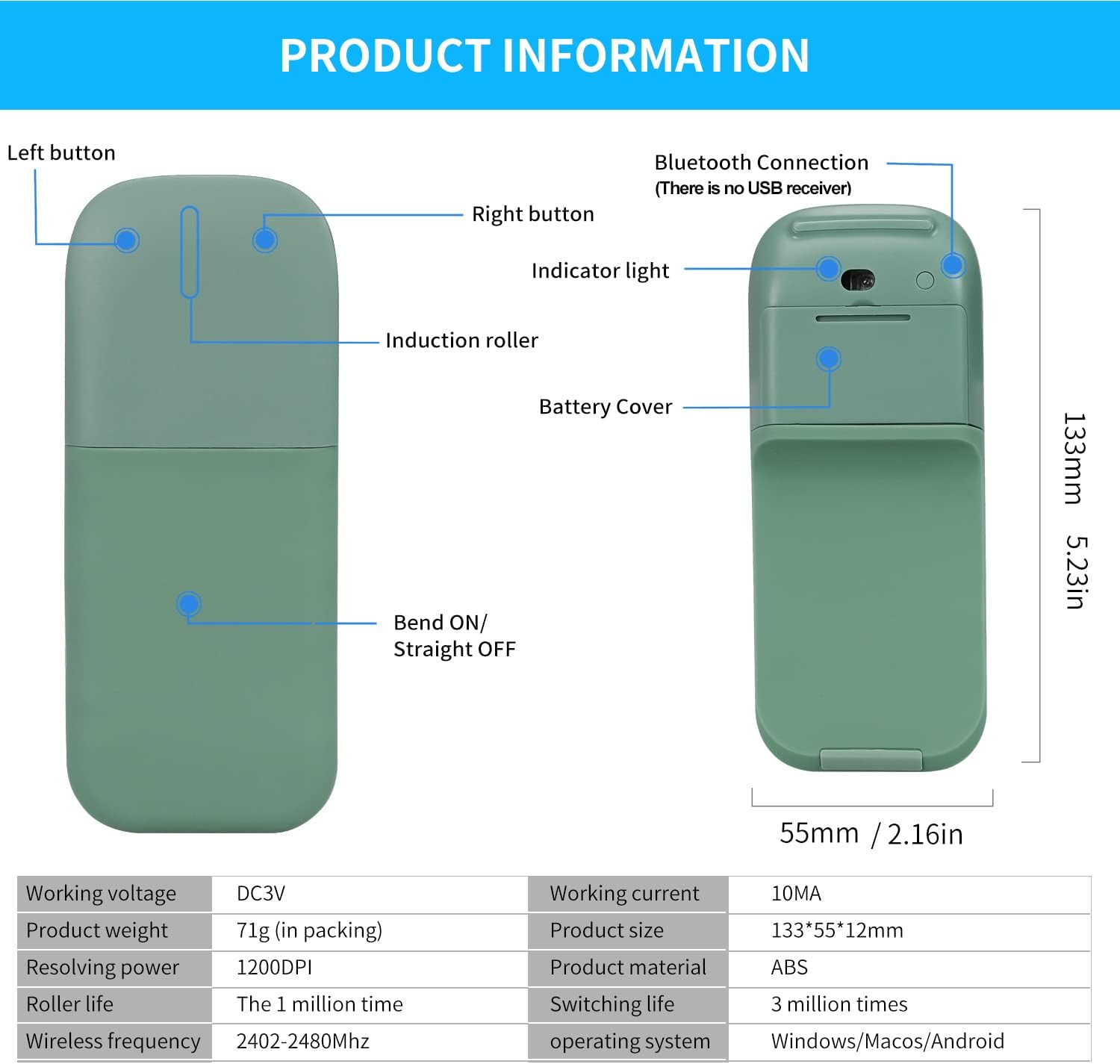
Image: A detailed diagram illustrating the components of the HXSJ m52 mouse, including the left button, right button, indicator light, induction roller, battery cover, and the bend point for power on/off. Dimensions are shown as 133mm (5.23in) length and 55mm (2.16in) width.
- Botó esquerre: Funció de clic principal.
- Botó dret: Funció de clic secundari.
- Llum indicadora: Proporciona informació sobre l'estat.
- Induction Roller: Touch-sensitive area for scrolling.
- Tapa de la bateria: Located on the underside for battery access.
- Bend Point: Mechanism for powering the mouse on and off.
Instruccions de configuració
Follow these steps to set up your HXSJ Wireless Foldable Bluetooth Touch Mouse m52:
- Insereix les piles: Open the battery cover on the underside of the mouse and insert two (2) AAA dry batteries (not included), ensuring correct polarity.
- Engegar el ratolí: Bend the mouse into its arched position. You will hear a sound, and the blue indicator light will flash, indicating the mouse is powered on and ready for pairing.
- Activate Bluetooth Pairing: Press the dedicated Bluetooth button on the mouse to initiate pairing mode.
- Connecta't a través de la configuració del dispositiu: A l'ordinador, la tauleta o el telèfon intel·ligent, navega fins a la configuració de Bluetooth.
- Add Bluetooth Device: Select the option to 'Add Bluetooth device' or 'Pair new device'. Your device will search for available Bluetooth devices.
- Selecciona i connecta: Locate 'HXSJ Mouse' (or similar identifier) in the list of found devices and click to connect. Once connected, the mouse is ready for use.
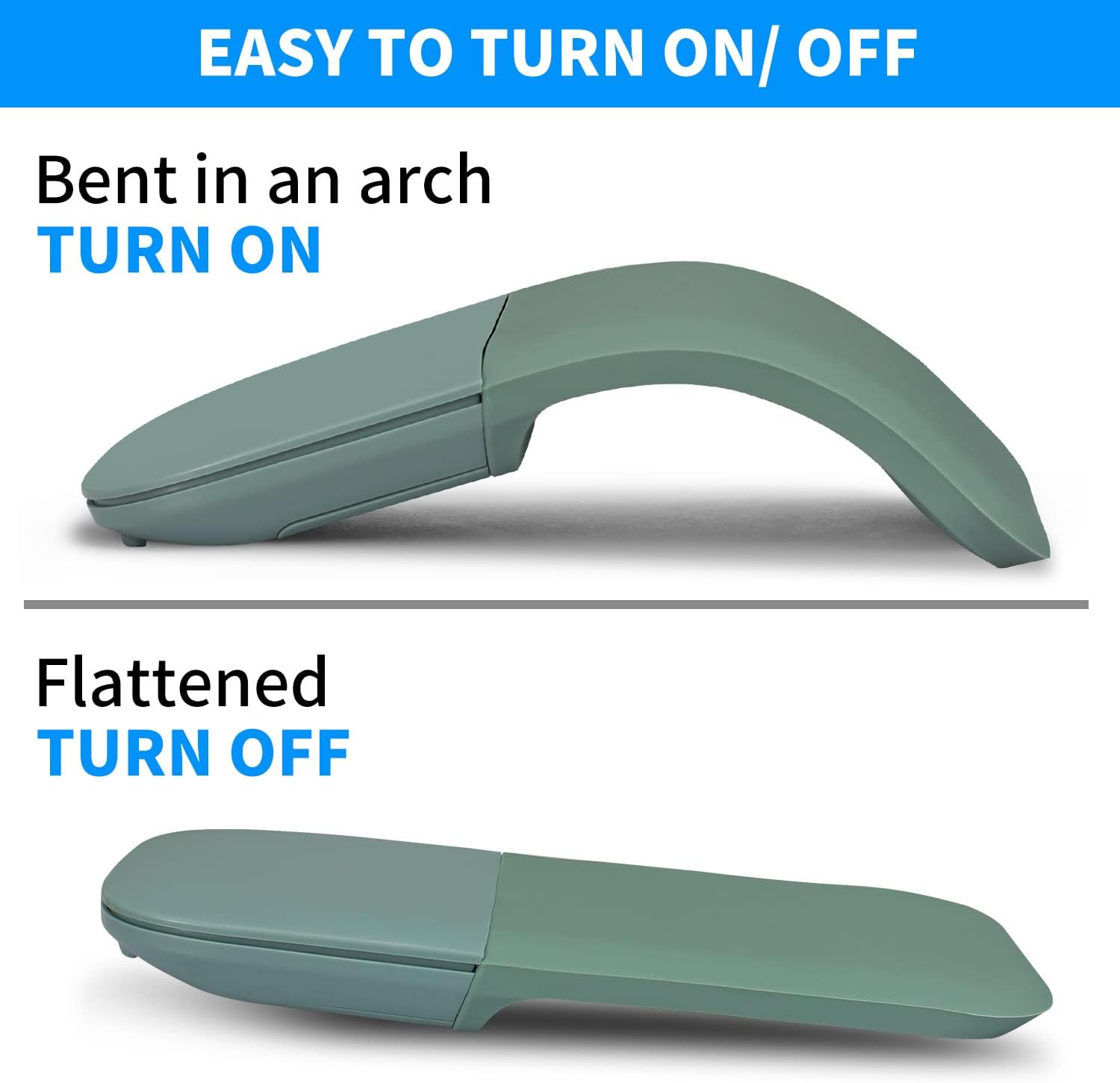
Image: Illustration demonstrating how bending the mouse into an arch turns it ON, and flattening it turns it OFF.
Notes importants:
- This is a Bluetooth mouse and does not require a USB receiver.
- The mouse is not compatible with Windows 7 or Windows XP operating systems.
- The mouse must be bent into the arched position to power on. If it remains flat, it will not turn on.
Instruccions de funcionament
The HXSJ m52 mouse features a touch-sensitive surface for intuitive control.

Image: A visual guide to the touch functions of the mouse, showing finger placement for vertical scrolling (slide to roll) and for left and right clicks.
- Clic esquerre: Tap the left side of the touch surface with your index finger.
- Clic dret: Tap the right side of the touch surface with your middle finger.
- Desplaçament: Slide your finger up or down the center of the touch surface to scroll vertically. The full touch plane supports this function.
- Encès/apagat: Bend the mouse into an arch to turn it on. Flatten the mouse to turn it off.
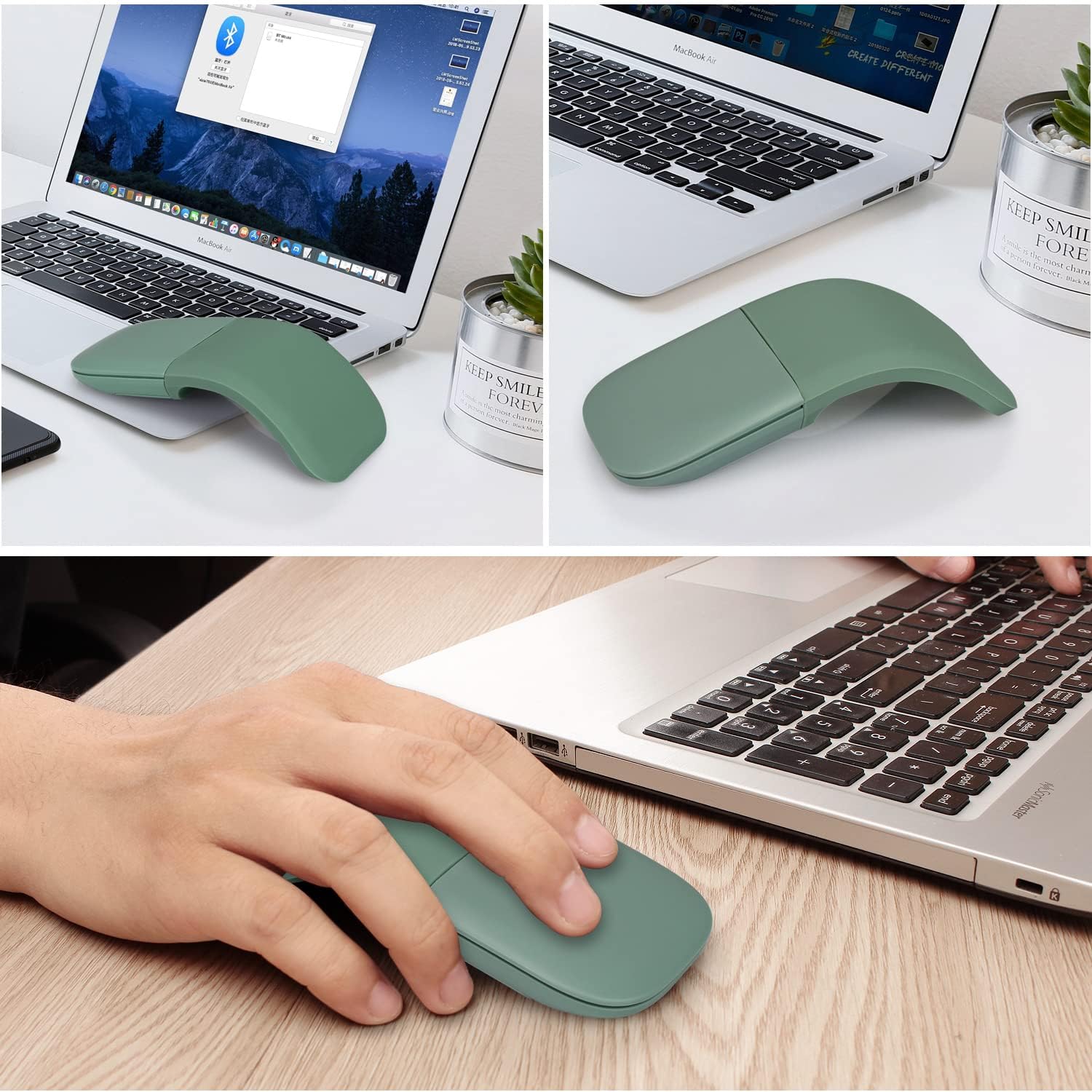
Image: The HXSJ m52 mouse in use, demonstrating its ergonomic design and compatibility with laptop setups.
Manteniment
To ensure the longevity and optimal performance of your HXSJ Wireless Foldable Bluetooth Touch Mouse m52, please follow these maintenance guidelines:
- Neteja: Use a soft, dry cloth to clean the surface of the mouse. Avoid using harsh chemicals or abrasive materials.
- Substitució de la bateria: Replace batteries when the mouse performance degrades or the indicator light signals low power. Always use new AAA batteries.
- Emmagatzematge: When not in use, flatten the mouse to turn it off and conserve battery life. Store it in a cool, dry place away from direct sunlight and extreme temperatures.
- Manipulació: Avoid dropping the mouse or subjecting it to strong impacts. Do not attempt to disassemble the mouse, as this may void any potential warranty and cause damage.
Resolució de problemes
If you encounter issues with your HXSJ Wireless Foldable Bluetooth Touch Mouse m52, refer to the following common problems and solutions:
| Problema | Causa possible | Solució |
|---|---|---|
| El ratolí no s'encén. | Mouse is not bent into the arched position. Batteries are low or incorrectly inserted. | Ensure the mouse is fully bent into the arched position. Check and replace batteries if necessary, ensuring correct polarity. |
| Mouse does not connect via Bluetooth. | Bluetooth is off on the device. Mouse is not in pairing mode. Device is incompatible. | Ensure Bluetooth is enabled on your computer/device. Press the Bluetooth button on the mouse to enter pairing mode. Verify your device's operating system is compatible (Windows Vista, 8, 10, Mac OS, Linux, Android). |
| El cursor del ratolí és erràtic o no respon. | Low battery. Dirty optical sensor. Unsuitable surface. | Replace batteries. Clean the optical sensor on the underside of the mouse with a soft cloth. Use the mouse on a clean, non-reflective surface. |
| No USB receiver included. | This is a Bluetooth-only mouse. | The HXSJ m52 mouse connects exclusively via Bluetooth and does not use a USB receiver. Ensure your device has Bluetooth capability. |
Especificacions
Detailed technical specifications for the HXSJ Wireless Foldable Bluetooth Touch Mouse m52:
| Característica | Especificació |
|---|---|
| Número de model | m52 |
| Tecnologia sense fils | Bluetooth 4.0 |
| Distància sense fils | 10-15 meters (32.8 - 49.2 feet) |
| Dimensions del producte (pla) | 133 x 55 x 12 mm (5.24 x 2.17 x 0.47 polzades) |
| Pes | 75 ± 5 grams (2.46 ounces) |
| Resolució (DPI) | 1200 ppp |
| Cicles operatius | 1,000,000 cicles |
| Tipus de bateria | 2 x AAA dry batteries (not included) |
| Material | ABS Plastic and Silicone |
| Tecnologia de detecció de moviment | Òptic |
| Sistemes operatius compatibles | Windows Vista, 8, 10; Mac OS; Linux; Android (Not compatible with Windows 7 or XP) |
| Color | Verd |
Garantia i Suport
Specific warranty information for the HXSJ Wireless Foldable Bluetooth Touch Mouse m52 is not provided in the product details. For warranty claims or technical support, please refer to the retailer or manufacturer's official website where the product was purchased. Keep your purchase receipt as proof of purchase.