
1. Introducció
This manual provides essential information for the safe and efficient operation of your SANSUI 43-inch 4K Ultra HD Certified Android LED TV, model JSW43ASUHD. Please read these instructions thoroughly before using your television and retain them for future reference.

Image: SANSUI 43-inch 4K Ultra HD Android LED TV JSW43ASUHD.
2. Què hi ha a la caixa
Desembaleu la caixa amb cura i assegureu-vos que hi hagi tots els elements següents:
- 1 unitat de TV
- 1 Control remot
- 1 Manual d'usuari (aquest document)
- 1 Targeta de garantia
- 1 Muntatge a la paret
- 2 piles AAA
- 2 suports de base
- 4 Screws (for base stand)
- 1 Mini AV Cable
- 1 cable d'alimentació
3. Configuració
3.1 Desembalatge i col·locació
Remove the TV and all accessories from the packaging. Place the TV on a stable, flat surface or prepare for wall mounting. Ensure adequate ventilation around the TV.
3.2 Instal·lació de l'estand
If using the included base stands:
- Col·loqueu amb cura la pantalla del televisor amb la pantalla cap avall sobre una superfície suau i neta per evitar ratllades.
- Align each base stand with the corresponding slots on the bottom of the TV.
- Fixeu cada suport amb els cargols proporcionats. Assegureu-vos que estiguin ben ajustats.
- Aixequeu amb cura el televisor fins a la seva posició vertical sobre una superfície estable.

Image: SANSUI TV with base stands installed.
3.3 Muntatge a la paret
Your SANSUI TV supports VESA wall mounting with a standard of 200 x 200 mm. Follow the instructions provided with your wall mount kit. Ensure the wall mount is securely fastened to a suitable wall structure and can support the weight of the TV (approximately 6.75 kg).
3.4 Connexió de perifèrics
Connecteu els dispositius externs als ports corresponents del panell posterior del televisor.
- HDMI Ports (3): Connect Blu-ray players, gaming consoles, set-top boxes, etc.
- Ports USB (2): Connect USB drives for media playback or other USB devices.
- 3.5mm Àudio Jack: Connect headphones or external audio systems.
- RJ45 (Ethernet): Per a connexió a Internet per cable.
- Entrada d'antena: Connect your terrestrial or cable antenna.

Image: Rear panel connectivity ports.
3.5 Encès
After connecting all necessary cables, plug the power cord into a wall outlet. Press the power button on the remote control or on the TV to turn it on. Follow the on-screen instructions for initial setup, including network connection and Google account login.
4. Funcionament del televisor
4.1 Funcions de Smart TV (Android 10.0)
Your SANSUI TV runs on Android 10.0, offering a smart and intuitive user experience. Key features include:
- Google Assistant & Alexa Enabled Support: Use voice commands for navigation, content search, and smart home control.
- Chromecast integrat: Easily cast content from your smartphone or tablet to the TV screen.
- Aplicacions compatibles: Access popular streaming services like Prime Video, Netflix, Disney+ Hotstar, YouTube, and Google Play Store.
- Rendiment: Powered by a CA53 Quad Core Processor with 2GB RAM and 8GB ROM for smooth operation.
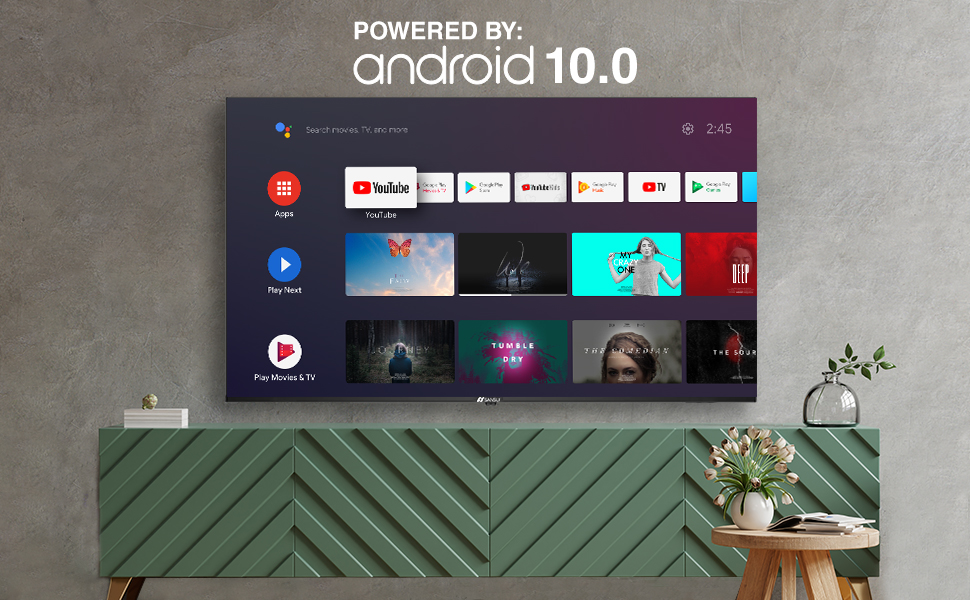
Image: Android 10.0 Smart TV interface.
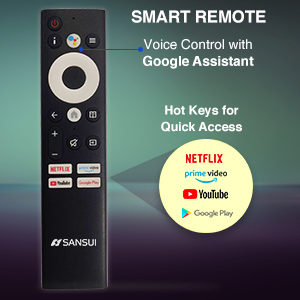
Image: Built-in Chromecast functionality.
4.2 Control remot
The included remote control features voice search capabilities with Google Assistant and dedicated hotkeys for quick access to popular streaming services.
- Control de veu: Press the microphone button and speak your commands.
- Tecles d'accés ràpid: Direct access buttons for Netflix, Prime Video, YouTube, and Google Play.

Image: SANSUI Smart Remote Control.

Image: Smart Remote features.
4.3 Connectivitat
El televisor ofereix opcions de connectivitat versàtils:
- Wi-Fi: Connect to your home wireless network for internet access.
- Bluetooth: Pair with compatible wireless headphones, speakers, or other Bluetooth devices.
- Ethernet (RJ45): For a stable wired internet connection.
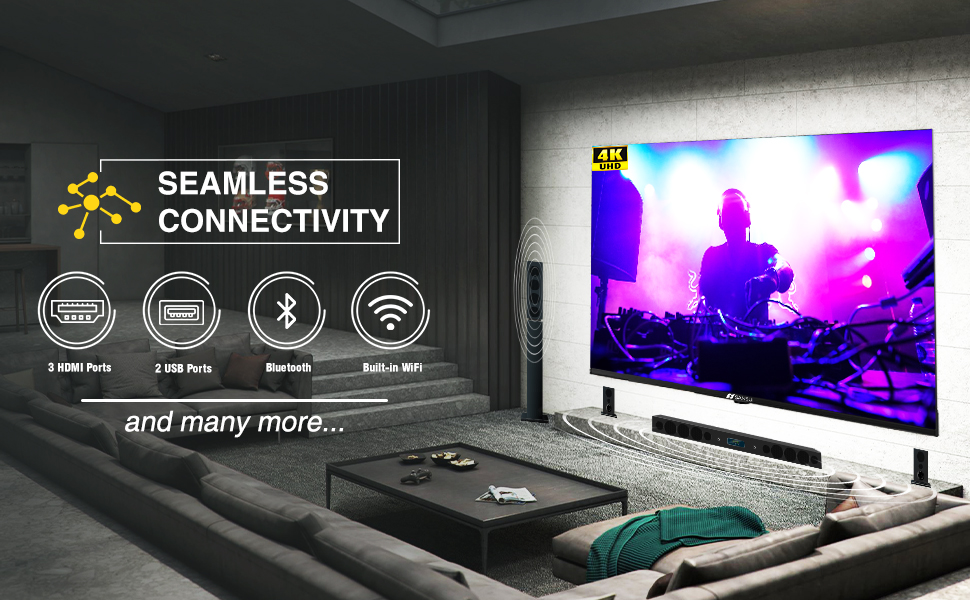
Image: Seamless connectivity options.
5. Funcions de pantalla i àudio
5.1 Qualitat de visualització
Experience stunning visuals with your SANSUI 4K UHD Android TV:
- 4K UHD (3840x2160) Resolution: Delivers sharp, detailed images.
- HDR 10: Enhances contrast and color accuracy for a more dynamic picture.
- Àmplia gamma de colors: Produces a broader range of vibrant colors.
- Disseny sense bisell: Maximizes screen space for an immersive viewexperiència.
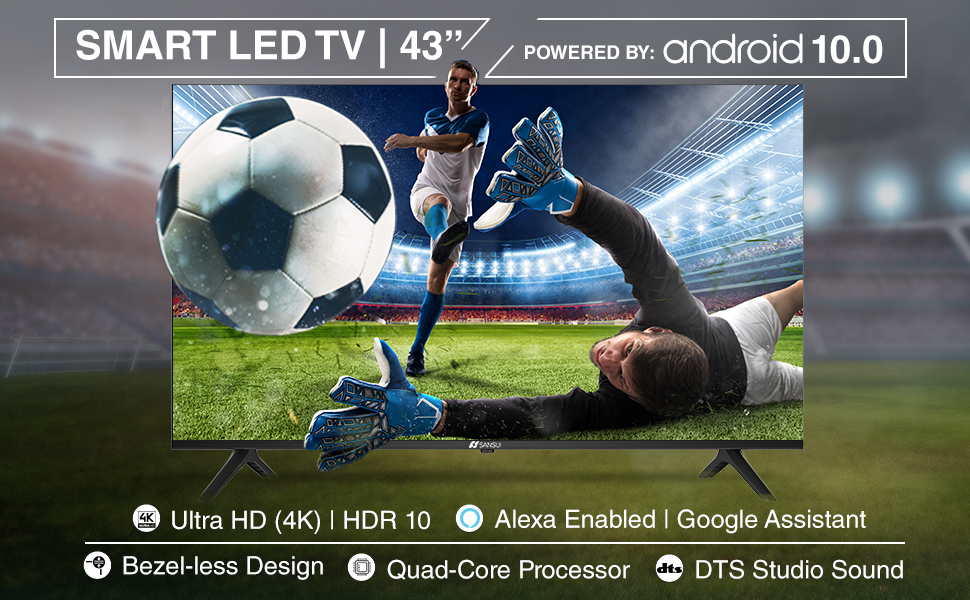
Image: Incredible visual possibilities with 4K UHD.
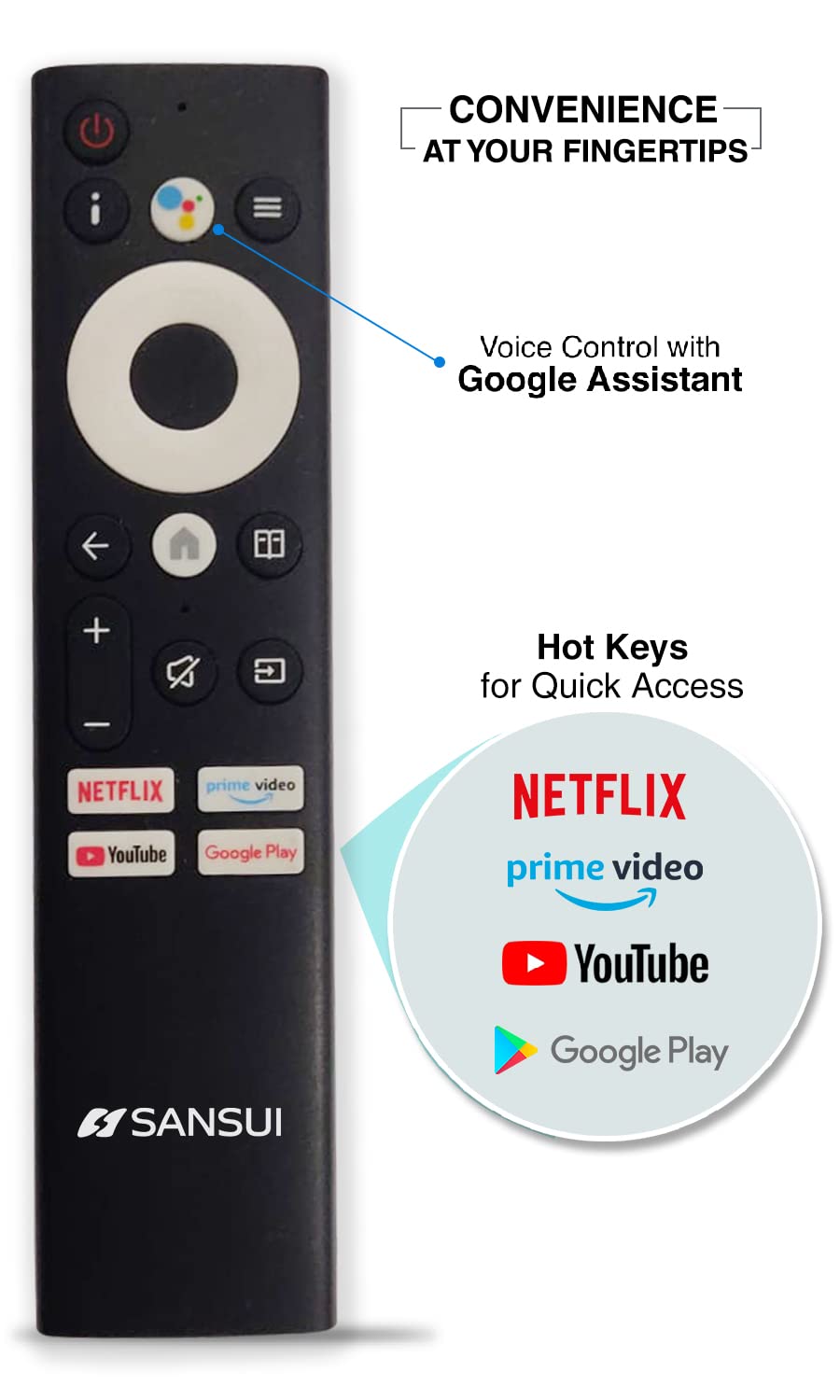
Image: Bezel-less design for an expansive view.
5.2 Qualitat d'àudio
The TV features:
- 20W Audio Output: Provides clear and powerful sound.
- Dolby Audio & DTS Studio Sound: Enhances audio quality for an immersive listening experience.
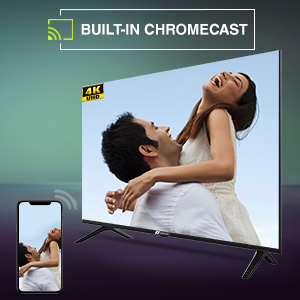
Image: Incredible audio features.
6. Manteniment
6.1 Neteja de la pantalla
Per netejar la pantalla, netegeu-la suaument amb un drap suau i sense borrissol. Per a marques difícils, netegeu-la lleugerament.ampNetegeu el drap amb aigua o amb un netejador de pantalles especialitzat. No ho facis use harsh chemicals, abrasive cleaners, or spray liquids directly onto the screen.
6.2 Atenció general
- Mantingueu el televisor allunyat de la llum solar directa, de fonts de calor i de l'excés de pols.
- Assegureu-vos d'una ventilació adequada al voltant del televisor per evitar el sobreescalfament.
- Desendolleu el televisor de la presa de corrent durant tempestes o quan no el fareu servir durant períodes prolongats.
7. Solució De Problemes
Si teniu problemes amb el televisor, consulteu les solucions habituals següents:
| Problema | Possible solució |
|---|---|
| Sense poder | Check if the power cord is securely plugged into the TV and the wall outlet. Ensure the outlet is functional. Try pressing the power button on the TV itself. |
| No hi ha imatge, però hi ha so | Comproveu la font d'entrada. Assegureu-vos que els dispositius externs estiguin encesos i connectats correctament. Intenteu reiniciar el televisor. |
| No hi ha so, però hi ha imatge | Comproveu el nivell de volum i assegureu-vos que el televisor no estigui silenciat. Verifiqueu la configuració d'àudio i les connexions dels altaveus externs si escau. |
| El comandament a distància no funciona | Ensure the AAA batteries are correctly inserted and not depleted. Point the remote directly at the TV's IR sensor. Remove any obstructions. |
| No es pot connectar a la Wi-Fi | Check if your Wi-Fi router is on and functioning. Re-enter the Wi-Fi password. Try restarting both the TV and the router. |
If the problem persists after trying these solutions, please contact SANSUI customer support.
8. Especificacions tècniques
Below are the detailed technical specifications for the SANSUI JSW43ASUHD TV:

Image: TV dimensions.
| Característica | Especificació |
|---|---|
| Mida de la pantalla | 43 polzades (109 cm) |
| Tecnologia de visualització | LED |
| Resolució | 4K UHD (3840 x 2160) |
| Freqüència d'actualització | 60 Hz |
| Sistema operatiu | Android 10.0 (Certified by Google) |
| Processador | CA53 Quad Core |
| RAM | 2 GB |
| ROM (emmagatzematge) | 8 GB |
| Format HDR compatible | HDR10 |
| Viewangle ing | 178 graus |
| Sortida d'àudio | 20 W |
| Tecnologia d'àudio | Dolby Audio, DTS Studio Sound |
| Ports HDMI | 3 |
| Ports USB | 2 |
| Connectivitat | Bluetooth, Wi-Fi, Ethernet (RJ45) |
| Tipus de muntatge | Wall Mount & Table Top |
| Estàndard de muntatge VESA | 200 x 200 mm |
| Pes de l'article | 6750 grams |
| Any model | 2022 |
9. Garantia i Suport
9.1 Informació de la garantia
Your SANSUI TV comes with a Garantia integral de 1 anys i un garantia addicional d'1 any al panell, provided by the brand from the date of purchase.
9.2 Atenció al client
For warranty support or any technical assistance, please contact SANSUI customer service:
- Toll-Free No.: 1800-419-3777
- Correu electrònic: sansuicare@jainaindia.com
- Importer Contact: Jaina India Pvt Ltd., D170, Okhla Industrial Area, Phase-1, New Delhi-110020 INDIA
10. Notes importants
No official product videos with 'Seller' as creator type were available for embedding in this manual.